
1. Увод
This manual provides essential information for the safe and effective use of your TicWatch Pro 3 Ultra GPS Smartwatch. Please read it thoroughly before operating the device and retain it for future reference.
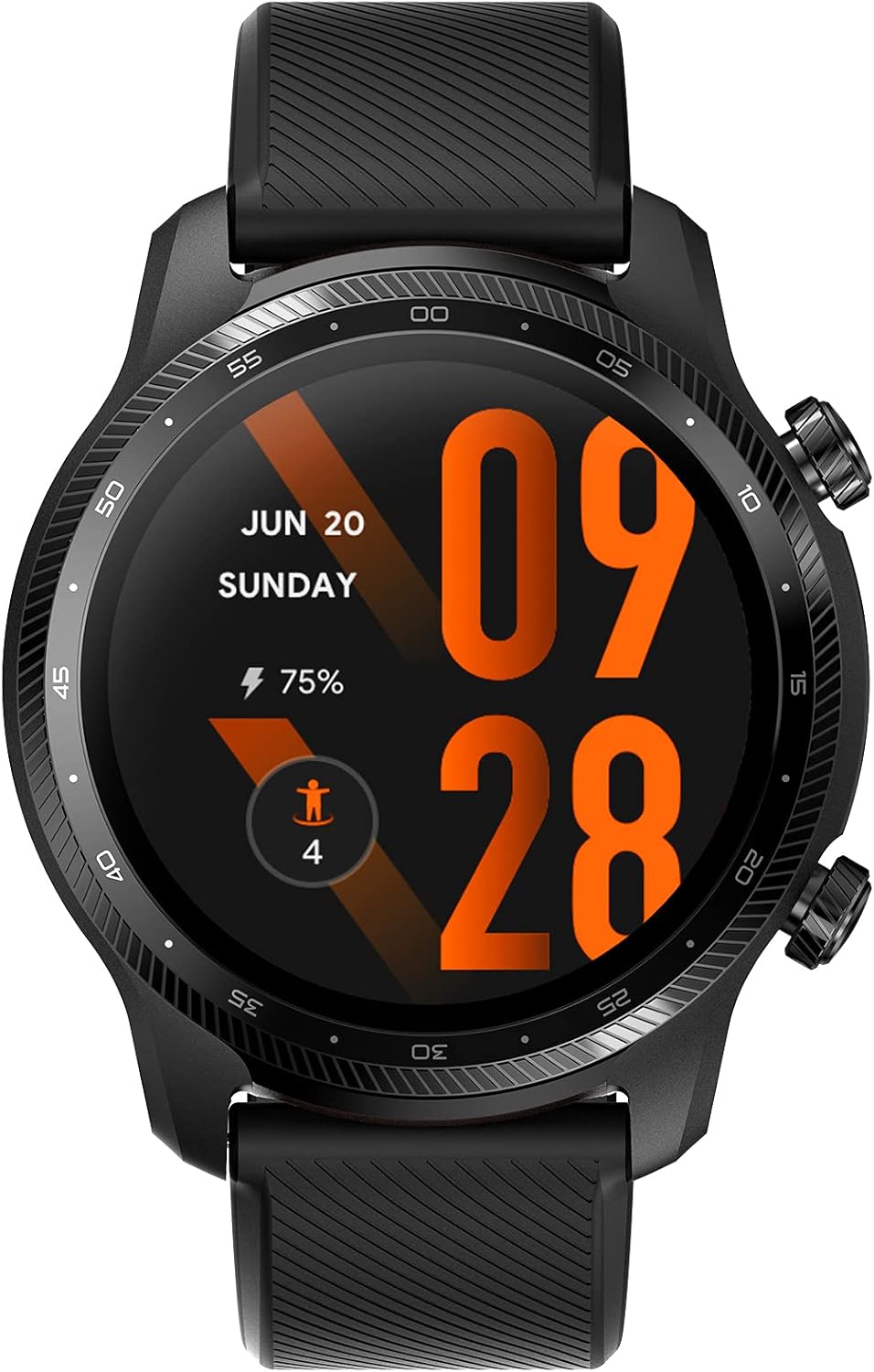
Image: The TicWatch Pro 3 Ultra GPS Smartwatch with its vibrant display showing time, date, and activity metrics.
2. Подешавање
2.1. Шта је у кутији
- ТицВатцх Про 3 Ултра ГПС паметни сат
- УСБ кабл за пуњење
- Брзи водич
- Информације о безбедности производа

Image: The retail packaging of the TicWatch Pro 3 Ultra GPS, showing the smartwatch, USB charging cable, and accompanying quick guide and safety information.
2.2. Почетно пуњење
Before first use, fully charge your smartwatch using the provided USB charging cable. Connect the magnetic end of the cable to the charging points on the back of the watch and the USB-A end to a compatible power adapter (not included) or computer USB port.
2.3. Упаривање са вашим паметним телефоном
- Download the 'Wear OS by Google' app and the 'Mobvoi Health' app from your smartphone's app store (Google Play Store for Android, Apple App Store for iOS).
- Уверите се да је Блуетоотх омогућен на вашем паметном телефону.
- Turn on your TicWatch by pressing and holding the Power button.
- Follow the on-screen instructions on your watch and smartphone to complete the pairing process.
3. Управљање паметним сатом
3.1. Девице Оверview
- Приказ: 1.4-inch AMOLED (454x454 resolution) with dual-layer display 2.0 technology, featuring a customizable colorful backlight FSTN screen and Corning Gorilla Anti-fingerprint Cover Glass.
- Дугмад: Two physical buttons on the side for navigation and quick access to functions.
- Сензори: Located on the back for heart rate, blood oxygen, and other health metrics.
- Микрофон и звучник: Интегрисан за позиве и гласовне команде.

Image: A detailed graphic illustrating the key components and features of the TicWatch Pro 3 Ultra GPS, including its Qualcomm Snapdragon Wear 4100 platform, dual-layer display, various sensors, and MIL-STD-810G durability.
3.2. Основна навигација
- Превуците доле: Приступите брзим подешавањима и обавештењима.
- Провуче до: View обавештења.
- Превуците лево/десно: Navigate through tiles (widgets) for quick information.
- Press Top Button: Access the app list.
- Press Bottom Button: Customizable shortcut to a preferred app or function.
4. Основне карактеристике
4.1. Технологија приказа
The TicWatch Pro 3 Ultra GPS features a unique dual-layer display 2.0. This combines a vibrant AMOLED screen for rich colors and detailed visuals with an ultra-low-power FSTN (Film Compensated Super-Twisted Nematic) screen for extended battery life in Essential Mode. The FSTN screen also offers a customizable colorful backlight for improved visibility in various lighting conditions.

Слика: Сајам паметних сатоваasing its dual-layer display, illustrating how it transitions between a full-color AMOLED screen and a power-efficient FSTN display, along with estimated battery life in each mode.

Image: The customizable colorful backlight of the FSTN display, offering 18 different color choices for enhanced readability in diverse conditions, particularly in the dark.
4.2. Performance & Battery Life
Powered by the Qualcomm Snapdragon Wear 4100 Platform and Mobvoi Dual Processor System, the smartwatch delivers smooth performance. It includes 1GB RAM and 8GB ROM. The dual-layer display technology enables extended battery life: up to 72 hours in Smart Mode and up to 45 days in Essential Mode, depending on usage and settings.
4.3. Праћење здравља
- 24-часовно праћење откуцаја срца: Continuously tracks your heart rate with an accurate sensor, providing alerts for unusual changes.
- Засићење крви кисеоником (SpO2): Measures blood oxygen levels to provide insights into your body's oxygen absorption.
- Праћење стреса: Tracks stress levels throughout the day and offers guided breathing exercises.
- Праћење спавања: Прати спавањеtages (light, deep, REM) and provides daily insights to improve sleep habits.
- IHB/AFib Detection: Detects irregular heartbeats that may indicate atrial fibrillation (AFib). Note: This feature is not intended for medical diagnosis or treatment.
- Fatigue Assessment: Assesses mental fatigue and tracks daily energy levels based on heart rate variability (HRV).

Image: The smartwatch screen showing continuous heart rate tracking, with current heart rate and a graph of recent activity.

Image: The smartwatch displaying blood oxygen saturation levels, indicating a normal reading of 95%.

Image: The fatigue assessment feature on the smartwatch, providing insights into mental fatigue and energy levels.
4.4. Праћење физичке спремности
The smartwatch supports over 100 professional sports modes, including outdoor running, walking, cycling, swimming, and more. It features built-in GPS (GPS, Beidou, Glonass, Galileo, QZSS) for accurate route tracking and a barometer for altitude data. The device is IP68 waterproof and suitable for pool swimming.

Image: The smartwatch interface showing various workout modes and health metrics like heart rate, sleep, and steps, indicating comprehensive wellness management.

Image: The smartwatch displaying a tracked route on a map, illustrating its multi-GNSS (GPS, Beidou, Glonass, Galileo, QZSS) capabilities for accurate outdoor activity tracking.
4.5. Повезивање
The TicWatch Pro 3 Ultra GPS offers Bluetooth 5.0 and Wi-Fi (802.11b/g/n) for seamless connectivity with your smartphone and network. It also supports NFC for Google Pay, allowing for convenient contactless payments.

Image: The smartwatch screen showing smart notifications from various applications, demonstrating its ability to keep users connected to calls, texts, and social media messages.

Image: A user making a contactless payment with the TicWatch Pro 3 Ultra GPS using Google Pay, showcasing the smartwatch's NFC functionality.
5. Одржавање
5.1. Чишћење паметног сата
Regularly clean your TicWatch and its band to prevent skin irritation and maintain optimal sensor performance. Use a soft, lint-free cloth. If necessary, dampen the cloth with fresh water. Avoid using soaps, cleaning products, abrasive materials, or compressed air.
5.2. Најбоље праксе наплаћивања
Always use the original charging cable provided with your device. Ensure the charging contacts on the watch and cable are clean and dry before charging. Avoid exposing the charging cable to extreme temperatures or moisture.
КСНУМКС. Решавање проблема
- Сат се не укључује: Уверите се да је сат потпуно напуњен. Повежите га са пуњачем најмање 30 минута.
- Не може се упарити са паметним телефоном: Ensure Bluetooth is enabled on your phone and the watch is in pairing mode. Try restarting both devices.
- Нетачна очитавања откуцаја срца/SpO2: Уверите се да сат чврсто приања на зглоб, не превише стегнут или превише лабав. Очистите сензор на полеђини сата.
- Kratko trajanje baterije: Adjust display brightness, reduce notification frequency, disable unnecessary features like Always-On Display, or use Essential Mode.
- ГПС се не повезује: Ensure you are in an open outdoor area. Allow the watch sufficient time to acquire a GPS signal.
7. Спецификације
| Феатуре | Спецификација |
|---|---|
| Бранд | Тицватцх |
| Назив модела | TicWatch Pro 3 Ultra GPS |
| Процесор | Qualcomm Snapdragon Wear 4100 Platform and Mobvoi Dual Processor System |
| Оперативни систем | Веар ОС би Гоогле |
| РАМ | 1 ГБ |
| Капацитет меморије | 8 ГБ |
| Дисплаи Типе | 1.4 Inches AMOLED (454 x 454) with FSTN secondary display |
| Повезивање | Bluetooth 5.0, Wi-Fi: 802.11b/g/n, NFC |
| ГПС | Built-in GPS (GPS, Beidou, Glonass, Galileo, QZSS) |
| Отпорност на воду | IP68, Pool Swimming Suitable |
| Трајност | US Military Standard 810G certified |
| Battery Life (Smart Mode) | До 72 сати |
| Battery Life (Essential Mode) | До 45 дана |
| Сензори | Heart Rate, Blood Oxygen, Barometer, Sleep Tracking, Stress Monitoring, Fatigue Assessment |
| Компатибилни уређаји | иОС и Андроид |
| Димензије производа | КСНУМКС к КСНУМКС к КСНУМКС цм; КСНУМКС г |
8. Гаранција и подршка
For warranty information, technical support, or further assistance, please refer to the official Ticwatch website or contact Mobvoi customer service directly. Details can typically be found in the product safety information included in your package.