
1. Увод
Thank you for choosing the VITCOCO 5 Megapixel 1920P HD Otoscope Ear Cleaner. This device is designed to provide a clear visual inspection of the ear canal and assist in ear cleaning. This manual provides essential information for the safe and effective use of your otoscope. Please read it thoroughly before operation and retain it for future reference.

Image 1.1: VITCOCO Otoscope connected to a smartphone, showing a clear view ушног канала.
2. Безбедносне информације
- This device is intended for visual inspection and gentle ear cleaning. It is not a medical device for diagnosis or treatment of ear conditions. Consult a medical professional for any ear health concerns.
- Exercise extreme caution when inserting the otoscope into the ear canal. Avoid excessive force or deep insertion to prevent injury to the eardrum or ear canal.
- Always use the provided silicone ear tips to protect the ear canal. A protective ring is integrated to safeguard sensitive areas, especially when used on children.
- The otoscope features an intelligent temperature control system to maintain a safe temperature during use (ear spoon 20-25°C, handle 30-34°C). If the device feels uncomfortably warm, discontinue use immediately.
- The lens of the otoscope is IP67 waterproof and can be rinsed with water or alcohol. The main body of the otoscope is not waterproof; do not immerse it in liquids.
- Keep out of reach of children. Adult supervision is required if used on children.

Image 2.1: The otoscope in use, demonstrating its application for visual ear inspection. Note the emphasis on gentle use, especially for sensitive users.
3. Садржај пакета
Проверите да ли су све ставке присутне у пакету:
- VITCOCO Otoscope
- УСБ-Ц кабл за пуњење
- Box with 5 Silicone Ear Tips
- Упутство за употребу
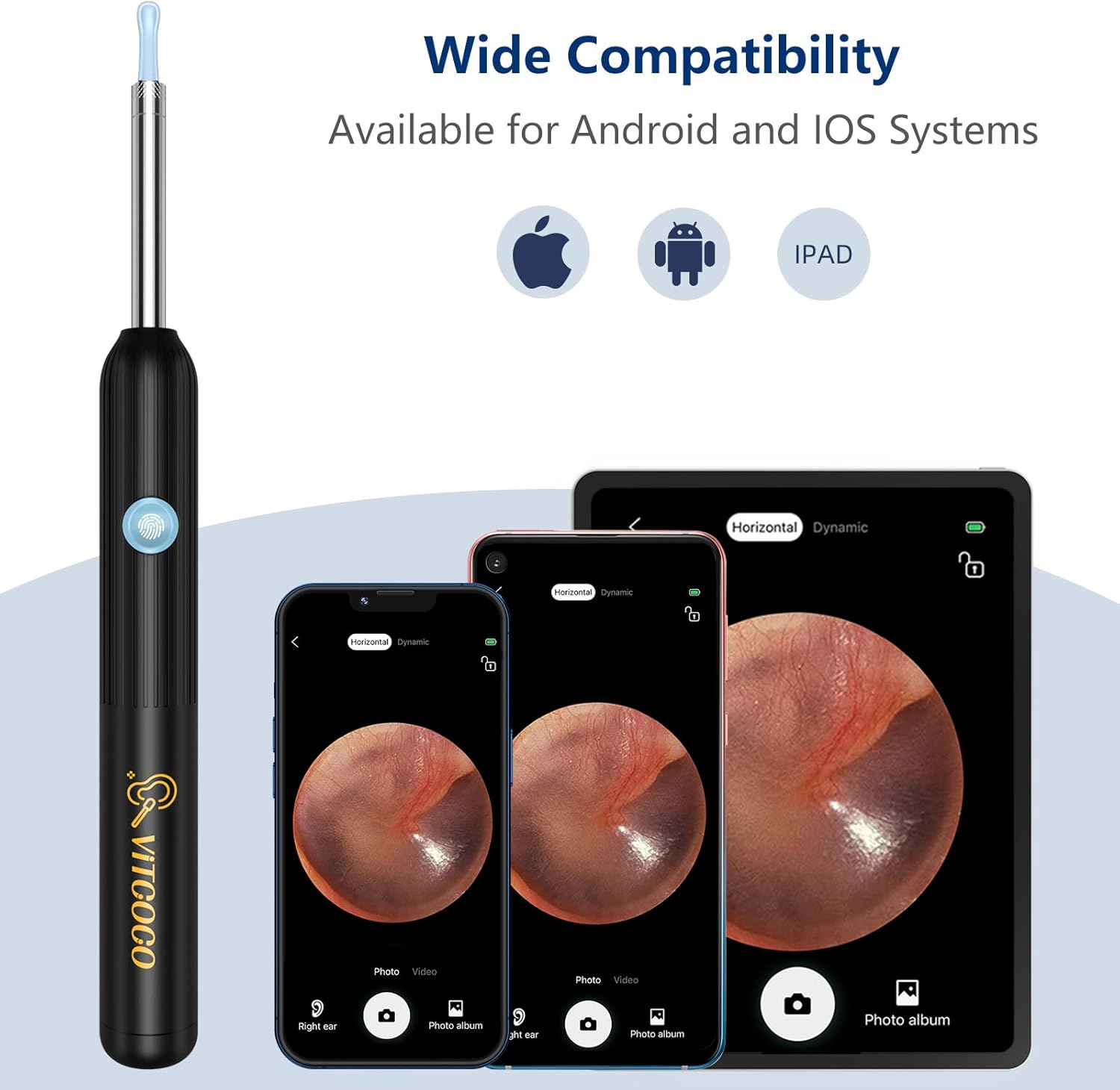
Image 3.1: All components included in the VITCOCO Otoscope package.
4. Производ је готовview
The VITCOCO Otoscope features advanced technology for clear and safe ear inspection:
- Камера високе резолуције: 5 Megapixel, 1920P HD camera for detailed images and videos.
- Осветљење: Equipped with 6 powerful LED lights to illuminate the ear canal.
- Компактан дизајн: Ultra-small 3.9mm lens diameter for comfortable insertion.
- Стабилно Viewинг: 6-axis gyroscope and 360° wide-angle lens ensure a stable image regardless of rotation.
- Паметна контрола температуре: Maintains optimal temperatures for user comfort and safety.
- Бежична повезаност: Fast 2.4GHz WiFi chip for seamless image transmission to your smartphone or tablet.
- Дуг век трајања батерије: 350mAh battery provides approximately 90 minutes of continuous use.
- Водоотпорна сочива: IP67 rated lens for easy cleaning.

Слика 4.1: Детаљно view of the otoscope's camera system, including the 5 Megapixel HD camera and 6 LED lights.

Image 4.2: The 6-axis gyroscope ensures a stable, non-deviating image angle during use.

Image 4.3: Key components and intelligent temperature control design of the otoscope.
5. Подешавање
Follow these steps to set up your VITCOCO Otoscope:
- Преузмите апликацију: Скенирајте КР код испод или посетите http://qr19.cn/CRUIhc to download the "Suear" application from the App Store (iOS) or Google Play Store (Android). The app is compatible with Android 4.4+ and iOS 9.0+ devices.
- Укључено: Press and hold the power button on the otoscope for approximately 5 seconds until the indicator light turns on.
- Повежите се на Ви-Фи: On your smartphone or tablet, go to your Wi-Fi settings and connect to the network named "Suear-X7-XXXX" (the last four characters will vary).
- Отвори апликацију: Return to the "Suear" app and click the home icon to enter the device interface. You should now see a live view from the otoscope camera.

Image 5.1: Visual guide for the four-step setup process.

Image 5.2: The integrated Smart WiFi Chip ensures fast and smooth image transmission.
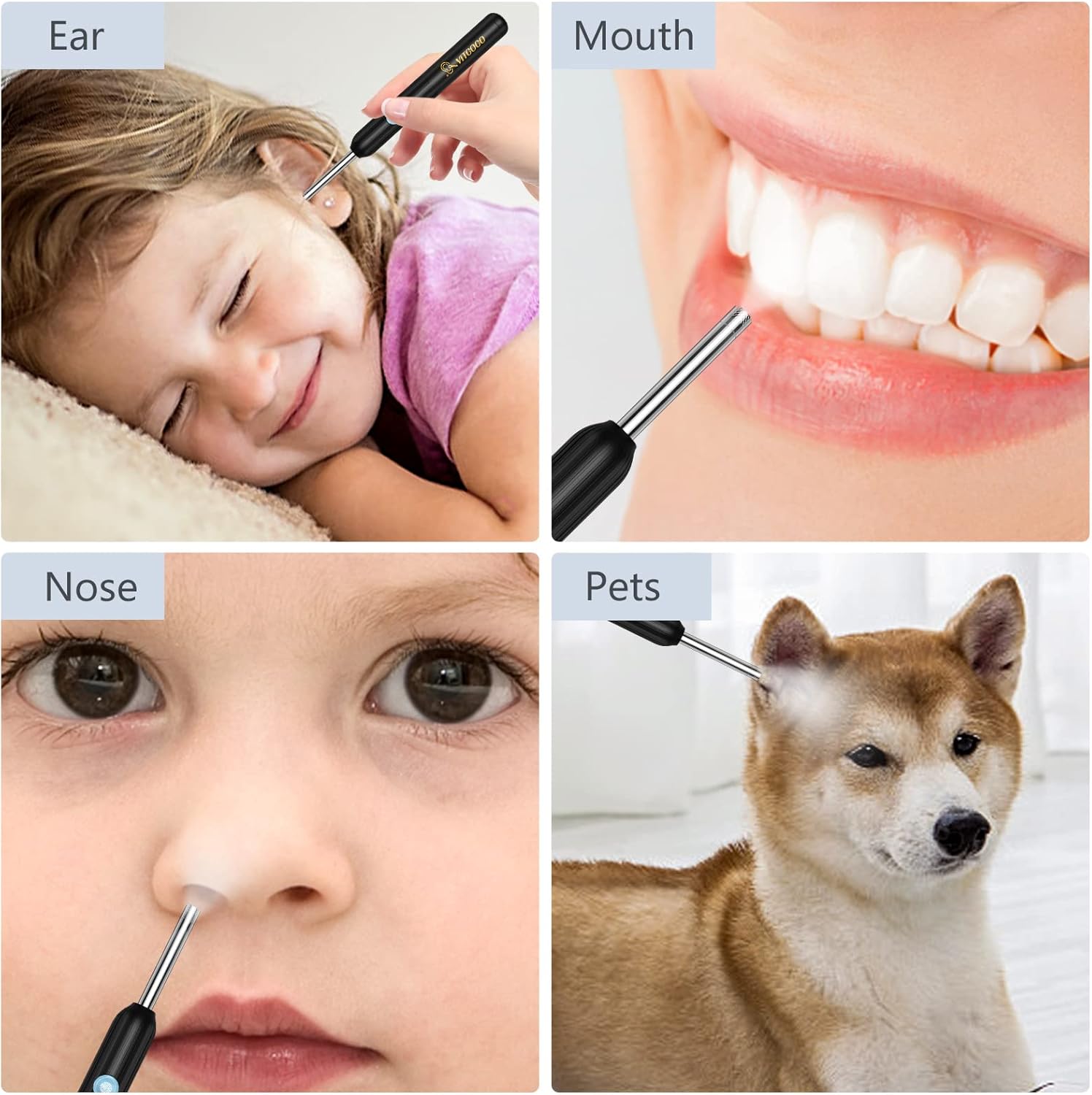
Image 5.3: The otoscope offers wide compatibility with various mobile operating systems.
6. Упутство за употребу
Before use, ensure the otoscope is fully charged and connected to your device via the "Suear" app.
- Причврстите врх уха: Select a suitable silicone ear tip and gently screw it onto the otoscope's camera head. Ensure it is securely fastened.
- Позиционирање: Carefully insert the otoscope into the ear canal while observing the live feed on your connected device. Adjust the angle slowly to get a clear view.
- Функције апликације: The "Suear" app provides various functions:
- Фото/Видео: Capture images or record videos of the ear canal.
- Lens Mode: Пребацивање између различитих viewинг модес.
- Екран батерије: Monitor the remaining battery life.
- Закључај/Откључај: Stabilize the image.
- Landscape/Portrait: Adjust screen orientation.
- Left/Right Ear: Optimize the camera's orientation for the respective ear.
- Чишћење: Use the ear tip to gently remove visible earwax. Do not push earwax deeper into the canal. If resistance is met, stop immediately.
- Вишенаменска употреба: The otoscope can also be used for visual inspection of other areas such as the mouth, nose, or even for pets, always with appropriate caution.

Image 6.1: Proper attachment of the silicone ear tip and the compact size of the otoscope.

Слика 6.2: Примерamples of the otoscope's application for various visual inspections.
7. Одржавање
- Чишћење сочива: After each use, gently remove the silicone ear tip. The camera lens (IP67 waterproof) can be cleaned by rinsing with water or wiping with an alcohol swab. Ensure the lens is dry before storing. Do not immerse the main body of the otoscope.
- Савети за чишћење ушију: The silicone ear tips can be washed with soap and water or disinfected with alcohol. Ensure they are completely dry before reuse or storage.
- Пуњење: Connect the provided USB-C cable to the charging port on the otoscope and to a standard USB power adapter (not included). A full charge provides approximately 90 minutes of continuous operation or 120 days of standby time.
- Складиштење: Store the otoscope and its accessories in a clean, dry place away from direct sunlight and extreme temperatures.

Image 7.1: Information on the IP67 waterproof lens for cleaning and the dual thermostat system.
КСНУМКС. Решавање проблема
- Нема слике у апликацији:
- Ensure the otoscope is powered on (long press the button).
- Verify your phone/tablet is connected to the otoscope's Wi-Fi network ("Suear-X7-XXXX").
- Close and reopen the "Suear" app.
- Restart both the otoscope and your device.
- Лош квалитет слике:
- Очистите сочиво камере као што је описано у одељку Одржавање.
- Ensure there is sufficient light from the otoscope's LEDs.
- Check for any obstructions on the lens or ear tip.
- Уређај се не пуни:
- Ensure the USB-C cable is securely connected to both the otoscope and the power source.
- Пробајте други USB-C кабл или адаптер за напајање.
- Проверите да ли је порт за пуњење чист и без прљавштине.
- Прегревање уређаја:
- The otoscope has intelligent temperature control. If it feels excessively hot, discontinue use immediately and allow it to cool down.
- Осигурајте одговарајућу вентилацију током употребе.
9. Спецификације
| Бранд | ВИТЦОЦО |
| Број модела | 001 |
| Резолуција камере | 5 Megapixel, 1920P HD |
| ЛЕД светла | 6 |
| Пречник сочива | 3.9мм |
| Капацитет батерије | 350мАх |
| Радно време | Прибл. 90 минута |
| Време приправности | Приближно 120 дана |
| Порт за пуњење | УСБ-Ц |
| Бежично повезивање | Ви-Фи од 2.4 ГХз |
| Компатибилност | Андроид 4.4+, иОС 9.0+ |
| Водоотпорна оцена | IP67 (Lens only) |
| Димензије производа | 17.5 к 6.5 к 1.9 цм |
| Тежина производа | 50 грама |
10. Гаранција и подршка
For warranty information and customer support, please refer to the documentation included with your product packaging or contact VITCOCO customer service through their official website. Please have your model number (001) and purchase details available when seeking support.