
Увод
The Ozeri Pro Digital Kitchen Food Scale is engineered for precise measurement in culinary applications. This manual provides essential information for the proper setup, operation, and maintenance of your scale to ensure optimal performance and longevity.
Карактеристике производа
- Precise Graduations: Measures with accuracy of 0.05 oz or 1 gram.
- Wide Capacity Range: Supports weights from 0.05 oz up to 12 lbs (1 gram to 5.4 kg).
- Интерфејс прилагођен кориснику: Features oversized buttons for easy operation.
- Велики ЛЦД екран: Provides clear weight readings in pounds (lbs), kilograms (kg), grams (g), and ounces (oz).
- Automatic Tare Function: Calculates net weight by subtracting the container's weight.
- Аутоматско искључивање: Conserves battery life with a 3-minute auto turn-off feature.
- Компактан дизајн: Лаган и једноставан за складиштење.
Сетуп
Инсталација батерије
The Ozeri Pro Digital Kitchen Food Scale requires two (2) AAA batteries for operation. These batteries are included with your purchase.
- Пронађите одељак за батерије на доњој страни ваге.
- Отворите поклопац одељка за батерије.
- Уметните две ААА батерије, водећи рачуна о исправном поларитету (+/-).
- Добро затворите поклопац одељка за батерије.

Video: Demonstrating battery installation on the Ozeri Digital Kitchen Scale.
Напомена: For optimal performance, use fresh batteries. Remove batteries if the scale will not be used for an extended period.
Упутство за употребу
Укључивање/искључивање
- Притисните тастер ОН/ОФФ/ТАРЕ button to turn the scale on. The LCD will display '0.00' when ready.
- Да бисте искључили, притисните и држите ОН/ОФФ/ТАРЕ button for a few seconds, or allow the automatic 3-minute shut-off feature to activate.
Промена мерних јединица
The scale can display measurements in grams (g), ounces (oz), pounds (lb), and kilograms (kg).
- Са укљученом вагом, притисните УНИТ дугме за кретање кроз доступне јединице.
- Select your desired unit (g, oz, lb, kg) before weighing.
Коришћење функције Таре
The Tare function allows you to subtract the weight of a container or previous ingredients, ensuring you measure only the new item.
- Поставите празну посуду на платформу за мерење. Дисплеј ће приказати њену тежину.
- Притисните тастер ОН/ОФФ/ТАРЕ button. The display will reset to '0.00'.
- Add your ingredients to the container. The display will now show only the weight of the added ingredients.
- Repeat the Tare function as needed for multiple ingredients.
Video: Demonstrating the unit and tare functions of the Ozeri Digital Kitchen Scale.
Видео: Готовоview of the Ozeri Pro Digital Food Scale, highlighting its features and ease of use.
Вагање ставки
- Ensure the scale is on and displaying '0.00' in your desired unit.
- Carefully place the item(s) to be weighed onto the center of the weighing platform.
- Прочитајте тежину приказану на ЛЦД екрану.
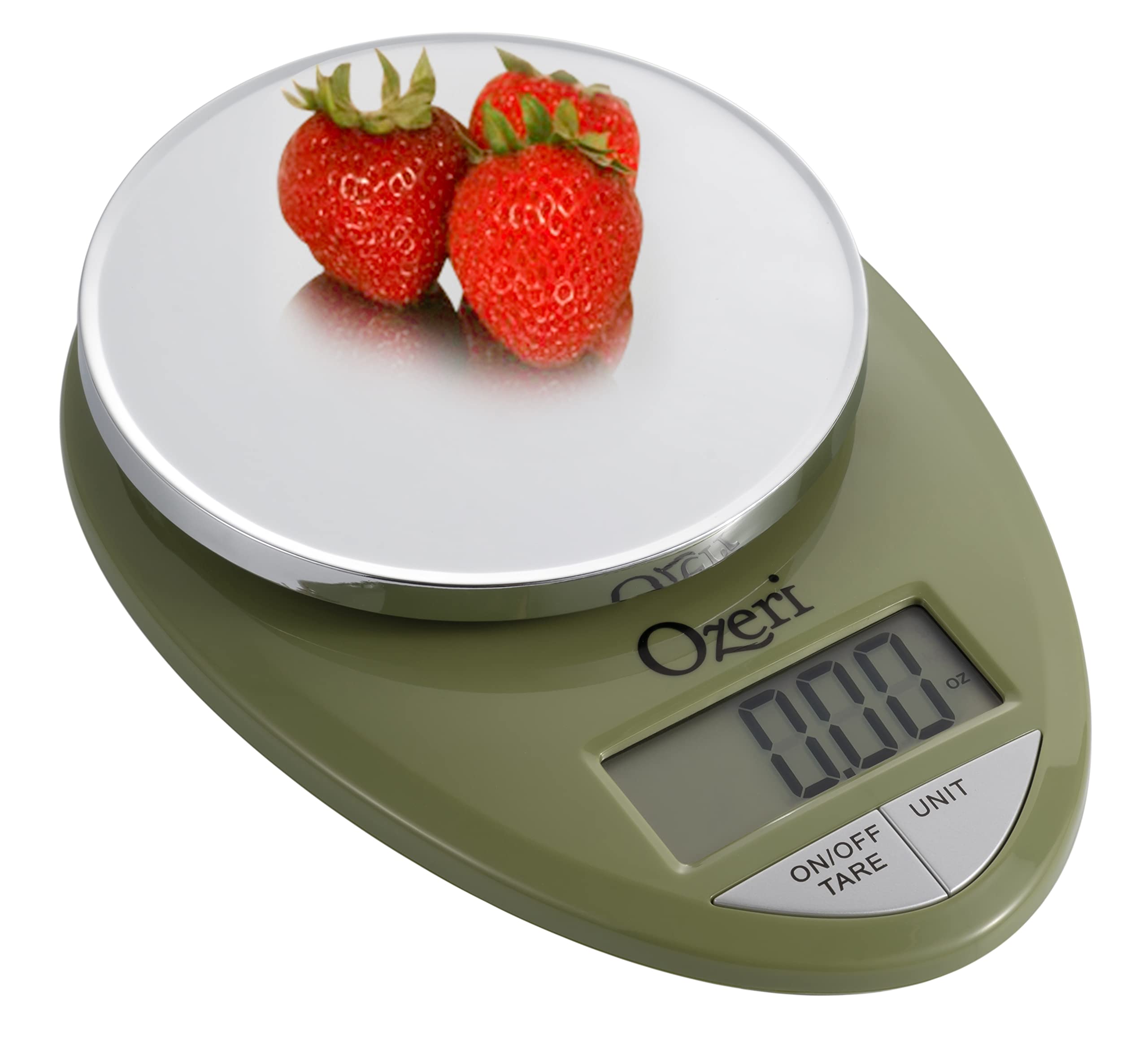
Image: The Ozeri Pro Digital Kitchen Food Scale displaying a weight with a small bowl of herbs on its platform.

Image: The Ozeri Pro Digital Kitchen Food Scale displaying a weight with a small ramekin of blueberries on its platform.
Одржавање
Чишћење
- Wipe the scale surface clean with a damp cloth. Avoid abrasive cleaners or submerging the unit in water.
- Уверите се да је вага сува пре складиштења или следеће употребе.
Складиштење
The compact design of the Ozeri Pro Digital Kitchen Food Scale allows for easy storage in a drawer or cabinet when not in use.

Слика: Страна А view of the Ozeri Pro Digital Kitchen Food Scale, demonstrating its slim profile за практично складиштење.
Решавање проблема
- Нетачна очитавања: Ensure the scale is placed on a flat, stable surface. Avoid placing items that exceed the maximum weight capacity.
- Екран се не укључује: Проверите да ли су батерије правилно постављене и да ли су довољно напуњене. Замените батерије ако је потребно.
- Прикажи поруке о грешци: Refer to the full product manual (if available) or contact Ozeri customer support for specific error code interpretations.
Спецификације
| Феатуре | Детаљ |
|---|---|
| Бранд | Озери |
| Број модела | ZK12-GN |
| Капацитет | 0.05 oz to 12 lbs (1 gram to 5.4 kg) |
| дипломирање | 0.05 oz or 1 gram |
| Дисплаи Типе | ЛЦД |
| Јединице мере | grams, ounces, pounds, kilograms |
| Посебне карактеристике | Automatic Tare, 3-minute Auto Shut-off, Large Display |
| Извор напајања | 2 ААА батерија (укључено) |
| Материјал | Поликарбонат |
| Димензије производа | 10 к 7 к 4 инча |
| Тежина артикла | 9.6 унци |
Гаранција и подршка
For information regarding product warranty, returns, or technical support, please refer to the official Ozeri website or contact their customer service directly. Details are typically provided in the packaging or on the manufacturer's official support pages.