
1. Увод
The ESR Magnetic Wallet with Adjustable Stand is designed to securely attach to your compatible iPhone, providing convenient card storage and a versatile viewing stand. This manual provides instructions for its proper use and care.
2. Садржај пакета
- 1 x ESR Magnetic Wallet with Adjustable Stand
3. Компатибилност
This product is designed for use with specific iPhone models and cases:
3.1 Compatible Devices and Cases
- iPhone 17e/17 Pro Max/17 Pro/17 Air/17
- iPhone 16 Pro Max/16 Pro/16 Plus/16
- iPhone 15 Pro Max/15 Pro/15 Plus/15
- iPhone 14 Pro Max/14 Pro/14 Plus/14
- iPhone 13 Pro Max/13 Pro/13
- iPhone 12 Pro Max/12 Pro/12
- Official magnetic cases
- ESR HaloLock cases
3.2 Incompatible Devices and Cases
- iPhone 13 mini / iPhone 12 mini
- Non-magnetic cases
- Cases with metal attachments

4. Карактеристике
- Stronger Magnetic Lock: The wallet features a magnetic lock with 3,000g of holding force, providing a secure attachment to your compatible iPhone or MagSafe case. This is designed to be significantly stronger than standard magnetic wallets.
- Подесиво постоље: The wallet opens out to form a stable stand, allowing for both portrait and landscape viewing. The adjustable hinge supports angles between 15° and 160°, suitable for various activities such as watching videos or video calls.
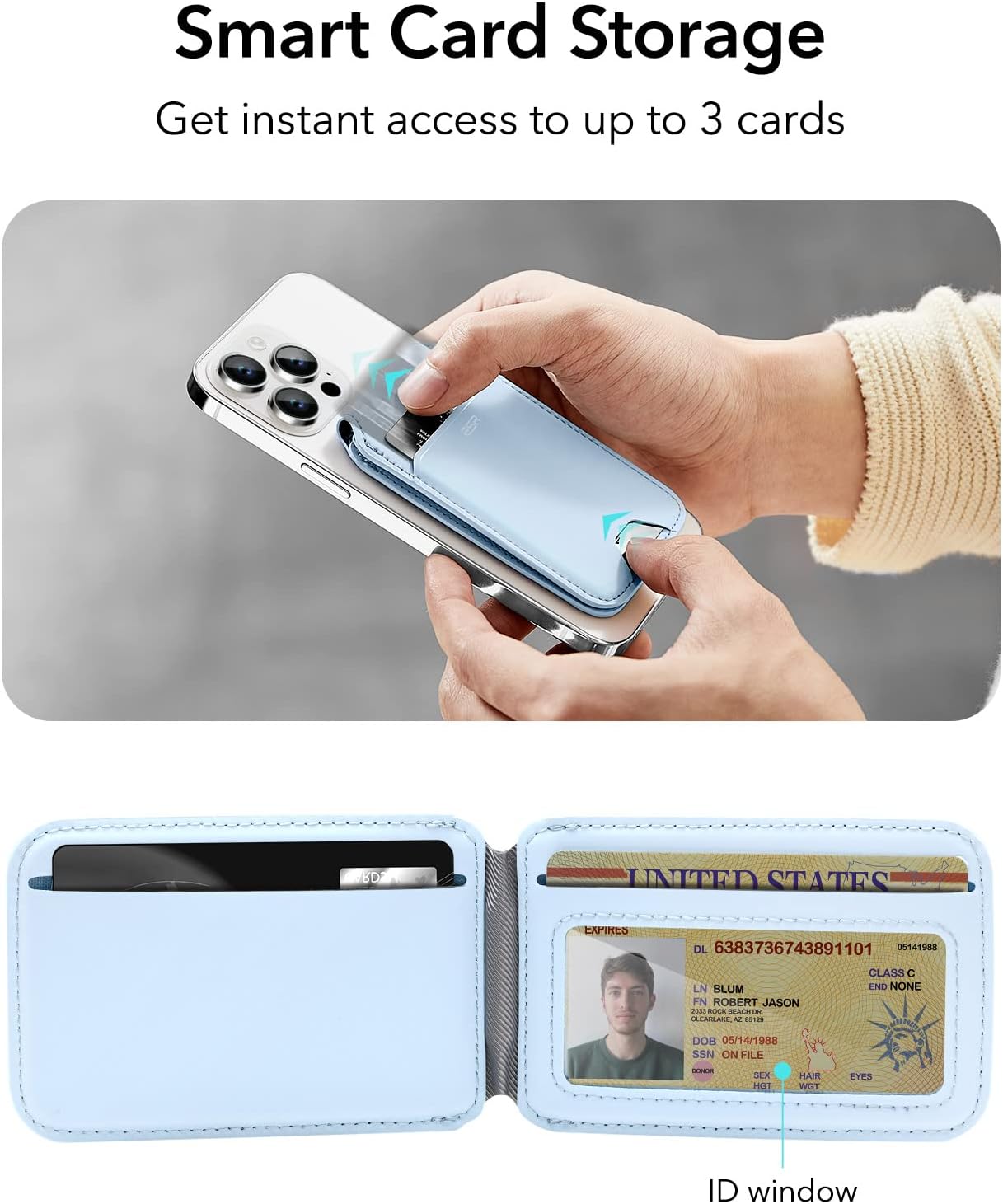
- Smart Card Storage: Features three individual card slots for quick access. A clear window is included for easy display of identification cards.
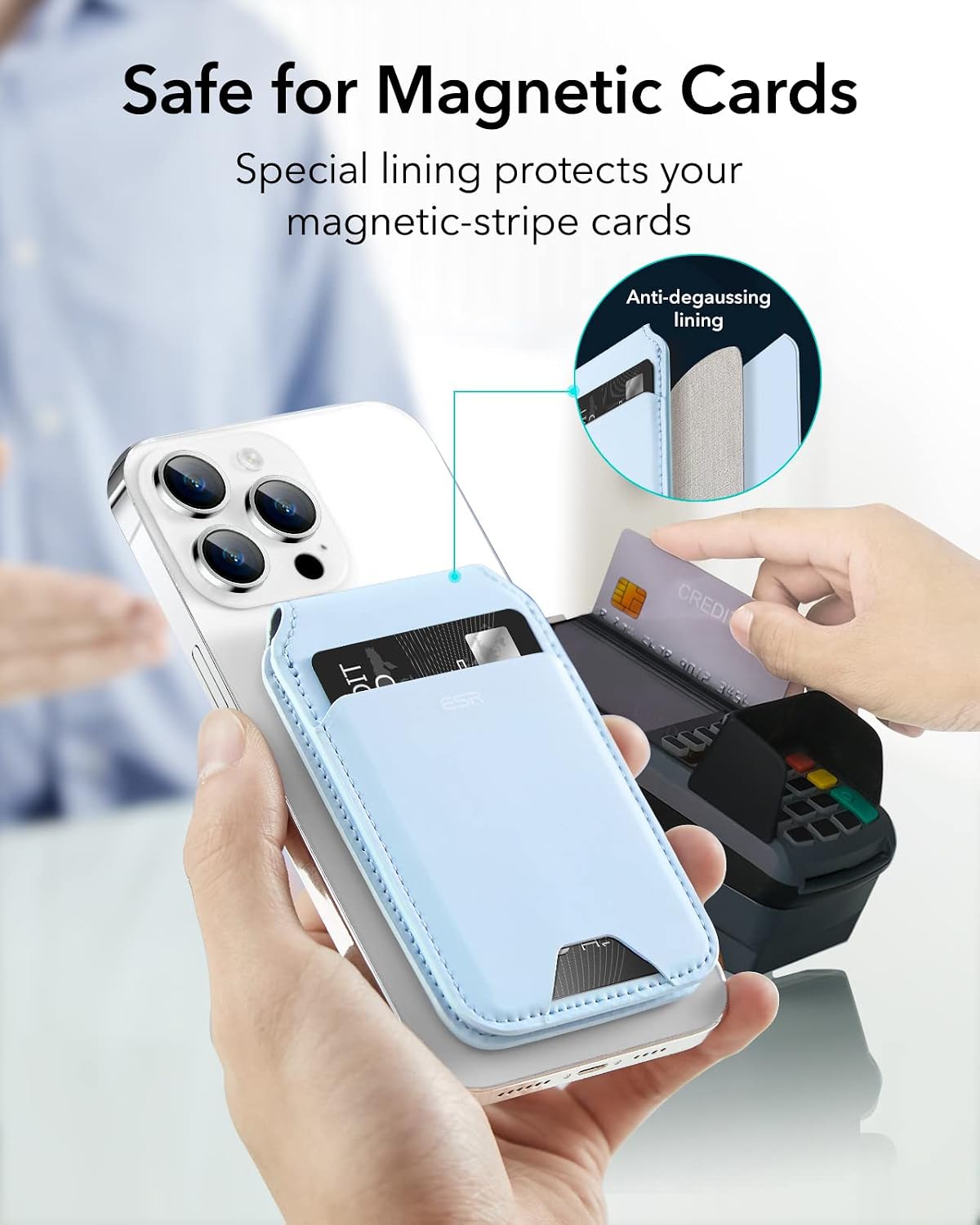
- Safe for Magnetic Cards: Equipped with a metallic mesh lining that provides degaussing protection, preventing demagnetization of your magnetic-stripe cards.
- Pocket Friendly: Designed to be slim and compact, allowing for comfortable storage in pockets.
- Premium Look: Constructed from high-quality vegan leather, offering a classic aesthetic and tactile feel.




5. Подешавање
- Осигурајте компатибилност: Verify that your iPhone model and case are listed as compatible in Section 3.
- Attach the Wallet: Align the ESR Magnetic Wallet with the MagSafe area on the back of your iPhone or compatible MagSafe case. The magnets will automatically snap the wallet into place.

6. Упутство за употребу
6.1 Коришћење подесивог постоља
- Отворите штанд: Gently pull the front flap of the wallet away from the phone. The hinge will allow it to open and form a triangular stand.
- Подесите Viewугао угла: Position the stand to your desired angle between 15° and 160°. The sturdy hinge will hold the phone in place.
- Оријентација: The stand supports both portrait and landscape orientations for versatile viewинг.

6.2 Приступ картицама
- Retrieve Cards: Use the designated thumb slot at the bottom of the wallet to push cards upwards for easy retrieval.
- ID Window: Your identification card can be placed in the clear window slot for quick visibility without removal.

6.3 Видео демонстрације
7. Одржавање
- Чишћење: Wipe the vegan leather surface with a soft, damp крпа. Избегавајте јаке хемикалије или абразивне материјале.
- Складиштење: Store the wallet in a cool, dry place when not in use.
- Избегавајте препуњавање: Do not overfill the card slots, as this may stretch the material and affect the magnetic closure or stand functionality.
КСНУМКС. Решавање проблема
- Wallet not attaching securely:
- Ensure your iPhone model is compatible (refer to Section 3).
- Verify that your phone case is a MagSafe-compatible case or an ESR HaloLock case. Non-magnetic cases or cases with metal attachments will prevent proper magnetic adhesion.
- Check for any debris or obstructions between the wallet and your phone/case.
- Stand not holding position:
- Ensure the wallet is fully opened to form a stable triangular stand.
- Avoid placing excessive weight or pressure on the phone while it is in stand mode.
- Difficulty accessing cards:
- Use the thumb slot at the bottom to push cards up.
- Avoid overfilling the card slots (maximum 3 cards).
9. Спецификације
| Бранд | ЕСР |
| Назив модела | Валлет Станд |
| Материјал | Vegan Leather, Silicone |
| Боја | Плава |
| Number of Card Slots | 3 |
| Магнетна сила држања | 3,000g (with ESR magnetic case) |
| Подесиви угао постоља | 15° до 160° |
| Димензије артикла (Д к Ш к В) | 0.31"Д к 2.6"Ш к 4.13"В |
| Тежина артикла | 92 грама |
| Посебне карактеристике | Adjustable, Anti-degaussing lining |
10. Гаранција и подршка
ESR provides a comprehensive План заштите на 12 месеца for this product. Additionally, customers are entitled to доживотно издржавање and personalized assistance for any inquiries or issues. For support, please visit the official ESR webсајт или контактирајте корисничку службу путем ваше платформе за куповину.