
Увод
Хвала вам на куповиниasing the SZELAM Digital Alarm Clock. This manual provides detailed instructions for setting up and operating your new alarm clock. Please read it thoroughly to ensure proper use and to maximize the features of your device.
Производ је завршенview
Кључне карактеристике:
- Large 14cm LED Display: High-resolution display clearly shows time, date, and temperature. HD white LED digits ensure visibility from a distance.
- Подесива осветљеност: 6 levels of brightness (5% to 100%) to suit various lighting conditions.
- 8 Alarm Ringtones: Choose from 8 distinct alarm tones.
- Подесива јачина звука аларма: 6 volume levels, ranging from 30 to 90 dB.
- Одгода функција: Provides an additional 9 minutes of sleep after the alarm sounds.
- Формат 12/24 сата: Switch between 12-hour (AM/PM) and 24-hour time displays.
- Date and Temperature Display: Shows current date and indoor temperature.
- USB Powered with Battery Backup: Operates via USB cable; 3 AAA batteries (not included) provide memory function for settings during power outagес.
Садржај пакета:
- 1 x SZELAM дигитални будилник
- 1 к УСБ кабл за пуњење
- 1 к Упутство за употребу
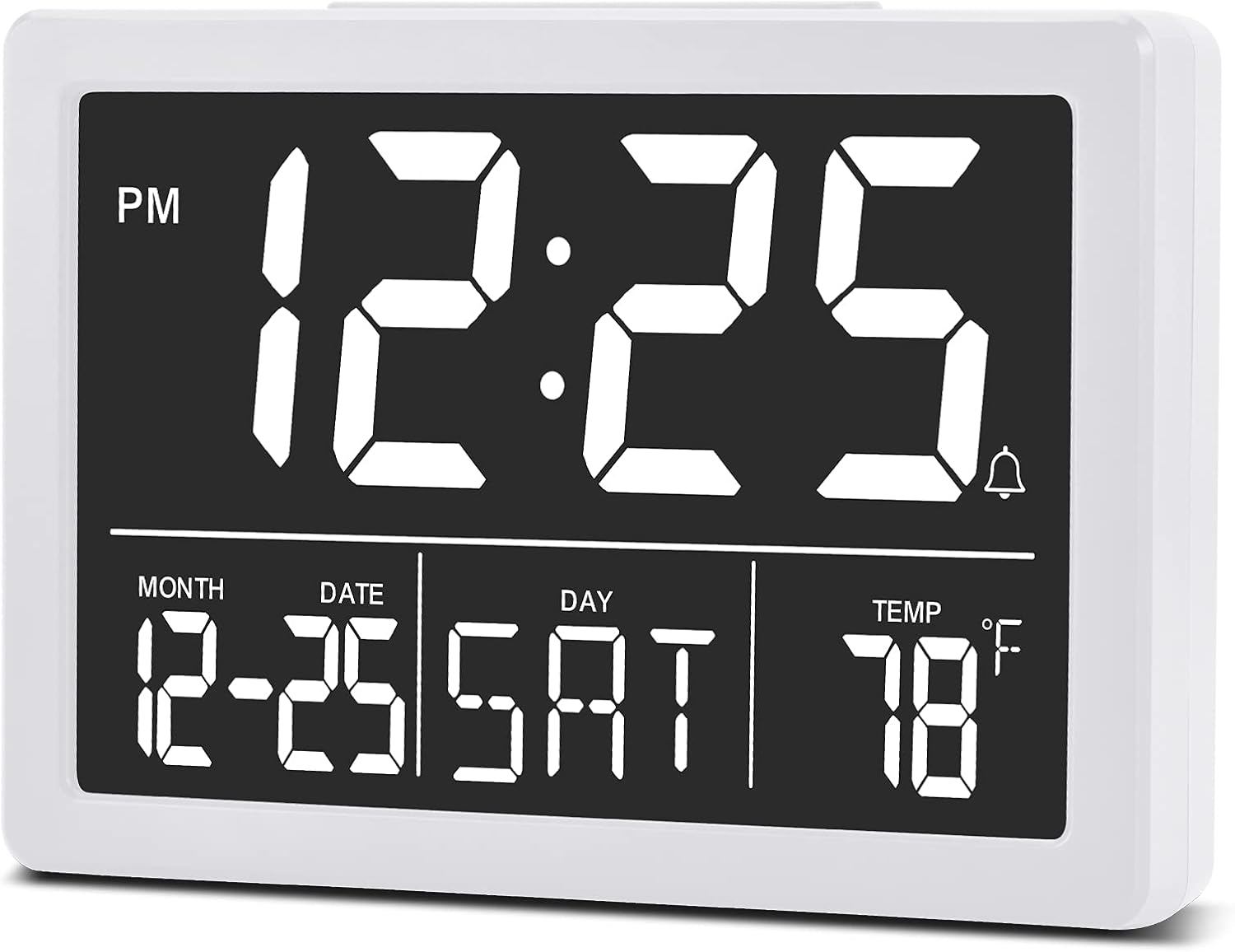
слика: Фронт view of the SZELAM Digital Alarm Clock displaying time, date, and temperature.
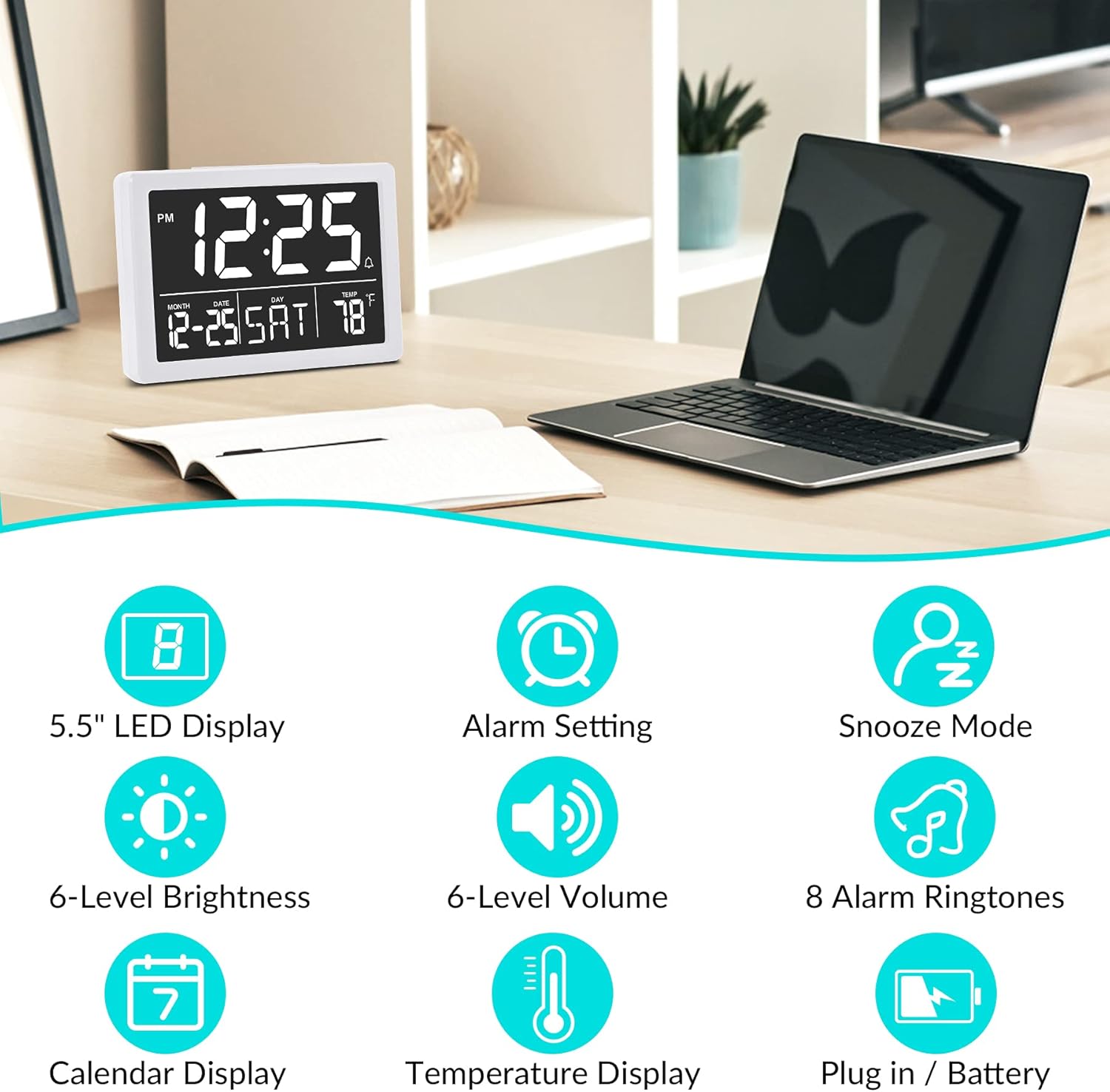
слика: Graphic illustrating key features: 5.5" LED Display, Alarm Setting, Snooze Mode, 6-Level Brightness, 6-Level Volume, 8 Alarm Ringtones, Calendar Display, Temperature Display, Plug in / Battery operation.
Сетуп
Напајање сата:
- Повежите УСБ напајање: Insert the provided USB cable into the clock's USB port and connect the other end to a USB power adapter (not included) or a powered USB port. The clock will power on and the display will illuminate.
- Install Backup Batteries (Optional but Recommended): Open the battery compartment on the back of the clock. Insert 3 new AAA batteries (not included), ensuring correct polarity (+/-). These batteries will preserve your time and alarm settings in case of a power outage. Напомена: The clock display will not remain continuously lit when operating solely on battery power. The display will turn off after 10 seconds to conserve energy; press any button to temporarily illuminate it. For continuous display, USB power is required.

слика: Illustration showing the alarm clock powered by a USB cable for continuous display and a note about battery backup for memory function only.
Упутство за употребу
Refer to the back panel diagram for button locations.

слика: Позади view of the alarm clock, highlighting the USB port, 6 Levels Volume switch, Alarm/Time Setting buttons, Alarm Sounds Switch, °C/°F switch, and 12/24H switch, and 6 Levels Brightness switch.
1. Подешавање времена и датума:
- Притисните и држите "ПОСТАВИ" button (located on the back) until the hour digits flash.
- Користите "UP" or "DOWN" дугмад за подешавање сата.
- Притисните "ПОСТАВИ" again to move to minute setting, then use "UP" or "DOWN" за подешавање минута.
- Наставите да притискате "ПОСТАВИ" да бисте се кретали кроз подешавања године, месеца и дана, подешавајући свако помоћу "UP" or "DOWN".
- Притисните "ПОСТАВИ" још једном или сачекајте неколико секунди да се подешавања аутоматски сачувају.
2. Switching 12/24 Hour Format:
- Лоцирајте „12/24 сата“ switch on the back of the clock.
- Slide the switch to select either 12-hour (with AM/PM indicator) or 24-hour format.
3. Подешавање аларма:
- Притисните тастер "АЛАРМНИ" button (located on the back) once. The alarm time will appear, and the hour digits will flash.
- Користите "UP" or "DOWN" дугмад за подешавање сата аларма.
- Притисните "АЛАРМНИ" again to move to minute setting, then use "UP" or "DOWN" to adjust alarm minutes.
- Притисните "АЛАРМНИ" one last time or wait a few seconds to save the alarm setting.
- Да бисте активирали/деактивирали аларм, притисните дугме "АЛАРМНИ" button briefly. An alarm icon (bell symbol) will appear on the display when the alarm is active.
4. Adjusting Alarm Volume:
- Лоцирајте "6 Levels Volume" switch on the back of the clock.
- Slide the switch to your desired volume level (L1 to L6).

слика: A family enjoying the alarm clock, illustrating the 8 pleasant alarm bells feature and volume adjustment levels.
5. Selecting Alarm Ringtones:
- Лоцирајте "Alarm Sounds Switch" on the back of the clock.
- Slide the switch to cycle through the 8 available alarm tones. Select your preferred tone.
6. Using the Snooze Function:
- Када се огласи аларм, притисните велико "SNOOZE" дугме на врху сата.
- The alarm will pause for 9 minutes and then sound again.
- To turn off the alarm completely, press any other button on the back of the clock.
7. Подешавање осветљености екрана:
- Лоцирајте "6 Levels Brightness" switch on the back of the clock.
- Slide the switch to cycle through the 6 brightness levels (from 5% to 100%).
- The clock also features an automatic dimming function between 6 PM and 7 AM. You can adjust the brightness during these hours, and the setting will be saved for the night mode.

слика: A series of six alarm clock displays showing the different brightness levels from dimmest to brightest.
8. Приказ температуре:
- The clock displays the indoor temperature by default.
- To switch between Celsius (°C) and Fahrenheit (°F), locate the "°C/°F" switch on the back of the clock and slide it to your desired unit.
Одржавање
- Чишћење: Обришите сат меком, сувом крпом. Не користите абразивна средства за чишћење или раствараче.
- Замена батерије: If using backup batteries, replace them annually or when the clock fails to retain settings during a power interruption. Ensure correct polarity when inserting new batteries.
- Складиштење: If storing the clock for an extended period, remove the AAA batteries to prevent leakage.
Решавање проблема
| Проблем | Могући узрок | Решење |
|---|---|---|
| Display is off or flickering. | No USB power; loose USB connection; batteries depleted (if running on battery only). | Ensure USB cable is securely connected to a working power source. If using batteries, replace them. Remember, continuous display requires USB power. |
| Clock does not keep correct time. | Incorrect time setting; backup batteries depleted or not installed. | Re-set the time following the "Setting Time and Date" instructions. Ensure fresh AAA batteries are installed for backup. |
| Аларм се не оглашава. | Alarm not activated; alarm volume too low; incorrect alarm time set. | Verify the alarm icon is visible on the display. Adjust alarm volume using the switch. Check and re-set the alarm time. |
| Функција одлагања не ради. | Snooze button not pressed correctly. | Ensure you press the large "SNOOZE" button on top when the alarm sounds. Pressing other buttons will turn off the alarm. |
| Екран је превише светао или превише таман. | Потребно је подесити ниво осветљености. | Adjust the "6 Levels Brightness" switch on the back of the clock to your preferred level. |
Спецификације
| Бренд: | СЗЕЛАМ |
| Модел: | Дигитални будилник |
| Боја: | Бела |
| Тип приказа: | Дигитал ЛЕД |
| Димензије производа (Д к Ш к В): | КСНУМКС к КСНУМКС к КСНУМКС цм (КСНУМКС к КСНУМКС к КСНУМКС инча) |
| Тежина артикла: | 200 грама |
| Извор напајања: | USB Powered (for continuous display), 3x AAA Batteries (for memory backup only, not included) |
| Посебне карактеристике: | Temperature Display, Alarm, Snooze, Adjustable Brightness, Adjustable Volume, 12/24H Format |

слика: Diagram showing the approximate visual dimensions of the SZELAM Digital Alarm Clock, including display size and overall width.
Гаранција и подршка
Your SZELAM Digital Alarm Clock comes with a 1 година гаранције from the date of purchase. We also offer a 30-day unconditional refund/exchange policy.
If you encounter any issues or have questions regarding your product, please contact our customer support team via email. We aim to provide solutions within 24 hours.
For further assistance, please refer to the contact information provided on the product packaging or the seller's page.