
1. Важне информације о безбедности
Please read all safety and operating instructions carefully before using this television. Keep this manual for future reference. Always follow basic safety precautions to reduce the risk of fire, electric shock, and injury.
- Не излажите овај уређај киши или влази.
- Не блокирајте отворе за вентилацију. Инсталирајте у складу са упутствима произвођача.
- Не постављајте у близини извора топлоте као што су радијатори, грејни регистри, пећи или други уређаји (укључујући ampлифиерс) који производе топлоту.
- Заштитите кабл за напајање од налета или стезања, посебно на утикачима, практичним утичницама и месту на којем излазе из уређаја.
- Користите само додатке/прибор које је навео произвођач.
- Упућивање свих сервиса квалификованом сервисном особљу. Сервисирање је потребно ако је апарат на било који начин оштећен.
2. Шта је у кутији
Carefully unpack your new Sansui TV and ensure all items listed below are present.
- 1 x Sansui 4K Ultra HD Android LED TV (JSW50ASUHD)
- 2 x Postolje za sto
- 1 x Wall Mounting Set
- 4 x Screws for stand/mount
- 1 к Упутство за употребу
- 1 к Гарантни лист
- 1 к даљински управљач
- 2 x AAA батерије (за даљински управљач)
- КСНУМКС к кабл за напајање
- 1 к Мини АВ кабл
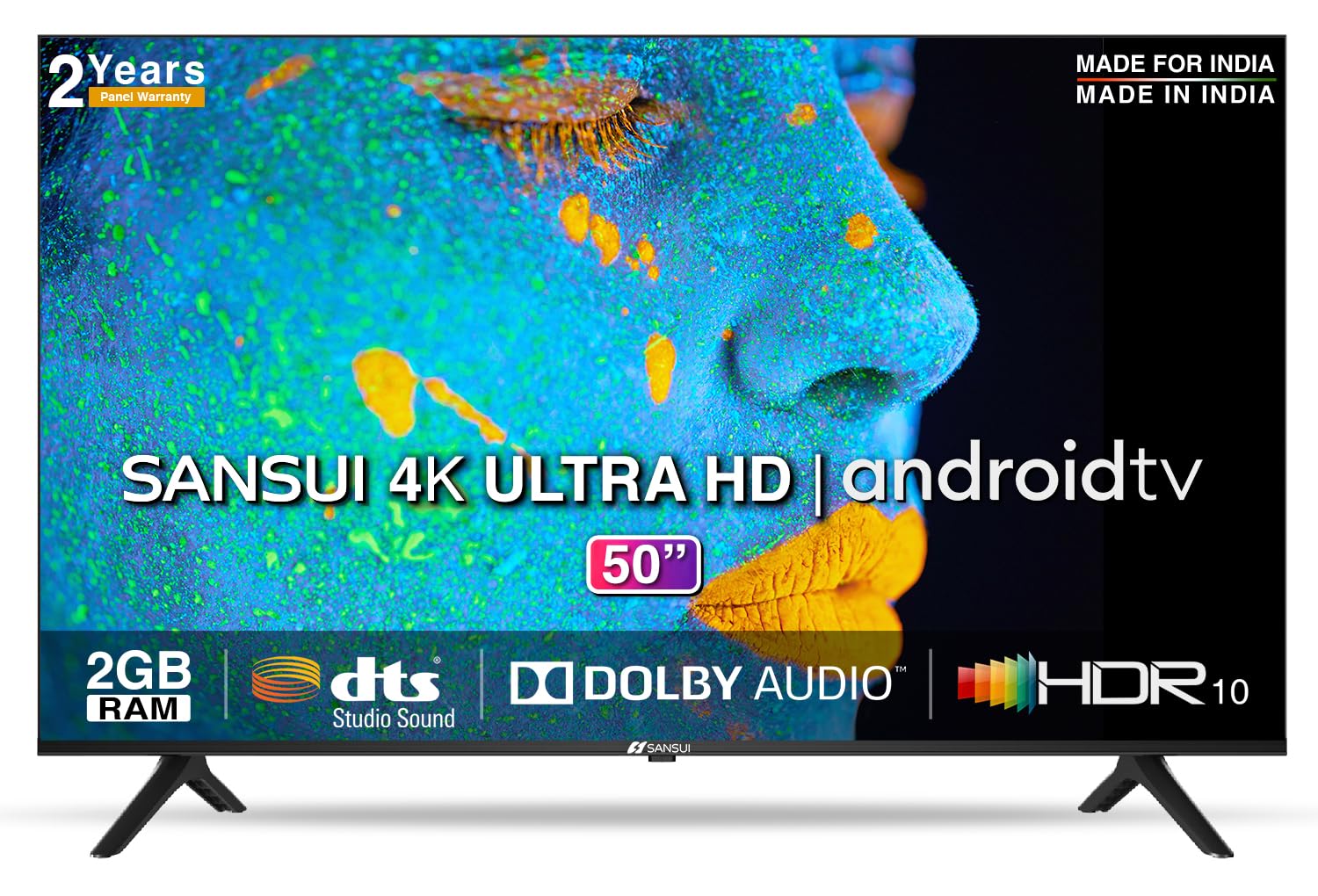
Image: Sansui 50-inch 4K Ultra HD Android LED TV with its table stand.
3. Производ је готовview
3.1. Кључне карактеристике
- Приказ: 4K Ultra HD (3840x2160) resolution, 60Hz refresh rate, Wide Viewing Angle, A+ Grade Panel, Wide Colour Gamut, HDR 10, Crystal Clear Display, High Brightness, Bezel-less Design.
- аудио: Dolby Audio, DTS Studio Sound, 20 Watts Audio Output.
- Функције Смарт ТВ-а: Android 10.0 (Certified by Google), Google Assistant, Alexa Enabled Support, Built-in Chromecast, CA53 Quad Core Processor, 2GB RAM, 8GB ROM.
- Подржане апликације: Prime Video, Netflix, Disney + Hotstar, YouTube, Google Play.
- Повезивање: 3 HDMI ports, 2 USB ports, 3.5mm audio jack, Bluetooth, Wi-Fi, RJ45 (Ethernet), Antenna.

Image: Visual representation of the TV's main features and capabilities.
3.2. Димензије
The TV features a 50-inch screen (127 cm diagonal) with a bezel-less design for an immersive viewинг искуство.

Image: Detailed dimensions of the Sansui 50-inch TV, including width, height, and depth with and without the stand.
4. Подешавање
4.1. Инсталирање постоља за сто
- Поставите телевизор екраном надоле на меку, равну површину да бисте спречили оштећења.
- Align the table stand bases with the corresponding slots at the bottom of the TV.
- Secure the bases using the provided screws. Ensure they are tightened firmly.
4.2. Монтажа на зид (опционо)
If you choose to wall mount your TV, please use the provided wall mounting set and screws. The VESA mount standard is 800 x 400 mm. It is recommended to seek professional assistance for wall mounting to ensure proper and safe installation.
4.3. Повезивање уређаја
The TV offers various connectivity options for your external devices.
- Снага: Прикључите кабл за напајање на улаз за напајање телевизора, а затим на зидну утичницу.
- ДВИ: Use HDMI cables to connect devices like set-top boxes, gaming consoles, or Blu-ray players to the 3 HDMI ports.
- УСБ: Connect USB drives or other USB devices to the 2 USB ports for media playback.
- Аудио излаз: Use the 3.5mm jack to connect headphones or external audio systems.
- Етхернет (РЈ45): For a stable internet connection, connect an Ethernet cable from your router to the RJ45 port.
- Антена: Connect your antenna cable to the RF input for terrestrial broadcasting.
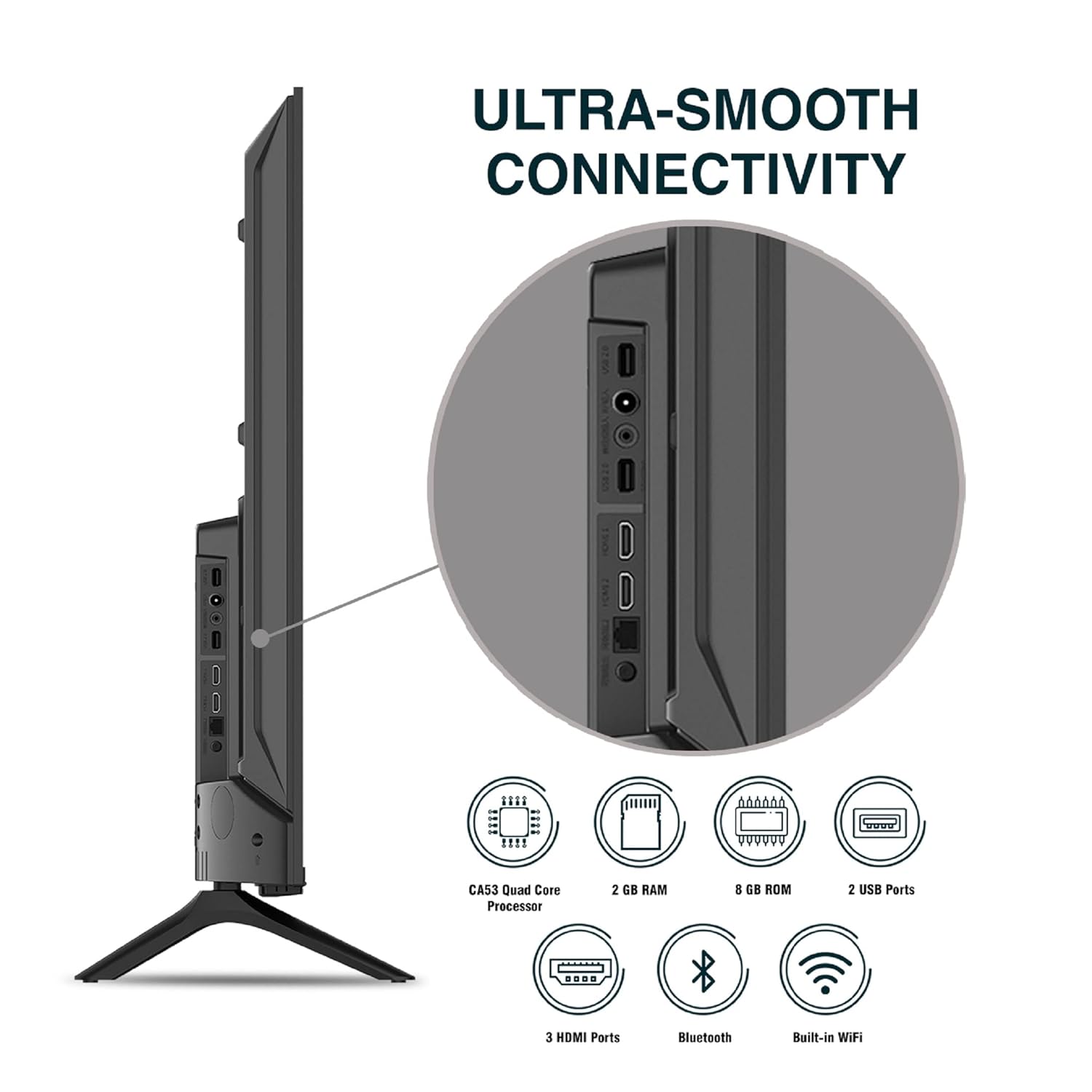
Слика: Детаљна view портова за повезивање телевизора.
5. Упутство за употребу
5.1. Основна операција
- Укључивање/искључивање: Press the power button on the remote control or on the TV to turn it on or off.
- Почетно подешавање: Upon first power-on, follow the on-screen instructions to set up language, network connection, and Google account.
- Извор уноса: Press the 'Input' button on the remote to select between HDMI, AV, TV, or other connected sources.
- Контрола јачине звука: Користите дугмад за појачавање/стишавање јачине звука на даљинском управљачу.
5.2. Using the Smart Remote
The included remote control features voice control and dedicated hotkeys for quick access to popular streaming services.
- Контрола гласом: Press the Google Assistant button (microphone icon) and speak your commands to search for content, control smart home devices, or ask questions.
- Пречице: Directly launch Netflix, Prime Video, YouTube, and Google Play with a single press.
- Навигација: Use the directional pad and 'OK' button to navigate the Android TV interface.

Image: Sansui Smart Remote Control with voice control and app hotkeys.
5.3. Android TV Interface and Smart Features
Your Sansui TV runs on Android 10.0, providing access to a wide range of apps and smart functionalities.
- Почетни екран: The home screen displays your favorite apps, recommended content, and input sources.
- Гоогле Плаи продавница: Download and install additional apps, games, and content from the Google Play Store.
- Уграђени Chromecast: Cast content (videos, photos, music) from your smartphone, tablet, or computer directly to the TV.
- Google Assistant/Alexa: Use voice commands via the remote or a compatible Alexa device to control your TV and other smart home devices.

Image: Android TV home screen showing available applications.
6. Одржавање
Proper care and maintenance will extend the life of your TV.
- Чишћење екрана: Нежно обришите екран меком крпом која не оставља влакна. За тврдокорне мрље користите средство за чишћење екрана посебно дизајнирано за телевизоре, нанесено на крпу, а не директно на екран.
- Чишћење кабинета: Користите меку, суву крпу за брисање кућишта телевизора. Не користите абразивна средства за чишћење или раствараче.
- вентилација: Уверите се да су вентилациони отвори чисти од прашине и остатака како бисте спречили прегревање.
- Кабл за напајање: Regularly check the power cord for any damage. If damaged, replace it with an authorized part.
КСНУМКС. Решавање проблема
Ако наиђете на било какве проблеме, погледајте следеће уобичајене проблеме и решења.
| Проблем | Могући узрок | Решење |
|---|---|---|
| Но Повер | Кабл за напајање је искључен; Проблем са утичницом | Проверите везу кабла за напајање; тестирајте утичницу са другим уређајем. |
| Без слике, само звук | Нетачан улазни извор; Проблем са спољним уређајем | Select correct input source; Check external device connection and power. |
| No Sound, Only Picture | Volume muted/low; External audio system issue | Unmute or increase volume; Check external audio system connections. |
| Даљински управљач не ради | Батерије су празне; Препрека између даљинског управљача и телевизора | Замените батерије; Уклоните све препреке. |
| Проблеми са Ви-Фи везом | Нетачна лозинка; Проблеми са рутером; Сметње сигнала | Re-enter password; Restart router; Move TV closer to router or use Ethernet. |
Ако проблем и даље постоји након што сте испробали ова решења, обратите се корисничкој подршци.
8. Спецификације
Detailed technical specifications for the Sansui JSW50ASUHD TV.
| Феатуре | Опис |
|---|---|
| Назив модела | SANSUI LED - JSW50ASUHD |
| Величина екрана | 50 инча (127 цм) |
| Дисплаи Тецхнологи | ЛЕД |
| Резолуција | 4K Ultra HD (3840x2160) |
| Рефресх Рате | 60 Хз |
| Оперативни систем | Android 10.0 (Certified by Google) |
| Процесор | ЦА53 четворојезгарни |
| РАМ | 2 ГБ |
| ROM (меморија) | 8 ГБ |
| Аудио излаз | 20 Ваттс |
| Соунд Тецхнологи | Dolby Audio, DTS Studio Sound |
| ХДМИ портови | 3 |
| УСБ портови | 2 |
| Бежично повезивање | Ви-Фи, Блуетоотх |
| Остало повезивање | Ethernet (RJ45), 3.5mm Audio Jack, Antenna |
| ХДР подршка | ХДР10 |
| Тип монтаже | Зидни и стони носач |
| VESA стандард за монтирање | 800 к 400 мм |
| Потрошња енергије | 120 Ваттс |
| Тежина артикла | 9650 грама |
| Боја | Mystique Black |
9. Гаранција и подршка
Your Sansui TV comes with a comprehensive warranty and dedicated customer support.
- гаранција: 1 year comprehensive warranty and 1 year additional on panel from the date of purchase.
- Гарантна подршка: For warranty-related queries, please contact Sansui Toll Free No.: 1800-419-3777.
- Контакт увозника: Jaina India Pvt Ltd., D170, Okhla Industrial Area, Phase-1, New Delhi-110020 INDIA | Email: sansuicare@jainaindia.com.
Молимо вас да сачувате рачун о куповини за потребе рекламације у вези са гаранцијом.