
1. Увод
This manual provides instructions for the Akko ACR61 61-Key 60% RGB Hot-swappable Wired Mechanical Gaming Keyboard. It covers setup, operation, maintenance, and troubleshooting to ensure optimal performance and longevity of your device.
The Akko ACR61 keyboard features a 60% layout, RGB backlighting, and hot-swappable switches, allowing for customization and enhanced typing experiences. It utilizes PBT double-shot keycaps for durability and N-key rollover for precise input.
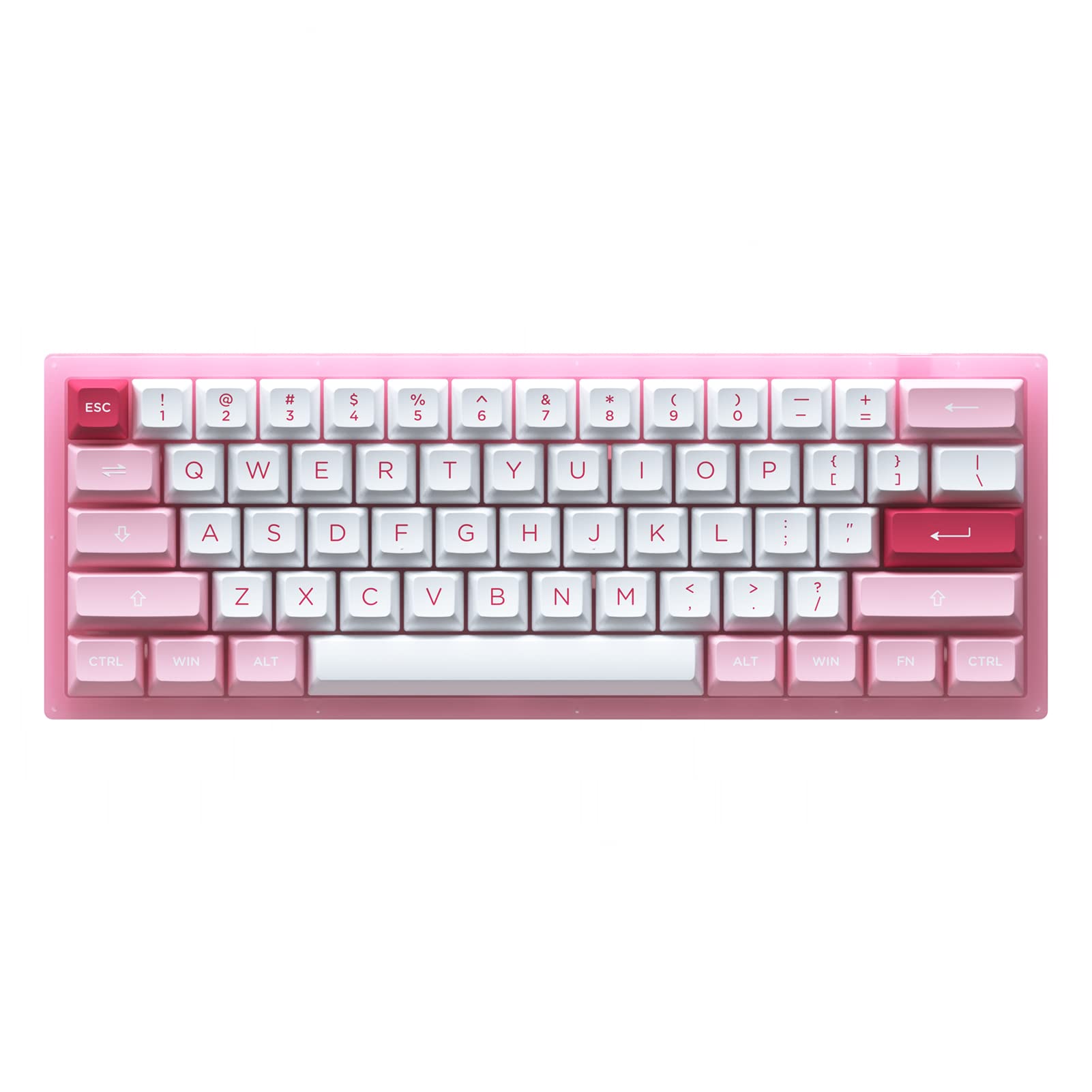
Image 1.1: Akko ACR61 keyboard showcasing the Prunus Lannesiana design and Jelly Pink switches.
2. Подешавање
2.1 Садржај пакета
- Akko ACR61 Mechanical Keyboard
- УСБ-Ц на УСБ-А кабл
- Кеицап Пуллер
- Свитцх Пуллер
- Additional Keycaps (if included)
2.2 Повезивање тастатуре
- Locate the USB-C port on the back or side of the Akko ACR61 keyboard.
- Повежите USB-C крај приложеног кабла са тастатуром.
- Повежите USB-A крај кабла са доступним USB портом на рачунару или уређају.
- The keyboard will be automatically recognized by most operating systems. No additional drivers are typically required for basic functionality.
3. Упутство за употребу
3.1 Основне функције тастера
The Akko ACR61 is a 60% keyboard, meaning some functions are accessed via the 'Fn' key combined with other keys. Refer to the keycap legends for specific Fn combinations.
- Fn + [тастер]: Accesses secondary functions printed on the front or side of keycaps (e.g., arrow keys, F-row keys, multimedia controls).
- Н-Кеи Ролловер (НКРО): The keyboard supports simultaneous key presses without conflicts, which is beneficial for fast typing and gaming.
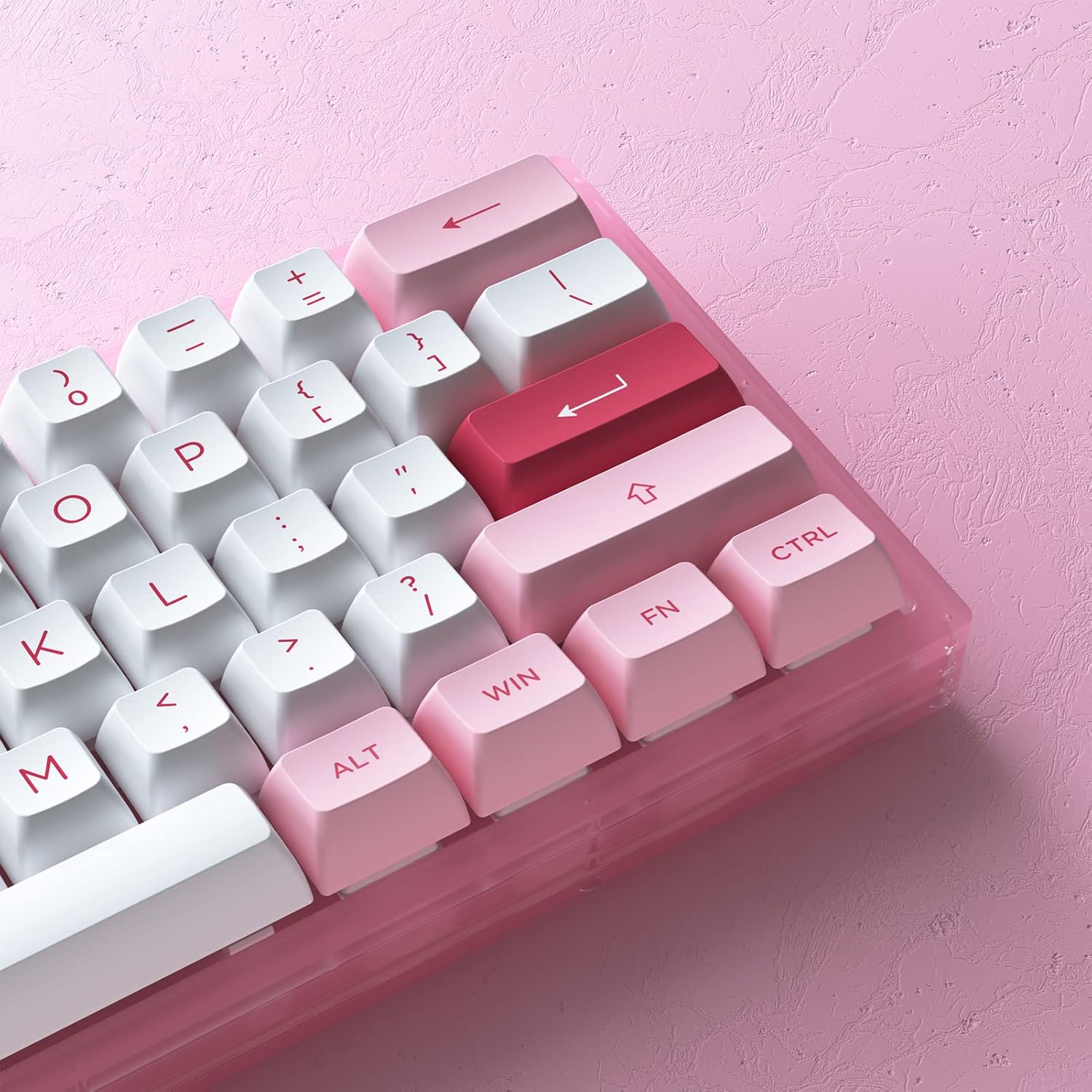
Слика 3.1: Крупни план view of the Akko ACR61 keycaps, illustrating primary and secondary functions.
3.2 RGB контрола позадинског осветљења
The keyboard features built-in RGB backlighting with customizable light animation effects. Specific key combinations, often involving the 'Fn' key, are used to cycle through lighting modes, adjust brightness, and change colors.
- Fn + [тастер]: Typically used to change RGB effects, speed, or direction. Consult the keyboard's specific keycap legends or software for exact combinations.
- Ундерглов ЛЕД: The keyboard also features underglow LED lighting, which can be controlled independently or in conjunction with the main RGB backlighting.
3.3 Programmability
The Akko ACR61 keyboard is programmable, allowing users to remap keys and create macro sequences. This functionality is typically managed through dedicated software provided by Akko. Keys used for controlling Macro mode (Esc/Win/Fn) cannot be remapped.
- Ремапирање тастера: Assign different functions to individual keys.
- Мацро Рецординг: Record a sequence of keystrokes and assign it to a single key for quick execution.
4. Одржавање
4.1 Чишћење тастатуре
Редовно чишћење помаже у одржавању изгледа и функционалности тастатуре.
- Искључите тастатуру из рачунара.
- Користите меку четку или компримовани ваздух да бисте уклонили прашину и прљавштину између тастера.
- For keycap cleaning, gently remove keycaps using a keycap puller. Wash them with mild soap and water, then ensure they are completely dry before reattaching.
- Wipe the keyboard surface with a slightly damp, крпа која не оставља влакна. Избегавајте прекомерну влагу.
4.2 Прекидачи са могућношћу замене током рада
The Akko ACR61 features premium TTC gaming 5-pin hot-swappable sockets, allowing you to change switches without soldering.

Image 4.1: A Jelly Pink mechanical switch, illustrating the hot-swappable design.
- Уклањање прекидача: Use the provided switch puller to carefully grip the top and bottom clips of the switch. Gently pull the switch straight up and out of the socket. Avoid bending the pins.
- Installing a Switch: Align the pins of the new switch with the holes in the PCB socket. Ensure the pins are straight. Gently push the switch straight down until it clicks into place. Do not force the switch; if resistance is met, check pin alignment.
КСНУМКС. Решавање проблема
5.1 Тастатура не реагује
- Уверите се да је USB кабл безбедно повезан и са тастатуром и са рачунаром.
- Покушајте да повежете тастатуру са другим УСБ портом на рачунару.
- Тестирајте тастатуру на другом рачунару да бисте искључили проблеме специфичне за систем.
- Ако користите УСБ чвориште, покушајте да га директно повежете са рачунаром.
5.2 RGB Lighting Not Working or Incorrect
- Уверите се да је тастатура правилно повезана и да је укључена.
- Use the designated Fn key combinations to cycle through lighting modes or adjust brightness.
- If using Akko software, ensure it is running and configured correctly.
5.3 Одређени тастери не раде
- For hot-swappable switches, carefully remove the keycap and then the switch for the affected key. Reinstall the switch, ensuring the pins are straight and fully seated.
- Test with a known working switch in the problematic socket to determine if the issue is with the switch or the socket.
- Ensure no debris is obstructing the switch mechanism.
6. Спецификације
| Феатуре | Детаљ |
|---|---|
| Модел | АЦР61 |
| Лаиоут | 61-Key (60%) |
| Повезивање | Жични (USB-C) |
| Прекидачи | Hot-swappable TTC Gaming 5-pin sockets (Jelly Pink Switches included) |
| Кеицапс | PBT Double Shot ASA Profile |
| Позадинско осветљење | RGB with Underglow LED |
| Анти-Гхостинг | Н-Кеи Ролловер (НКРО) |
| Програмабилност | Yes (via software, excluding Esc/Win/Fn) |
| Материјал | Полибутилен терефталат (капе за тастатуре) |
| Тежина артикла | 15.5 унци |
| Димензије пакета | 13.7 к 8.78 к 1.93 инча |
7. Гаранција и подршка
For warranty information and technical support, please refer to the official Akko webсајт или директно контактирајте њихову корисничку службу. Сачувајте доказ о куповини за евентуалне рекламације по гаранцији.
Official Akko Store: Akko Store on Amazon