
1. Увод
This manual provides instructions for the installation, operation, and maintenance of your PUSOKEI USB Bluetooth 5.0 Adapter. This device enables Bluetooth connectivity for your computer, allowing wireless communication with various Bluetooth-enabled peripherals such as headphones, speakers, keyboards, mice, and more.

Figure 1: PUSOKEI USB Bluetooth 5.0 Adapter. This image highlights the adapter's compatibility with 32/64-bit Windows 10/8/7 and its compact design that does not obstruct adjacent USB ports.
2. Садржај пакета
Молимо вас да проверите садржај пакета након отварања. Ако неке ставке недостају или су оштећене, контактирајте корисничку подршку.
- 1 x PUSOKEI USB Bluetooth Adapter
- 1 x CD Disc (for driver installation)
- 1 x Упутство за употребу (овај документ)
3. Упутства за подешавање
3.1 Инсталација драјвера
- Insert the CD Disc: Place the included CD disc into your computer's CD/DVD drive.
- Покрените инсталатер: Navigate to the CD drive in "My Computer" or "This PC" and run the setup file (e.g., "setup.exe" or "install.exe").
- Пратите упутства на екрану: Follow the instructions provided by the installer to complete the driver installation. This may require administrator privileges.
- Поново покрените рачунар (ако се то затражи): If prompted, restart your computer to ensure the drivers are correctly loaded.
- Alternative Driver Download: If your computer lacks a CD/DVD drive, drivers may be available for download from the official PUSOKEI support webсајту.
3.2 Повезивање адаптера
- Locate an Available USB Port: Identify an open USB 2.0 or 3.0 port on your computer.
- Убаците адаптер: Gently insert the PUSOKEI USB Bluetooth Adapter into the USB port. Ensure it is fully seated.

Figure 2: The USB Bluetooth adapter connected to a laptop. The adapter's compact size ensures it does not interfere with other ports.
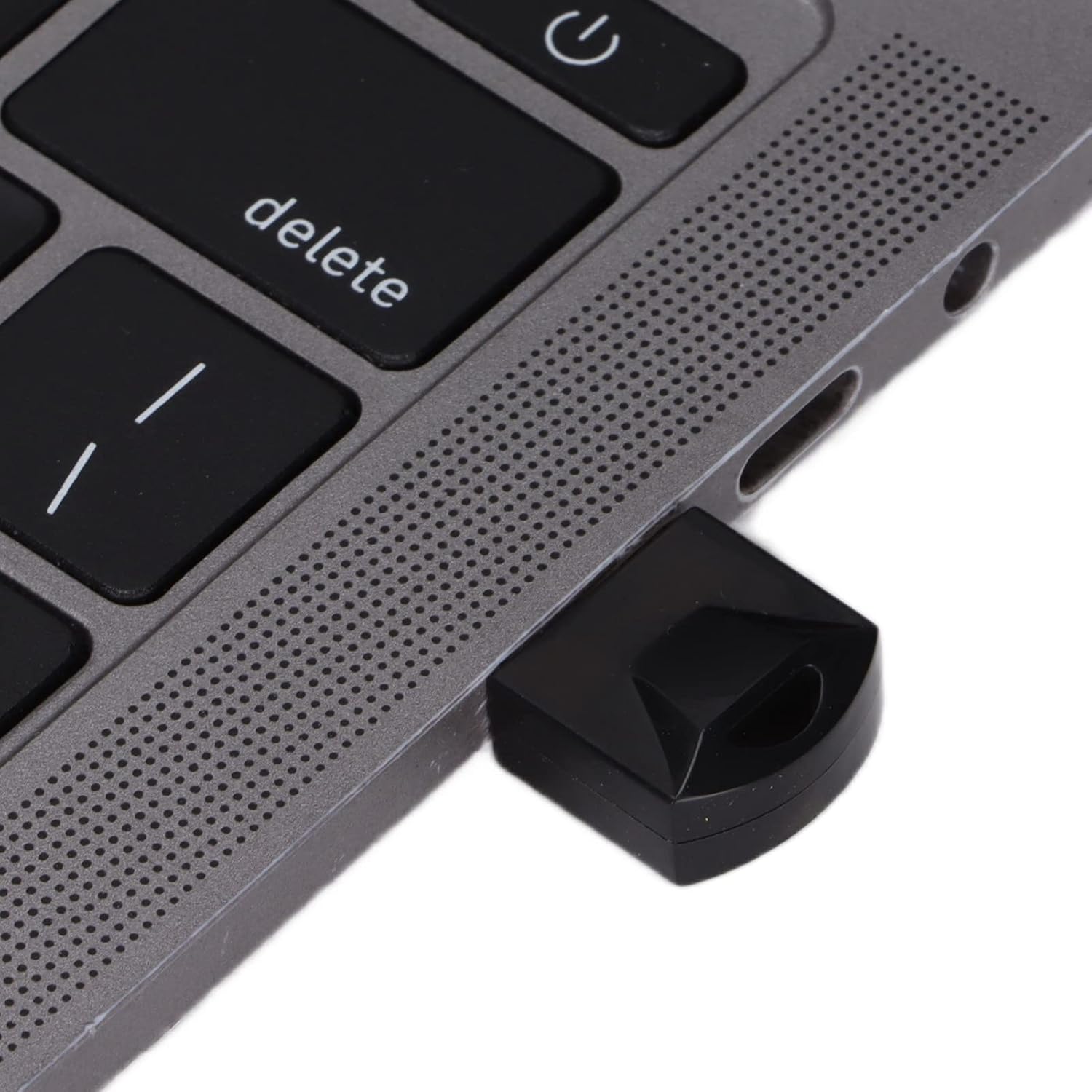
Слика 3: Крупни план view of the PUSOKEI USB Bluetooth adapter securely inserted into a laptop's USB port.
Once connected, your operating system should recognize the adapter. You may see a Bluetooth icon appear in your system tray.
4. Упутство за употребу
4.1 Упаривање са Bluetooth уређајима
- Enable Bluetooth on Your Computer: Ensure Bluetooth is turned on in your computer's settings. This is usually found in "Settings" > "Devices" > "Bluetooth & other devices" on Windows.
- Put Your Device in Pairing Mode: Погледајте упутство за ваш Bluetooth уређај да бисте га ставили у режим упаривања. То често подразумева држање дугмета док индикаторска лампица не затрепери.
- Додавање уређаја: На рачунару кликните на „Додај Bluetooth или други уређај“ и изаберите „Bluetooth“.
- Select Your Device: Your computer will scan for nearby Bluetooth devices. Select your device from the list when it appears.
- Потврдите упаривање: Follow any on-screen prompts to confirm pairing. This might involve entering a PIN (e.g., "0000" or "1234") if required by the device.

Figure 4: A user operating a laptop with the Bluetooth adapter, demonstrating active use for wireless connectivity.
4.2 Data Transfer and Audio Transmission
Once paired, you can use your Bluetooth devices as intended:
- Аудио уређаји: Select your paired Bluetooth headphones or speakers as the audio output device in your sound settings.
- Улазни уређаји: Paired Bluetooth keyboards and mice should function automatically.
- File Трансфер: За file transfer between your computer and a Bluetooth-enabled phone or tablet, use the "Send or receive files via Bluetooth" option in your computer's Bluetooth settings.
5. Спецификације
The PUSOKEI USB Bluetooth 5.0 Adapter features advanced technology for reliable wireless connectivity.
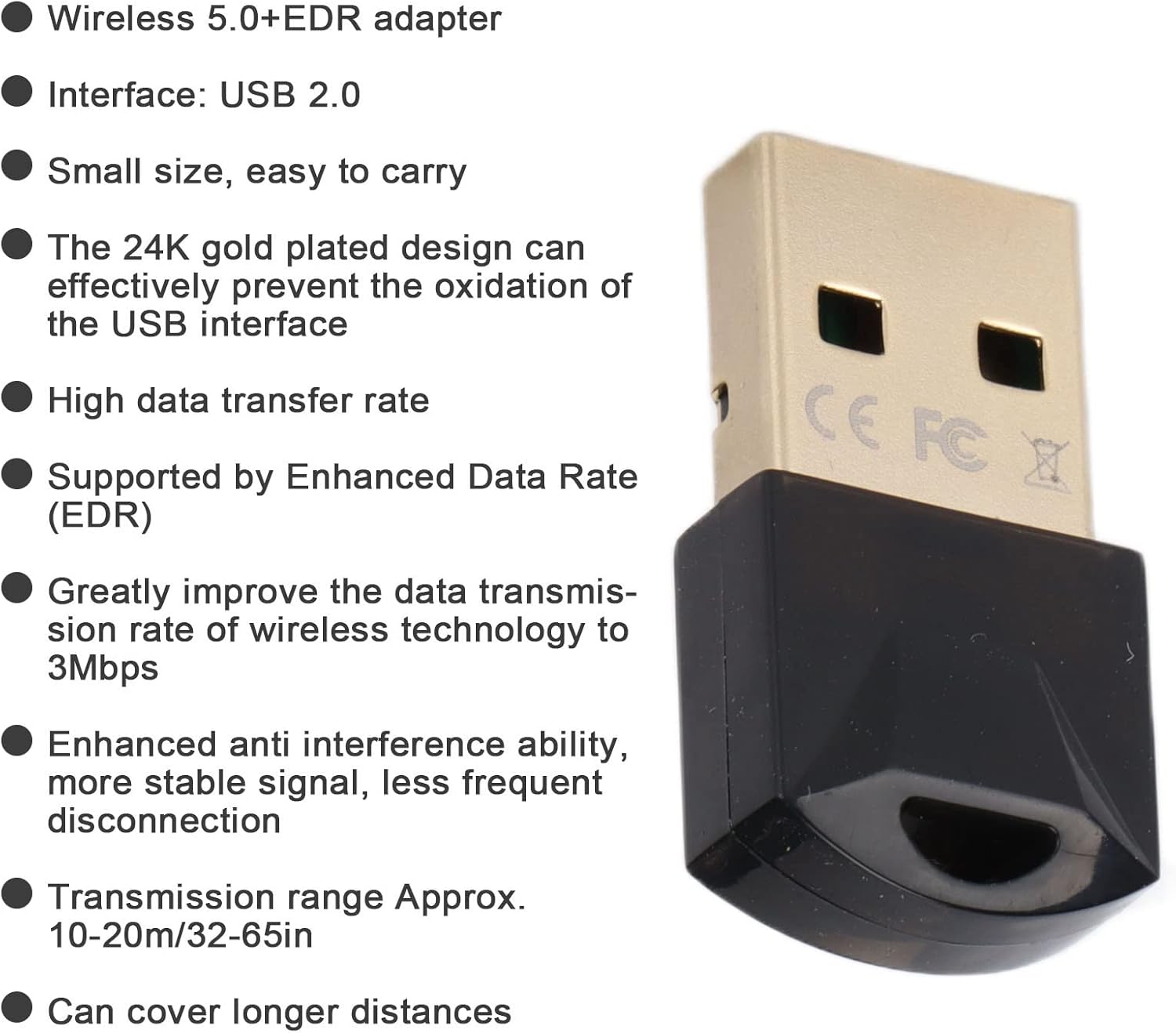
Figure 5: Key features and specifications of the PUSOKEI USB Bluetooth 5.0 adapter, including its gold-plated USB interface and EDR support.
| Феатуре | Опис |
|---|---|
| Модел | УСБ Блуетоотх адаптер |
| Материјал | АБС |
| Боја | Црно |
| Чип | For Realtek 8761 |
| Интерфејс | УСБ 2.0 |
| Блуетоотх верзија | Блуетоотх ВКСНУМКС + ХС |
| Брзина преноса података | Up to 3Mbps (with EDR) |
| Фрекуенци Банд | 2.400-2.480 ГХз |
| Домет пријема | Approx. 10-20m (32-65ft) in open environments |
| Подршка за оперативни систем | Windows 7 / 8 / 10 / 2000 / 98 / Me / XP |
| Не подржава | Windows Vista, Linux, OS X |
КСНУМКС. Решавање проблема
| Проблем | Могуће решење |
|---|---|
| Адаптер није препознат |
|
| Није могуће упарити са уређајем |
|
| Poor connection or frequent disconnections |
|
7. Одржавање
The PUSOKEI USB Bluetooth Adapter requires minimal maintenance to ensure optimal performance and longevity.
- Чишћење: Use a soft, dry cloth to wipe the adapter. Do not use liquid cleaners or solvents.
- Складиштење: Када није у употреби, чувајте адаптер на хладном и сувом месту даље од директне сунчеве светлости и екстремних температура.
- Руковање: Избегавајте испуштање адаптера или његово излагање јаким ударцима.
- УСБ порт: The 24K gold-plated USB interface is designed to resist oxidation. Avoid touching the gold contacts directly to prevent contamination.
8. Гаранција и подршка
For warranty information and technical support, please refer to the documentation included with your purchase or visit the official PUSOKEI webсајт. Сачувајте рачун као доказ о куповини за потребе гаранције.
For further assistance, please contact PUSOKEI customer service through their official channels.