1. Производ је готовview
The Ledvion Smart RGB+CCT GU10 LED Spot is designed to transform any fixture with a GU10 fitting into a smart lamp. This bulb offers RGB (Red, Green, Blue) and CCT (Correlated Color Temperature) functionality, allowing you to choose from a wide spectrum of colors and adjustable white light (2700K-6500K). It connects easily to your existing 2.4 GHz Wi-Fi network, enabling smart control via mobile applications and voice assistants.
Кључне карактеристике:
- RGB+CCT Functionality: Offers a full range of colors and tunable white light from warm to cool (2700K-6500K).
- Затамњење: Adjust brightness to your preference.
- Ви-Фи повезивање: Easy connection to any 2.4 GHz Wi-Fi network for remote control.
- Компатибилност са гласовним асистентом: Works with Amazon Alexa and Google Home.
- Једноставна инсталација: GU10 fitting, connects directly to 220-240V without a transformer.
- Издржљив дизајн: Made from high-quality aluminum.

Image 1.1: Ledvion Smart RGB+CCT GU10 LED Spot.
2. Безбедносне информације
Молимо вас да прочитате и разумете сва безбедносна упутства пре инсталирања или коришћења овог производа. Непоштовање ових упутстава може довести до струјног удара, пожара или других опасности.
- електрична безбедност: This product is an electrical device. Installation should only be performed by a qualified electrician if you are unsure. Always disconnect power before installation or maintenance.
- Само за унутрашњу употребу: Овај производ је намењен за употребу у затвореном простору. Не излагати води или високој влажности.
- Оператинг Волtage: Ensure the power supply is within the specified range of 220-240V, 50Hz.
- Тип уклапања: Use only with GU10 compatible fixtures.
- топлота: LED bulbs generate heat. Ensure adequate ventilation around the bulb and do not enclose it in a way that prevents heat dissipation.
- одлагање: Do not dispose of electrical appliances as unsorted municipal waste. Use separate collection facilities. Contact your local government for information regarding available collection systems.

Image 2.1: Ledvion Product Safety and Information Sheet (example of packaging information).
3. Подешавање
3.1. Физичка инсталација
- Искључивање: Before installation, ensure the power supply to the light fixture is turned off at the main switch.
- Уметните сијалицу: Carefully insert the Ledvion Smart GU10 LED Spot into a compatible GU10 fitting. Push and twist clockwise until it is securely in place.
- Укључено: Restore power to the light fixture. The bulb should flash, indicating it is in pairing mode.
3.2. Повезивање апликације
The Ledvion Smart GU10 LED Spot can be controlled using various Tuya-compatible smart home apps, such as the Smart Life App, Calex Smart App, or V-tac Smart Light app. For optimal functionality, we recommend using the Smart Life App.
- Преузми апликацију: Download the Smart Life App (or your preferred compatible app) from your smartphone's app store (iOS or Android).
- Регистрација/Пријава: Отворите апликацију и региструјте се за нови налог или се пријавите ако га већ имате.
- Додај уређај: Tap the '+' icon (usually in the top right corner) to add a new device. Select 'Lighting' or 'Light Source (Wi-Fi)'.
- Ви-Фи мрежа: Ensure your smartphone is connected to a 2.4 GHz Wi-Fi network. The smart bulb only supports 2.4 GHz Wi-Fi. Enter your Wi-Fi password.
- Режим упаривања: Confirm the bulb is flashing rapidly. If not, turn the light switch ON-OFF-ON-OFF-ON to reset it to pairing mode.
- Повежите се: Follow the on-screen instructions in the app to complete the pairing process. Once connected, you can rename your bulb for easier control.

Image 3.1: App control and Wi-Fi network compatibility.
4. Оперативни
4.1. Контрола апликација
Once connected to the app, you can control your Ledvion Smart GU10 LED Spot from anywhere with an internet connection.
- Он/Офф: Укључите или искључите светло.
- Осветљеност: Adjust the light intensity (dimmable).
- Избор боја: Choose from millions of colors using the RGB color wheel.
- Подешавање белог светла: Change the color temperature from warm white (2700K) to cool white (6500K).
- сцене: Select pre-set lighting scenes or create your own custom scenes for different moods or activities.
- Тајмер/Распоред: Set schedules for the light to turn on/off at specific times or to activate scenes.
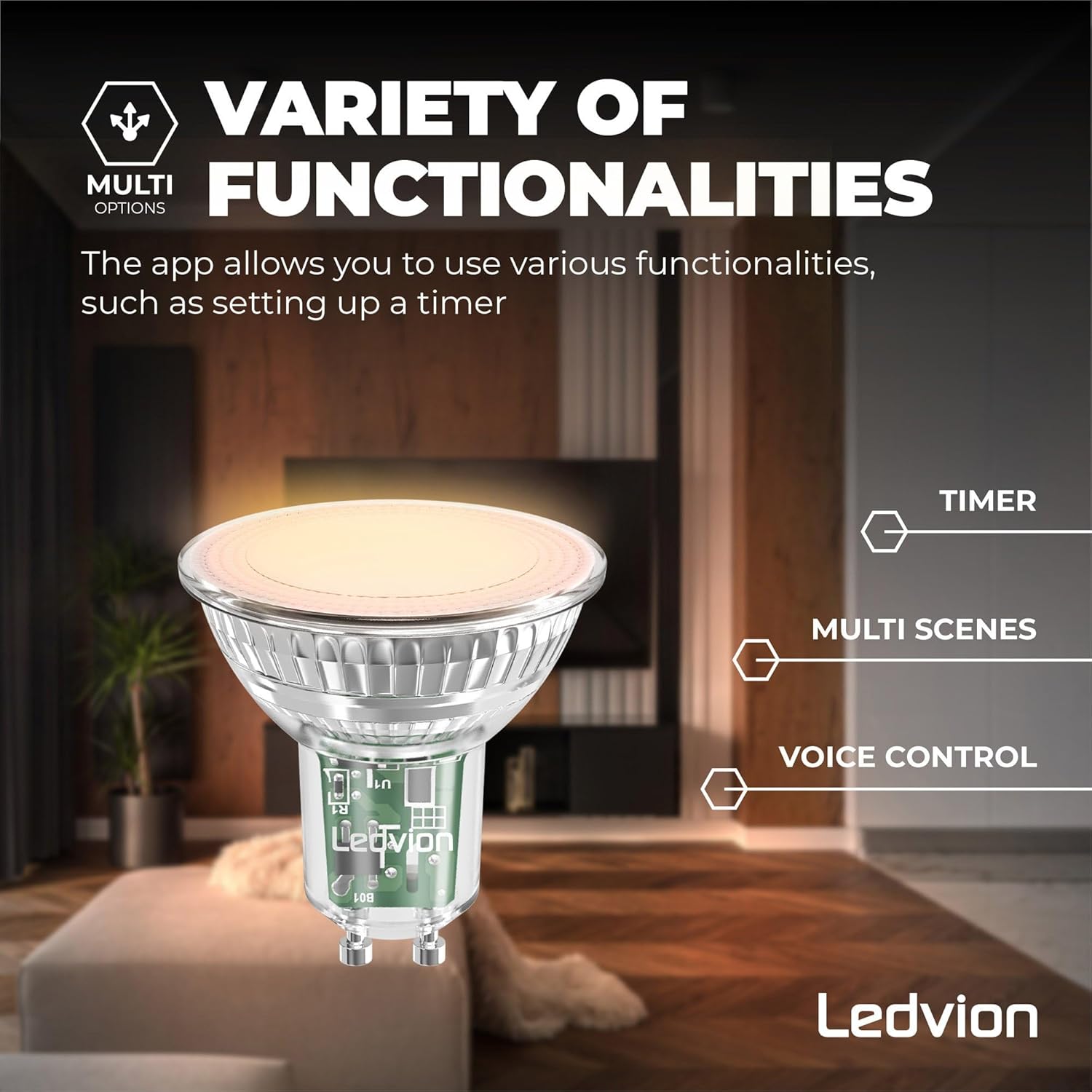
Image 4.1: Variety of functionalities including timer, multi-scenes, and voice control.

Image 4.2: Tunable white and color ambiance control.
4.2. Управљање гласом
Integrate your Ledvion Smart GU10 LED Spot with popular voice assistants for hands-free control.
- Амазон Алека: Link your Smart Life (or compatible) account to Alexa through the Alexa app. Use commands like: "Alexa, turn on [Light Name]", "Alexa, set [Light Name] to blue", "Alexa, dim [Light Name] to 50%".
- Гоогле почетна: Link your Smart Life (or compatible) account to Google Home through the Google Home app. Use commands like: "Hey Google, turn off [Light Name]", "Hey Google, change [Light Name] to warm white", "Hey Google, brighten [Light Name]".
- Сири пречице: For iOS users, you can create custom Siri Shortcuts within the Smart Life app to control your lights with voice commands.

Image 4.3: Compatibility with voice assistants.
5. Одржавање
To ensure the longevity and optimal performance of your Ledvion Smart GU10 LED Spot, follow these simple maintenance guidelines:
- Чишћење: Ensure the power is off before cleaning. Use a soft, dry cloth to wipe the bulb. Do not use liquid cleaners or abrasive materials.
- Руковање: Пажљиво рукујте сијалицом како бисте избегли оштећење стакла или електронских компоненти.
- Окружење: Keep the bulb in a dry environment and avoid extreme temperatures.
КСНУМКС. Решавање проблема
If you encounter issues with your Ledvion Smart GU10 LED Spot, refer to the following common problems and solutions:
- Bulb Not Connecting to Wi-Fi:
- Ensure your Wi-Fi network is 2.4 GHz. The bulb does not support 5 GHz networks.
- Check if your Wi-Fi password is entered correctly in the app.
- Make sure the bulb is in pairing mode (rapidly flashing). If not, cycle the power switch (ON-OFF-ON-OFF-ON) to reset.
- Move the bulb closer to your Wi-Fi router during the initial setup.
- Bulb Not Responding to App/Voice Commands:
- Проверите своју интернет везу.
- Ensure the bulb is still connected to your Wi-Fi network.
- Поново покрените апликацију и покушајте поново.
- If using voice control, ensure your voice assistant account is correctly linked to your smart home app.
- Syncing Issues (e.g., one bulb in a group doesn't respond):
- This can sometimes occur with smart bulbs. Try resetting the unresponsive bulb by cycling its power switch (ON-OFF-ON-OFF-ON) and re-pairing it if necessary.
- Ensure all bulbs are within good Wi-Fi range.
- Low Luminosity or Weak Colors:
- Ensure the brightness setting in the app is at 100%.
- Compared to warm/cool white, some colors may appear less bright due to the nature of RGB LEDs. This is normal operation.
- Bulb Died Prematurely:
- While rare, if a bulb fails within the warranty period, please contact customer support for assistance.
7. Спецификације
| Феатуре | Спецификација |
|---|---|
| Број модела | LVW10001 |
| Фиттинг Типе | ГУ10 |
| Ватtage | 4.9В (еквивалентно 40В жаруља са жарном нити) |
| Лумен Оутпут | 345 лумена |
| Температура боје | RGB + CCT (2700K - 6500K) |
| Волtage | 220-240 В, 50 Хз |
| Повезивање | Ви-Фи (КСНУМКС ГХз) |
| Тип контроле | App (Smart Life, Calex, V-tac), Amazon Alexa, Google Home |
| Животни век | 15,000 сата |
| Индекс приказивања боја (ЦРИ) | 80 |
| Материјал | Алуминијум, Пластика |
| Димензије производа | 50 мм (пречник) к 58 мм (висина) |
7.1. Димензије

Image 7.1: Product dimensions (50mm diameter, 54mm height).
7.2. Енергетска ознака

Image 7.2: Energy Label for Ledvion LVW10001. For more details, visit епрел.ец.еуропа.еу/кр/694883.
8. Гаранција и подршка
8.1. Гаранција
This Ledvion product comes with a 2 година гаранције од датума куповине. Ова гаранција покрива недостатке у материјалу и изради при нормалној употреби. Не покрива штету насталу услед злоупотребе, незгода, неовлашћених модификација или неправилне инсталације.

Слика 8.1: Информације о двогодишњој гаранцији.
8.2. Корисничка подршка
For technical assistance, warranty claims, or any questions regarding your Ledvion Smart RGB+CCT GU10 LED Spot, please contact Ledvion customer support. You can typically find contact information on the product packaging or the official Ledvion webсајту.
Информације о произвођачу:
Ledvion B.V.
Tielweg 9
2803 PK Gouda
Холандија