
Увод
This manual provides detailed instructions for the installation, operation, and maintenance of your Reletech P400 M.2 NVMe SSD. The P400 M.2 SSD is an internal solid-state drive designed for laptops and desktops, offering high-speed data transfer rates.
Кључне карактеристике укључују:
- High-speed data transfer: Up to 3400MB/s read and 1900MB/s write for the 1TB model.
- Utilizes QLC particles for stable performance and reliability.
- Features DDR3 independent buffer for faster and more stable transmission.
- Designed for PCIe Gen 3.0 x 4 mode compatibility.
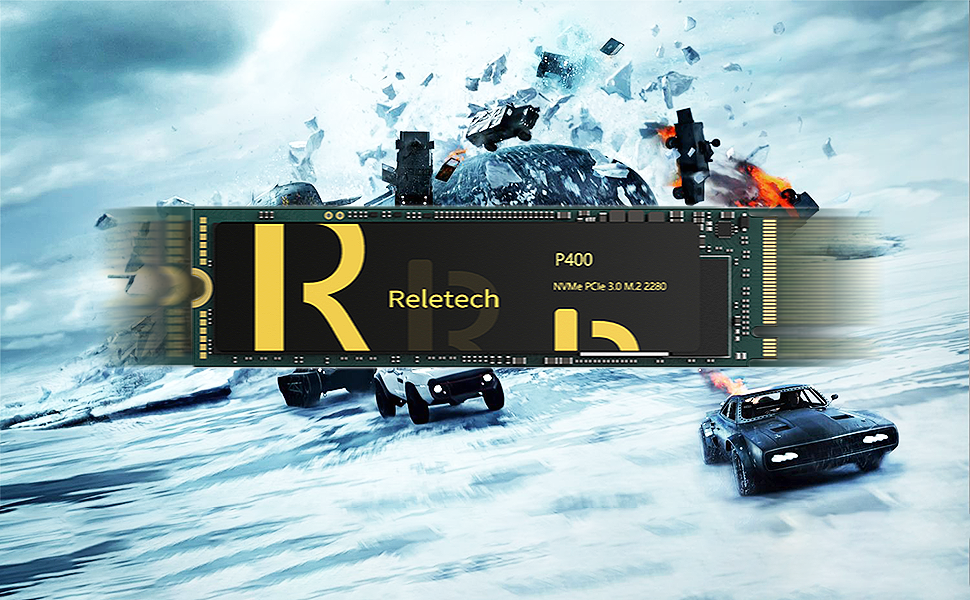
Image: Reletech P400 SSD highlighting 128-layer NAND technology for improved performance.
Подешавање и инсталација
Before installation, ensure your motherboard supports PCIe Gen 3.0 x 4 mode to achieve optimal speed. Older laptops or motherboards operating in PCIe Gen 3.0 x 2 mode may not reach the specified performance.
Потребни алати:
- Одвијач за главу Пхиллипс
- Антистатичка наруквица (препоручено)
Кораци инсталације:
- Искључивање: Completely shut down your computer and disconnect all power cables.
- Отворени случај: Open your computer's case (desktop) or access panel (laptop) to expose the motherboard. Refer to your computer's manual for specific instructions.
- Пронађите M.2 слот: Пронађите слободан M.2 слот на матичној плочи. Обично изгледа као мали хоризонтални слот са рупом за завртањ на крају.
- Уметните SSD: Gently insert the Reletech P400 M.2 SSD into the M.2 slot at a 30-degree angle. Push it in until it is fully seated.
- Безбедан SSD: Притисните SSD надоле према матичној плочи и причврстите га малим завртњем који је испоручени уз вашу матичну плочу или SSD.
- Затвори случај: Reassemble your computer's case or access panel.
- Укључено: Reconnect power cables and turn on your computer.

Image: A Reletech P400 M.2 SSD shown in a laptop environment, illustrating its intended use.
Упутство за употребу
Initial Setup (New SSD):
After physical installation, the SSD needs to be initialized and formatted before use. This process varies slightly depending on your operating system.
- Приступ управљању дисковима:
- Виндовс: Right-click on the Start button, then select "Disk Management".
- мацОС: Go to Applications > Utilities > Disk Utility.
- Линук: Use a disk utility like GParted or
fdisk/mkfsкоманде.
- Иницијализација диска: The new SSD should appear as "Unallocated" or "Not Initialized". Right-click on the disk and select "Initialize Disk". Choose GPT (GUID Partition Table) for modern systems.
- Create New Simple Volume: Right-click on the unallocated space on the new SSD and select "New Simple Volume" (Windows) or "Erase" (macOS/Linux). Follow the on-screen prompts to create a partition and format it with a suitable file system (e.g., NTFS for Windows, APFS for macOS, Ext4 for Linux).
- Додели слово диска: Assign a drive letter (Windows) or mount point (Linux) if prompted.
Миграција података:
If you are replacing an existing drive, you may want to migrate your operating system and data to the new SSD. This typically requires third-party cloning software. Consult the software's documentation for specific steps.

Image: Illustration of the Reletech P400 SSD connected to a laptop, symbolizing data transfer and storage capabilities.
Одржавање
Solid State Drives generally require less maintenance than traditional Hard Disk Drives. However, some practices can help ensure optimal performance and longevity:
- TRIM команда: Ensure your operating system has TRIM enabled. TRIM helps the SSD manage data more efficiently, preventing performance degradation over time. Most modern operating systems enable TRIM by default for SSDs.
- Избегавајте дефрагментацију: Do not defragment an SSD. Defragmentation is designed for HDDs and can reduce the lifespan of an SSD by causing unnecessary write cycles.
- Одржавајте фирмвер ажурираним: Periodically check the Reletech website for firmware updates for your P400 M.2 SSD. Firmware updates can improve performance, stability, and compatibility.
- Праћење здравља диска: Use S.M.A.R.T. (Self-Monitoring, Analysis and Reporting Technology) tools to monitor the health and lifespan of your SSD.
- Maintain Sufficient Free Space: While not strictly necessary, keeping some free space (e.g., 10-15%) on your SSD can help maintain performance, especially for drives with QLC NAND.
Решавање проблема
ССД није откривен:
- Проверите везе: Уверите се да је SSD правилно постављен у M.2 слот и причвршћен.
- Подешавања BIOS-а/UEFI-ја: Enter your computer's BIOS/UEFI settings and verify that the M.2 slot is enabled and configured correctly (e.g., NVMe mode).
- Инсталација драјвера: Ensure your operating system has the necessary NVMe drivers. Windows 10/11 typically includes them, but older OS versions or specific motherboards might require manual installation.
- Управљање дисковима: Check Disk Management (Windows) or Disk Utility (macOS/Linux) to see if the drive is detected but uninitialized.
Споре перформансе:
- PCIe Mode: Confirm your motherboard is operating in PCIe Gen 3.0 x 4 mode. If it's running in x2 mode or an older PCIe generation, speeds will be lower.
- TRIM статус: Проверите да ли је TRIM омогућен за ваш SSD.
- Фирмвер: Ensure your SSD has the latest firmware.
- прегревање: While the P400 comes with a heatsink, ensure adequate airflow within your system to prevent thermal throttling, which can reduce performance.
- Системски ресурси: Other system components (CPU, RAM) or background processes can affect overall storage performance.
Оштећење података/грешке:
- Run Diagnostics: Use SSD diagnostic tools to check for errors.
- Check Cables/Connections: Re-seat the SSD to ensure a stable connection.
- Проблеми са оперативним системом: Ensure your operating system is stable and free from malware.
Video: An official Reletech video demonstrating the read and write speeds of the P400 M.2 SSD, showing performance metrics up to 3500MB/s read and 3300MB/s write.
Спецификације
| Назив модела | P400 M.2 |
| Капацитет дигиталног складиштења | 1 ТБ |
| Хард Диск Интерфаце | НВМе |
| Технологија повезивања | SATA, USB (Note: NVMe uses PCIe for primary data transfer) |
| Бранд | Reletech |
| Фактор облика тврдог диска | 2280 Millimeters (M.2 2280) |
| Опис чврстог диска | Солид Стате Дриве |
| Компатибилни уређаји | Лаптоп, ПЦ |
| Врста инсталације | Интерни чврсти диск |
| Read Speed (1TB) | До 3400 МБ/с |
| Write Speed (1TB) | До 1900 МБ/с |
| Кеш меморија | DDR3 Independent Buffer |
| Контролор | PHISON E12S |
| УПЦ | 786833429620 |

Image: Detailed specifications table for the Reletech P400 QLC SSD, showing capacities, cache, controller, and speed ratings.
Гаранција и подршка
The Reletech P400 M.2 NVMe SSD comes with a 5 година гаранције. For technical support, warranty claims, or any inquiries, please contact Reletech customer service. Contact information can typically be found on the official Reletech webсајту или преко вашег места куповине.
Reletech is committed to providing high-quality service and offers 24-hour customer service reply.

Image: Reletech logo with an illustration of the E12S DRAM Buffer Memory, highlighting key components for performance.