
Увод
This manual provides detailed instructions for the setup, operation, maintenance, and troubleshooting of your Macally UCZKEYHUBACSG Premium Wired USB C Keyboard. This full-size keyboard is designed for seamless compatibility across Mac, PC, and Chrome OS, featuring an integrated USB hub for enhanced connectivity.
Сетуп
Повезивање тастатуре
The Macally UCZKEYHUBACSG keyboard utilizes a simple plug-and-play USB-C wired connection. To connect your keyboard:
- Locate an available USB-C port on your computer (Mac, PC, or Chrome OS device).
- Insert the USB-C connector from the keyboard's cable firmly into the computer's USB-C port.
- The keyboard will be automatically recognized by your operating system, and no additional drivers are typically required.

Упутство за употребу
Распоред и функције тастера
The keyboard features a full-size 107-key layout, including a numeric keypad and 16 convenient shortcut/media keys. These keys provide quick access to various functions such as volume control, playback, and screen brightness, enhancing workflow efficiency.

Интегрисано УСБ чвориште
The keyboard includes a built-in USB hub for connecting additional peripherals directly. This hub consists of:
- 2x USB-A порта: For connecting standard USB devices like a mouse, flash drive, or webцам.
- 1x USB-C Port: For connecting newer USB-C compatible devices.

Компатибилност
The Macally UCZKEYHUBACSG keyboard is designed for broad compatibility with various operating systems, ensuring functionality across different computing environments:
- Мац ОС: Compatible with Mac OS X 10.6 (Snow Leopard) through 10.15 (Catalina) and above.
- Виндовс: Compatible with Windows 7, Windows 8, Windows 10, and above.
- Цхроме ОС: Fully functional with Chrome OS devices.
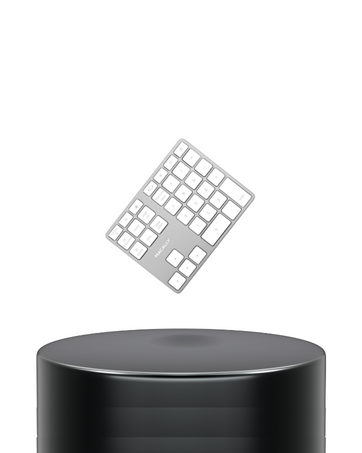
Scissor Switch Keys
The keyboard features quiet scissor switch keys, providing a responsive and tactile typing experience. This design contributes to a comfortable and efficient typing environment.

Одржавање
Чишћење ваше тастатуре
To ensure the longevity and optimal performance of your keyboard, regular cleaning is recommended:
- Искључите тастатуру из рачунара пре чишћења.
- Лагано користите меку крпу која не оставља длачице дampводом или благим раствором за чишћење да бисте обрисали капице тастера и површину.
- Avoid spraying liquids directly onto the keyboard or allowing moisture to seep between the keys.
- За отпатке између тастера, користите компримовани ваздух да бисте уклонили честице.
Решавање проблема
Уобичајени проблеми и решења
- Тастатура не реагује:
Ensure the USB-C cable is securely connected to both the keyboard and the computer. Try connecting to a different USB-C port or a different computer to rule out port issues. - USB hub ports not working:
Verify that the keyboard itself is properly connected and functioning. Ensure the devices connected to the hub are compatible and powered if necessary. Try connecting devices directly to the computer to confirm their functionality. - Keys not registering or sticky:
Perform a thorough cleaning of the affected keys as described in the Maintenance section. If the issue persists, it may indicate a hardware problem. - Shortcut keys not functioning:
Ensure your operating system is up-to-date. Some shortcut keys may require specific software or system settings to be enabled. Refer to your operating system's documentation for media key functionality.
Спецификације
| Феатуре | Детаљ |
|---|---|
| Број модела | UCZKEYHUBACSG |
| Технологија повезивања | Жични (USB-C) |
| УСБ Хуб портови | 2к УСБ-А, 1к УСБ-Ц |
| Тип кључа | Сциссор Свитцх |
| Број кључева | 107 (Full-size) |
| Shortcut/Media Keys | 16 |
| Компатибилност оперативног система | Mac OS X 10.6+, Windows 7/8/10+, Chrome OS |
| Боја | Спаце Греи |
| Тежина артикла | 1 фунта |
| Димензије производа (ДкШкВ) | 17.5 к 6 к 1.4 инча (44.45 к 15.24 к 3.56 цм) |

Гаранција и подршка
Macally values customer satisfaction. The UCZKEYHUBACSG keyboard comes with:
- Up to 2 years of warranty.
- Lifetime support.
- Easy returns.
For technical assistance or warranty claims, please refer to the contact information provided with your product packaging or visit the official Macally support webсајту.
Шта је у кутији
- Macally UCZKEYHUBACSG Wired USB C Keyboard
- Упутство за употребу