
1. Увод
Хвала вам на куповиниasing the Final UX3000 Bluetooth Wireless Headphones. These headphones are designed to deliver premium Hi-Fi sound quality with hybrid noise-cancelling technology, ensuring an immersive audio experience. With long battery life and versatile connectivity options, the UX3000 is ideal for music listening, movies, and gaming.
Please read this manual thoroughly before using the product to ensure proper operation and to maximize your listening enjoyment.

Image: The Final UX3000 headphones in black, showcasinњихов елегантан дизајн.
2. Садржај пакета
Уверите се да су све следеће ставке укључене у ваш пакет:
- Final UX3000 Headphone
- УСБ-Ц кабл за пуњење
- Мека торбица за ношење
- 3.5mm Cable for Wired Connection
- Кориснички приручник (овај документ)
Note: A USB charger is not included in the package.
3. Производ је готовview
3.1 Компоненте слушалица
Familiarize yourself with the various parts and controls of your Final UX3000 headphones.

Слика: Детаљна view of the control buttons located on the ear cup.
Контроле и индикатори:
- Дугме за напајање: Користи се за укључивање/искључивање слушалица и покретање Bluetooth упаривања.
- Volume + / - Buttons: Подешава јачину звука.
- Вишенаменско дугме: Controls playback (play/pause), call management (answer/end calls), and activates voice assistant.
- АНЦ дугме: Toggles Active Noise Cancelling on/off.
- Bluetooth / ANC Status Indicator: LED light indicating power, pairing status, and ANC status.
- УСБ-Ц прикључак за пуњење: За пуњење слушалица.
- 3.5 мм аудио прикључак: За жичну везу.

Image: Diagram showing the Power Button and Status Indicator.

Image: Diagram showing the Volume Up and Volume Down buttons.
4. Подешавање
4.1 Пуњење слушалица
Before first use, fully charge your UX3000 headphones. Connect the supplied USB-C charging cable to the headphone's USB-C port and the other end to a USB power source (e.g., computer USB port, USB wall adapter). The LED indicator will show charging status and turn off when fully charged.
- Време пуњења: Приближно 2.5 сата за потпуно пуњење.
- Трајање батерије: До 35 сата репродукције музике.
4.2 Блуетоотх упаривање
Да бисте бежично повезали слушалице са уређајем:
- Уверите се да су слушалице искључене.
- Притисните и држите дугме за напајање приближно 5 секунде док ЛЕД индикатор не почне да трепери плаво и црвено, што указује на режим упаривања.
- На свом уређају (паметном телефону, таблету, рачунару) омогућите Блутут и потражите доступне уређаје.
- Select "Final UX3000" from the list of found devices.
- Once connected, the LED indicator will flash blue slowly. A voice prompt will confirm "Device Connected".

Image: The UX3000 headphones positioned beside a smartphone displaying its Bluetooth connection settings.
Вишетачка веза:
The UX3000 supports multipoint connection, allowing you to connect to two Bluetooth devices simultaneously. For example, you can be connected to your smartphone and your laptop at the same time, seamlessly switching audio sources.
4.3 Жична веза
For a wired audio experience or when the battery is depleted, use the supplied 3.5mm audio cable.
- Connect one end of the 3.5mm cable to the audio jack on the headphones.
- Повежите други крај са 3.5 мм аудио излазом вашег уређаја.
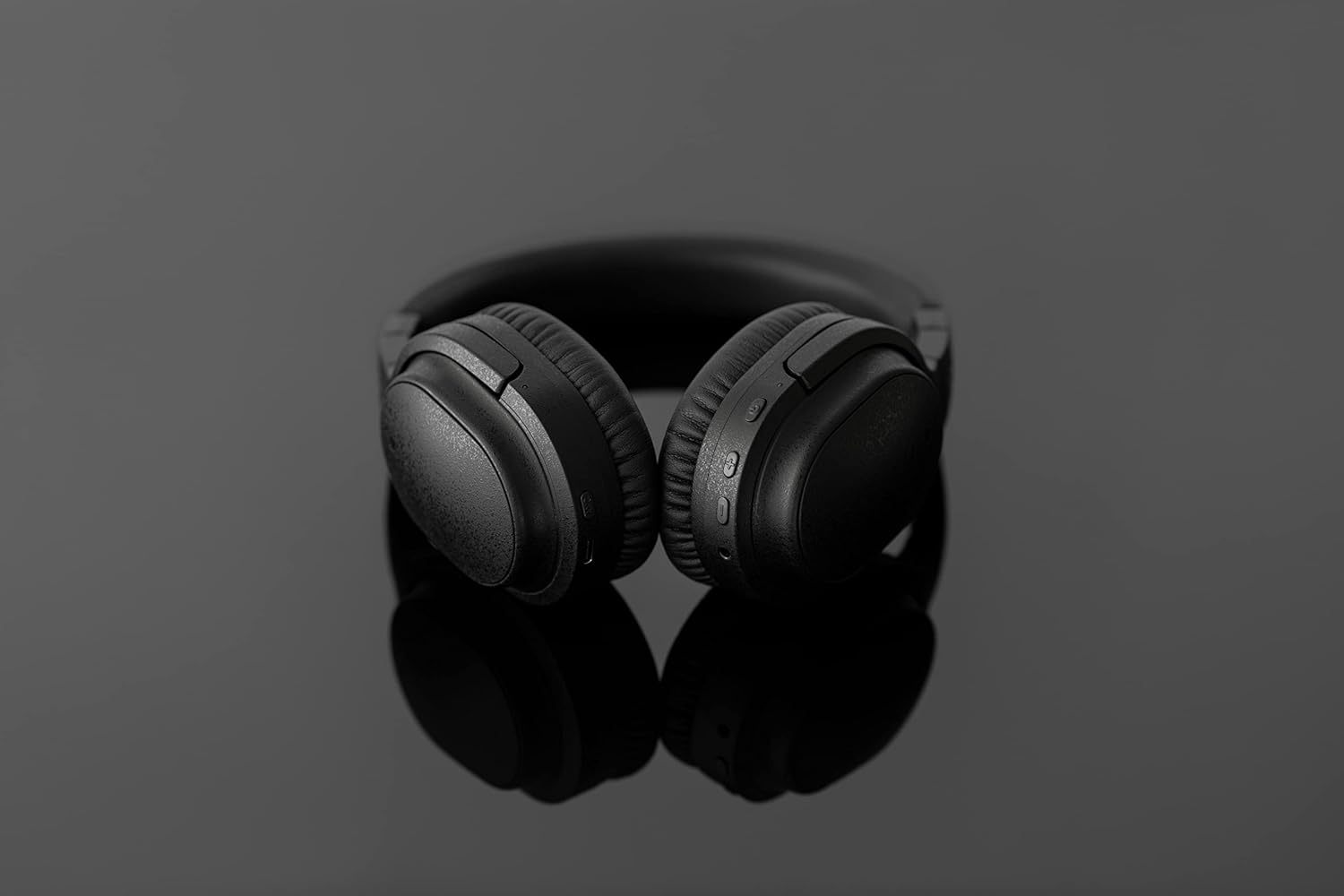
Image: The UX3000 headphones connected to a digital audio player using the 3.5mm audio cable.
5. Упутство за употребу
5.1 Укључивање/искључивање
- Укључено: Притисните и држите дугме за напајање 2 секунде. ЛЕД индикатор ће трептати плаво.
- Искључивање: Притисните и држите дугме за напајање 3 секунде. ЛЕД индикатор ће се искључити.
5.2 Репродукција музике
- Пусти/паузирај: Притисните вишенаменско дугме једном.
- Следећа нумера: Притисните и држите дугме за јачину звука + 2 секунде.
- Претходни запис: Притисните и држите дугме за јачину звука - 2 секунде.
- Појачавање звука: Press the Volume + button briefly.
- Смањивање јачине звука: Press the Volume - button briefly.
5.3 Hybrid Noise Cancelling (ANC)
The UX3000 features Hybrid Active Noise Cancelling, utilizing two microphones per ear cup to effectively reduce ambient noise. One microphone collects external noise, and the other collects sound from the driver unit, allowing for highly accurate anti-noise signal generation.
- Активирање/деактивирање ANC-а: Press the ANC button once. A voice prompt will confirm the status.

Image: A schematic diagram explaining how the Hybrid Noise Cancelling technology works with external and internal microphones.
5.4 aptX Low Latency Support
The UX3000 supports aptX Low Latency, which minimizes audio delay and ensures proper synchronization with visuals. This feature provides an optimal experience for watching movies and playing games, preventing noticeable lag between audio and video.

Image: A user wearing the UX3000 headphones, engaged with a laptop, highlighting their suitability for media and communication.
5.5 Функције позива
- Одговори/заврши позив: Притисните вишенаменско дугме једном.
- Одбиј позив: Притисните и држите вишенаменско дугме 2 секунди.
- Активирање гласовног помоћника: Двапут притисните вишенаменско дугме.
6. Одржавање
To ensure the longevity and optimal performance of your Final UX3000 headphones, follow these maintenance guidelines:
- Чишћење: Wipe the headphones with a soft, dry cloth. Do not use abrasive cleaners, solvents, or strong chemicals.
- Складиштење: When not in use, store the headphones in the provided soft carrying pouch to protect them from dust and scratches. The headphones are foldable for compact storage.
- Избегавајте влагу: Keep the headphones away from water, humidity, and extreme temperatures.
- Пуњење: Do not leave the headphones connected to a charger for extended periods after they are fully charged.

Image: The UX3000 headphones shown in their folded configuration, ready for compact storage or travel.
КСНУМКС. Решавање проблема
If you encounter issues with your Final UX3000 headphones, refer to the following common problems and solutions:
| Проблем | Могући узрок | Решење |
|---|---|---|
| Слушалице се не укључују. | Ниска батерија. | У потпуности напуните слушалице. |
| Упаривање са уређајем није могуће. | Headphones not in pairing mode; device's Bluetooth is off; too many paired devices. | Ensure headphones are in pairing mode (flashing red/blue). Turn on Bluetooth on your device. Forget previous pairings on your device and try again. |
| Нема звука или је јачина звука ниска. | Volume too low; headphones not connected; incorrect audio output selected on device. | Increase volume on both headphones and device. Reconnect headphones. Check audio output settings on your device. |
| Noise Cancelling not effective. | ANC not activated; environmental noise too high for full cancellation. | Ensure ANC is activated. ANC is most effective for low-frequency, constant noises. |
| Voice prompts (e.g., "Battery Low") occur frequently even when charged. | Potential firmware issue or specific device interaction. | Ensure headphones are fully charged. If issue persists, contact customer support. |
8. Спецификације
| Феатуре | Детаљ |
|---|---|
| Назив модела | UX3000 BLK |
| Технологија повезивања | Бежично (Блутут), Жично (3.5 мм прикључак) |
| Бежична комуникациона технологија | Блуетоотх 5.0 |
| Блуетоотх домет | 10 метара |
| Контрола буке | Хибридно поништавање буке |
| Тип аудио драјвера | Динамички возач |
| Фреквенцијски опсег | 20Хз-20кХз |
| Трајање батерије | До 35 сати |
| Време пуњења | 2.5 сата |
| Тежина артикла | 260 грама (9.2 унци) |
| Постављање уха | Преко уха |
| Форм Фацтор | Преко уха |
| Компатибилни уређаји | Bluetooth-enabled devices supporting HFP, HSP, A2DP, and AVRCP profiles, and specifically compatible with SBC, AAC, aptX, and aptX low latency codecs |
| Специфичне употребе за производ | Филмови и игре |
| Произвођач | Финал Аудио |
| Датум првог доступног | 14. децембра 2021. године |
9. Гаранција и подршка
The Final UX3000 headphones come with Final's 12 Month Worry-Free Warranty. This warranty covers defects in materials and workmanship under normal use for a period of 12 months from the date of original purchase.
For warranty claims, technical support, or any inquiries regarding your product, please contact Final customer service through the official Final website or your point of purchase. Please have your proof of purchase ready when contacting support.
Final is committed to providing friendly and responsive customer service to ensure your satisfaction.