
Увод
This manual provides comprehensive instructions for the safe and efficient use of your Coby True Wireless Earbuds (Model CETW535). Please read this manual thoroughly before using the product and retain it for future reference.
The Coby True Wireless Earbuds offer a seamless audio experience with Bluetooth 5.3 technology, a smart battery display, and intuitive controls for music and calls. They are designed for comfort and convenience, featuring a built-in microphone for hands-free communication.
Садржај пакета
- Coby True бежичне слушалице (леве и десне)
- Charging Case with Smart Battery Display
- УСБ кабл за пуњење
- Кориснички приручник (овај документ)
Сетуп
1. Почетно пуњење
Before first use, fully charge the earbuds and the charging case. Connect the charging case to a USB power source using the provided USB cable. The digital display on the case will indicate the charging status and battery level.

Image: The Coby True Wireless Earbuds are shown inside their open charging case, which displays "100%" on its digital screen, indicating a full charge. The earbuds are black and fit snugly into their respective slots.
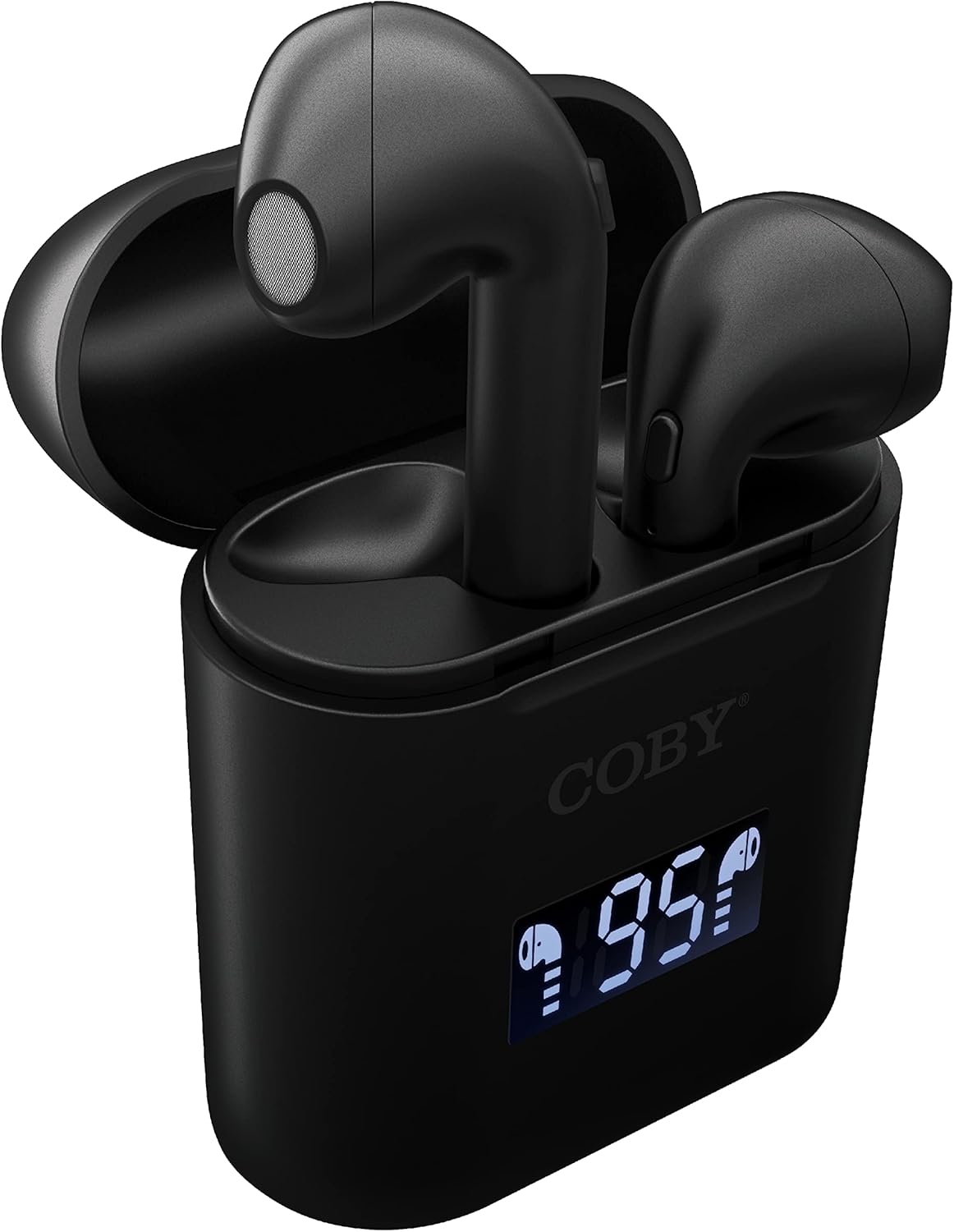
Слика: Крупни план view of the Coby True Wireless Earbuds resting in their open charging case. The case features a digital display showing "95%", indicating the current battery level of the case. The black earbuds are visible, with their microphones facing upwards.
2. Упаривање са Блуетоотх уређајем
- Уверите се да су слушалице напуњене и да се налазе унутар кућишта за пуњење.
- Отворите кућиште за пуњење. Слушалице ће се аутоматски укључити и ући у режим упаривања.
- На свом уређају (паметном телефону, таблету итд.) омогућите Блутут.
- Тражи "CETW535" or "Coby Earbuds" in the list of available Bluetooth devices.
- Select the device name to connect. Once connected, you will hear a confirmation tone.
- The earbuds will automatically re-pair with the last connected device when removed from the case, if Bluetooth is enabled on the device.
3. Постављање слушалица
Gently insert each earbud into the corresponding ear (L for left, R for right). Adjust them slightly until they feel secure and comfortable. A proper fit ensures optimal sound quality and comfort.

Image: A woman is shown smiling while wearing a black Coby True Wireless Earbud in her right ear, demonstrating a comfortable and secure fit.
Упутство за употребу
Укључивање/искључивање
- Укључено: Open the charging case, or press and hold the touch control area on each earbud for 3 seconds.
- Искључивање: Place the earbuds back into the charging case and close the lid, or press and hold the touch control area on each earbud for 5 seconds.
Контроле музике
The earbuds feature touch-sensitive controls for easy management of your audio playback.
- Пусти/паузирај: Једном додирните било коју слушалицу.
- Следећа нумера: Двапут додирните десну слушалицу.
- Претходни запис: Двапут додирните леву слушалицу.
- Појачавање звука: Трипут додирните десну слушалицу.
- Смањивање јачине звука: Трипут додирните леву слушалицу.

Image: A man is shown wearing a Coby True Wireless Earbud in his right ear, taking a drink from a water bottle, illustrating the earbuds' use during active moments.
Контроле позива
Manage your calls effortlessly with the built-in microphone and touch controls.
- Одговори/заврши позив: Једном додирните било коју слушалицу.
- Одбиј позив: Притисните и држите било коју слушалицу 2 секунде.

Image: A man is depicted wearing a Coby True Wireless Earbud in his left ear while concentrating on a laptop screen, highlighting the earbuds' suitability for work or study environments.
Активирање гласовног помоћника
Activate your device's voice assistant (Siri or Google Assistant) for hands-free commands.
- Активирање гласовног помоћника: Press and hold either earbud for 3 seconds (after powering on, before powering off gesture).
Intelligent Digital Battery Display
The charging case features a digital display that shows the remaining battery percentage of the case and individual charging status of the earbuds.
- The large number indicates the charging case's battery percentage.
- Small icons next to the percentage indicate the charging status of the left and right earbuds.

Image: The Coby True Wireless Earbuds are shown in their open charging case, with the digital display indicating "95%" battery life for the case. The black earbuds are visible, ready for use or charging.
Одржавање
- Чишћење: Користите меку, суву крпу која не оставља влакна за чишћење слушалица и кућишта за пуњење. Не користите јаке хемикалије или абразивне материјале.
- Складиштење: Када се не користе, чувајте слушалице у њиховој футроли за пуњење како бисте их заштитили и одржали напуњеним. Чувајте их на хладном и сувом месту, даље од екстремних температура.
- Пуњење: To prolong battery life, avoid fully discharging the battery frequently. Charge the case and earbuds regularly, even if not in constant use.
Решавање проблема
| Проблем | Могуће решење |
|---|---|
| Слушалице се не упарују са уређајем. |
|
| Само једна слушалица репродукује звук. |
|
| Кућиште за пуњење се не пуни. |
|
| Лош квалитет звука или прекиди везе. |
|
Спецификације
| Феатуре | Детаљ |
|---|---|
| Бранд | Цоби |
| Назив модела | Праве бежичне слушалице |
| Број модела | ЦЕТВ535 |
| Технологија повезивања | Блуетоотх 5.3 |
| Боја | Црно |
| Време репродукције слушалица | До 6.5 сати (са пуним пуњењем) |
| Укупно време репродукције (са футролом) | До 22 сати |
| Микрофон | Уграђени |
| Подршка гласовног помоћника | Сири, Гоогле помоћник |
| Димензије (Д к Ш к В) | 0.99 x 1.85 x 2.44 инча (кућиште за пуњење) |
| Тежина артикла | 6.1 унци |
| УПЦ | 643620020982 |
| Произвођач | Суммит Елецтроницс, ЛЛЦ |
Гаранција и подршка
Specific warranty information for the Coby True Wireless Earbuds (Model CETW535) is not provided within this manual. For details regarding warranty coverage, terms, and conditions, please refer to the warranty card included with your product packaging or visit the official Coby webсајту.
For technical support or further assistance, please contact Coby customer service through the contact information provided on their official webсајт или паковање производа.