
1. Увод
Thank you for choosing the TRONIC 61-Key Mechanical Gaming Keyboard. This manual provides essential information for setting up, operating, maintaining, and troubleshooting your new keyboard. Please read this manual thoroughly before use to ensure optimal performance and longevity of your device.
2. Производ је готовview
The TRONIC 61-Key Mechanical Gaming Keyboard is a compact, wired keyboard designed for gaming and typing efficiency. It features professional mechanical keys, vibrant RGB backlighting, and full anti-ghosting capabilities. Its ergonomic design ensures comfort during extended use, and the durable ABS construction provides resistance against accidental drops and splashes.
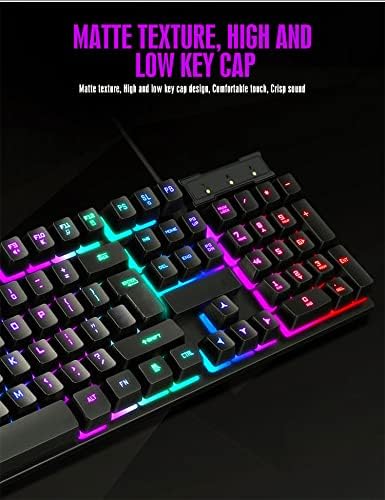
Над главом view of the TRONIC 61-Key Mechanical Gaming Keyboard, showcasing its compact layout and vibrant RGB backlighting across all keys.
Кључне карактеристике:
- Компактни распоред са 61 тастера: Provides more desk space for mouse movement and other peripherals.
- Механички кључеви: Professional mechanical switches for responsive and tactile feedback.
- RGB позадинско осветљење: Customizable rainbow backlighting with various effects and colors (red, green, yellow, blue, purple, cyan, pink).
- Потпуна заштита од духова: Allows multiple key presses to be registered simultaneously without conflict, crucial for gaming.
- Издржљива конструкција: Made from high-resistance ABS thermoplastic material, designed to withstand daily use and minor liquid splashes.
- Laser-Engraved Keycaps: Characters are clear and luminous, ensuring visibility in dark environments.
- Ергономски дизајн: Engineered for comfort during long typing and gaming sessions.

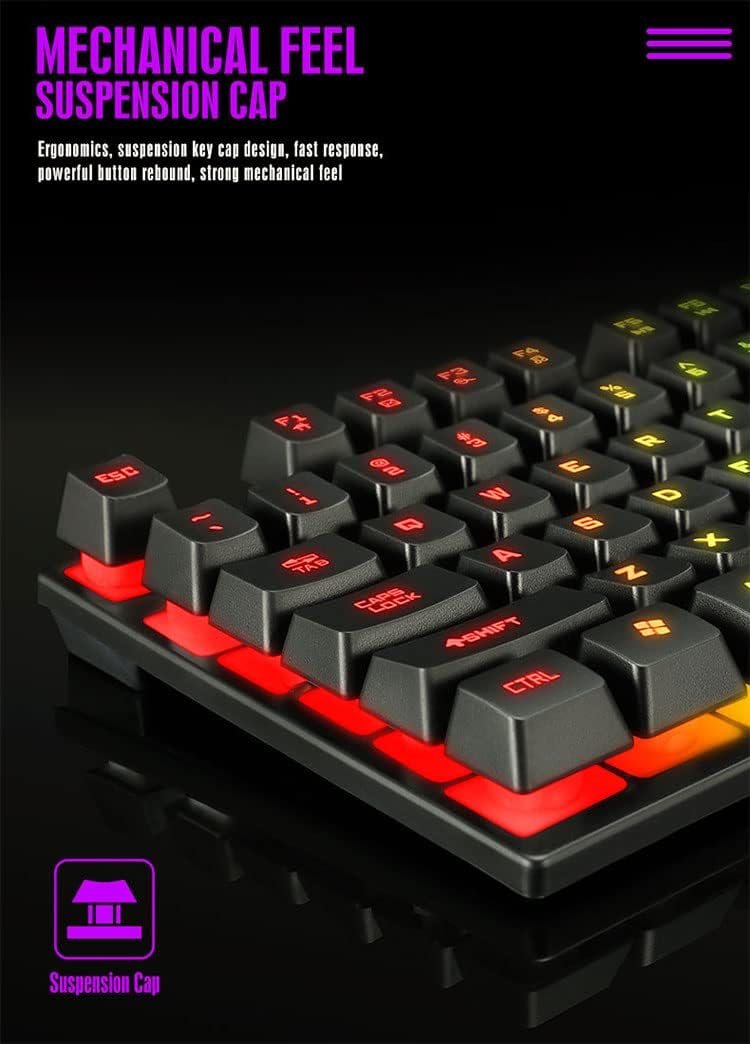
Детаљно view of the keyboard's suspension keycap design, highlighting the mechanical feel and ergonomic profile for comfortable typing and gaming.
3. Подешавање
Setting up your TRONIC Mechanical Gaming Keyboard is a straightforward process.
Повезивање тастатуре:
- Извадите тастатуру и њен УСБ кабл из паковања.
- Connect the USB cable to the keyboard's USB port.
- Plug the other end of the USB cable into an available USB port on your computer or laptop.
- The keyboard is plug-and-play; your operating system (Windows or Linux) should automatically detect and install the necessary drivers.
The TRONIC keyboard connected to a device via its integrated USB cable, ready for use.
Компатибилност:
The keyboard is compatible with Windows and Linux operating systems. Напомена: This keyboard is not compatible with PS4 or XBOX gaming consoles.
4. Упутство за употребу
Basic Keyboard Use:
Once connected, the keyboard functions as a standard QWERTY layout keyboard. The 61-key compact design includes all essential keys for typing and gaming. The UK layout ensures familiarity for users accustomed to this standard.
Контрола позадинског осветљења:
The keyboard features dynamic RGB backlighting. You can control the lighting effects and turn them on or off using a dedicated button on the keyboard. This button typically cycles through various rainbow lighting modes, including a cyclical breathing effect, and allows you to disable the lighting when not needed.

This image illustrates the location of the dedicated button for controlling the keyboard's RGB backlighting, allowing users to easily switch the lighting effects on or off.
Anti-Ghosting Function:
The full anti-ghosting feature ensures that every key press is registered accurately, even when multiple keys are pressed simultaneously. This is particularly beneficial in fast-paced gaming scenarios where complex key combinations are common.
5. Одржавање
Proper maintenance will help extend the life and performance of your TRONIC keyboard.
Чишћење:
- Искључите тастатуру из рачунара пре чишћења.
- Use a soft, dry cloth to wipe down the keycaps and keyboard surface.
- За тврдокорну прљавштину, благо дamp Може се користити крпа са благим раствором за чишћење, водећи рачуна да течност не уђе у тастатуру.
- Compressed air can be used to remove dust and debris from between the keys.
Трајност:
The keyboard's ABS construction provides a degree of resistance to minor impacts and liquid splashes. However, it is not fully waterproof. Avoid submerging the keyboard in liquid or exposing it to excessive moisture.
КСНУМКС. Решавање проблема
If you encounter issues with your TRONIC keyboard, refer to the following common solutions:
- Тастатура не реагује:
- Уверите се да је УСБ кабл безбедно прикључен и на тастатуру и на рачунар.
- Покушајте да прикључите тастатуру на други УСБ порт на рачунару.
- Поново покрените рачунар.
- Позадинско осветљење не ради:
- Press the dedicated backlight control button to cycle through lighting modes or turn the backlight on.
- Уверите се да је тастатура правилно повезана и да прима напајање.
- Кључеви се не региструју:
- Проверите да ли има физичких препрека испод тастера.
- Ensure the keyboard drivers are correctly installed (usually automatic).
- Проблеми са компатибилношћу:
- Remember, the keyboard is compatible with Windows and Linux. It is не compatible with PS4 or XBOX consoles.
If these steps do not resolve your issue, please contact TRONIC customer support for further assistance.
7. Спецификације
| Феатуре | Спецификација |
|---|---|
| Бранд | ТРОНИЦ |
| Број модела | B09MH9ZC6M |
| Технологија повезивања | Жичани УСБ |
| Опис тастатуре | Механички |
| Распоред тастатуре | QWERTY (UK Layout) |
| Број кључева | 61 |
| Подршка за позадинско осветљење | RGB (Дуга) |
| Компатибилни оперативни системи | Виндовс, Линук |
| Извор напајања | Cable Powered |
| Посебне карактеристике | Backlit, Anti-Ghosting |
| Материјал | АБС Тхермопластиц |
| Животни век тастера | 10,000,000 притисака на тастере |
| Време одговора | 2 мс |
| УПЦ / ГТИН | 793072706689 |
8. Гаранција и подршка
For warranty information and customer support, please refer to the documentation included with your purchase or visit the official TRONIC webсајт. Сачувајте доказ о куповини за евентуалне рекламације по гаранцији.