
1. Увод
The Espressif ESP32-LyraT-Mini is a compact and powerful audio development board designed for various audio applications. Based on the ESP32-WROVER-E module, it integrates advanced audio signal processing technologies such as Acoustic Echo Cancellation (AEC), Automatic Gain Control (AGC), Noise Suppression (NS), and Wake Word Engine (WWE). This manual provides essential information for setting up, operating, and maintaining your ESP32-LyraT-Mini development board.
2. Производ је готовview
The ESP32-LyraT-Mini is engineered for audio-centric projects, offering a robust platform for voice interaction and audio processing. Key features include:
- Лагани дизајн: A compact audio development board based on the ESP32-WROVER-E.
- Integrated Audio Processing: Implements AEC, AGC, NS, and WWE for enhanced audio quality and voice command capabilities.
- ПЦБ антена: Features an integrated PCB antenna for wireless connectivity.
- Меморија: Embeds 8 MB Flash and 8 MB PSRAM for ample storage and processing power.
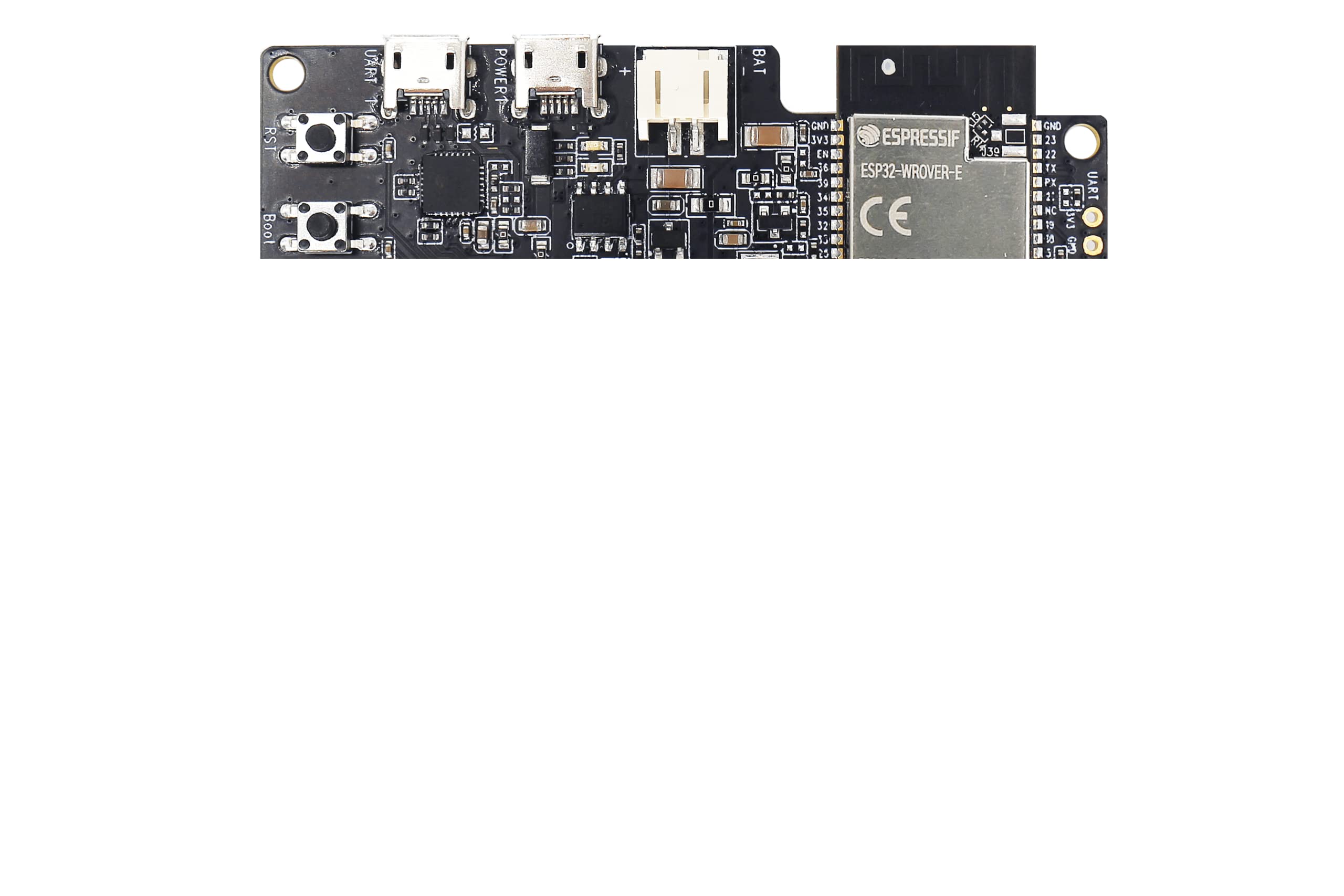
Figure 2.1: Espressif ESP32-LyraT-Mini Development Board. This image shows the compact design of the board with its various components and integrated PCB antenna.
3. Подешавање
Follow these steps to set up your ESP32-LyraT-Mini Development Board:
- Прикључак за напајање: Connect the development board to a power source using a compatible USB cable. Ensure the power supply meets the board's specifications.
- Инсталација драјвера: Depending on your operating system, you may need to install USB-to-serial drivers. Refer to Espressif's official documentation for specific driver requirements and installation guides.
- Подешавање развојног окружења: Install the Espressif IoT Development Framework (ESP-IDF) or other preferred development tools. Detailed instructions are available on the Espressif webсајту.
- Повежите се са рачунаром: Use a USB cable to connect the board to your computer. This connection facilitates programming and serial communication.
4. Оперативни
Once the ESP32-LyraT-Mini is set up, you can begin developing and testing your audio applications. The board's capabilities are primarily driven by the firmware you upload.
- Аудио улаз/излаз: Utilize the integrated audio interfaces for microphone input and speaker output.
- Acoustic Echo Cancellation (AEC): Implement AEC algorithms to reduce echo in full-duplex audio communication.
- Аутоматска контрола појачања (АГЦ): Use AGC to maintain a consistent audio output level, regardless of input volume fluctuations.
- Noise Suppression (NS): Apply NS to filter out background noise, improving speech clarity.
- Wake Word Engine (WWE): Develop applications that respond to specific voice commands or wake words.
- Бежична повезаност: Leverage the ESP32-WROVER-E's Wi-Fi and Bluetooth capabilities for network communication and device pairing.
Refer to the ESP-IDF programming guides and examples for detailed instructions on utilizing these features in your code.
5. Одржавање
Proper care and maintenance will ensure the longevity and optimal performance of your ESP32-LyraT-Mini Development Board:
- Пажљиво рукујте: Избегавајте испуштање плоче или њено излагање физичким ударцима.
- Одржавајте суво: Protect the board from moisture and liquids. Operate it in a dry environment.
- чистоћа: Држите плочу чистом од прашине и остатака. Користите меку, суву четку или компримовани ваздух за чишћење.
- Складиштење: When not in use, store the board in an anti-static bag in a cool, dry place.
- Искључивање: Always disconnect power before making any physical connections or disconnections to the board.
КСНУМКС. Решавање проблема
If you encounter issues with your ESP32-LyraT-Mini, consider the following troubleshooting steps:
- Нема напајања: Ensure the USB cable is securely connected and the power source is functional. Try a different USB cable or power adapter.
- Проблеми са везом: Verify that the correct USB-to-serial drivers are installed on your computer. Check the device manager for any driver conflicts.
- Грешка при отпремању фирмвера: Confirm that your development environment is correctly configured and the board is in programming mode (if required). Check serial port selection.
- Проблеми са звуком: Ensure microphones and speakers are correctly connected. Verify audio settings in your firmware and development environment.
- Software-Related Issues: Consult the Espressif documentation and community forums for common software-related problems and solutions.
If problems persist, contact Espressif support for further assistance.
7. Спецификације
| Феатуре | Спецификација |
|---|---|
| Бранд | Еспресиф |
| Назив модела | ESP32 LyraT Mini Kit |
| Број модела | ESP32-LyraT-Mini |
| Марка процесора | Еспресиф |
| Процесор Цоунт | 1 |
| Величина инсталиране РАМ меморије | 8 МБ |
| Технологија РАМ меморије | ПСРАМ |
| Капацитет меморије | 8 МБ |
| Технологија повезивања | Ethernet (via ESP32-WROVER-E capabilities) |
| Бежична компатибилност | 802.11b (Wi-Fi) |
| Оперативни систем | FreeRTOS (typical for ESP-IDF) |
| Укупно УСБ портова | 1 (for power and data) |
| Компатибилни уређаји | Лаптоп, лични рачунар, паметни телефон, таблет |
8. Гаранција и подршка
For warranty information and technical support regarding your Espressif ESP32-LyraT-Mini Development Board, please refer to the official Espressif webсајт или директно контактирајте њихов тим за подршку.
For business or technical questions, you may contact Espressif at: салес@еспрессиф.цом