
1. Увод
Хвала вам на куповиниasing the Comix S360A Cross Cut Paper Shredder. This manual provides essential information for the safe and efficient operation, maintenance, and troubleshooting of your shredder. Please read these instructions carefully before use and retain them for future reference.
The Comix S360A is designed for secure disposal of sensitive documents, credit cards, and CDs. It features a cross-cut mechanism for enhanced security and includes a jam-proof system with reverse and forward functions to clear paper jams. An energy-saving mode ensures optimal efficiency during operation.
2. Важна безбедносна упутства
WARNING: Failure to follow these safety instructions may result in fire, electric shock, or injury.
- Држите децу и кућне љубимце даље од сецкалице.
- Keep loose clothing, jewelry, hair, and ties away from the paper entry slot.
- Do not insert fingers or other body parts into the paper entry slot.
- Не прскајте никакве запаљиве производе или мазива у дробилицу.
- Не сеците металне предмете, мокар папир или лепљиве етикете.
- Always unplug the shredder when not in use or before cleaning.
- Do not operate the shredder if the power cord is damaged. Contact customer support for assistance.
- Уверите се да је дробилица постављена на стабилну, равну површину.
- Не преоптерећујте сецкалицу преко њеног наведеног капацитета листова.
3. Садржај пакета
Молимо вас да проверите пакет за следеће ставке:
- Comix S360A Shredder Head
- Waste Bin (13 Liter capacity)
- Упутство за употребу (овај документ)
4. Подешавање
- Распакујте шредер: Пажљиво уклоните све компоненте из паковања.
- Place the Waste Bin: Position the waste bin on a flat, stable surface.
- Mount the Shredder Head: Carefully place the shredder head onto the top of the waste bin, ensuring it is securely seated. The shredder will not operate if the head is not correctly positioned.
- Прикључите напајање: Укључите кабл за напајање у стандардну електричну утичницу.
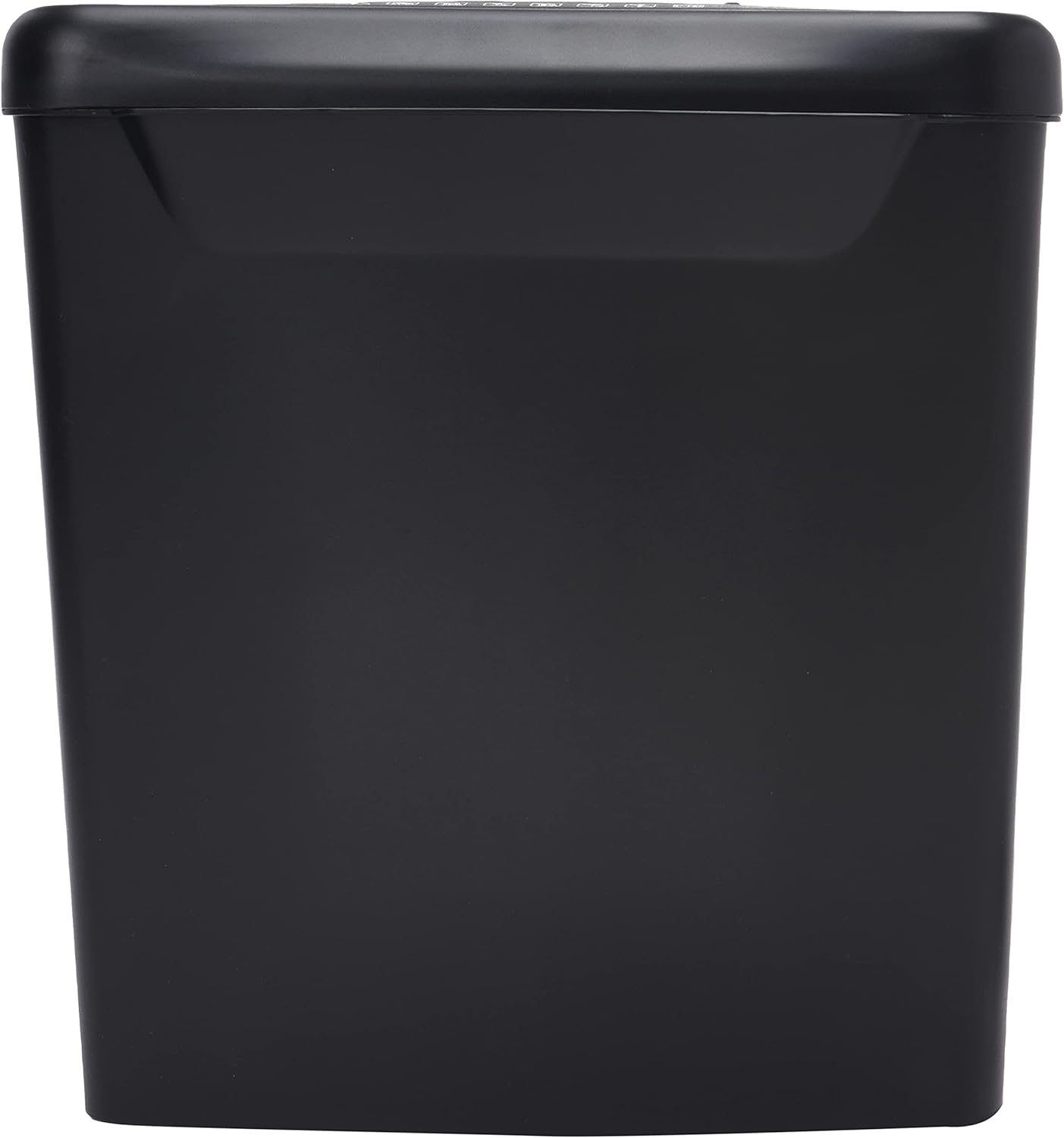
Слика: Са стране view of the Comix S360A shredder bin, showing its black exterior and compact design. The shredder head is not visible in this image.
5. Упутство за употребу
5.1 Контролни прекидач
The shredder features a slide switch with three positions:
- АУТО: The shredder will automatically start when paper is inserted and stop when shredding is complete. This is the normal operating mode.
- ВАН: The shredder is powered off. Always set the switch to OFF when emptying the bin or when the shredder is not in use.
- REV (Риверзум): This position reverses the shredder blades to help clear paper jams.

Слика: Врх view of the shredder head, highlighting the paper entry slot, the three-position control switch (Rev, OFF, Auto), and various safety warning icons.
5.2 Уништавање докумената
- Ensure the shredder head is securely placed on the waste bin.
- Укључите кабл за напајање у електричну утичницу.
- Поставите контролни прекидач на АУТО.
- Insert up to 8 sheets of 70gsm A4 paper into the paper entry slot. The shredder will start automatically.
- For credit cards or CDs, use the dedicated slot if available (refer to product specifications for capability).
- The shredder will stop automatically once the shredding process is complete.
5.3 Радни циклус
The Comix S360A has a continuous run time of КСНУМКС минута, followed by a rest time of КСНУМКС минута. Exceeding the run time may cause the shredder to overheat and automatically shut off. Allow the shredder to cool down for the specified rest time before resuming operation.
6. Одржавање
6.1 Пражњење канте за отпад
- Поставите контролни прекидач на ОФФ.
- Искључите дробилицу из утичнице.
- Lift the shredder head off the waste bin.
- Dispose of the shredded paper.
- Вратите главу сецкалице безбедно на канту за отпад.
- Plug the shredder back into the power outlet.
6.2 Oiling the Shredder Blades
Regular oiling of the shredder blades is recommended to maintain optimal performance and extend the life of your shredder. Use shredder oil specifically designed for paper shredders.
- Нанесите танку линију уља за сецкање преко отвора за улазак папира.
- Поставите контролни прекидач на АУТО.
- Insert a sheet of paper to distribute the oil evenly across the blades.
- Repeat this process periodically, especially after emptying a full waste bin or if the shredder's performance decreases.
6.3 Чишћење
Обришите спољашњост сецкалице меком, сувом крпом. Не користите абразивна средства за чишћење или раствараче. Уверите се да је сецкалица искључена из струје пре чишћења.
КСНУМКС. Решавање проблема
| Проблем | Могући узрок | Решење |
|---|---|---|
| Шредер се не покреће. |
|
|
| Застој папира. |
|
|
| Шредер се зауставља током рада. |
|
|
8. Спецификације
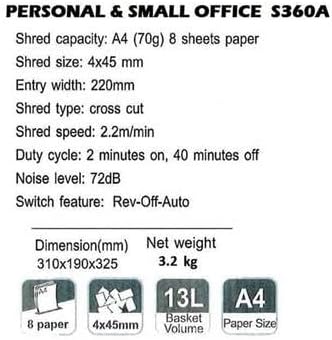
Image: Technical specifications sheet for the Comix S360A, detailing performance metrics and physical attributes.
- Модел: СКСНУМКСА
- Тип уситњавања: Цросс Цут
- Схред Сизе: 4 к 45 мм
- Shred Capacity (A4, 70g): 8 листова
- Ширина уноса: 220 мм
- Брзина сецкања: 2.2 м/мин
- Капацитет канте за отпад: 13 литара
- Радни циклус: 2 минута укључено / 40 минута искључено
- Ниво буке: 72 дБ
- Switch Feature: Rev-Off-Auto
- Димензије производа: 310 к 190 к 325 мм (Д к Ш к В)
- Нето тежина: 3.2 кг
- Посебне карактеристике: Energy Saving Mode, Jam Pro, Quiet Operation
9. Гаранција и подршка
For warranty information or technical support, please refer to the warranty card included with your product or contact Comix customer service through their official website or the retailer where the product was purchased. Please have your model number (S360A) and purchase date available when contacting support.