
Увод
Welcome to the RedThunder K10 Gaming Keyboard and Mouse Combo user manual. This guide provides detailed instructions for setting up, operating, and maintaining your new gaming peripherals. The RedThunder K10 features an AZERTY layout keyboard with customizable RGB backlighting, anti-ghosting technology, and an ergonomic gaming mouse with up to 7200 DPI, designed to enhance your gaming and computing experience.
Садржај пакета
Молимо вас да проверите да ли су све ставке присутне у вашем пакету:
- RedThunder K10 Gaming Keyboard
- RedThunder Gaming Mouse
- Одвојиви ослонац за зглоб
- Кориснички приручник (овај документ)
Упутства за подешавање
Follow these steps to connect your RedThunder K10 combo to your computer:
- Повежите тастатуру: Укључите УСБ конектор тастатуре у слободан УСБ порт на рачунару.
- Повежите миш: Укључите УСБ конектор миша у други доступан УСБ порт на рачунару.
- Install Wrist Rest: Align the detachable wrist rest with the bottom edge of the keyboard and attach it securely.
- Инсталација драјвера: The keyboard and mouse are plug-and-play devices. Your operating system (Windows, Mac OS, Linux) should automatically detect and install the necessary drivers. No additional software installation is typically required.

Image: RedThunder K10 Keyboard and Mouse showing product dimensions and compatibility with Windows, Mac OS, and Linux operating systems.
Упутство за употребу
Функције тастатуре
The RedThunder K10 keyboard features a full AZERTY layout with 104 keys, including multimedia shortcuts and customizable RGB backlighting.
- Анти-Гхостинг: The keyboard supports 19 non-conflicting keys, ensuring accurate input during intense gaming sessions.
- Мултимедијални интервентни тастери: Користите ФН + Ф1 да Ф12 for quick access to media controls, volume adjustments, and other functions.
- Interchangeable Keys: Тхе Z/Q/S/D keys can be interchanged for personalized gaming setups.
RGB контрола позадинског осветљења
The keyboard offers various RGB lighting modes and customization options:
- Switch Gradient Light Mode: Притисните ФН + Инсерт to cycle through different gradient lighting effects.
- Switch Monochromatic Light Mode: Притисните ФН + to change between various single-color lighting modes.
- Change Custom Lighting Mode: Притисните ФН +> to switch between personalized lighting modes.
- Change Streamer Mode: Притисните ФН + Делете to activate or change the streamer lighting effect.
- Switch Breathing Light Mode: Притисните ФН + Крај to toggle the breathing light effect.
- Подесите брзину светлости: Притисните ФН + +/- да бисте повећали или смањили брзину динамичких светлосних ефеката.
- Подесите јачину светла: Притисните FN + Page Up / Page Down to adjust the brightness level of the backlighting.
Video: Demonstration of the RedThunder K10 keyboard's RGB lighting modes and how to adjust them using FN key combinations. It also shows the detachable wrist rest.
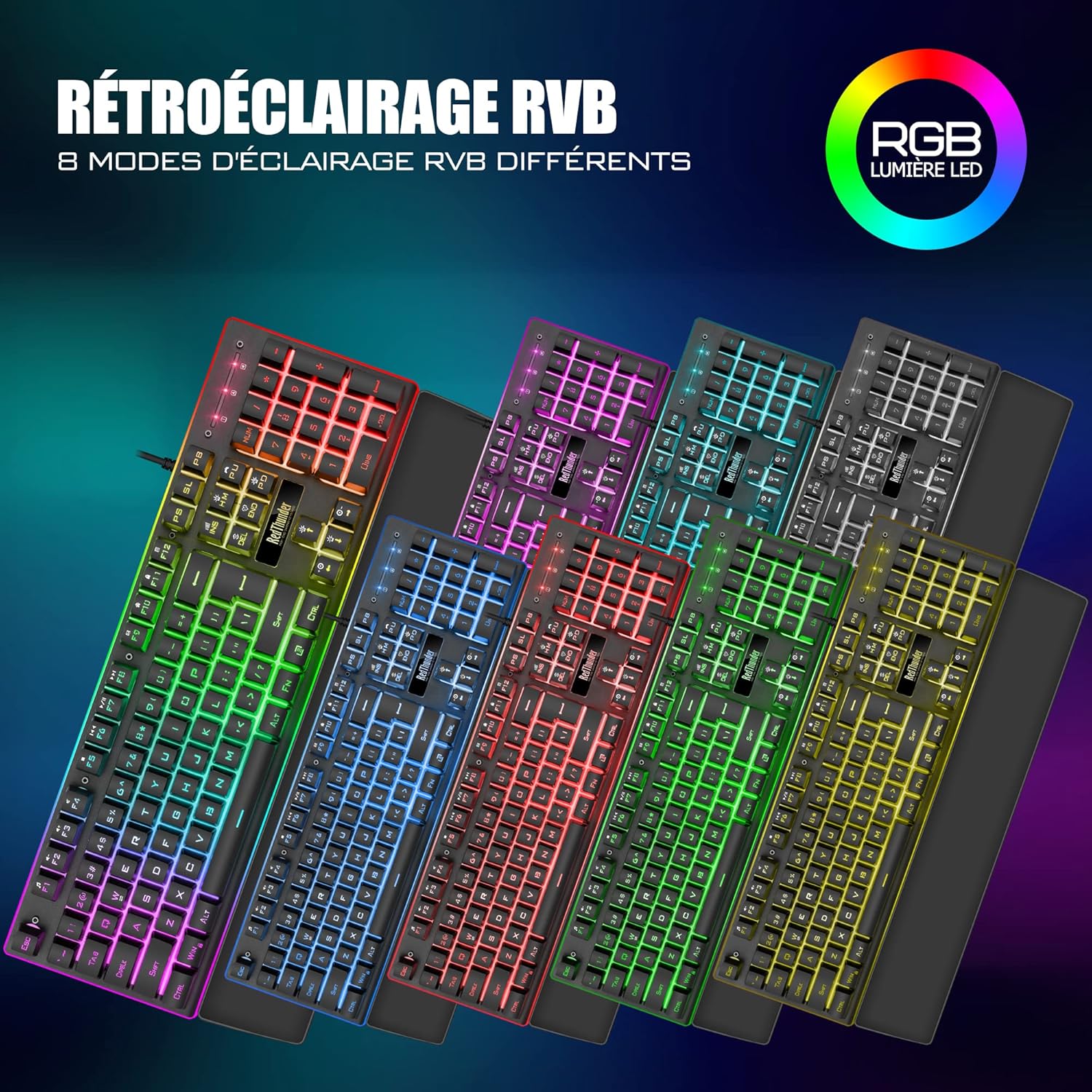
Image: The RedThunder K10 keyboard displaying 8 different RGB lighting modes, highlighting the customizable backlighting zones.
Функције миша
The ergonomic gaming mouse provides precise control and customizable features.
- ДПИ подешавања: The mouse offers up to 7200 DPI for high precision and responsiveness. DPI can typically be adjusted via a dedicated button on the mouse.
- Ергономски дизајн: Designed to fit comfortably in your palm, reducing hand fatigue during extended use.
- РГБ осветљење: The mouse features dynamic RGB lighting effects.
- 7 Дугмад: Includes standard left/right click, scroll wheel, DPI adjustment, and side buttons for forward/backward navigation or custom assignments.
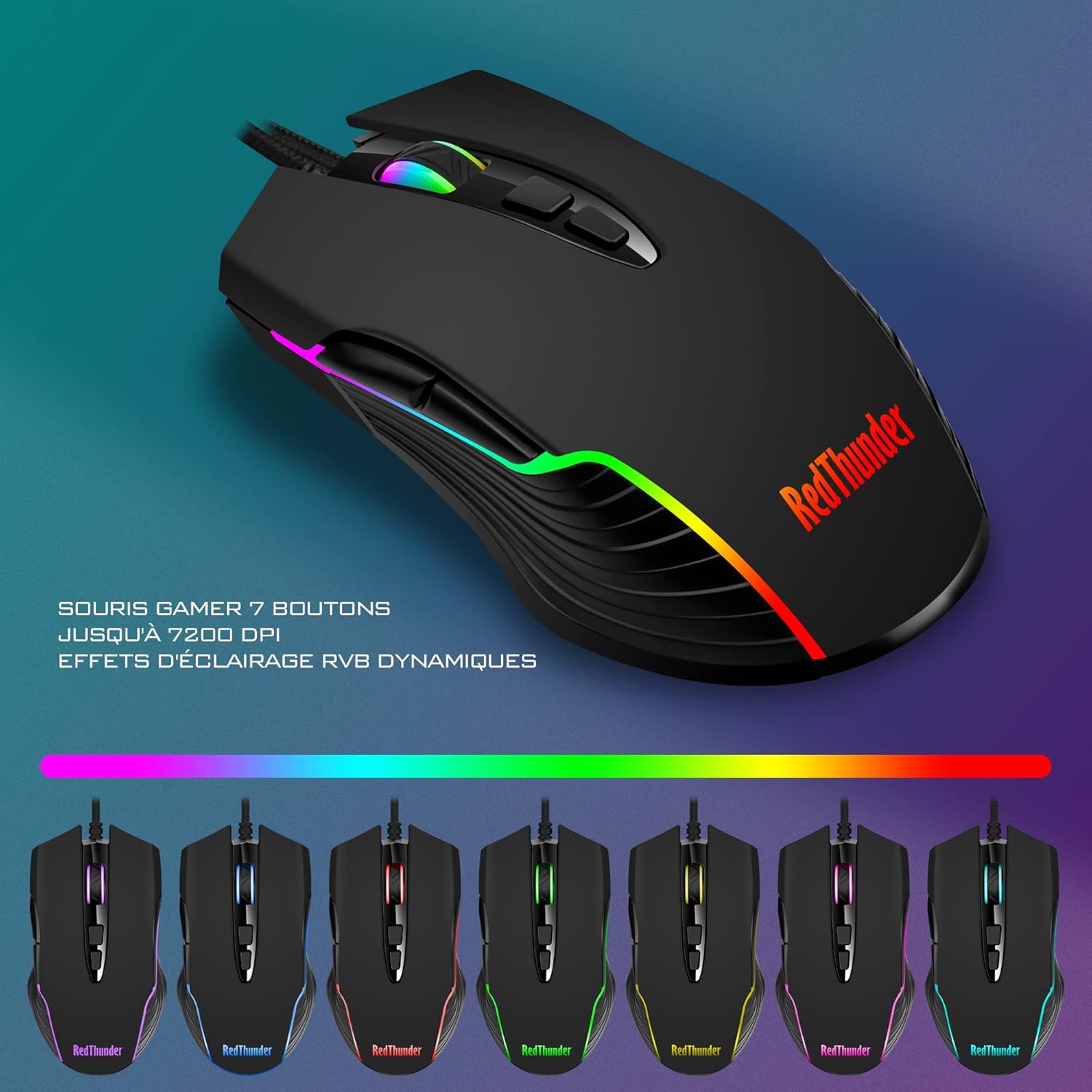
Image: The RedThunder gaming mouse, illustrating its 7-button layout, up to 7200 DPI capability, and dynamic RGB lighting effects.

Слика: Крупни план view of the ergonomic design of the RedThunder K10 keyboard and mouse, demonstrating comfortable hand and wrist positioning for prolonged use.
Одржавање
Proper maintenance ensures the longevity and optimal performance of your RedThunder K10 combo.
- Чишћење: Use a soft, dry cloth to wipe down the keyboard and mouse. For deeper cleaning, a slightly damp Може се користити крпа са благим сапуном, водећи рачуна да течност не уђе у уређаје.
- Уклањање прашине: Use compressed air to remove dust and debris from between the keyboard keys and mouse sensors.
- Избегавајте течности: Do not expose the devices to excessive moisture or liquids.
- Складиштење: Store the keyboard and mouse in a cool, dry place when not in use.

Image: The detachable wrist rest, made from a soft, leather-like material, designed to provide comfort and reduce wrist strain. Anti-slip pads are visible on the underside.
Решавање проблема
If you encounter any issues with your RedThunder K10 combo, please refer to the following common solutions:
- Уређај није препознат:
- Уверите се да су USB каблови безбедно прикључени у USB портове вашег рачунара.
- Покушајте да прикључите уређаје на различите УСБ портове.
- Поново покрените рачунар.
- Проверите Управитељ уређаја (Windows) или Системске информације (Mac) на рачунару да бисте видели да ли су уређаји наведени.
- Тастатура/миш не реагује:
- Проверите УСБ везу.
- Тестирајте уређаје на другом рачунару да бисте искључили проблем специфичан за рачунар.
- RGB осветљење не ради/нетачно:
- Уверите се да је тастатура правилно повезана.
- Cycle through the lighting modes using the FN key combinations as described in the "Operating Instructions" section.
- Подесите осветљеност помоћу FN + Page Up / Page Down.
- Курсор миша скаче или је нетачан:
- Очистите сензор миша меком крпом.
- Уверите се да користите миш на одговарајућој површини (нпр. подлога за миш).
- Adjust the DPI settings using the mouse's DPI button.
Спецификације
Detailed technical specifications for the RedThunder K10 Gaming Keyboard and Mouse Combo:
| Феатуре | Спецификација |
|---|---|
| Бранд | РедТхундер |
| Модел | К10 |
| Технологија повезивања | УСБ (жични) |
| Компатибилни уређаји | Computer (Windows, Mac OS, Linux) |
| Распоред тастатуре | АЗЕРТИ (француски) |
| Тип тастатуре | Gaming, Mechanical feel |
| Позадинско осветљење тастатуре | RGB, прилагодљиво |
| Анти-Гхостинг | 19 non-conflicting keys |
| Број тастера на тастатури | 104 |
| Материјал тастатуре | Метал |
| ДПИ миша | До 7200 ДПИ |
| Дугмад миша | 7 Дугмад |
| Оријентација миша | Десноруки |
| Боја | Црно |
| Тежина артикла | 1.19 Kilograms (Keyboard and Mouse combined) |
| Извор напајања | Електрични са каблом (УСБ) |
Гаранција и подршка
RedThunder products are designed for durability and performance. For any warranty claims, technical support, or further assistance, please contact RedThunder customer service through the retailer where you purchased the product or visit the official RedThunder webсајт. Сачувајте доказ о куповини ради потврде гаранције.
Политика враћања: This product typically comes with a 30-day return/replacement policy from the date of purchase. Please refer to your retailer's specific return policy for details.