
1. Увод
This manual provides instructions for the PUSOKEI 1600DPI 2.4G Ergonomic Wireless Optical Mouse. This device is designed for comfortable use with computers and laptops, featuring a 2.4Ghz wireless connection and adjustable optical resolution.
Кључне карактеристике укључују:
- Ергономски дизајн за удобно руковање.
- 2.4Ghz wireless connectivity for a stable connection up to 10 meters.
- Adjustable optical resolution: 800, 1200, and 1600 DPI.
- Four buttons for versatile control.
- Intelligent circuit management for power efficiency.

Figure 1: PUSOKEI 2.4G Ergonomic Wireless Optical Mouse on a desk setup.

Слика 2: Страна view миша, шоуasinг његов ергономски дизајн.
2. Садржај пакета
Молимо вас да проверите пакет за следеће ставке:
- 1 x PUSOKEI Wireless Mouse
- КСНУМКС к УСБ пријемник
Note: 2 x AAA batteries are required and are not included in the package.
3. Водич за подешавање
3.1 Инсталирање батерија
- Пронађите поклопац одељка за батерију на доњој страни миша.
- Пажљиво померите или подигните поклопац да бисте отворили одељак.
- Insert two (2) AAA batteries, ensuring the correct polarity (+/-) as indicated inside the compartment.
- Вратите поклопац одељка за батерију док не кликне чврсто на своје место.

Слика 3: Одељак за батерије са уклоњеним поклопцем.
3.2 Повезивање USB пријемника
- Locate the USB receiver, typically stored within the mouse's battery compartment or packaged separately.
- Укључите УСБ пријемник у слободан УСБ порт на рачунару или лаптопу.
- Ваш оперативни систем би требало аутоматски да детектује и инсталира потребне драјвере. Ово може потрајати неколико тренутака.
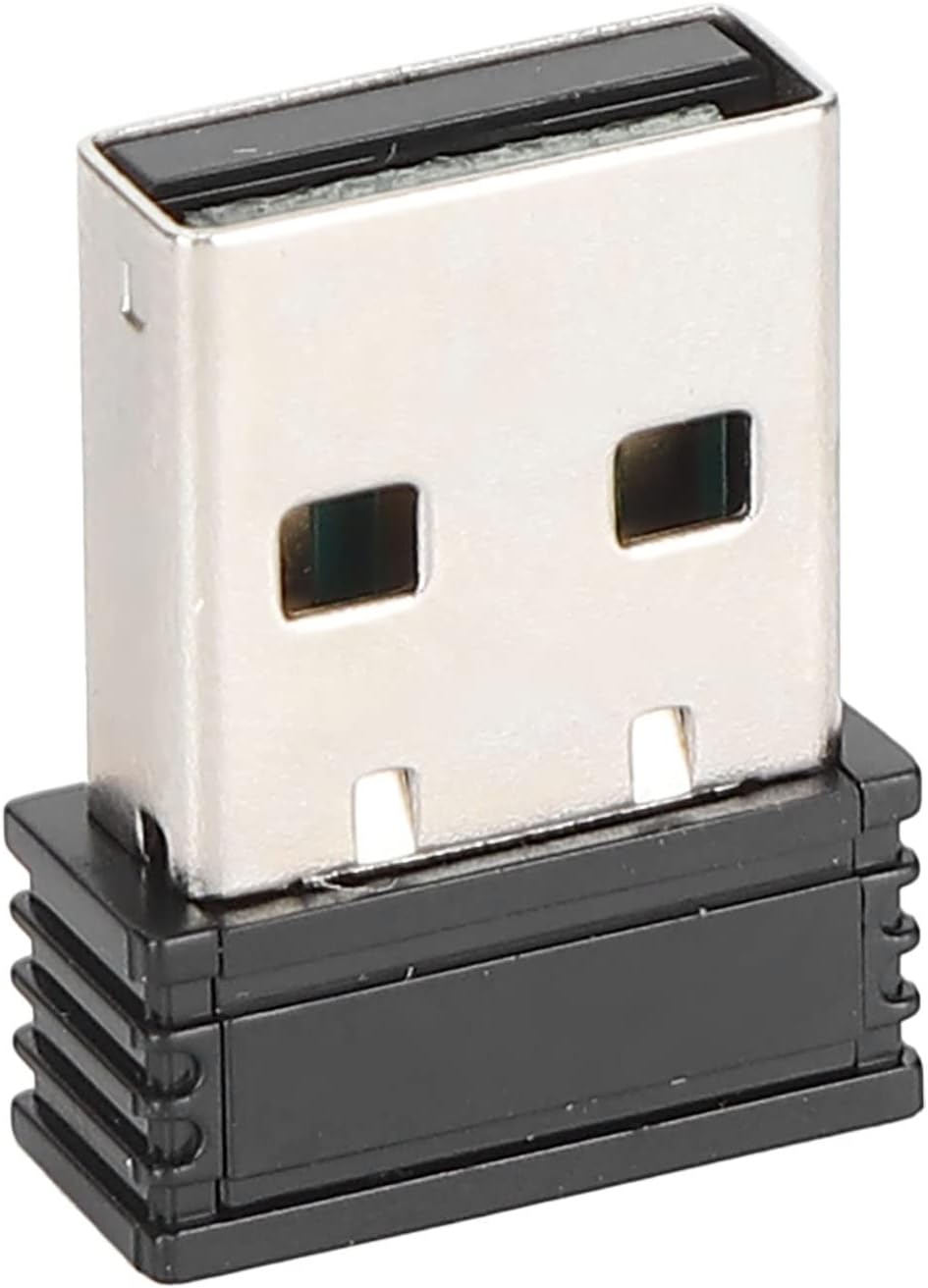
Figure 4: The compact USB receiver.
3.3 Укључивање миша
After installing the batteries and connecting the USB receiver:
- Locate the ON/OFF switch on the underside of the mouse.
- Померите прекидач у положај „УКЉУЧЕНО“.
- The mouse should now be ready for use. Move the mouse to test its functionality.

Figure 5: Underside of the mouse with the ON/OFF switch.
4. Упутство за употребу
4.1 Основне функције
- Леви клик: Примарни избор и активација.
- Десни клик: Accesses context menus.
- Точак за померање: Скролује кроз документе и web странице. Такође се може кликнути за функционалност клика средњим тастером миша.
4.2 Подешавање DPI (осетљивости)
The mouse features an adjustable DPI setting, allowing you to change the cursor sensitivity to suit your preference or task. The available DPI settings are 800, 1200, and 1600 DPI.
- Locate the DPI button, usually positioned below the scroll wheel on the top of the mouse.
- Press the DPI button to cycle through the available sensitivity settings. Each press will switch to the next DPI level.
- Observe the cursor movement on your screen to determine the desired sensitivity.

Figure 6: DPI button for sensitivity adjustment.
4.3 Бежични домет
The mouse operates wirelessly up to a distance of approximately 10 meters (393.7 inches) from the USB receiver. Performance may vary depending on environmental factors and obstacles.
Видео 1: Крајview of the PUSOKEI 1600DPI 2.4G Ergonomic USB Mouse. This short video demonstrates the mouse's design and highlights its wireless functionality.
5. Одржавање
5.1 Замена батерије
When the mouse performance degrades or it stops responding, it is likely time to replace the batteries. Follow the steps in Section 3.1 to replace the two (2) AAA batteries.
5.2 Чишћење миша
Да бисте одржали оптималне перформансе и хигијену:
- Користите меку, суву крпу да обришете спољашњост миша.
- За тврдокорну прљавштину, благо дampобришите крпу водом или благим средством за чишћење, а затим одмах обришите сувим.
- Избегавајте употребу јаких хемикалија, абразивних средстава за чишћење или потапање миша у течност.
- Periodically clean the optical sensor area on the underside of the mouse with a cotton swab to ensure accurate tracking.
КСНУМКС. Решавање проблема
If you encounter issues with your PUSOKEI Wireless Mouse, please refer to the following common solutions:
| Проблем | Могући узрок | Решење |
|---|---|---|
| Mouse not responding or intermittent connection | Low batteries, mouse is off, USB receiver disconnected, interference. | 1. Replace AAA batteries. 2. Ensure the ON/OFF switch is in the 'ON' position. 3. Re-insert the USB receiver into a different USB port. 4. Move the mouse closer to the receiver or away from other wireless devices. |
| Покрет курсора је неправилан или нетачан | Прљави оптички сензор, неодговарајућа површина, ниско подешавање DPI-ја. | 1. Clean the optical sensor on the underside of the mouse. 2. Use the mouse on a clean, non-reflective surface or a mouse pad. 3. Press the DPI button to increase sensitivity. |
| USB receiver not recognized by computer | Driver issue, faulty USB port. | 1. Try plugging the USB receiver into a different USB port. 2. Restart your computer. 3. Ensure your operating system is up to date. |
7. Спецификације
| Феатуре | Детаљ |
|---|---|
| Бранд | ПУСОКЕИ |
| Број модела | PUSOKEIgmh839iocb1355-11 |
| Технологија повезивања | USB, Wireless (2.4Ghz) |
| Технологија детекције покрета | Оптицал |
| Оптичка резолуција | 800-1200-1600 ДПИ |
| Број дугмади | 4 |
| Вирелесс Дистанце | Approx. 10m / 393.7in |
| Извор напајања | Напајање батеријама (2 x AAA, нису укључене) |
| Компатибилни уређаји | Лаптоп, лични рачунар |
| Оперативни систем | Windows (Minimum Windows 7) |
| Материјал | АБС |
| Оријентација руке | Амбидектроус |
8. Гаранција и подршка
Specific warranty information for this product is not provided in the available documentation. For warranty claims, technical support, or further assistance, please contact the retailer or manufacturer directly through their official support channels.