
1. Производ је готовview
The LENRUE TouchGo F4 is a compact, portable Bluetooth speaker designed for clear audio and ease of use. It features touch controls, Bluetooth 5.0 connectivity, and supports TWS (True Wireless Stereo) pairing for an enhanced audio experience. The speaker comes with a hard EVA travel case for protection and portability.

Figure 1: LENRUE TouchGo F4 Bluetooth Speaker.
2. Садржај пакета
Молимо вас да проверите пакет за следеће ставке:
- LENRUE TouchGo F4 Bluetooth Speaker
- Hard EVA Travel Case
- ТИПЕ-Ц кабл за пуњење
- Упутство за употребу
3. Подешавање
3.1 Почетно пуњење
Before first use, fully charge the speaker. Connect the provided TYPE-C charging cable to the speaker's charging port and a compatible USB power adapter (not included). The charging indicator light will show the charging status. A full charge typically takes approximately 4 hours.
3.2 Укључивање/искључивање
- За укључивање: Press and hold the power button (usually the central play/pause button) for a few seconds until you hear an audible prompt and the indicator light illuminates.
- За искључивање: Press and hold the power button again for a few seconds until you hear an audible prompt and the indicator light turns off.
3.3 Блуетоотх упаривање
To connect the speaker to your device:
- Ensure the speaker is powered on and in pairing mode (the indicator light will typically flash blue).
- На свом уређају (паметном телефону, таблету итд.) омогућите Блутут и потражите доступне уређаје.
- Select "ToughGo" or "LENRUE TouchGo" from the list of devices.
- Once connected, you will hear a confirmation sound, and the indicator light will turn solid blue.
Звучник ће се аутоматски поново повезати са последњим упареним уређајем када се укључи, ако је уређај у домету и ако је Bluetooth омогућен.

Figure 2: Speaker with touch controls for sensitive and elegant operation.
3.4 TWS Wireless Pairing (Connect Two Speakers)
To achieve dual-channel stereo sound, you can pair two TouchGo F4 speakers together:
- Power on both TouchGo F4 speakers.
- Ensure both speakers are disconnected from any other Bluetooth devices.
- On један of the speakers, press and hold the "+" button until you hear a prompt indicating TWS pairing mode.
- The two speakers will automatically pair with each other. You will hear a "beep" sound upon successful TWS pairing.
- Now, connect your device's Bluetooth to the device name "ToughGo". Both speakers will play audio in stereo.
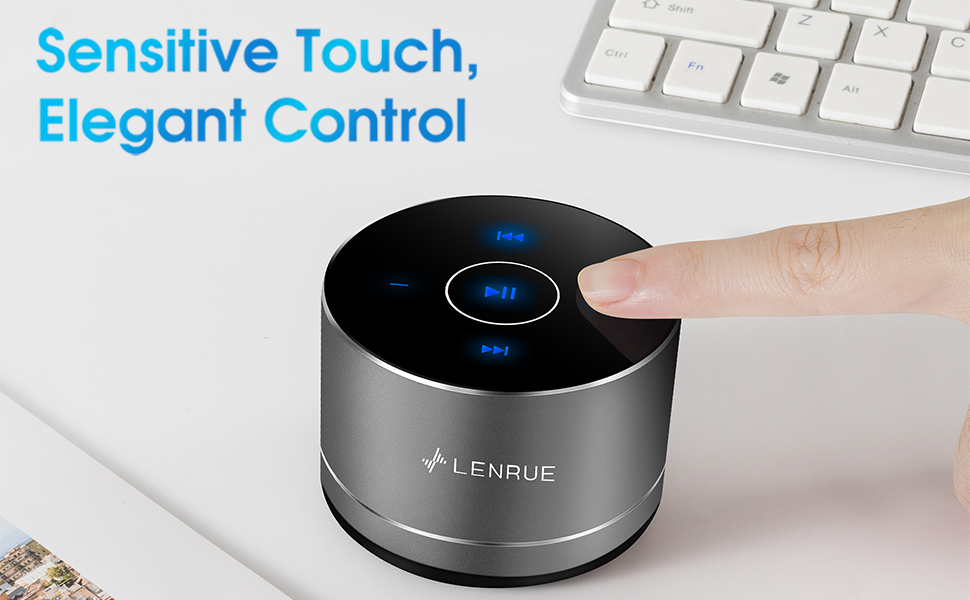
Figure 3: Two speakers connected for TWS wireless stereo pairing.
4. Упутство за употребу
4.1 Контроле на додир
The speaker features intuitive touch controls located on the top surface:
- Пусти/паузирај: Tap the central button once to play or pause music.
- Појачавање звука: Tap the "+" button to increase volume.
- Смањивање јачине звука: Tap the "-" button to decrease volume.
- Следећа нумера: Tap the ">>" button to skip to the next song.
- Претходни запис: Tap the "<<" button to go to the previous song.
4.2 Позивање без употребе руку
The speaker includes a built-in microphone for hands-free calls:
- Одговори на позив: When a call comes in, tap the central button once to answer.
- Заврши позив: During a call, tap the central button once to end the call.
- Одбиј позив: Press and hold the central button for approximately 2 seconds to reject an incoming call.
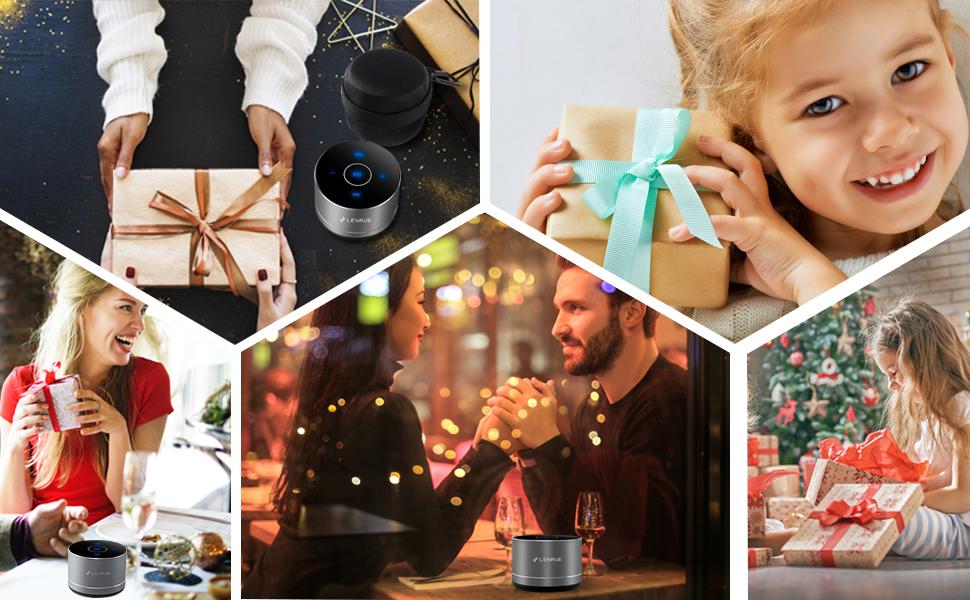
Figure 4: Speaker with hands-free calling capability.
4.3 Трајање батерије и уштеда енергије
The speaker is equipped with a 1200mAh lithium-ion battery, providing 6-15 hours of music playback at 2/3 volume. To conserve power, the speaker will automatically shut down if Bluetooth is disconnected for 30 minutes.
5. Одржавање
5.1 Чишћење
To clean the speaker, use a soft, dry cloth. Do not use abrasive cleaners, solvents, or immerse the speaker in water.
5.2 Складиштење
When not in use for extended periods, store the speaker in its hard EVA travel case in a cool, dry place. Avoid extreme temperatures and direct sunlight.
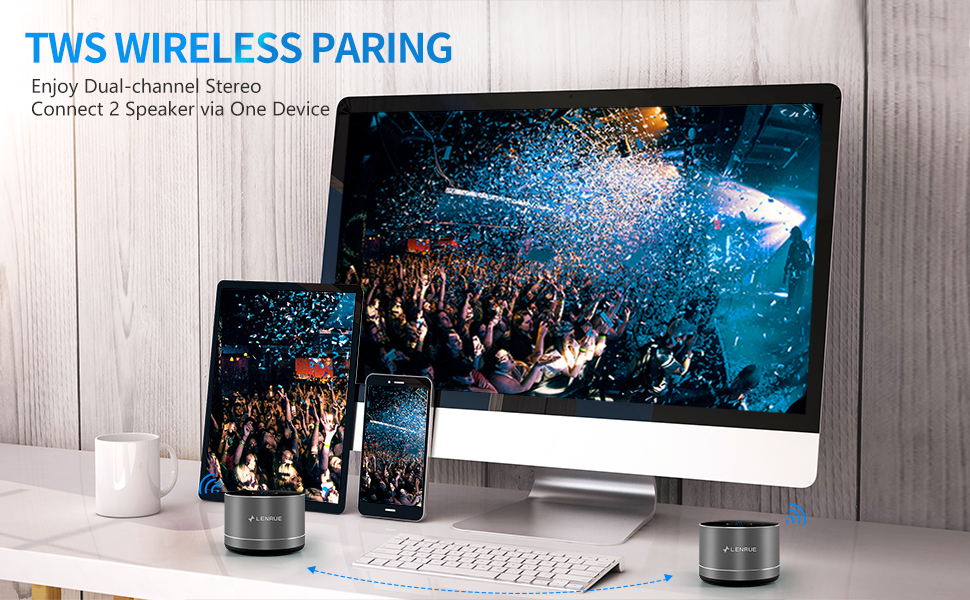
Figure 5: Speaker with its protective hard EVA travel case.
КСНУМКС. Решавање проблема
| Проблем | Могући узрок | Решење |
|---|---|---|
| Звучник се не укључује. | Слаба батерија; Дугме за напајање није правилно притиснуто. | Потпуно напуните звучник; Притисните и држите дугме за напајање неколико секунди. |
| Није могуће упарити са Блуетоотх уређајем. | Speaker not in pairing mode; Device Bluetooth off; Speaker already connected to another device. | Ensure speaker is in pairing mode (flashing blue light); Turn on Bluetooth on your device; Disconnect from other devices and try again. |
| Poor sound quality / Muffled sound. | Speaker placement; Obstructions; Low volume. | Ensure the speaker is placed on a flat, open surface, ideally not directly on its bottom where the speaker grille is located. Try placing it on its side for clearer sound. Remove any obstructions; Adjust volume on both speaker and device. |
| Упаривање TWS-а не успева. | Speakers already paired to a device; Incorrect pairing procedure. | Ensure both speakers are disconnected from any Bluetooth devices before initiating TWS pairing. Follow the TWS pairing steps precisely. |
| Нема звука. | Volume too low; Paused playback; Device not connected. | Increase volume on both speaker and device; Press play; Verify Bluetooth connection. |
7. Спецификације
| Феатуре | Детаљ |
|---|---|
| Број модела | F4 |
| Технологија повезивања | Блуетоотх 5.0 |
| Максимална излазна снага звучника | 5 Ваттс |
| Извор напајања | Напаја се батеријама (1 литијум-јонска батерија је укључена) |
| Капацитет батерије | 1200мАх |
| Плаитиме | 6-15 hours (at 2/3 volume) |
| Време пуњења | Отприлике 4 сата |
| Контролни метод | Додирните |
| Димензије производа | 3.15 к 3.15 к 1.18 инча |
| Тежина артикла | 9 унци |
| Посебна карактеристика | Portable, Hands-Free Calling, TWS Pairing |
8. Гаранција и подршка
For warranty information and customer support, please refer to the documentation included with your purchase or contact LENRUE customer service directly. Contact details can typically be found on the official LENRUE webсајту или преко вашег продавца.