
1. Увод
This manual provides instructions for the ZEXMTE 5.4 USB Bluetooth Adapter. This device enables Bluetooth connectivity for your PC, allowing you to connect various Bluetooth-enabled peripherals such as headphones, mice, keyboards, and more. It features Bluetooth 5.4 technology for stable and efficient wireless communication.
2. Карактеристике производа
- Блуетоотх 5.4 технологија: Utilizes BLE + BR/EDR dual-mode for enhanced stability, clear audio, and efficient power consumption.
- Проширени опсег: Class 1 radio with a high-gain antenna provides a connection range of up to 492 feet (150 meters).
- Повезивање са више уређаја: Supports simultaneous connection of up to 7 Bluetooth devices.
- Плуг & Плаи: Driver-free installation for Windows 10 and Windows 11.
- Мала латенција: Designed for minimal delay in audio and video synchronization.
- Аутоматско поновно повезивање: Remembers previously paired devices for quick re-establishment of connection.
- File Transfer Support: Facilitates convenient file transfers between Bluetooth devices.
3. Садржај пакета
- ZEXMTE 5.4 USB Bluetooth Adapter
- Антена са високим појачањем
4. Водич за подешавање
4.1 Инсталација хардвера
- Ensure your computer is powered off or in a safe state before installation.
- Attach the high-gain antenna to the ZEXMTE USB Bluetooth Adapter.
- Insert the ZEXMTE USB Bluetooth Adapter into an available USB port on your PC. For optimal performance, use a USB 3.0 port if available.

Image: The ZEXMTE 5.4 USB Bluetooth Adapter with its high-gain antenna attached, ready for insertion into a USB port.
4.2 Инсталација драјвера
- За Виндовс 10/11: The adapter is typically Plug & Play. The system should automatically detect and install the necessary drivers. No manual driver installation is usually required.
- За Виндовс 7/8.1: Driver installation may be required. Please visit the official ZEXMTE website for the latest drivers and installation instructions.

Image: The ZEXMTE 5.4 USB Bluetooth Adapter connected to a laptop, highlighting its Plug & Play feature for compatible Windows versions.
4.3 Disabling Existing Bluetooth (If Applicable)
If your PC has a built-in Bluetooth adapter, it is recommended to disable it to prevent conflicts and ensure the ZEXMTE adapter functions correctly. This can usually be done through Device Manager or your PC's Bluetooth settings.
5. Упутство за употребу
5.1 Упаривање Bluetooth уређаја
- Ensure the ZEXMTE Bluetooth adapter is correctly installed and recognized by your system.
- Turn on the Bluetooth device you wish to pair and set it to pairing mode. Refer to your device's manual for specific instructions on how to enter pairing mode.
- На вашем Windows рачунару идите на Подешавања > Уређаји > Блутут и други уређаји.
- Кликните на "Add Bluetooth or other device" и изаберите "Bluetooth".
- Your PC will scan for available Bluetooth devices. Select your device from the list and follow any on-screen prompts to complete the pairing process.
5.2 Повезивање више уређаја
The ZEXMTE 5.4 USB Bluetooth Adapter supports connecting up to 7 devices simultaneously. Follow the pairing instructions for each device. Once paired, the adapter will manage connections to all active devices.

Image: The ZEXMTE 5.4 USB Bluetooth Adapter enabling simultaneous connections to multiple devices, including a mouse, keyboard, headphones, speaker, smartphone, tablet, and printer.
5.3 Перформансе са малом латенцијом
The adapter's advanced chipset minimizes latency, ensuring audio and video content are synchronized for a smooth experience, especially during gaming or media consumption.

Image: A user enjoying seamless audio with headphones connected via the Bluetooth adapter, demonstrating low latency performance.
5.4 Бежични File Трансфер
Можете пренети files between your PC and other Bluetooth-enabled devices. Use your operating system's built-in Bluetooth file услужни програм за пренос за слање или примање files.
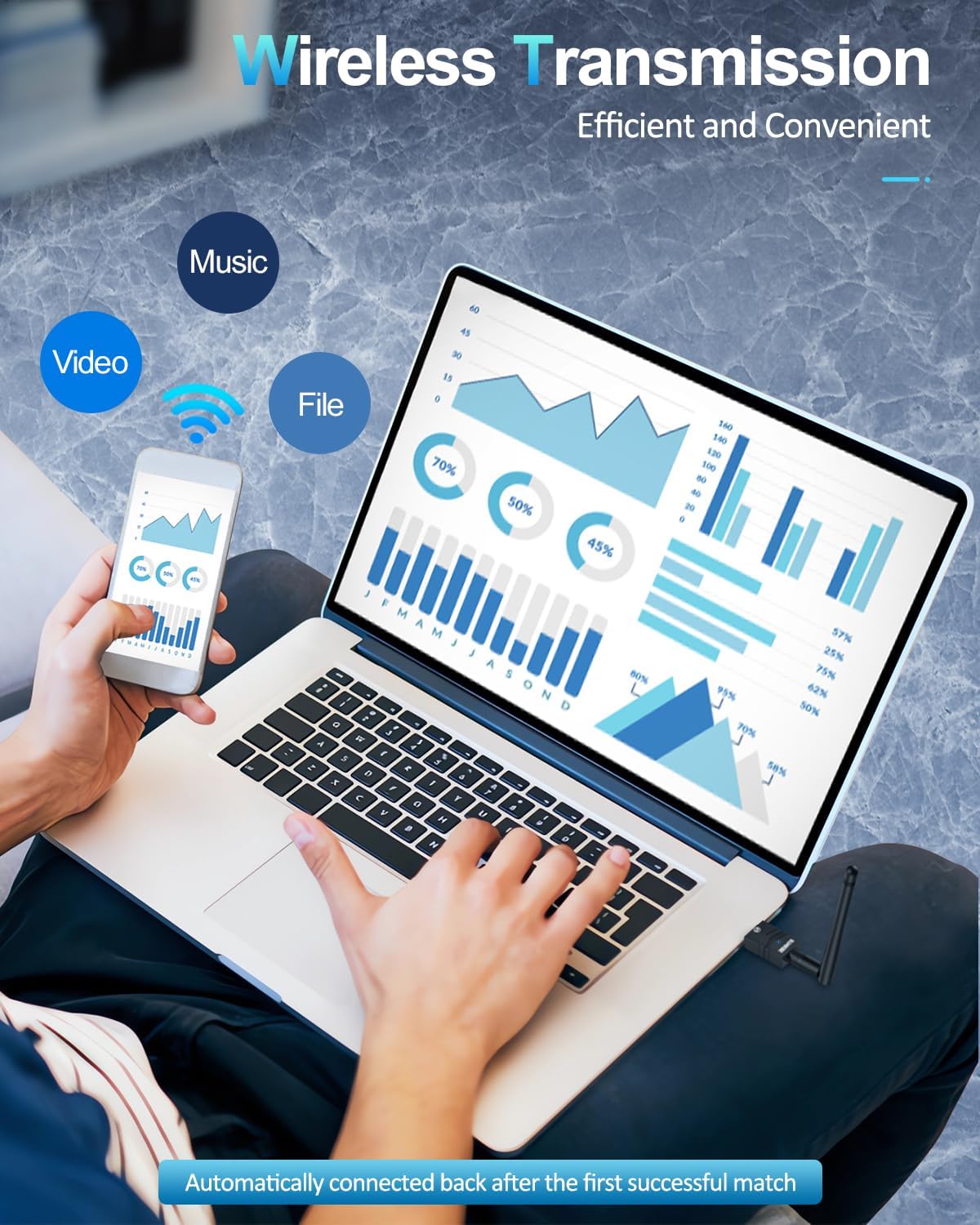
Слика: Корисник преноси files wirelessly between a laptop and a smartphone, enabled by the Bluetooth adapter's transmission capabilities.
6. Одржавање
- Адаптер држите чистим и без прашине.
- Избегавајте излагање адаптера екстремним температурама или влажности.
- Do not attempt to disassemble or repair the adapter yourself.
КСНУМКС. Решавање проблема
7.1 Device Not Recognized / No Bluetooth Option
- Проверите УСБ порт: Покушајте да прикључите адаптер на други УСБ порт.
- Инсталација драјвера: For Windows 7/8.1, ensure drivers are correctly installed. For Windows 10/11, check Device Manager for any driver conflicts or unknown devices.
- Disable Internal Bluetooth: If your PC has built-in Bluetooth, ensure it is disabled to avoid conflicts.
7.2 Connection Issues / Frequent Disconnections
- Опсег: Ensure your Bluetooth device is within the adapter's operating range (up to 492ft/150m). Walls and obstacles can reduce range.
- сметње: Other wireless devices (Wi-Fi routers, cordless phones) can cause interference. Try moving the adapter or device away from such sources.
- Поново упарите уређај: Remove the device from your PC's Bluetooth settings and re-pair it.
- Adapter Position: Adjust the antenna's position for better signal reception.
7.3 Audio Lag / Poor Quality
- Избор уређаја: Ensure your Bluetooth audio device is selected as the default playback device in your sound settings.
- Удаљеност/Препреке: Reduce the distance between the adapter and the audio device, and minimize obstacles.
- сметње: Check for potential interference sources.
8. Спецификације
| Бранд | ЗЕКСМТЕ |
| Хардверски интерфејс | Блуетоотх 5, УСБ |
| Боја | црно злато |
| Компатибилни уређаји | Desktop, Keyboard, Laptop, Mouse, Printer |
| Протокол везе података | Блуетоотх, УСБ |
| Брзина преноса података | 2 мегабита у секунди |
| Тежина артикла | 0.03 килограма |
| Компатибилна породица оперативних система | Виндовс |
| Minimum Required Operating System Version | Виндовс 10 |
9. Гаранција и подршка
For warranty information, technical support, and frequently asked questions, please visit the official ZEXMTE webсајт или директно контактирајте њихову корисничку службу. Сачувајте рачун за куповину за потребе гаранције.