
Увод
Thank you for choosing the OTL Technologies Pro G4 Batman DC Comic Gaming Headset. This manual provides essential information for setting up, operating, and maintaining your new gaming headset. Designed for immersive gaming, this headset features comfortable ear pads, a detachable microphone, and inline controls for an optimal audio experience across various gaming platforms.
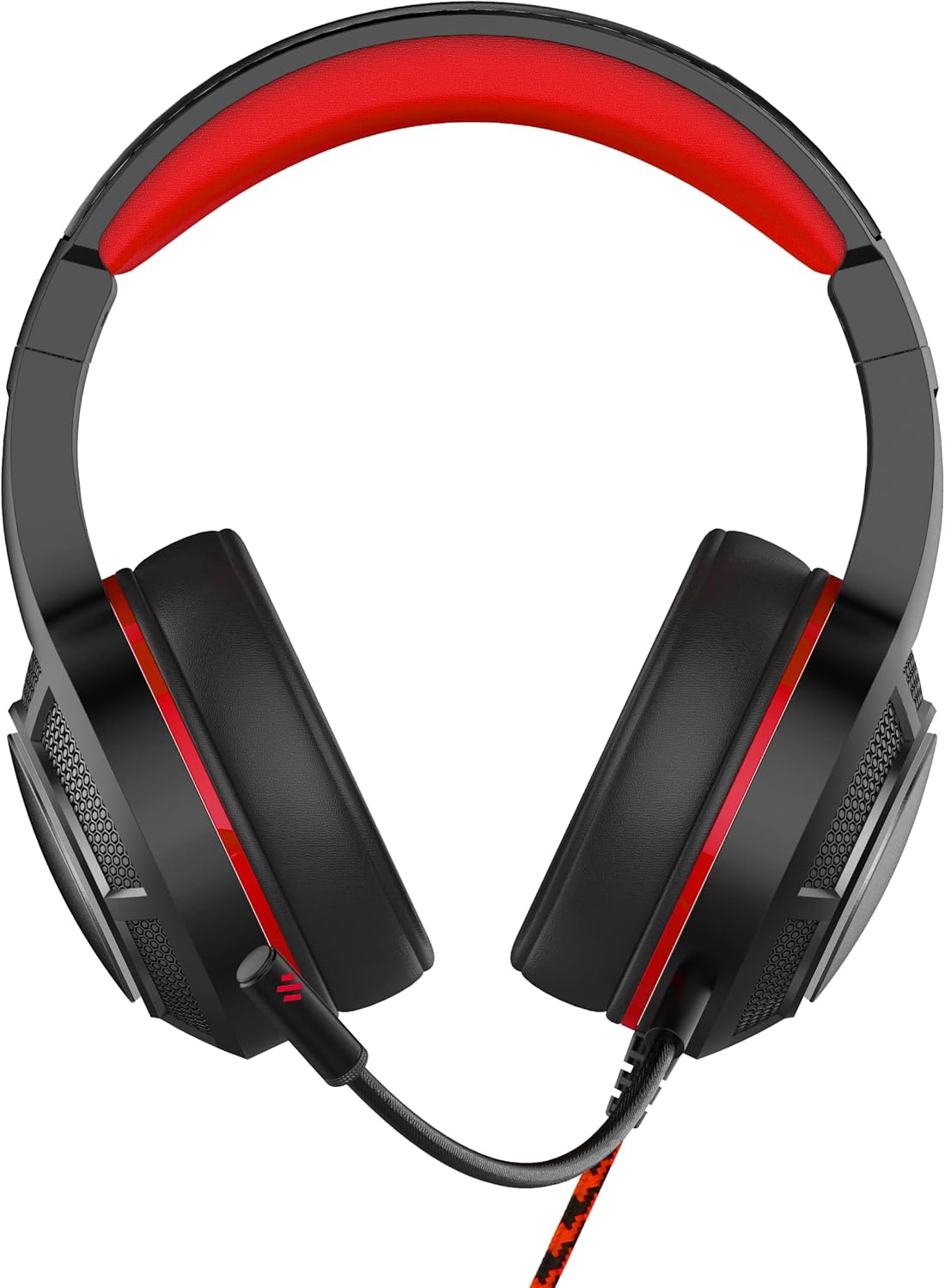
Слика: Фронт view of the OTL Technologies Pro G4 Batman DC Comic Gaming Headset, showcasing its design and earcups.
Садржај пакета
Молимо вас да се уверите да су све ставке присутне у пакету:
- OTL Technologies Pro G4 Batman DC Comic Gaming Headset
- Одвојиви микрофон

Image: The product packaging, clearly indicating the presence of a detachable boom microphone.
Упутства за подешавање
- Повежите микрофон: Locate the microphone input port on the left earcup of the headset. Insert the detachable microphone firmly into this port until it clicks into place.
- Прилагодите величину слушалица: Extend or retract the headband to ensure a comfortable and secure fit over your head. The super padded PU headband and memory foam ear pads are designed for extended comfort.
- Повежите се са уређајем: Plug the 3.5mm audio jack from the headset cable into the corresponding audio port on your gaming console controller, PC, or other compatible device.

Слика: Врх view of the headset showing the detachable microphone securely attached to the left earcup.
Упутство за употребу
- Контрола јачине звука: Use the inline volume control wheel located on the headset cable to adjust the audio output level to your preference. Rotate the wheel up to increase volume and down to decrease it.
- Искључивање микрофона: The inline controller also features a microphone mute switch. Slide the switch to the "ON" position to enable the microphone, and to the "OFF" position to mute it.
- Квалитет звука: The 50mm on-ear speakers provide powerful, premium sound quality and passive sound isolation, enhancing your gaming experience.
- Компатибилност: This headset is compatible with all devices using a standard 3.5mm audio jack, including PlayStation 4, PlayStation 5, Xbox One, and PCs.

Image: Close-up of the inline controller, showing the volume adjustment wheel and the microphone mute switch for easy access during gameplay.
Одржавање
- Чишћење: Gently wipe the headset with a soft, dry cloth. Do not use liquid cleaners or abrasive materials.
- Складиштење: Чувајте слушалице на хладном и сувом месту, даље од директне сунчеве светлости и екстремних температура. Избегавајте стављање тешких предмета на слушалице.
- Отпорност на воду: Ове слушалице су НИЈЕ водоотпорно. Avoid exposure to liquids to prevent damage.
- Нега каблова: Избегавајте оштре савијање или прекомерно повлачење кабла како бисте спречили оштећење унутрашњих жица.
Решавање проблема
- Нема звука из слушалица:
- Ensure the 3.5mm audio jack is fully inserted into your device.
- Check the inline volume control and increase the volume.
- Verify your device's audio settings to ensure output is directed to the headset.
- Тестирајте слушалице са другим уређајем да бисте искључили проблеме специфичне за уређај.
- Микрофон не ради:
- Ensure the detachable microphone is securely attached.
- Check the inline microphone mute switch and ensure it is in the "ON" position.
- Verify your device's microphone input settings.
- Тестирајте микрофон помоћу друге апликације или уређаја.
- Лош квалитет звука:
- Уверите се да је аудио прикључак чист и без прљавштине.
- Adjust the volume to an appropriate level; excessively high volume can cause distortion.
- Проверите да ли постоје лабаве везе.
Спецификације
| Феатуре | Детаљ |
|---|---|
| Назив модела | PRO G4 DC Comic Batman (DC0905) |
| Технологија повезивања | Виред |
| Јацк за слушалице | 3.5 мм прикључак |
| Контрола буке | Звучна изолација |
| Фреквенцијски одзив | 20 Hz (Minimum) |
| Укључене компоненте | Детацхабле Миц |
| Тип контроле | Контрола јачине звука |
| Контролни метод | Remote (Inline) |
| Цабле Феатуре | Одвојиви |
| Тежина артикла | 200 грама (7.1 унци) |
| Ниво отпорности на воду | Није водоотпоран |
| Материјал | Пластика |
| Постављање уха | Преко уха |
| Импеданса | 32 Охмс |
| Димензије производа | 7.09 к 2.76 к 6.3 инча |
Информације о гаранцији
OTL Technologies products are manufactured to high standards. For specific warranty details, please refer to the warranty card included with your product or visit the official OTL Technologies webсајт. Сачувајте доказ о куповини за евентуалне рекламације по гаранцији.
Подршка
If you encounter any issues not covered in this manual or require further assistance, please contact OTL Technologies customer support. Contact information can typically be found on the product packaging or the official OTL Technologies webсајту.