
Увод
Thank you for choosing the MageGee GT860 96-Key Wired RGB Backlit Gaming Keyboard. This keyboard is designed for both gaming and daily use, featuring a compact layout, ergonomic design, and customizable RGB backlighting. This manual will guide you through the setup, operation, and maintenance of your new keyboard to ensure optimal performance and user experience.
Садржај пакета
- MageGee GT860 96-Key Wired RGB Backlit Gaming Keyboard
- Упутство за употребу
Производ је завршенview
Распоред тастатуре
The MageGee GT860 features a 92% compact layout, retaining essential keys while offering a space-saving design. It includes a full numeric keypad and function keys.

Image: The MageGee GT860 keyboard showcasing its 96-key layout with RGB backlighting and black and yellow keycaps.

Слика: Детаљна view of the standard 96-key layout with full RGB backlighting, highlighting the compact yet functional design.
Кључне карактеристике
- 92% компактан распоред: Offers a balance between full functionality and a space-saving design.
- Мембрана са механичким осећајем: Utilizes advanced imitation mechanical technology for a tactile typing experience.
- Ергономски дизајн: Key layout is engineered for comfortable use during extended periods, reducing fatigue.
- RGB позадинско осветљење: Features multiple lighting modes and colors, with adjustable brightness and breathing speed.
- Плуг анд Плаи: За основне функционалности нису потребни драјвери.
- Широка компатибилност: Supports Windows 10, 8, 7, XP, VISTA, and Mac OS.
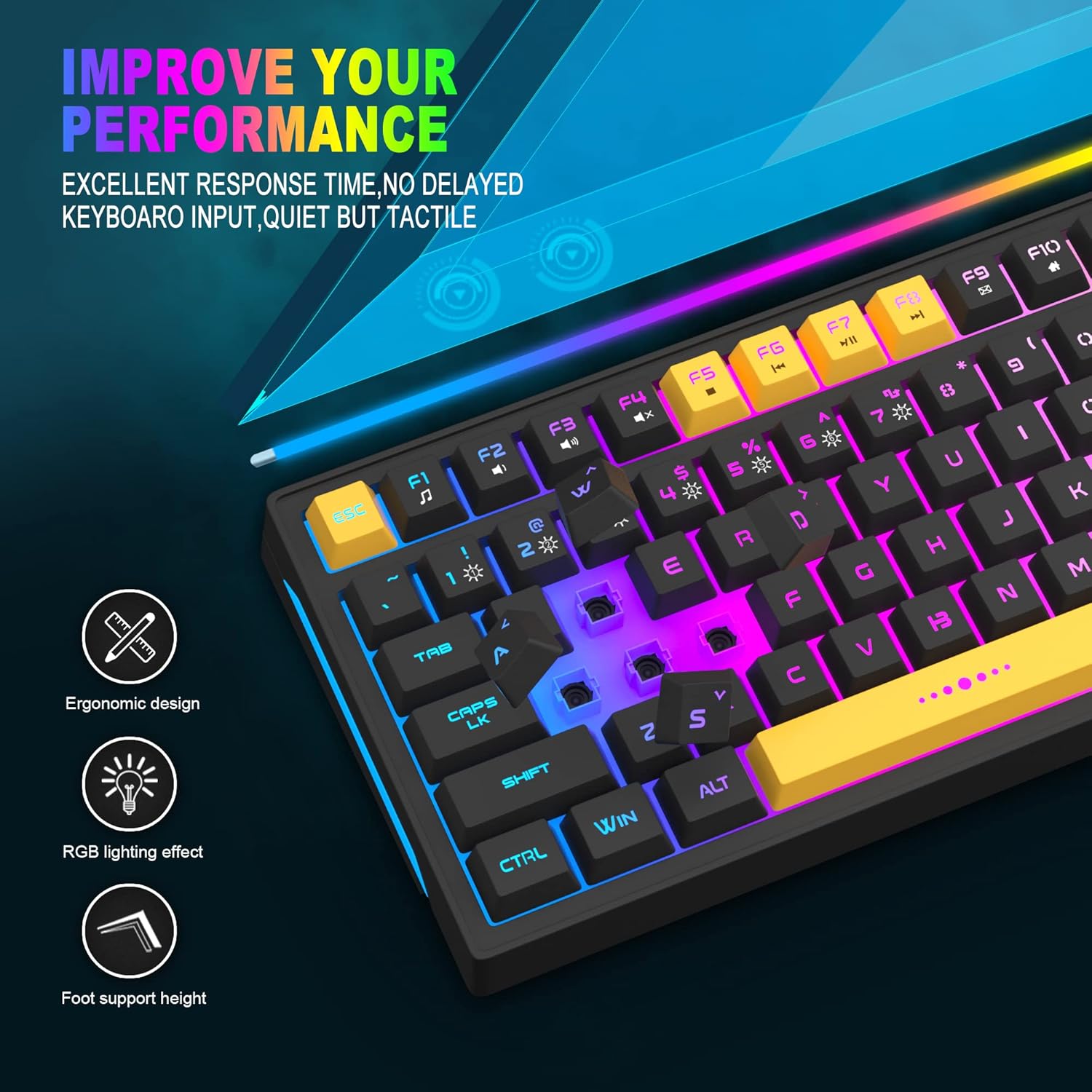
Image: Close-up showing the ergonomic design and RGB lighting effect of the keyboard, emphasizing comfort and visual appeal.

Слика: Страна А view of the keyboard illustrating its thoughtful ergonomic design with a 7-degree tilt for improved typing posture.
Упутства за подешавање
- Unpack the keyboard and ensure all package contents are present.
- Connect the USB cable from the keyboard to an available USB port on your computer.
- The keyboard is plug-and-play and should be automatically recognized by your operating system (Windows, Mac OS). No additional drivers are typically required for basic functionality.
- Once connected, the RGB backlighting will illuminate, indicating the keyboard is powered on and ready for use.
Упутство за употребу
RGB контрола позадинског осветљења
The MageGee GT860 keyboard features customizable RGB backlighting with various modes and effects.
- Промена режима осветљења: Притисните тастер FN key combined with keys 1 кроз 6 to cycle through different RGB lighting effects and colors.
- Подешавање осветљености: Use specific key combinations (refer to keyboard legends or experiment with FN + Arrow keys if not explicitly labeled) to increase or decrease backlight brightness.
- Подешавање брзине дисања: Some modes allow adjustment of the breathing or animation speed.

Image: The keyboard displaying various RGB backlit lighting modes, illustrating the range of color options available.

Image: A dynamic view изложбе тастатураasing its 18 RGB LED light effects, highlighting the vibrant backlighting.
Мултимедијални и функционални тастери
The keyboard includes dedicated function keys (F1-F12) that can be accessed by pressing the FN тастер истовремено са жељеним F-тастером.
| Комбинација тастера | Функција |
|---|---|
| ФН + Ф1 | Медиа Плаиер |
| ФН + Ф2 | Утишавање звука |
| ФН + Ф3 | Волуме Уп |
| ФН + Ф4 | Муте |
| ФН + Ф5 | Превиоус Трацк |
| ФН + Ф6 | Нект Трацк |
| ФН + Ф7 | Пусти/Паузирај |
| ФН + Ф8 | Стани |
| ФН + Ф9 | Емаил |
| ФН + Ф10 | Почетна страница |
| ФН + Ф11 | Сцролл Лоцк |
| ФН + Ф12 | Калкулатор |

Image: Diagram illustrating the various multimedia and function key combinations using the FN key (FN + F1-F12).
Одржавање
To ensure the longevity and optimal performance of your MageGee GT860 keyboard, follow these maintenance guidelines:
- Чишћење: Regularly clean the keyboard with a soft, dry cloth. For deeper cleaning, use compressed air to remove dust and debris from between the keys. A slightly damp cloth (not wet) can be used for keycap surfaces.
- Избегавајте течности: Не просипајте течности по тастатури. У случају просипања, одмах искључите тастатуру из рачунара и оставите је да се потпуно осуши пре него што је поново повежете.
- Складиштење: Чувајте тастатуру на хладном и сувом месту, даље од директне сунчеве светлости и екстремних температура када се не користи дуже време.
- Нега каблова: Избегавајте прекомерно савијање или увијање USB кабла како бисте спречили унутрашња оштећења.

Слика: Крупни план view of the keyboard with some keycaps removed, showing the underlying switches. This illustrates the internal structure for cleaning purposes.
Решавање проблема
If you encounter issues with your MageGee GT860 keyboard, please refer to the following common troubleshooting steps:
- Тастатура не реагује:
- Ensure the USB cable is securely connected to both the keyboard and your computer's USB port.
- Покушајте да повежете тастатуру са другим УСБ портом на рачунару.
- Тестирајте тастатуру на другом рачунару да бисте утврдили да ли је проблем са тастатуром или вашим системом.
- Позадинско осветљење не ради или је неисправно:
- Проверите да ли је тастатура правилно повезана и да ли прима напајање.
- Cycle through the RGB lighting modes using ФН + 1-6 to ensure a mode is selected.
- Adjust the brightness settings.
- Кључеви се не региструју:
- Clean the affected keys to remove any debris that might be obstructing the switch.
- Ensure no software conflicts are present (e.g., other keyboard drivers or gaming software).
- Неочекивано понашање:
- Поново покрените рачунар.
- If the issue persists, contact MageGee customer support for further assistance.
Спецификације
| Феатуре | Детаљ |
|---|---|
| Бранд | MageGee |
| Модел | ГТ860 |
| Лаиоут | 96 тастера (92% компактност) |
| Повезивање | Жичани УСБ |
| Позадинско осветљење | RGB Backlit (Multiple modes) |
| Тип кључа | Membrane with Mechanical Feeling |
| Ергономија | Ергономски дизајн |
| Компатибилан ОС | Windows 10, 8, 7, XP, VISTA, Mac OS |
| Димензије производа | КСНУМКС к КСНУМКС к КСНУМКС цм (КСНУМКС к КСНУМКС к КСНУМКС инча) |
| Тежина | 744 г (1.64 лбс) |
| Волtage | 5 Волтс |
| Боја | Блацк Иеллов |
Гаранција и подршка
For warranty information or technical support, please refer to the documentation provided with your purchase or contact MageGee customer service directly. Contact details can typically be found on the manufacturer's official webсајту или на паковању производа.
Молимо вас да сачувате доказ о куповини за евентуалне рекламације у вези са гаранцијом.