
1. Увод
This manual provides detailed instructions for the installation, operation, and maintenance of your Reobiux 1080P Wireless WiFi Light Bulb Security Camera. Please read this manual thoroughly before using the product to ensure correct usage and optimal performance. Keep this manual for future reference.
2. Производ је готовview
The Reobiux Light Bulb Security Camera integrates a 1080P HD camera into a standard E27 light bulb form factor, offering discreet surveillance. It features 2.4GHz WiFi connectivity, two-way audio, motion detection, and night vision capabilities for comprehensive home monitoring.
- 1080P Full HD видео: Снима јасне видео записе високе дефиницијеtage.
- 2.4GHz Wireless WiFi: Повезује се са вашом кућном мрежом за даљински приступ.
- Функционалност панорамирања и нагињања: Offers 355° horizontal rotation and 90° vertical tilt for wide area coverage.
- Двосмерни аудио: Уграђени микрофон и звучник омогућавају комуникацију у реалном времену.
- Детекција покрета и упозорења: Detects movement and sends notifications to your smartphone.
- IR Night Vision & Full Color Night Vision: Provides clear video monitoring in low-light conditions, with options for infrared or color night vision.
- Локално и складиштење у облаку: Supports Micro SD card storage (up to 128GB, not included) and optional cloud storage.
- Једноставна инсталација: Screws into a standard E27 light bulb socket.

слика: Детаљно view of the Reobiux Light Bulb Security Camera, highlighting its components such as the E27 light socket, enhanced WiFi module, microphone, speaker, HD lens, light sensor, 4 white LEDs, 4 array LEDs, Micro SD card slot, and reset button. Dimensions are also shown.
3. Садржај пакета
Молимо вас да проверите садржај пакета након отварања. Ако неке ставке недостају или су оштећене, контактирајте корисничку подршку.
- Reobiux Light Bulb Security Camera (1)
- Е27 Лamp Holder (1)
- Mounting Screws and Wall Plugs (1 set)
- Упутство за употребу (1)
4. Водич за подешавање
4.1. Физичка инсталација
- Искључивање: Ensure the power to the light socket is turned off before installation to prevent electrical shock.
- Screw In Camera: Carefully screw the Reobiux Light Bulb Security Camera into a standard E27 light bulb socket. Ensure it is securely tightened.
- Укључено: Restore power to the light socket. The camera will power on and initiate its self-test sequence. You should hear a prompt indicating it is ready for connection.

слика: A person's hands are shown screwing the Reobiux Light Bulb Security Camera into an E27 light socket, illustrating the easy installation process.
4.2. Преузимање апликације и регистрација налога
- Преузми апликацију: Тражи "ICSEE" in your smartphone's app store (Google Play Store for Android or Apple App Store for iOS) and download the application.
- Региструјте налог: Open the ICSEE app and follow the on-screen instructions to register a new account. If you already have an account, log in.
4.3. Повезивање камере на WiFi
Ensure your smartphone is connected to a 2.4GHz WiFi network. The camera does not support 5GHz WiFi.
- Додај уређај: In the ICSEE app, tap the "+" icon to add a new device. Select "Add Camera" or "Smart Camera".
- Изаберите метод повезивања: Choose the "WiFi Connection" or "Scan QR Code" method as prompted by the app.
- Унесите детаље о WiFi мрежи: Input your 2.4GHz WiFi network name (SSID) and password.
- Упаривање: Follow the app's instructions to complete the pairing process. This usually involves holding your phone's QR code in front of the camera lens or listening for a connection sound.
- Потврда: Once connected, the camera will indicate successful pairing (e.g., a voice prompt or LED indicator change). You can then name your camera and begin live viewинг.
5. Упутство за употребу
5.1. Ливе View и репродукцију
- Приступ уживо преносу: Open the ICSEE app and select your camera from the device list to view видео пренос уживо.
- Playback Recorded Footage: Navigate to the playback section in the app to review videos stored on the Micro SD card or cloud storage.
5.2. Контрола панорамирања и нагиба
Use the directional controls within the ICSEE app to remotely adjust the camera's viewугао уласка.
- Хоризонтална ротација: The camera supports 355° pan movement.
- Вертикални нагиб: The camera supports 90° tilt movement.

слика: The Reobiux Light Bulb Security Camera is shown with arrows indicating its 355-degree horizontal pan and 90-degree vertical tilt capabilities, alongside a smartphone displaying the camera's control interface.
5.3. Двосмерни аудио
Да бисте користили функцију двосмерног звука:
- говори: Додирните икону микрофона у преносу уживо view интерфејс за говор преко звучника камере.
- слушај: The camera's built-in microphone will pick up audio from the monitored area.
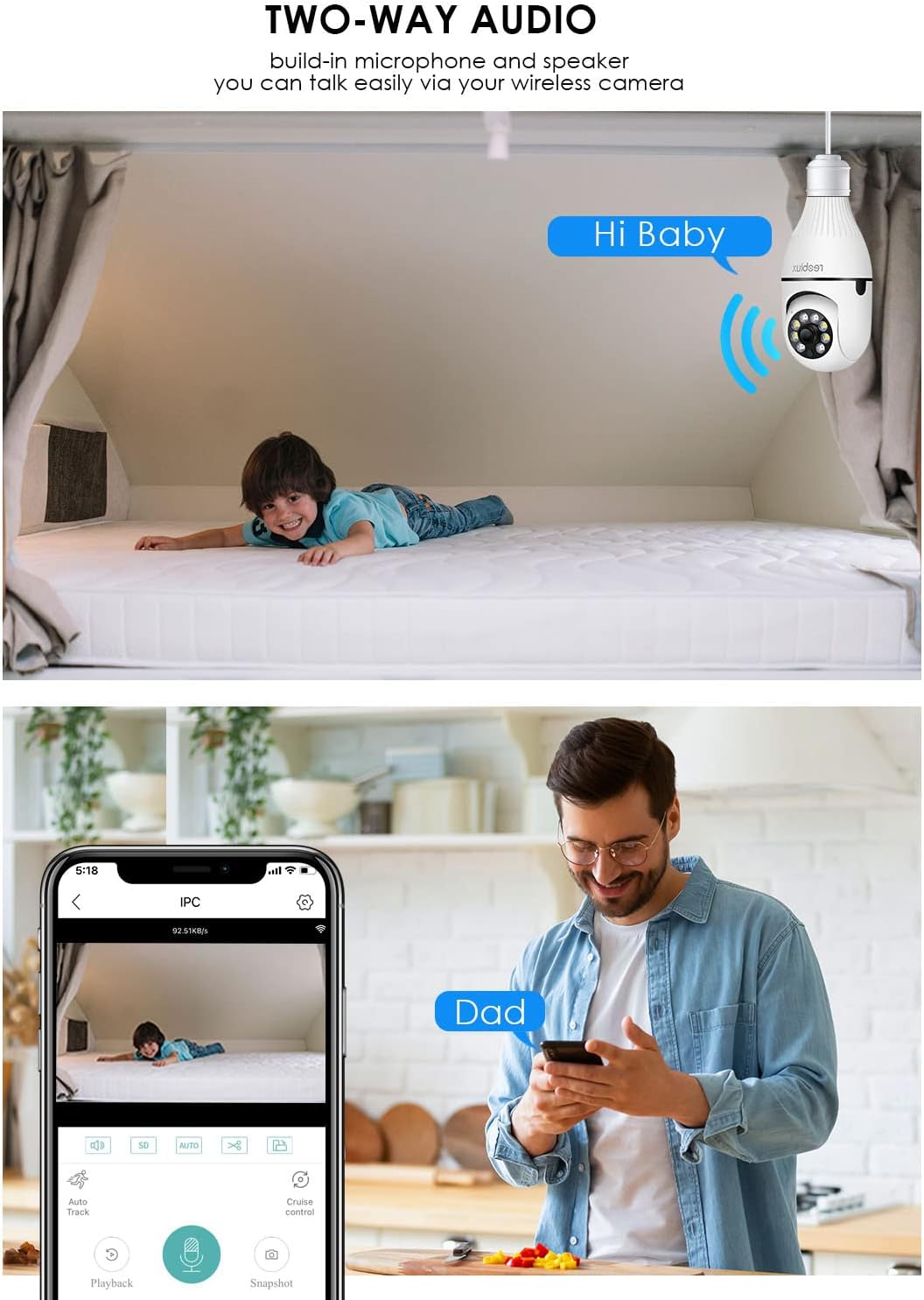
слика: Illustrates the two-way audio function, showing a child on a bed and a person on a phone, with speech bubbles indicating communication through the camera.
5.4. Детекција покрета и упозорења
The camera can detect motion and send alerts to your smartphone.
- Омогући/онемогући: Access the camera settings in the ICSEE app to enable or disable motion detection.
- Осетљивост: Adjust the motion detection sensitivity to minimize false alarms.
- Обавештења: Configure notification settings to receive push alerts on your phone when motion is detected.
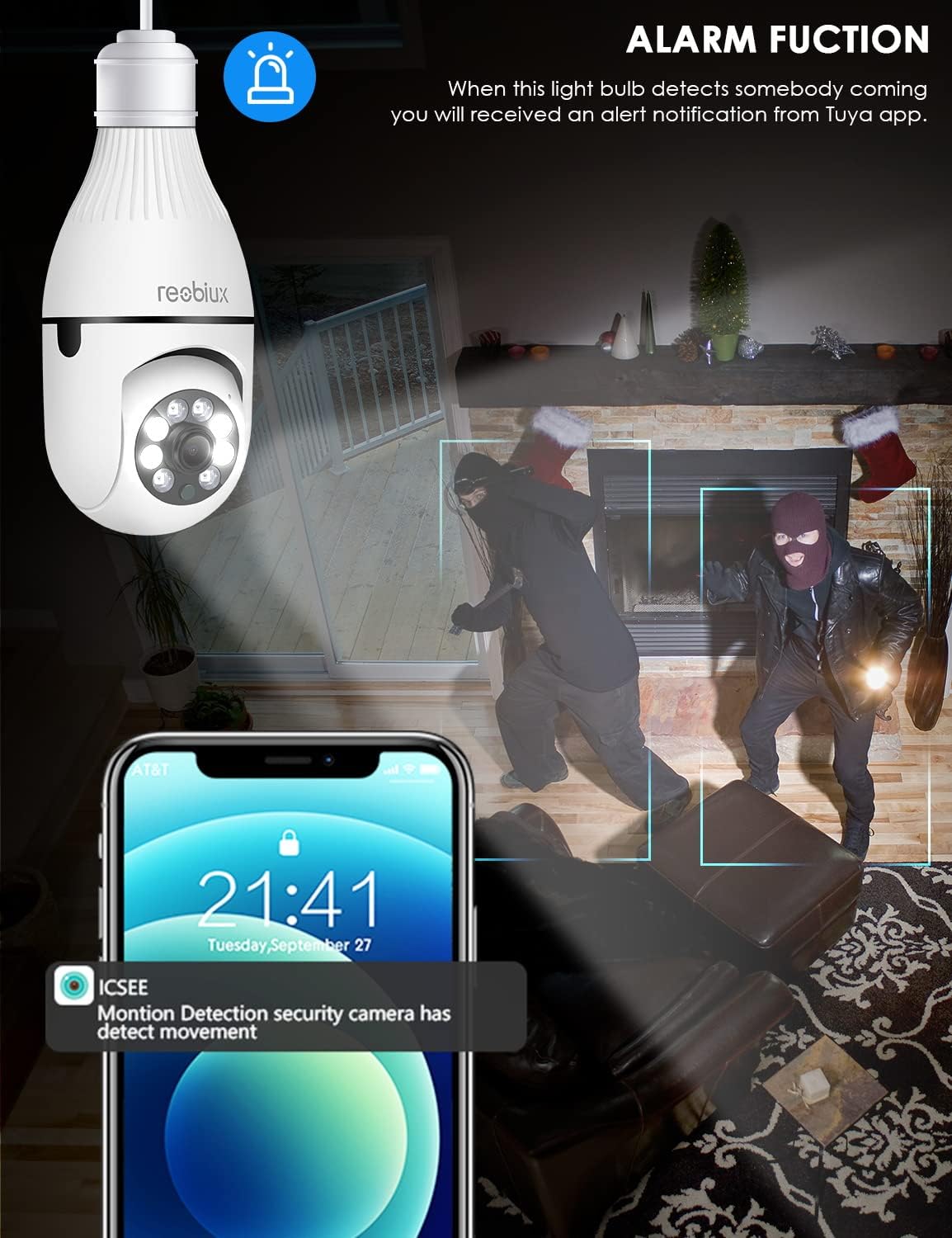
слика: Depicts the camera's alarm function, showing an alert notification on a smartphone screen when motion is detected by the light bulb camera.
5.5. Режими ноћног вида
The camera offers enhanced night vision capabilities.
- ИР ноћни вид: Utilizes infrared LEDs for clear black-and-white video in complete darkness.
- Ноћни вид у пуној боји: Activates white supplement lights to provide color video even in low-light conditions.
- Избор режима: Select your preferred night vision mode in the app settings.
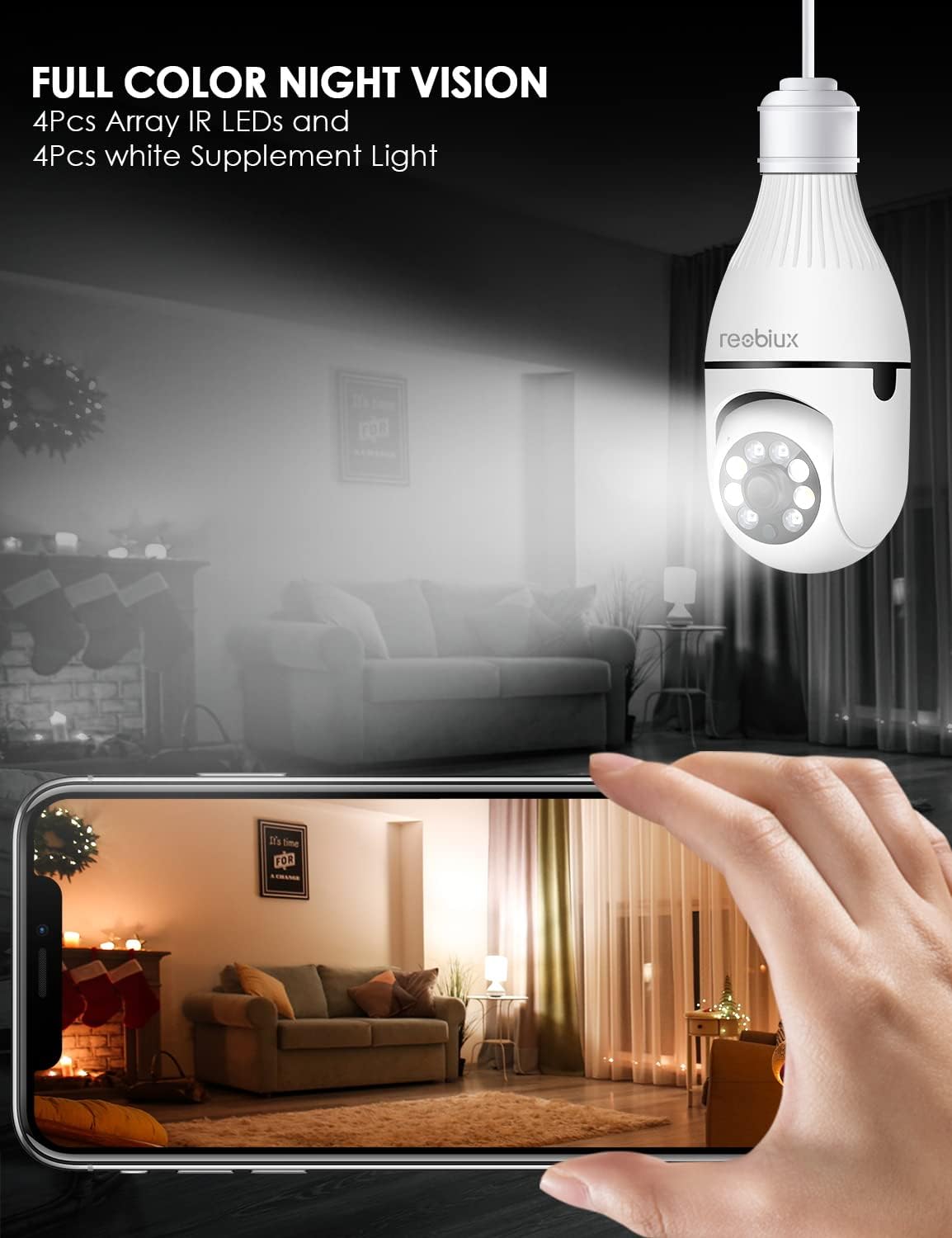
слика: Shows the camera's full-color night vision feature, with a smartphone displaying a clear, illuminated view of a room at night, enabled by the camera's IR LEDs and white supplement lights.
5.6. Опције складиштења
- Мицро СД картица: Insert a Micro SD card (up to 128GB, Class 10 or higher recommended) into the designated slot for local video storage. The camera will automatically overwrite older footagе када је картица пуна.
- Цлоуд Стораге: The ICSEE app may offer optional cloud storage services for a subscription fee. Refer to the app for details.
6. Одржавање
- Чишћење: Нежно обришите сочиво и кућиште камере меком, сувом крпом. Не користите течна средства за чишћење или абразивне материјале.
- Ажурирања фирмвера: Periodically check the ICSEE app for available firmware updates. Keeping the firmware updated ensures optimal performance and security.
- Ресетовање камере: If you encounter persistent issues or need to reconfigure the camera, locate the reset button (refer to Product Overview image) and press and hold it for approximately 5-10 seconds until you hear a reset confirmation.
КСНУМКС. Решавање проблема
| Проблем | Могући узрок | Решење |
|---|---|---|
| Camera fails to connect to WiFi. | Incorrect WiFi password, 5GHz WiFi network, camera too far from router, weak signal. |
|
| No live video feed. | No internet connection, camera offline, app issue. |
|
| Motion detection alerts not received. | Motion detection disabled, app notifications off, incorrect sensitivity. |
|
| Лош квалитет видеа. | Weak WiFi signal, dirty lens, low light conditions. |
|
8. Спецификације
| Модел | B09P8H6BMY |
| Резолуција снимања видео записа | 1080п |
| Бежична комуникациона технологија | Wi-Fi (само 2.4 GHz) |
| Тип монтаже | Ceiling Mount (E27 Socket) |
| Тип контролера | Android, iOS (via ICSEE app) |
| Извор напајања | AC/DC (via E27 socket) |
| Волtage | 240 Волтс |
| Ватtage | 3 вати |
| Лов Лигхт Тецхнологи | Night Color, Infrared |
| Тип упозорења | Мотион Онли |
| Материјал | Пластика |
| Оцена међународне заштите | IP67 (Note: The lightbulb connection itself is not typically rated for outdoor exposure without additional protection.) |
| Тежина артикла | 10.5 унци |
| Димензије пакета | 6.46 к 4.13 к 3.62 инча |
9. Информације о гаранцији
Reobiux products are typically covered by a limited warranty against defects in materials and workmanship. For specific warranty terms and conditions, please refer to the documentation included with your purchase or contact Reobiux customer support. Keep your proof of purchase for warranty claims.
10. Корисничка подршка
If you have any questions, encounter issues, or require technical assistance with your Reobiux Light Bulb Security Camera, please contact our customer support team. Refer to the product packaging or the official Reobiux webсајт за најновије контакт информације.
- Подршка на мрежи: Visit the official Reobiux webсајт за често постављана питања, водиче за решавање проблема и контакт форме.
- Подршка путем е-поште: (Specific email address not provided in data, so general statement)
- Телефонска подршка: (Specific phone number not provided in data, so general statement)