
Perixx PERIBOARD-332
Perixx PERIBOARD-332 Wired Backlit USB Keyboard User Manual
Увод
This manual provides detailed instructions for the setup, operation, maintenance, and troubleshooting of your Perixx PERIBOARD-332 Wired Backlit USB Keyboard. Please read this manual thoroughly before using the product to ensure optimal performance and longevity.

Image: The Perixx PERIBOARD-332 Wired Backlit USB Keyboard, showcasinг његов компактни дизајн.
Садржај пакета
Проверите да ли су све ставке присутне у пакету:
- Perixx PERIBOARD-332 Wired Backlit USB Keyboard
- Интегрисани УСБ кабл
- Кориснички приручник (овај документ)

Image: The Perixx PERIBOARD-332 keyboard, its integrated USB cable, the user manual, and the product packaging.
Упутства за подешавање
Повежите тастатуру: Locate an available USB port on your computer (PC, laptop, tablet, or smartphone with appropriate adapter). Insert the USB cable from the PERIBOARD-332 into the USB port.
Инсталација драјвера: The keyboard is plug-and-play and typically does not require additional drivers for basic functionality on Windows, macOS, Linux, or Chrome OS. Your operating system should automatically detect and configure the device.
Пласман: Place the keyboard on a stable, flat surface. The compact design is ideal for small workspaces.

Image: A user typing on the Perixx PERIBOARD-332 keyboard, demonstrating its compact size and wired connection on a desk.
Упутство за употребу
Општа употреба
The Perixx PERIBOARD-332 features a standard US English QWERTY layout with 84 keys. Its low-profile scissor keys provide a quiet and comfortable typing experience, similar to laptop keyboards. The compact design helps optimize desk space.

Image: A user typing on the Perixx PERIBOARD-332 keyboard, highlighting its compact size and ergonomic placement in a workspace.

Слика: Крупни план view of the sculpted, low-profile scissor keys of the Perixx PERIBOARD-332, highlighting their design.
Function Keys (Fn Hotkeys)
The keyboard includes integrated Fn hotkeys for quick access to multimedia and system functions. These functions are primarily designed for Windows operating systems. For other operating systems (macOS, Linux, Chrome OS), their functionality may vary or require specific system settings/configurations.
- Фн + Ф1: Фн Лоцк
- Фн + Ф2: Backlight Brightness Adjustment (Cycle through levels)
- Фн + Ф3: Муте
- Фн + Ф4: Утишавање звука
- Фн + Ф5: Волуме Уп
- Фн + Ф6: Превиоус Трацк
- Фн + Ф7: Пусти/Паузирај
- Фн + Ф8: Нект Трацк
- Фн + Ф9: Пауза
- Фн + Ф10: Сцролл Лоцк
- Фн + Ф11: Уметните
- Фн + Ф12: Принт Сцреен

Image: Diagram illustrating the integrated Fn hotkeys on the Perixx PERIBOARD-332, showing the function of each F-key when pressed with the Fn key.
Контрола позадинског осветљења
The PERIBOARD-332 features white LED backlighting with adjustable brightness. To adjust the backlight brightness, press the Фн + Ф2 keys simultaneously. Repeatedly pressing this combination will cycle through different brightness levels (including off).
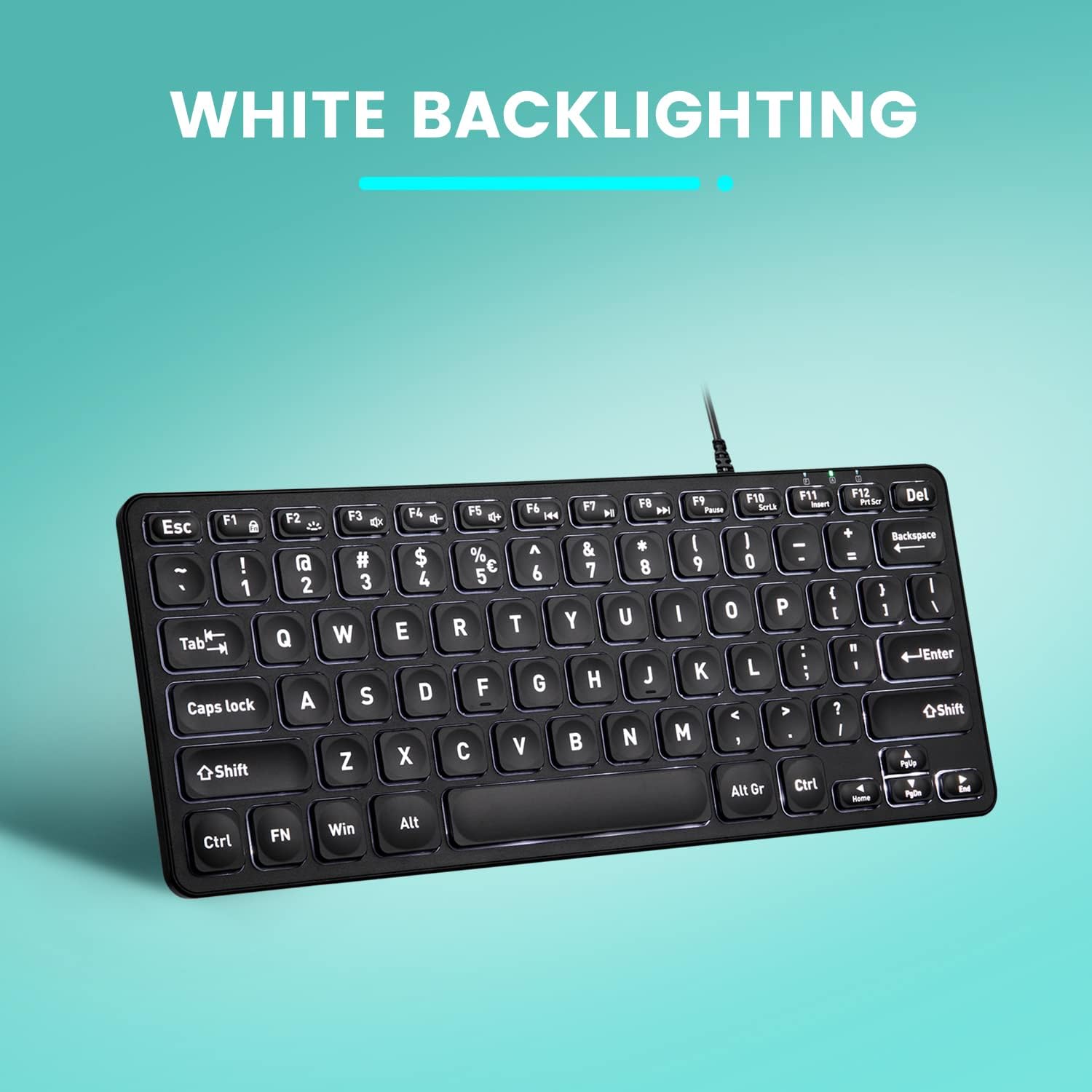
Слика: Одозго надоле view of the Perixx PERIBOARD-332 keyboard with its white LED backlighting illuminated, showcasing the clear, large font on the keys.
Одржавање
To ensure the longevity and proper functioning of your keyboard, follow these maintenance guidelines:
- Чишћење: Користите меку крпу која не оставља длачицеampened with water or a mild cleaning solution to wipe the surface of the keyboard. Avoid excessive moisture. Do not spray cleaners directly onto the keyboard.
- Уклањање прашине: Користите компримовани ваздух да уклоните прашину и остатке између тастера.
- Избегавајте изливање: Keep liquids away from the keyboard to prevent damage. The keyboard is not water-resistant.
- Складиштење: Када се не користи, чувајте тастатуру на чистом и сувом месту, даље од екстремних температура.
Решавање проблема
If you encounter issues with your Perixx PERIBOARD-332, refer to the following common solutions:
Тастатура не реагује
- Проверите УСБ везу: Ensure the USB cable is securely plugged into both the keyboard and the computer's USB port. Try a different USB port.
- Поново покрените рачунар: Sometimes, a simple computer restart can resolve connectivity issues.
- Тестирајте на другом уређају: Connect the keyboard to another computer or device to determine if the issue is with the keyboard or the original computer.
Backlight Not Working or Adjusting
- Check Brightness Setting: Притисните Фн + Ф2 repeatedly to cycle through all brightness levels, including off. Ensure it's not set to the lowest or off setting.
- Извор напајања: Ensure the keyboard is properly connected to a powered USB port.
Тастери не функционишу исправно
- Чисти тастери: Проверите да ли има остатака или препрека испод погођених тастера. Користите компримовани ваздух да их очистите.
- Софтверски сукоби: If specific keys are not working, check for any software or driver conflicts on your computer.
Multimedia Keys Not Working on macOS/Linux/Chrome OS
- Компатибилност са оперативним системом: The multimedia shortcut keys are primarily designed for Windows. On other operating systems, their functionality may vary or require specific system settings/configurations.
Спецификације
| Феатуре | Детаљ |
|---|---|
| Бранд | Перикк |
| Број модела | ПЕРИБОАРД-332 |
| Технологија повезивања | УСБ (жични) |
| Опис тастатуре | US English QWERTY |
| Посебна карактеристика | Backlit (White LED) |
| Тип прекидача | Scissor Switches |
| Број кључева | 84 |
| Димензије производа (Д к Ш к В) | 11.22" x 4.57" x 0.83" (28.5 цм x 11.6 цм x 2.1 цм) |
| Тежина артикла | 0.79 lbs (12.3 Ounces / 350 grams approx.) |
| Компатибилни уређаји | PC, Laptop, Tablet, Smartphone (with compatible USB port/adapter) |
| Компатибилност оперативног система | Windows 7, 8, 10, 11; macOS; Linux; Chrome OS |
| Материјал | Пластика |
Гаранција и подршка
Информације о гаранцији
Your Perixx PERIBOARD-332 keyboard comes with a 12-месечна ограничена гаранција from the date of purchase. This warranty covers manufacturing defects and workmanship under normal use. It does not cover damage caused by misuse, accidents, unauthorized modifications, or external factors.
Сачувајте доказ о куповини за гаранцијске захтеве.
Корисничка подршка
For technical assistance, warranty claims, or any questions regarding your Perixx product, please visit the official Perixx website or contact their customer support team. Contact information can typically be found on the Perixx webсајту или у паковању производа.
Такође можете посетити Perixx продавница на Амазону за више информација и ресурса за подршку.
Ask a question about this manual
Ask about setup, troubleshooting, compatibility, parts, safety, or missing instructions. Manuals+ will review the question and use this page’s manual context to help answer it.