
Vivotek IB9380-H
Вивотек ИБ9380-Х 5МП ИР спољна мрежна булет камера - упутство за употребу
Model: IB9380-H
1. Увод
This manual provides detailed instructions for the installation, operation, and maintenance of your Vivotek IB9380-H 5MP IR Outdoor Network Bullet Camera. Please read this manual thoroughly before using the product to ensure proper setup and optimal performance. This camera is designed for outdoor security surveillance, offering high-resolution imaging and infrared capabilities for reliable monitoring.
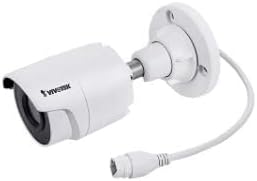
Image 1.1: Vivotek IB9380-H 5MP IR Outdoor Network Bullet Camera overview.
2. Безбедносне информације
- Извор напајања: Use only the specified AC/DC power adapter. Ensure the power supply is stable and meets the camera's requirements (3.5 watts).
- Инсталационо окружење: This camera is rated for outdoor use (IP9380). Avoid installing in locations with extreme temperatures, high humidity, or corrosive substances beyond its operating specifications.
- Руковање: Do not drop or subject the camera to severe shock. Avoid touching the lens directly.
- Растављање: Do not attempt to disassemble or modify the camera. This may void the warranty and cause damage.
- Каблирање: Ensure all cables are properly secured and protected from environmental damage or tampеринг.
3. Садржај пакета
Проверите да ли су све ставке присутне у пакету:
- Vivotek IB9380-H 5MP IR Outdoor Network Bullet Camera
- Комплет за монтажу (шрафови, зидни типлови)
- Водич за брзу инсталацију
- Водоотпорни конектор за етернет кабл
4. Подешавање
4.1. Physical Installation and Mounting
The Vivotek IB9380-H camera is designed for wall mount installation. Choose a suitable location that provides the desired field of view и налази се у домету прикључака за струју и мрежу.
- Припремите монтажну површину: Mark the drilling points on the wall using the mounting template (if provided) or by holding the camera's base against the surface.
- Избушене рупе: Drill pilot holes at the marked positions. Insert wall anchors if mounting on drywall or masonry.
- Обезбедите камеру: Attach the camera's mounting base to the wall using the provided screws. Ensure it is firmly secured.
- Подесите угао: Loosen the adjustment screws on the camera body to set the desired viewing angle. Tighten the screws once the angle is satisfactory.

Image 4.1: Camera dimensions and mounting diagram for installation planning.
4.2. Кабловски прикључак
Connect the necessary cables to the camera:
- Етернет кабал: Connect a standard Ethernet cable (RJ45) to the camera's network port. Use the waterproof connector to protect the connection if exposed to weather.
- Кабл за напајање: Connect the power adapter to the camera's power input. Ensure the connection is secure.

Image 4.2: Close-up of an Ethernet cable connector, similar to what is used for the camera's network connection.
4.3. Прво укључивање
Once all cables are connected, plug the power adapter into an electrical outlet. The camera will power on and initiate its startup sequence. Observe any indicator lights for status.
5. Упутство за употребу
5.1. Network Configuration and Access
The Vivotek IB9380-H supports Wi-Fi connectivity. For initial setup, it is recommended to connect via Ethernet to configure network settings.
- Откријте камеру: Use the Vivotek IP Search utility or your network router's client list to find the camera's assigned IP address.
- Приступ Web Интерфејс: Отвори а web browser and enter the camera's IP address. Log in using the default credentials (refer to the Quick Installation Guide for details).
- Конфигуришите Wi-Fi: Navigate to the network settings within the web interface. Select your Wi-Fi network, enter the password, and save the settings. Once configured, you may disconnect the Ethernet cable if desired.
5.2. Ливе View и Снимање
After network setup, you can access the camera's live feed and configure recording options.
- Уживо View: Фром тхе web interface or a compatible mobile application, select the camera to view његов пренос уживо.
- Постављање снимања: Configure recording schedules, continuous recording, or event-triggered recording (e.g., motion detection). Recordings can be stored on a network video recorder (NVR) or a local storage device if supported.
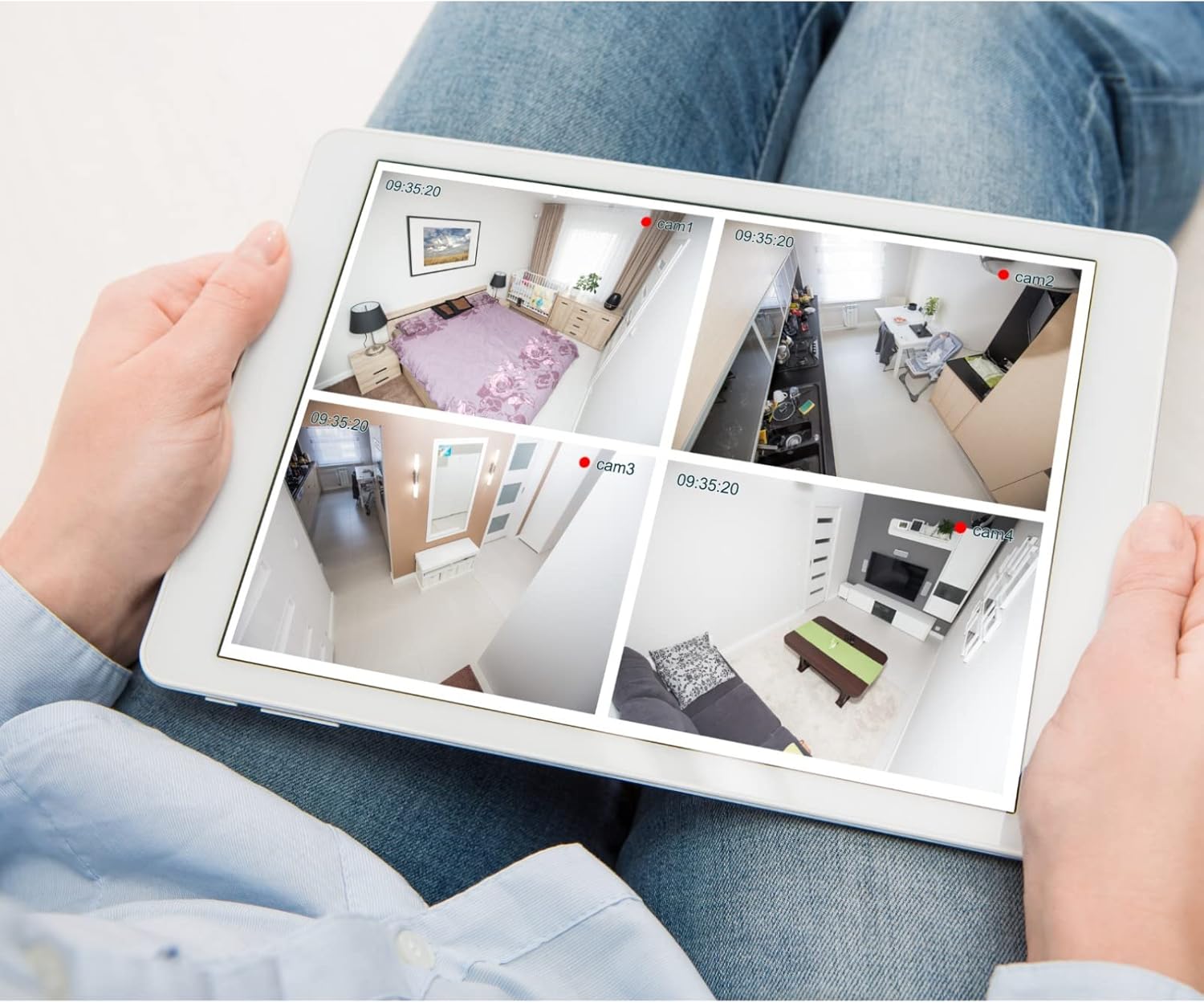
Слика 5.1: Примерample of a tablet displaying multiple camera feeds, illustrating remote monitoring capabilities.
5.3. Motion Detection Setup
The camera supports motion-only alerts.
- Access Alert Settings: In the camera's web interface, navigate to the event or alert settings section.
- Configure Motion Detection: Enable motion detection and define the detection zones and sensitivity levels.
- Set Actions: Specify actions to be taken upon motion detection, such as recording, sending email notifications, or triggering alarms.
5.4. Ноћни вид
The camera features IR (Infrared) and Night Color low light technology for clear imaging in various lighting conditions. These features typically activate automatically based on ambient light levels.
6. Одржавање
- Чишћење сочива: Gently wipe the camera lens with a soft, clean cloth. For stubborn dirt, use a lens cleaning solution designed for optical surfaces. Do not use abrasive cleaners.
- Ажурирања фирмвера: Periodically check the Vivotek website for firmware updates. Keeping the firmware updated ensures optimal performance, security, and access to new features.
- Провера животне средине: Regularly inspect the camera and its mounting for any signs of wear, damage, or loose connections, especially after severe weather conditions.
- Циклус напајања: If the camera experiences minor issues, try power cycling it by disconnecting and reconnecting the power supply.
КСНУМКС. Решавање проблема
| Проблем | Могући узрок | Решење |
|---|---|---|
| Но Повер | Power adapter unplugged or faulty; power outlet issue. | Check power connections. Test the outlet with another device. Try a different power adapter if available. |
| Нема видео феед-а | Network connection issue; incorrect IP address; camera not configured. | Verify network cable connection or Wi-Fi settings. Confirm camera's IP address. Ensure camera is properly configured in your viewинг софтваре. |
| Лош квалитет слике | Прљаво сочиво; услови слабог осветљења; нетачна подешавања резолуције. | Clean the camera lens. Ensure sufficient lighting or verify night vision is active. Check video resolution settings in the camera's interface. |
| Детекција покрета не ради | Motion detection disabled; incorrect sensitivity; detection zones not set. | Enable motion detection in settings. Adjust sensitivity and define detection zones. |
8. Спецификације
| Феатуре | Детаљ |
|---|---|
| Модел | ИБ9380-Х |
| Ефективна резолуција мировања | 5 МП |
| Резолуција снимања видео записа | 1080п |
| Фраме Рате | 20 фпс |
| Лов Лигхт Тецхнологи | Нигхт Цолор |
| Форм Фацтор | Буллет |
| Унутрашња/спољна употреба | Оутдоор |
| Тип монтаже | Валл Моунт |
| Бежична комуникација | Ви-Фи |
| Цоннецтивити Протоцол | Ви-Фи |
| Извор напајања | АЦ/ДЦ |
| Ватtage | 3.5 вати |
| Тип упозорења | Мотион Онли |
| Контролни метод | Ремоте |
| Димензије (Д к Ш к В) | 3.59 к 3.59 к 6.96 инча |
| Оцена међународне заштите | ИП9380 |
| УПЦ | 655255870887, 681541834035 |
9. Информације о гаранцији
This Vivotek product is covered by a manufacturer's limited warranty. Please refer to the warranty card included in your package or visit the official Vivotek webсајт за детаљне услове и одредбе у вези са гаранцијом, трајањем и поступцима за рекламације. Сачувајте доказ о куповини за потребе гарантног сервиса.
10. Корисничка подршка
For technical assistance, troubleshooting beyond this manual, or warranty inquiries, please contact Vivotek customer support. You can typically find contact information (phone, email, support portal) on the official Vivotek webсајту или у документацији која се испоручује уз ваш производ.
Онлине ресурси: ввв.вивотек.цом