
Увод
This manual provides detailed instructions for the installation, operation, and maintenance of your EZoneTronics Android 11 Car Stereo. Please read this manual thoroughly before using the product to ensure proper function and safety. This unit is designed for Peugeot 308 and 408 models manufactured between 2010 and 2016.
Садржај пакета
Проверите да ли су све ставке наведене у наставку укључене у ваш пакет:
- 1 x EZoneTronics Android Player
- 1 к ГПС антена
- 1 x Појас за напајање
- 1 x RCA улазно/излазни кабл
- 2 USB адаптера
- 1 x Кабл за улаз камере
- 1 x Упутство за употребу (овај документ)
Подешавање и инсталација
The EZoneTronics Android 11 Car Stereo is designed for plug-and-play installation in compatible Peugeot 308/408 models. Professional installation is recommended.
Провере пре инсталације
- Уверите се да је паљење возила искључено и да је акумулатор искључен пре почетка инсталације.
- Confirm compatibility with your vehicle's make, model, and year (Peugeot 308/408, 2010-2016).
Кораци инсталације
- Carefully remove the original car stereo unit from your vehicle's dashboard. Refer to your vehicle's service manual for specific instructions.
- Connect the provided Power Harness to the vehicle's wiring harness. Ensure all connections are secure.
- Connect the GPS Antenna. Position the antenna in a location with a clear view неба за оптималан пријем сигнала.
- Connect the RCA Input/Output Cable, USB Adapters, and Camera Input Cable as needed for external devices (e.g., rear camera, USB drives).
- Carefully slide the EZoneTronics Android Player into the dashboard opening. Ensure all cables are tucked away and not pinched.
- Secure the unit in place using the appropriate mounting brackets or screws.
- Поново повежите акумулатор возила и укључите паљење да бисте тестирали уређај.
Напомена: Minor modifications to the vehicle's frame (e.g., removing plastic tabs) may be required for a perfect fit. Consult online resources or a professional if unsure.
Упутство за употребу
Your EZoneTronics Android 11 Car Stereo features a 9-inch TFT Capacitive Touch Screen and an Octa Core CPU for a responsive user experience.
Основна навигација
- Укључивање/искључивање: Притисните и држите дугме за напајање на уређају или користите паљење возила.
- Екран на додир: Navigate through menus and applications by tapping, swiping, and pinching on the screen.
- Почетни екран: Access frequently used apps and widgets. Customize by long-pressing on empty areas.
- Подешавања: Access system settings, network configurations, display options, and more.

Image: The Android 11 interface with various application icons, highlighting the Octa Core processor for smooth operation.
Блуетоотх 5.0 Повезивање
The unit features built-in Bluetooth 5.0 for hands-free calling and audio streaming (A2DP).
- Идите на подешавања Блутут уређаја на ауто-стерео уређају.
- Омогућите Блутут на свом мобилном телефону и потражите доступне уређаје.
- Select the car stereo (e.g., "EZoneTronics Car Stereo") from your phone's list and pair.
- Once paired, you can make/receive calls and stream music directly from your phone.

Image: The Bluetooth 5.0 interface displaying options for call history, dialing, hanging up, and playing music from a connected phone.
ЦарПлаи и Андроид Ауто
Integrated CarPlay and Android Auto allow seamless smartphone integration via USB (wired) or wirelessly.
- Connect your iPhone (for CarPlay) or Android phone (for Android Auto) to one of the USB ports.
- Follow the on-screen prompts to initiate CarPlay or Android Auto.
- Once connected, you can access navigation, music, messages, and calls through the car stereo interface.
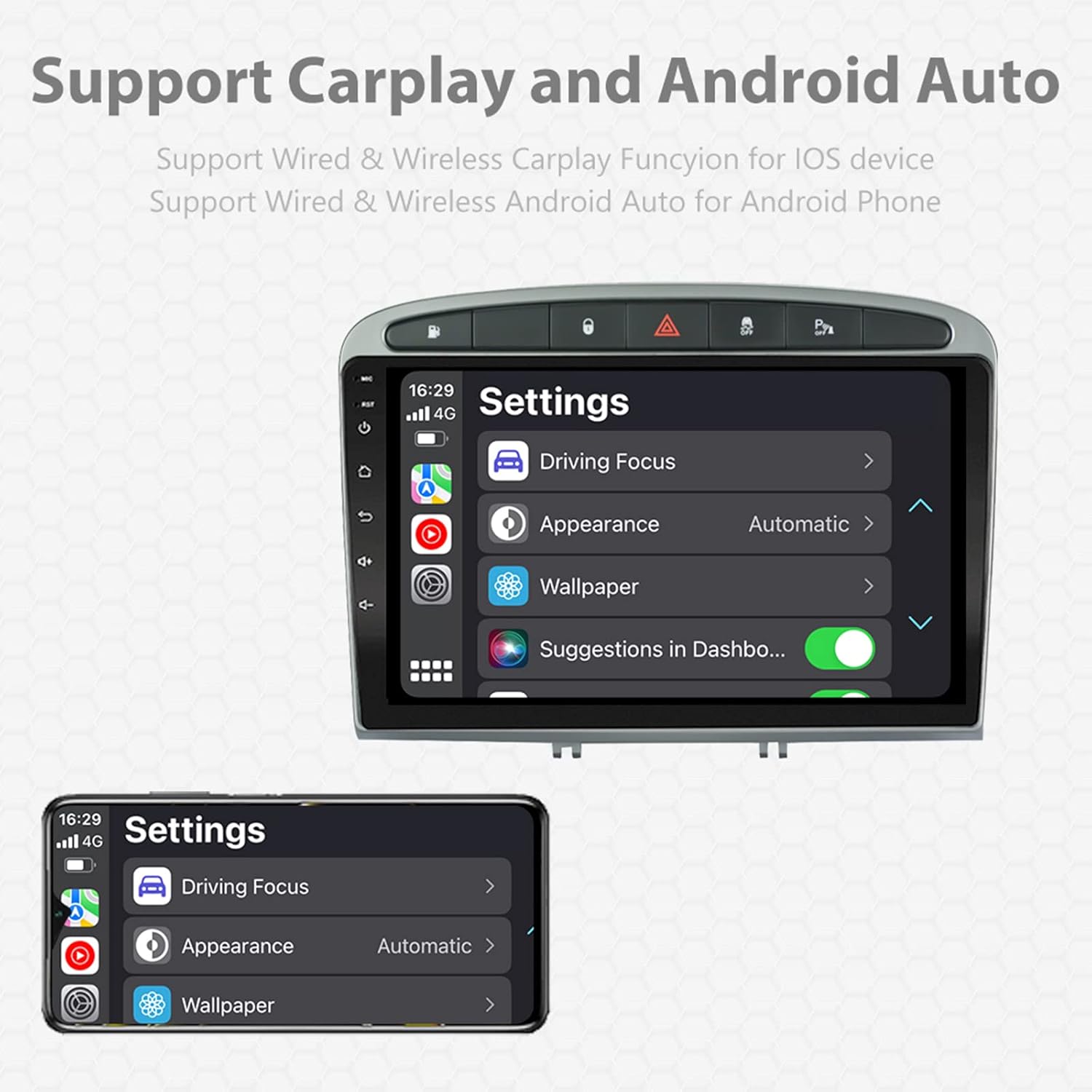
Image: A screen capture showing the settings menu for CarPlay and Android Auto, indicating support for both wired and wireless connections.
Функција подељеног екрана
The Android 11 system supports multi-tasking, allowing two applications to run side-by-side.
- To activate, open an application, then swipe up from the bottom of the screen (or use the recent apps button) and drag another app to one side of the screen.
- This enables simultaneous use of navigation and music playback, or browsing while listening to the radio.
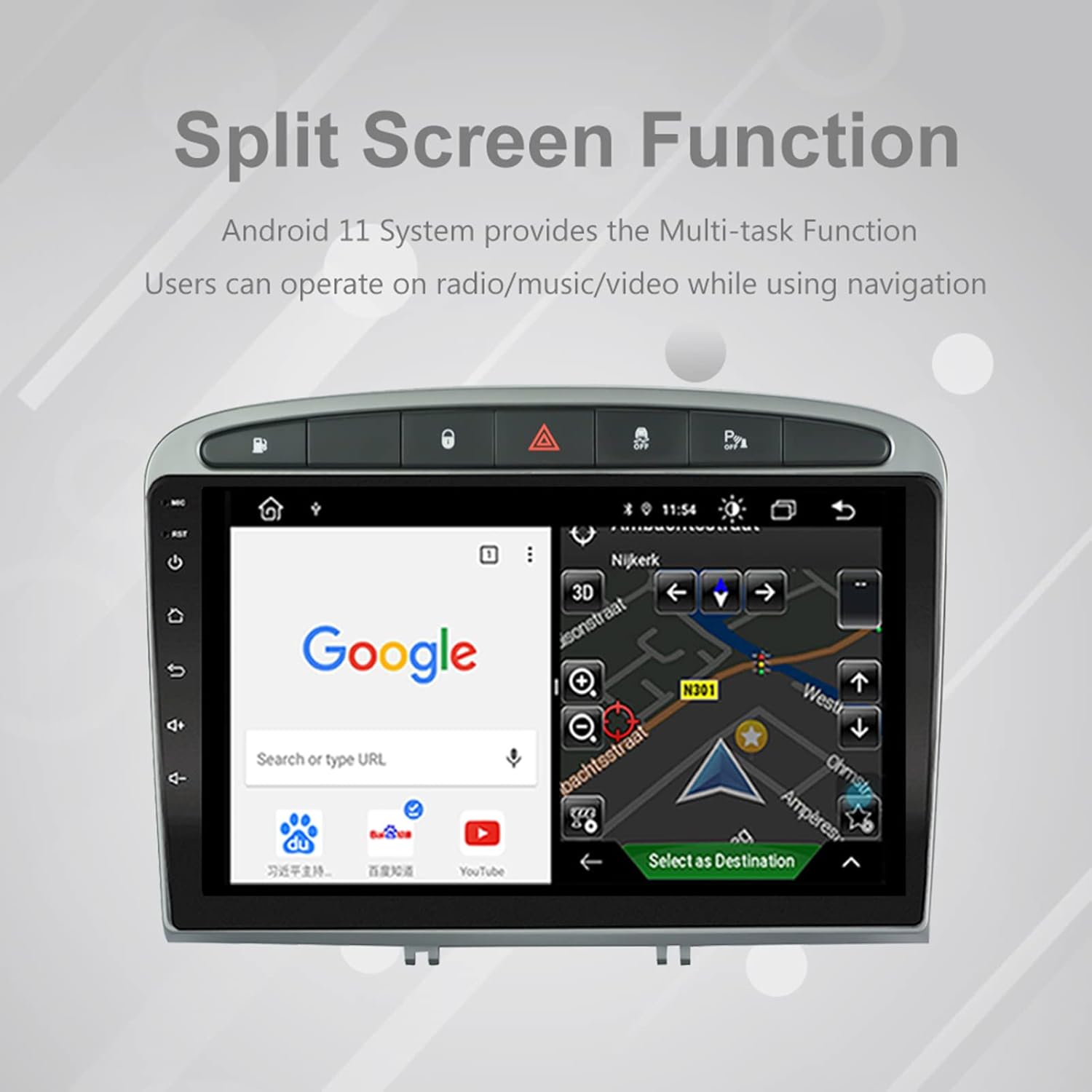
Image: The split-screen feature in action, displaying a Google search interface on one side and a navigation map on the other.
Radio (AM/FM/RDS)
The unit includes an automotive-grade chipset for optimal radio signal reception.
- Select the 'Radio' application from the home screen.
- Користите контроле на екрану да бисте скенирали станице, ручно подесили или изабрали унапред подешене станице.
- RDS (Radio Data System) provides additional information like station name and program type where available.
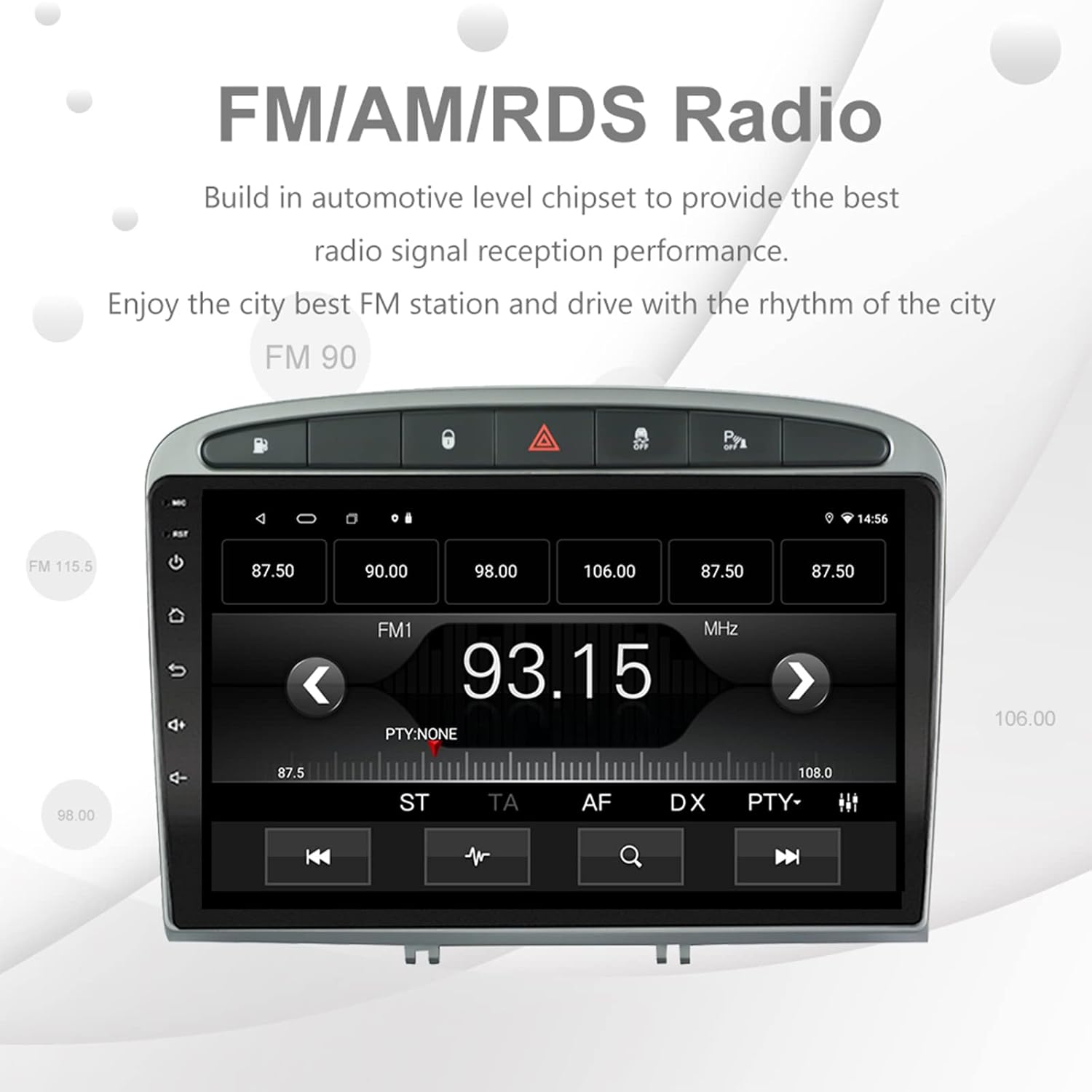
Image: The FM/AM/RDS radio interface, showing frequency display, tuning controls, and preset options.
Дигитални процесор звука (ДСП)
The built-in 32-band DSP allows for precise audio customization to match your preferences and vehicle acoustics.
- Access the 'EQ' or 'DSP' application from the home screen.
- Adjust individual frequency bands, fader, balance, treble, and bass settings.
- Select from preset EQ modes or create and save your custom profiles.

Image: The DSP system interface, illustrating the multi-band equalizer with adjustable frequency sliders for sound customization.
Multimedia Playback (Music & Video)
The unit supports various multimedia formats for music and 1080P HD video playback.
- Connect USB drives to the rear USB inputs for media files.
- Use the 'Music' or 'Video' applications to browse and play your media.
- Stream music from your mobile phone via Bluetooth or compatible apps like Spotify (requires internet connection).

Image: The multimedia player displaying a high-definition scenic image, demonstrating its capability for 1080P video and music playback.
Улаз камере уназад
The unit supports a reverse camera input for enhanced parking safety. An AHD camera (optional) provides superior clarity compared to standard CVBS cameras.
- Connect a compatible reverse camera to the 'Camera Input' cable.
- Екран ће се аутоматски пребацити на камеру view када се возило убаци у брзину за кретање уназад.
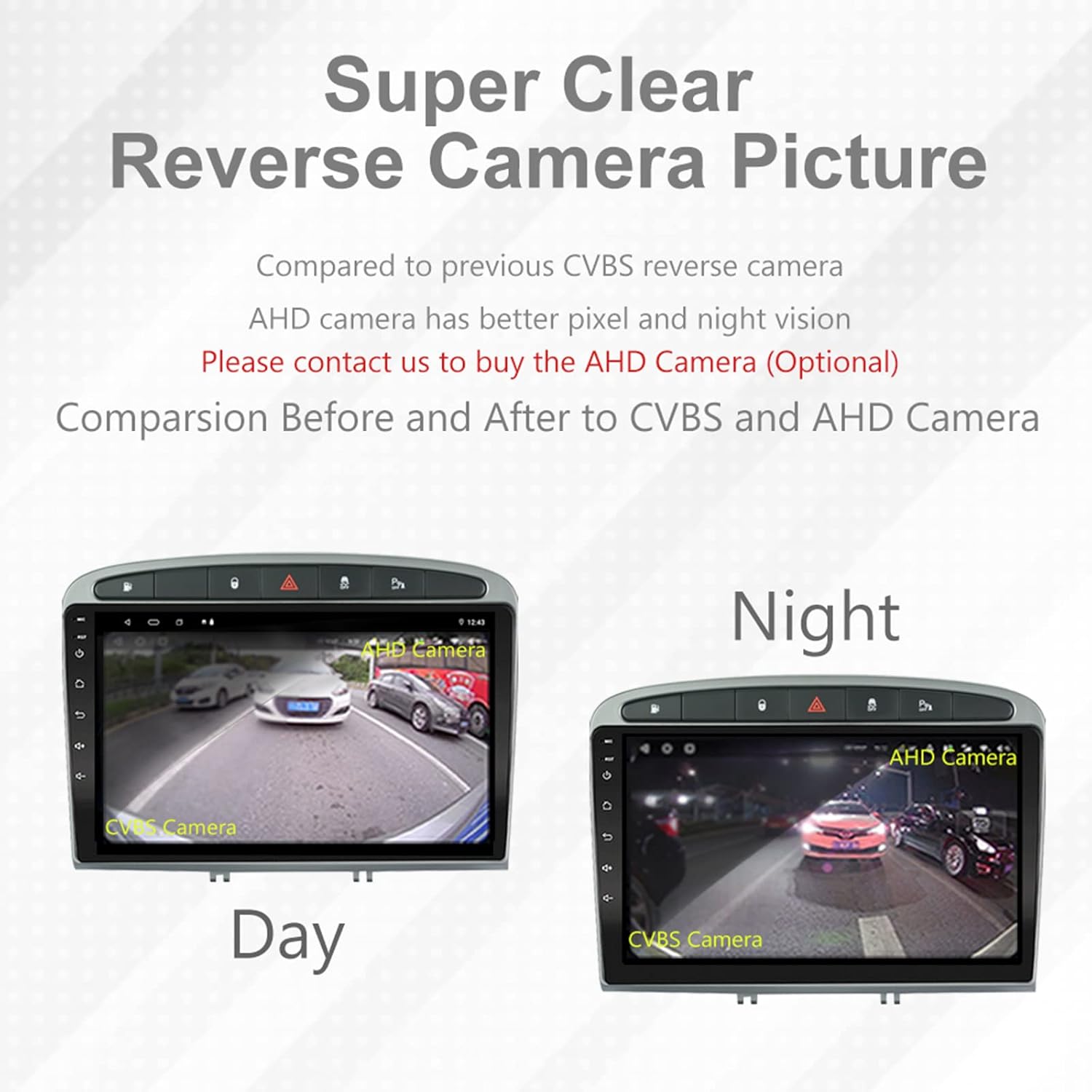
Image: A visual comparison demonstrating the clear reverse camera picture, highlighting the improved clarity of an AHD camera during both day and night conditions.
Одржавање
Правилно одржавање осигурава дуготрајност и оптималне перформансе вашег ауто стерео уређаја.
- Чишћење екрана: Користите меку крпу која не оставља влакна да нежно обришете екран осетљив на додир. Избегавајте абразивна средства за чишћење или раствараче.
- Ажурирања софтвера: Periodically check for system software updates to ensure optimal performance and access to new features. Updates can usually be found in the system settings or on the manufacturer's webсајту.
- температура: Избегавајте излагање јединице екстремним температурама.
Решавање проблема
Ако наиђете на проблеме, погледајте следеће уобичајене проблеме и решења:
| Проблем | Могући узрок | Решење |
|---|---|---|
| Jedinica se ne uključuje | Лабав прикључак за напајање, прегорели осигурач, проблем са акумулатором возила. | Check power harness connections. Inspect vehicle fuses. Ensure vehicle battery is charged. |
| Нема звука | Volume too low, mute activated, speaker wiring issue, incorrect audio output settings. | Increase volume. Check mute status. Verify speaker connections. Adjust audio settings in DSP/EQ. |
| ГПС сигнал је слаб или нетачан | GPS antenna improperly placed or disconnected, environmental interference. | Уверите се да GPS антена има чист view of the sky and is securely connected. Avoid placing near metal objects. |
| Проблеми са Блуетоотх упаривањем | Bluetooth not enabled on unit or phone, incorrect pairing procedure, device interference. | Ensure Bluetooth is enabled on both devices. Restart both devices. Follow pairing instructions carefully. |
| CarPlay/Android Auto не ради | Faulty USB cable, phone software issue, app not installed/updated. | Try a different USB cable. Ensure your phone's OS and CarPlay/Android Auto apps are updated. Restart phone and stereo. |
| Unit is slow or unresponsive | Too many apps running in background, low storage, software glitch. | Close unnecessary applications. Clear cache. Perform a system restart. If persistent, a factory reset might be needed (backup data first). |
За проблеме који нису овде обрађени, обратите се корисничкој подршци.
Спецификације
- Број модела: RMS8-PGT-408-08-2G32
- Оперативни систем: Андроид 11
- Величина екрана: 9 инча
- Тип приказа: TFT капацитивни екран осетљив на додир
- Резолуција: 1280 x 720 pixels (Note: Some documentation may state 1024x600, but 1280x720 is the primary specification)
- ЦПУ: Octa Core with 1.6GHz Cortex A55
- РАМ: 2ГБ ДДР3
- Интерна меморија: 32 ГБ флеш меморије
- Блуетоотх: Version 5.0 (A2DP, Hands-Free, Phonebook)
- Повезивање: Built-in WiFi, 4G SIM Card Compatible (requires external module/dongle for 4G), RCA, USB
- ГПС: Built-in receiver, compatible with Waze/Navfree/Yandex Map etc.
- Радио: AM/FM/RDS with Auto Memory Store/Preset Scan
- Аудио излаз: 4 x 45W Power Output, 4.1 Channel RCA/Sub Output
- Обрада звука: 32 Band DSP, Multi EQ Settings, Volume/Fader/Balance/Treble/Bass Control
- Видео улаз: 1 Channel Video Input, Back Camera Input
- Аудио улаз: 2-канални аудио улаз
- Компатибилни уређаји: Smartphone (for CarPlay/Android Auto, Bluetooth)
- Подржане Интернет услуге: Спотифи
- Језици: English, French, Italian, German, Spanish, Portuguese, Chinese, Japanese, and more.
- Димензије пакета: 31.3 к 21.6 к 11.9 цм
- Тежина пакета: 1.51 кг
Гаранција и подршка
Your EZoneTronics car stereo comes with a 1 година гаранције од дана куповине.
For technical assistance, warranty claims, or any inquiries, please contact our customer support team:
- Емаил: sales2@rhythmhk.com
Please provide your model number (RMS8-PGT-408-08-2G32) and a detailed description of the issue when contacting support.