
TomTom 1YB5.002.20
TomTom GO Expert Truck Sat Nav User Manual
Model: 1YB5.002.20
Увод
This manual provides essential information for setting up, operating, maintaining, and troubleshooting your TomTom GO Expert Truck Sat Nav. Please read it carefully to ensure optimal performance and safe use of your device.
The TomTom GO Expert is designed for professional large vehicle navigation, offering custom routing and POIs for buses, trucks, and coaches, along with live alerts for various road restrictions.
Шта је у кутији
Након отварања паковања, проверите да ли су све компоненте присутне:
- TomTom GO Expert Device
- Цар Цхаргер
- Монтажа типа „кликни и држи“
- Водич за брзи почетак

Слика: Фронт view of the TomTom GO Expert Sat Nav device, showing its 5-inch capacitive screen and the TomTom logo at the bottom.
Сетуп
1. Монтажа уређаја
- Очистите ветробранско стакло: Ensure the area where you intend to mount the device is clean and dry.
- Причврстите носач: Securely attach the Click-and-Drive mount to your windshield or dashboard. Press the suction cup firmly against the surface and flip the lever to lock it in place.
- Повежите уређај: Slide the TomTom GO Expert device onto the mount until it clicks securely.
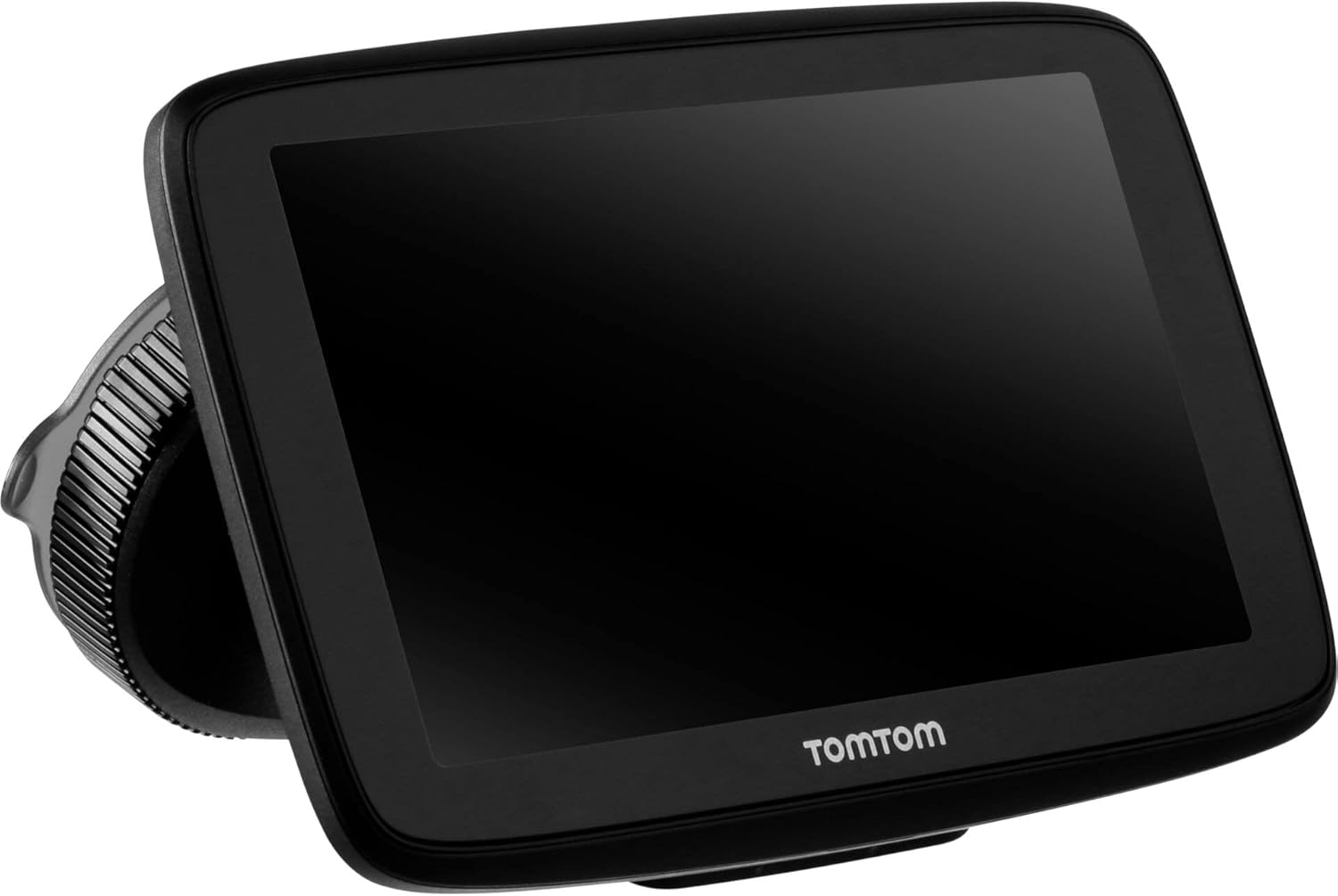
Image: The TomTom GO Expert Sat Nav device attached to its Click-and-Drive mount, viewed from an angle, showing the suction cup base.
2. Укључивање и пуњење
- Connect the Car Charger: Укључите ауто пуњач у 12V утичницу вашег возила.
- Повежите се са уређајем: Connect the other end of the charger to the TomTom GO Expert device.
- Почетна наплата: Оставите уређај да се пуни најмање 30 минута пре прве употребе или док индикатор батерије не покаже довољно напуњености.

Слика: Сајд професионалацfile of the TomTom GO Expert Sat Nav device, showing its slim design and how it connects to the Click-and-Drive mount.
3. Почетно подешавање и Wi-Fi веза
- Пратите упутства на екрану да бисте изабрали језик и регион.
- Connect to a Wi-Fi network for quick map updates and traffic information. Navigate to Подешавања > Ви-Фи и изаберите своју мрежу.
- Configure your vehicle profile (truck, bus, coach) by entering dimensions, weight, and other relevant details. This is crucial for custom routing.
Управљање вашим уређајем
Основе навигације
- Унос одредишта: Tap the search icon on the main menu and enter an address, POI, or coordinates.
- Прилагођено рутирање: The device will automatically calculate routes based on your configured vehicle profile, avoiding unsuitable roads for large vehicles.
- Live Traffic Updates: With an active Wi-Fi connection, the device provides real-time traffic information to help you avoid delays.
- Lane Guidance: The device displays clear lane guidance to help you prepare for exits and turns.
- Контрола гласом: Use voice commands for hands-free operation. Refer to the on-screen guide for available commands.
Map Updates and Services
Your TomTom GO Expert receives 3X faster updates via Wi-Fi. Ensure your device is connected to a stable Wi-Fi network to download the latest maps and software updates conveniently and at no extra cost.
- Ажурирања мапе: Дођите до Подешавања > Ажурирања и нове ставке to check for and install map updates.
- Упозорења о брзини радара: The device includes 1 year of speed camera alerts. Ensure this service is active for safer driving.
Одржавање
- Чишћење: Use a soft, lint-free cloth to clean the screen and device casinг. Не користите абразивна средства за чишћење или раствараче.
- Ажурирања софтвера: Regularly check for and install software updates via Wi-Fi to ensure optimal performance and access to new features.
- Одржавање батерије: Да бисте продужили век трајања батерије, избегавајте излагање уређаја екстремним температурама. Ако складиштите уређај дуже време, уверите се да је батерија делимично напуњена.
- Складиштење: When not in use, store the device in a cool, dry place, away from direct sunlight.
Решавање проблема
Уобичајени проблеми и решења
- Уређај се не укључује:
- Ensure the car charger is securely connected to both the device and the vehicle's power outlet.
- Проверите функционалност утичнице у возилу.
- Try resetting the device by holding the power button for 15-20 seconds.
- Нема GPS сигнала:
- Уверите се да уређај има чист view of the sky. Obstructions like tall buildings or tunnels can block the signal.
- Move to an open area and allow the device a few minutes to acquire satellites.
- Check for any pending software updates that might improve GPS performance.
- Map Not Updating:
- Verify that the device is connected to a stable Wi-Fi network.
- Ensure there is sufficient storage space on the device for the new map data.
- Restart the device and try the update again.
- Екран осетљив на додир не реагује:
- Извршите меко ресетовање тако што ћете држати дугме за напајање док се уређај поново не покрене.
- Уверите се да је екран чист и без прљавштине.
Спецификације
| Феатуре | Детаљ |
|---|---|
| Димензије производа | 5.51 к 0.79 к 3.54 инча |
| Тежина артикла | 12.7 унци |
| Број модела | 1ИБ5.002.20 |
| Батерије | Потребна је 1 литијум-јонска батерија (укључена) |
| Оперативни систем | Windows (internal OS) |
| Цоннецтивити Тецхнологиес | Bluetooth, Wireless (Wi-Fi) |
| Посебне карактеристике | Bluetooth, Lane Assist, Touchscreen |
| Унос људског интерфејса | Тоуцхсцреен |
| Боја | Црно |
| Тип услуге возила | Bus, Truck |
| Величина екрана | 5 инча |
| Мап Типе | широм света |
| Режим аудио излаза | Спеакер |
Гаранција и подршка
For detailed warranty information and technical support, please visit the official TomTom support webсајт или погледајте гарантни лист који је приложен уз ваш производ.
Подршка на мрежи: www.tomtom.com/support
Ensure you have your device's serial number and model number (1YB5.002.20) ready when contacting support.
Ask a question about this manual
Ask about setup, troubleshooting, compatibility, parts, safety, or missing instructions. Manuals+ will review the question and use this page’s manual context to help answer it.