
1. Увод
Thank you for choosing the LODVIE D112 2.4G USB Wireless Mouse. This manual provides detailed instructions on how to set up, operate, and maintain your new wireless mouse. Please read this manual carefully before use to ensure optimal performance and longevity of your device.
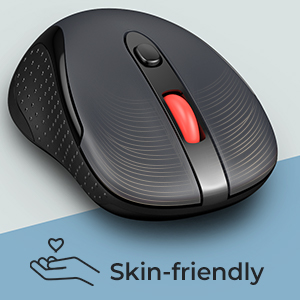
2. Производ је готовview
The LODVIE D112 Wireless Mouse features an ergonomic design for comfortable use, 5 adjustable DPI settings for precise control, and a stable 2.4G wireless connection. It is designed for efficiency and convenience in various computing environments.
Садржај пакета
- LODVIE D112 Wireless Mouse
- УСБ пријемник
- Упутство за употребу
Компоненте миша
Familiarize yourself with the key components of your LODVIE D112 Wireless Mouse:
- Лево дугме: Стандардна функција клика.
- Десно дугме: Стандардна функција десног клика.
- Точак за померање: For scrolling up and down, also functions as a middle click button.
- Дугме за прекидач DPI-ја: Подешава осетљивост курсора (DPI).
- Дугме за напред: Навигација напред у web претраживачи или file истраживачи.
- Дугме за назад: Навигација уназад web претраживачи или file истраживачи.
- Слот за USB пријемник: Located at the bottom of the mouse for storage.
- Одељак за батерије: Located at the bottom of the mouse.
- Прекидач: On/Off switch at the bottom.

Figure 1: LODVIE D112 Wireless Mouse Components
3. Упутства за подешавање
Follow these steps to set up your LODVIE D112 Wireless Mouse:
- Уметните батерију:
- Отворите поклопац одељка за батерију на дну миша.
- Уметните једну АА батерију, водећи рачуна о исправном поларитету (+/-).
- Затворите поклопац одељка за батерије.
- Преузмите УСБ пријемник:
- Locate the USB receiver stored in the slot next to the battery compartment on the bottom of the mouse.
- Gently pull out the USB receiver.
- Повежите УСБ пријемник:
- Plug the USB receiver into an available USB port on your computer (laptop or desktop PC).
- Your computer should automatically detect and install the necessary drivers. No additional software installation is required.
- Укључено:
- Померите прекидач за напајање на дну миша у положај „УКЉУЧЕНО“.
- Миш је сада спреман за употребу.

Figure 2: LODVIE D112 Wireless Mouse
4. Упутство за употребу
Основне функције
- Кликом на: Use the left and right buttons for standard click actions.
- Померање: Rotate the scroll wheel to navigate documents and web странице вертикално.
- Бочна дугмад: The forward and back buttons on the side of the mouse allow for quick navigation in web претраживачи и file истраживачи.
ДПИ Адјустмент
The mouse features 5 adjustable DPI levels to suit different tasks and preferences. DPI (Dots Per Inch) determines the sensitivity of the mouse cursor.
- Притисните тастер Дугме за ДПИ прекидач (located below the scroll wheel) to cycle through the available DPI settings: 800, 1200, 1600, 2000, and 2400.
- Each press will change the sensitivity, allowing you to find the optimal speed for your work or leisure activities.

Figure 3: DPI Adjustment for Enhanced Efficiency
5. Режим уштеде енергије
To conserve battery life, the LODVIE D112 Wireless Mouse is equipped with an automatic super saving sleep mode.
- If the mouse remains inactive for 8 minutes, it will automatically enter sleep mode.
- To wake the mouse, simply click any button. The mouse will instantly resume normal operation.
6. Спецификације
| Феатуре | Опис |
|---|---|
| Број модела | Д112 |
| Технологија повезивања | 2.4Г УСБ бежични |
| Откривање покрета | Оптицал |
| Подесиви ДПИ | 800/1200/1600/2000/2400 |
| Број дугмади | 6 (лево, десно, точкић за скроловање, DPI, напред, назад) |
| Извор напајања | 1 к АА батерија (није укључена) |
| Димензије производа | 4.2 к 2.4 к 1.6 инча |
| Тежина артикла | 2.89 унци |
| Произвођач | ЛОДВИЕ |
Слика 4: Димензије миша
КСНУМКС. Решавање проблема
If you encounter issues with your LODVIE D112 Wireless Mouse, please refer to the following common solutions:
- Миш не реагује:
- Ensure the mouse is powered on (switch at the bottom).
- Check if the battery is inserted correctly and has sufficient charge. Replace the battery if necessary.
- Уверите се да је УСБ пријемник безбедно прикључен на исправан УСБ порт на рачунару.
- Покушајте да прикључите УСБ пријемник у други УСБ порт.
- Приближите миш УСБ пријемнику да бисте искључили проблеме са дометом.
- Кретање курсора је неправилно или скачкасто:
- Очистите оптички сензор на дну миша меком, сувом крпом.
- Уверите се да користите миш на одговарајућој површини. Површине са високом рефлектујућом или провидном површином могу утицати на праћење.
- Adjust the DPI setting using the DPI switch button to see if a different sensitivity improves performance.
- Side buttons (Forward/Back) not working:
- These buttons are typically supported by most operating systems and applications. Ensure your application (e.g., web browser) supports these navigation functions.
- Поново покрените рачунар.
8. Одржавање
Proper maintenance can extend the life of your wireless mouse:
- Чишћење: Користите меку крпу која не оставља влакна да обришете површину миша. За тврдокорну прљавштину, благо обришитеampНатопите крпу водом. Избегавајте јаке хемикалије или абразивне материјале.
- Брига о сензорима: Одржавајте оптички сензор на дну миша чистим и без прашине или прљавштине како бисте осигурали прецизно праћење.
- Складиштење: When not in use for extended periods, turn off the mouse using the power switch and store the USB receiver in its dedicated slot to prevent loss.
- Замена батерије: Замените АА батерију када се перформансе миша погоршају или када престане да реагује.

Figure 5: Mouse in a typical work setup
9. Гаранција и подршка
LODVIE products are designed for reliability and performance. For any issues not covered in this manual or for further assistance, please contact LODVIE customer support through the retailer where you purchased the product or visit the official LODVIE webсајт за контакт информације.
Сачувајте доказ о куповини за гаранцијске захтеве.