
HTC TWS2
HTC True Wireless Earbuds 1 (Model TWS2) User Manual
Свеобухватна упутства за подешавање, рад и одржавање.
1. Увод
Thank you for choosing the HTC True Wireless Earbuds 1. This manual provides essential information to help you set up, operate, and maintain your earbuds for optimal performance.
Садржај пакета
Уверите се да су све ставке присутне у вашем пакету:
- 1 Pair HTC True Wireless Earbuds
- 1 УСБ-Ц кабл за пуњење
- 2 Pairs of Rubber Eartips (S/L)
- 1 Брзи водич
- 1 Гарантни лист
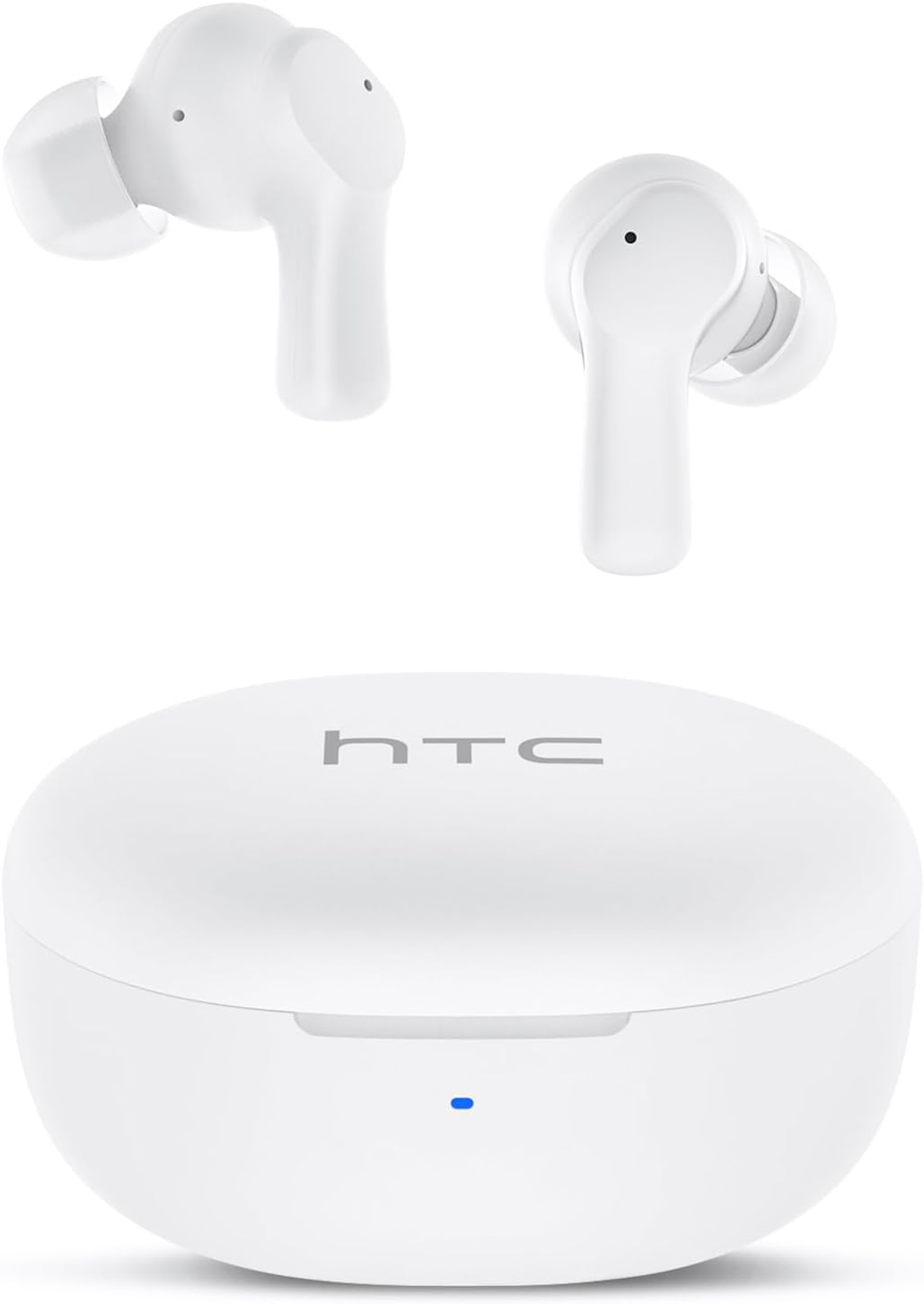
Image: HTC True Wireless Earbuds 1 and their charging case.

Image: The charging case opened, showing the two earbuds nestled inside.
2. Подешавање и упаривање
Почетно подешавање
- Уклоните заштитни филм: Before first use, remove the protective film from the charging contacts on both earbuds.
- Пуњење слушалица: Place the earbuds back into the charging case and close the lid. Connect the charging case to a USB power source using the provided USB-C cable. Ensure the earbuds and case are fully charged before initial use.
- Укључено: Отворите поклопац кућишта за пуњење. Слушалице ће се аутоматски укључити и ући у режим упаривања.
Блуетоотх упаривање
The HTC True Wireless Earbuds 1 feature one-step auto-pairing after the initial setup.
- Активирајте Блуетоотх: На свом уређају (паметном телефону, таблету, рачунару) омогућите Блутут.
- Тражи Уређаји: У подешавањима Bluetooth-а на вашем уређају, потражите доступне уређаје.
- Select 'HTC TWS2': From the list of found devices, select 'HTC TWS2' to connect.
- Потврда: Када се повежете, чућете звучни сигнал и слушалице ће бити спремне за употребу.
After the first successful pairing, the earbuds will automatically connect to the last paired device when taken out of the charging case, provided Bluetooth is enabled on the device.

Image: Illustration of the one-step auto-pairing process, showing earbuds connecting to a smartphone.
3. Како носити
For optimal sound quality and comfort, it is important to wear the earbuds correctly.
- Изаберите врхове за уши: Select the rubber eartips (S, M, L) that best fit your ear canal. A proper seal enhances bass response and noise isolation.
- Уметните слушалице: Пажљиво уметните сваку слушалицу у одговарајуће ухо (Л за лево, Д за десно).
- Rotate to Lock: Rotate the earbud slightly forward or backward until it feels secure and comfortable in your ear canal.

Image: Diagram showing how to properly insert the earbuds and the available S/M/L silicone eartips.
4. Operating Instructions (Touch Control)
The HTC True Wireless Earbuds 1 feature intuitive touch controls on each earbud. The following actions can be performed:
| Акција | Контрола | Функција |
|---|---|---|
| Репродукција музике | Single tap (either earbud) | Пусти / Пауза |
| Репродукција музике | Двапут додирните леву слушалицу | Претходна песма |
| Репродукција музике | Двапут додирните десну слушалицу | Нект Сонг |
| Позиви | Single tap (either earbud) | Одговори / заврши позив |
| Позиви | Long press (either earbud) | Одбаци позив |
| Гласовни асистент | Triple tap (either earbud) | Активирајте гласовног асистента (Сири, Гугл асистент, итд.) |
| Контрола јачине звука | Long press left earbud | Утишавање звука |
| Контрола јачине звука | Long press right earbud | Волуме Уп |
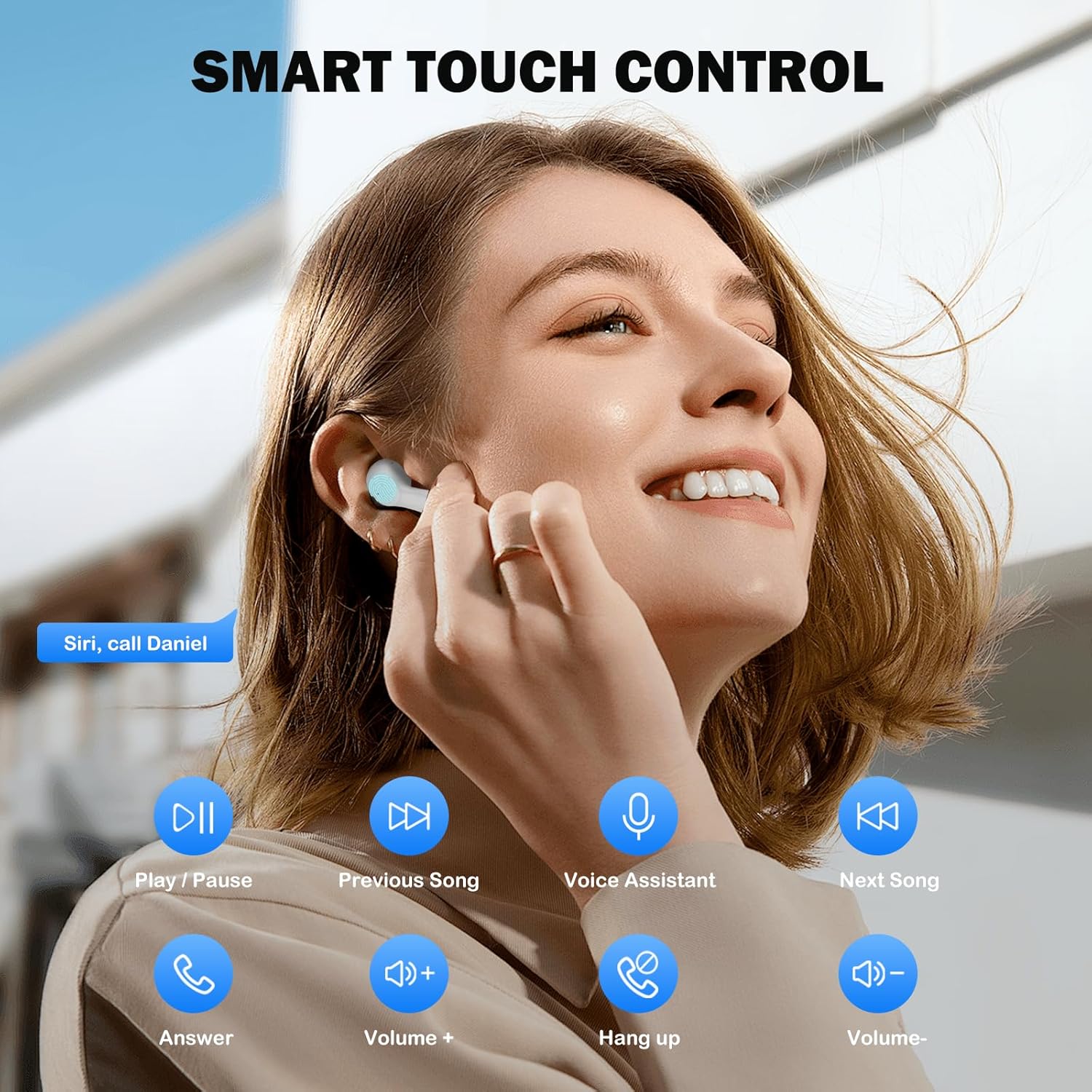
Image: Visual guide to the smart touch controls for music, calls, and voice assistant.
5. Пуњење
The earbuds and charging case are powered by internal rechargeable batteries.
Пуњење слушалица
Place the earbuds into the charging case. They will automatically begin charging. The LED indicator on the case will show charging status.
Пуњење кућишта
Connect the provided USB-C cable to the charging port on the case and to a USB power adapter (not included). The LED indicator on the case will show charging progress. A full charge for the earbuds takes approximately 40 minutes.
Трајање батерије
- Еарбудс: Up to 8 hours of listening time on a single charge (at 50% volume).
- Са футролом за пуњење: Up to 40 hours of total playtime with multiple charges from the case.
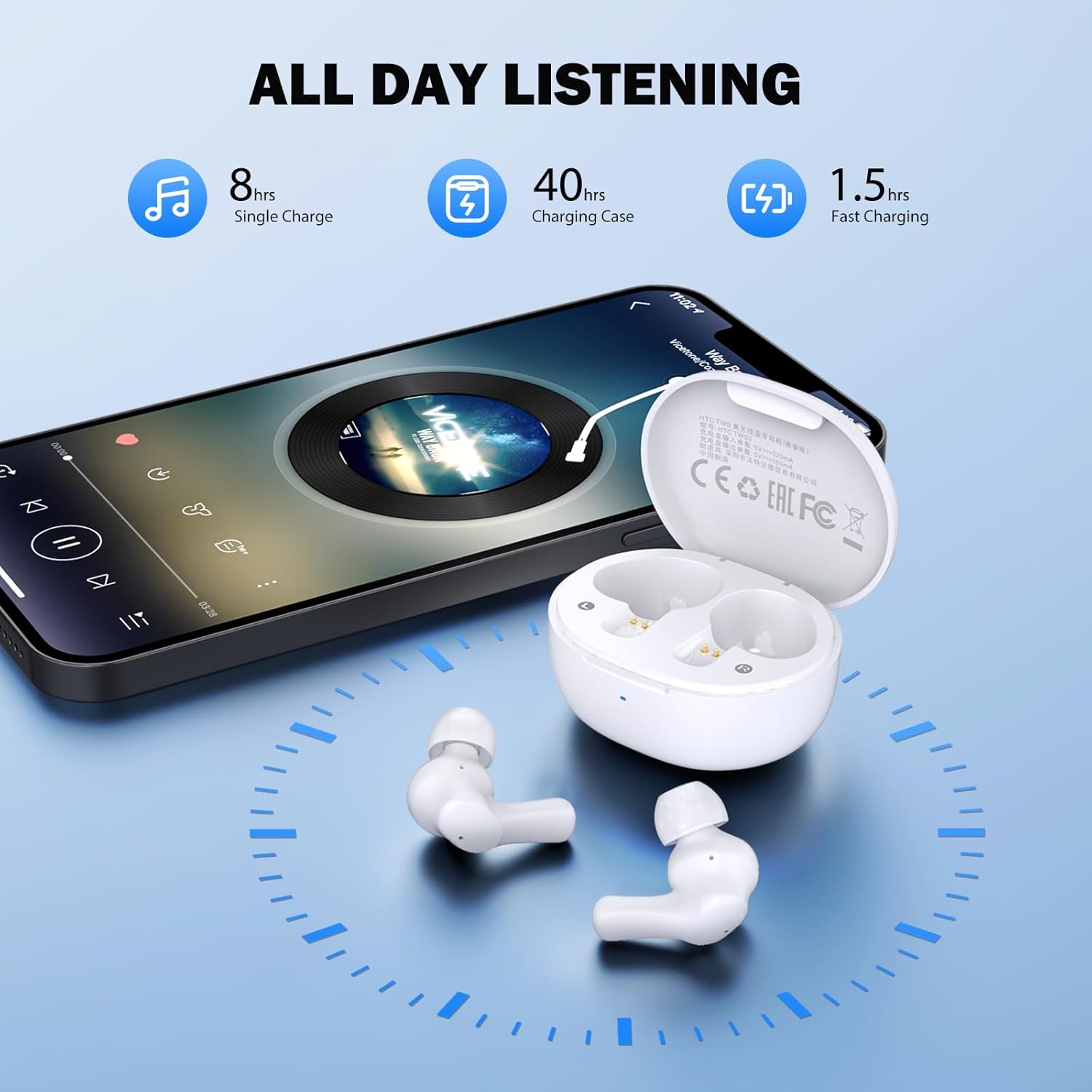
Image: Visual representation of 8 hours single charge, 40 hours with charging case, and 1.5 hours fast charging for the case.
6. Одржавање и њега
Правилна нега осигурава дуготрајност и перформансе ваших слушалица.
Чишћење
- Редовно чистите слушалице и кућиште за пуњење меком, сувом крпом која не оставља влакна.
- Уклоните врхове слушалица и очистите их благим сапуном и водом, а затим их добро осушите пре него што их поново ставите.
- Ensure charging contacts on both earbuds and inside the case are clean and free of debris.
Отпорност на воду
The earbuds are rated ИПКС4 водоотпоран, meaning they are protected against splashing water from any direction. They are suitable for exercise and light rain, but should not be submerged in water or exposed to heavy downpours.
Складиштење
Када се не користе, чувајте слушалице у њиховој футроли за пуњење како бисте их заштитили и одржали напуњеним.
КСНУМКС. Решавање проблема
Ако наиђете на проблеме, испробајте следећа решења:
- Нема звука: Ensure earbuds are charged, connected to your device, and volume is up on both the earbuds and your device.
- Проблеми упаривања: Make sure Bluetooth is enabled on your device and the earbuds are in pairing mode. Try turning Bluetooth off and on again on your device.
- Једна слушалица не ради: Вратите обе слушалице у кутијицу за пуњење, затворите поклопац, сачекајте неколико секунди, а затим их поново извадите. Ово их често поново синхронизује.
- Интермитентна веза: Ensure there are no obstructions between the earbuds and your device. Keep your device within the 10-meter Bluetooth range.
Фацтори Ресет
If problems persist, a factory reset may resolve them:
- Ставите обе слушалице у футролу за пуњење.
- With the earbuds in the case, quickly tap each earbud 5 times.
- The LED on the earbuds will flash red, then turn off, indicating a successful reset.
- Close the charging case lid, then open it again to re-initiate pairing.

Image: Visual instructions for initial setup, wearing the earbuds, and performing a factory reset.
8. Спецификације
| Феатуре | Детаљ |
|---|---|
| Назив модела | HTC TWS2 |
| Технологија повезивања | Бежично (Bluetooth 5.3) |
| Блуетоотх домет | До 10 метара (33 стопе) |
| Тип аудио драјвера | 10мм динамички драјвер |
| Фреквенцијски опсег | 20 Hz - 20,000 Hz |
| Трајање батерије слушалица | До 8 сати (једно пуњење) |
| Укупно време репродукције (са футролом) | До 40 сати |
| Време пуњења слушалица | Отприлике 40 минута |
| Ниво отпорности на воду | IPX4 (Sweatproof, Splash Resistant) |
| Тип контроле | Контрола додиром |
| Микрофон | Built-in with Call Noise Cancellation |
| Лов Латенци | 40ms (режим игре) |
| Тежина слушалице | Approximately 3.8g per earbud |
| Компатибилни уређаји | iOS, Android, Windows уређаји |

Image: Diagram illustrating the 10mm diameter loud speaker for HiFi stereo sound.

Image: Visual representation of Bluetooth 5.3 technology benefits: low consumption, faster transmission, lower latency, and built-in microphone.
9. Гаранција и подршка
Информације о гаранцији
Your HTC True Wireless Earbuds 1 come with a warranty. Please refer to the included Warranty Card for detailed terms and conditions, including coverage period and what is covered.
Корисничка подршка
For any questions, technical assistance, or warranty claims, please contact HTC customer support. Refer to the contact information provided in your Quick Guide or on the official HTC webсајту.
Ask a question about this manual
Ask about setup, troubleshooting, compatibility, parts, safety, or missing instructions. Manuals+ will review the question and use this page’s manual context to help answer it.