
Увод
The TELE System TS6815 is a DVB-T2 HEVC 10-bit digital terrestrial decoder designed to receive digital television broadcasts. It supports HD, HDR, and HLG technologies, offering enhanced viewing experiences. This manual provides essential information for setting up, operating, and maintaining your decoder.
Шта је у кутији
- TELE System TS6815 Decoder
- Ремоте Цонтрол
- Екстерно напајање
- Водич за брзи почетак
Производ је завршенview
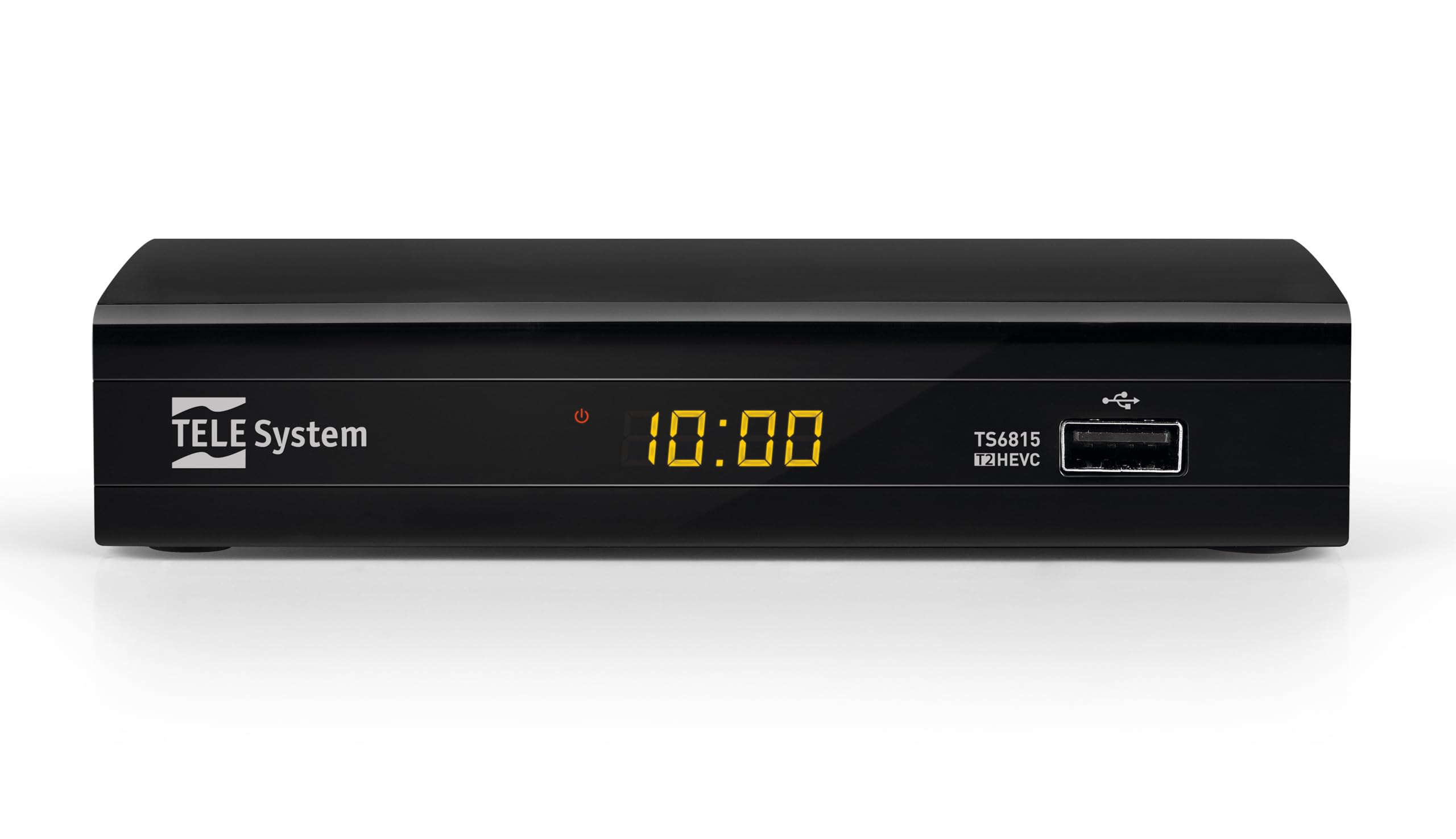
Фронт View: The front panel features the TELE System logo, model number TS6815, DVB-T2 HEVC branding, and a USB port for media playback and updates.

Позади View: The rear panel includes an RF IN port for antenna connection, an HDMI output, a TV SCART connector, and a DC IN port for power.

даљински управљач: The included remote control allows for full functionality, including power, channel selection, volume adjustment, EPG access, and media playback controls.

Ознака производа: This label provides important information such as the model number (TS6815 T2HEVC/02), power input (DC 5V = 1A), and maximum power consumption (5W Max).
Упутства за подешавање
- Повезивање антене: Connect your terrestrial antenna cable to the RF IN port on the back of the decoder.
- Повезивање са ТВ-ом: Use an HDMI cable to connect the decoder's HDMI OUT port to an HDMI IN port on your television. Alternatively, use a SCART cable to connect the TV SCART port to your TV's SCART input.
- Прикључите напајање: Plug the external power supply into the DC IN port on the decoder, then plug the power adapter into a wall outlet.
- Укључено: Turn on your television and select the correct HDMI or SCART input source. The decoder should power on automatically or can be turned on using the remote control.
- Initial Channel Scan (AUTOSCAN): Upon first use, the decoder will typically initiate an automatic channel scan. Follow the on-screen prompts. The AUTOSCAN feature will find all available channels, and LCN (Logical Channel Numbering) will organize them into a logical order.
- Language and Region Settings: Select your preferred language and region during the initial setup process.
Упутство за употребу
Основна операција
- Укључивање/искључивање: Притисните тастер ПОВЕР дугме на даљинском управљачу.
- Избор канала: Користите ЦХ+ / ЦХ- дугмад или нумеричку тастатуру за промену канала.
- Контрола јачине звука: Користите ВОЛ+ / ВОЛ- дугмад за подешавање јачине звука.
- Приступ менију: Притисните тастер МЕНУ дугме за приступ главном менију за подешавања и функције.
- Електронски програмски водич (ЕПГ): Притисните тастер ЕПГ дугме за view the program schedule for current and upcoming broadcasts.
Репродукција медија преко УСБ-а
The decoder supports media playback from a USB storage device. Insert a USB drive into the front USB port.
- Притисните тастер МЕДИЈИ button on the remote control to access the media player interface.
- Крећите се кроз своје files (videos, music, photos) using the arrow keys and press OK да изаберете и репродукујете.
Timeshift Function
The Timeshift function allows you to pause live TV and resume watching later. A USB storage device is required for this feature.
- Док гледате програм, притисните дугме ПАУСЕ button on the remote control to activate Timeshift.
- Притисните ПЛАИ за наставак репродукције.
Решавање проблема
- No Signal / Poor Image Quality:
- Ensure the antenna cable is securely connected to the RF IN port.
- Check your TV's HDCP compatibility.
- Try replacing the HDMI or SCART cable.
- In the decoder's AV settings, try changing the "color-space" option to RGB.
- If experiencing image fluidity issues, navigate to AV SET > Screen > Screen Options > Resolution and select a 50Hz format.
- Perform a new channel scan (AUTOSCAN) to refresh the channel list.
- HDMI Signal Issues (e.g., no signal after changing TV source):
- If the signal does not return after switching TV sources, try powering off and on both the TV and the decoder.
- Ensure the HDMI cable is not faulty.
- Даљински управљач не реагује:
- Проверите да ли су батерије правилно уметнуте и да ли нису празне. Замените их ако је потребно.
- Ensure there are no obstructions between the remote control and the decoder's IR sensor.
- Decoder Not Compatible with UHD Channels:
- The TS6815 is an HD decoder, not a 4K (UHD) decoder. It is not designed to receive or display UHD channels.
Спецификације
| Феатуре | Опис |
|---|---|
| Модел | ТС6815 |
| Тип тјунера | ДВБ-Т/Т2 |
| Видео Децодинг | MPEG-2, MPEG-4 H264/AVC, H.265/HEVC Main10 |
| Видео Ресолутион | Max. 1080p@50/60Hz |
| Посебне карактеристике | HD, HDR, HLG, AUTOSCAN, LCN, EPG, Timeshift, Media Player |
| Повезивање | 1x HDMI, 1x SCART, 1x USB, Ethernet |
| Режим аудио излаза | Surround (5.1 channels) |
| Повер Инпут | ДЦ 5В = 1А |
| Потрошња енергије | КСНУМКСВ Макс |
| Боја | Црно |
Гаранција и подршка
The TELE System TS6815 decoder comes with a 2-year manufacturer's warranty. For technical support, further assistance, or to access detailed instruction manuals in various languages, please refer to the official TELE System webсајту или контактирајте њихову корисничку службу.
You can find additional information and support resources by visiting the TELE System Brand Store.