
1. Увод
The Perixx PERIMICE-819B is an ergonomic vertical mouse designed for comfort and versatility. It features 3-in-1 wireless connectivity, allowing connection via Bluetooth, 2.4 GHz USB-A receiver, or 2.4 GHz USB-C receiver. This mouse is equipped with silent-click buttons, adjustable DPI settings, and a built-in rechargeable battery, making it suitable for prolonged use across various devices.

Image: The ergonomic design promotes a natural handshake position, reducing wrist strain.

Image: The compact size of the PERIMICE-819B makes it highly portable for on-the-go use.
2. Садржај пакета
Молимо вас да проверите да ли су све ставке присутне у вашем пакету:
- Perixx PERIMICE-819B Vertical Mouse
- УСБ-А пријемник
- УСБ-Ц пријемник
- Кабл за пуњење
- Упутство за употребу
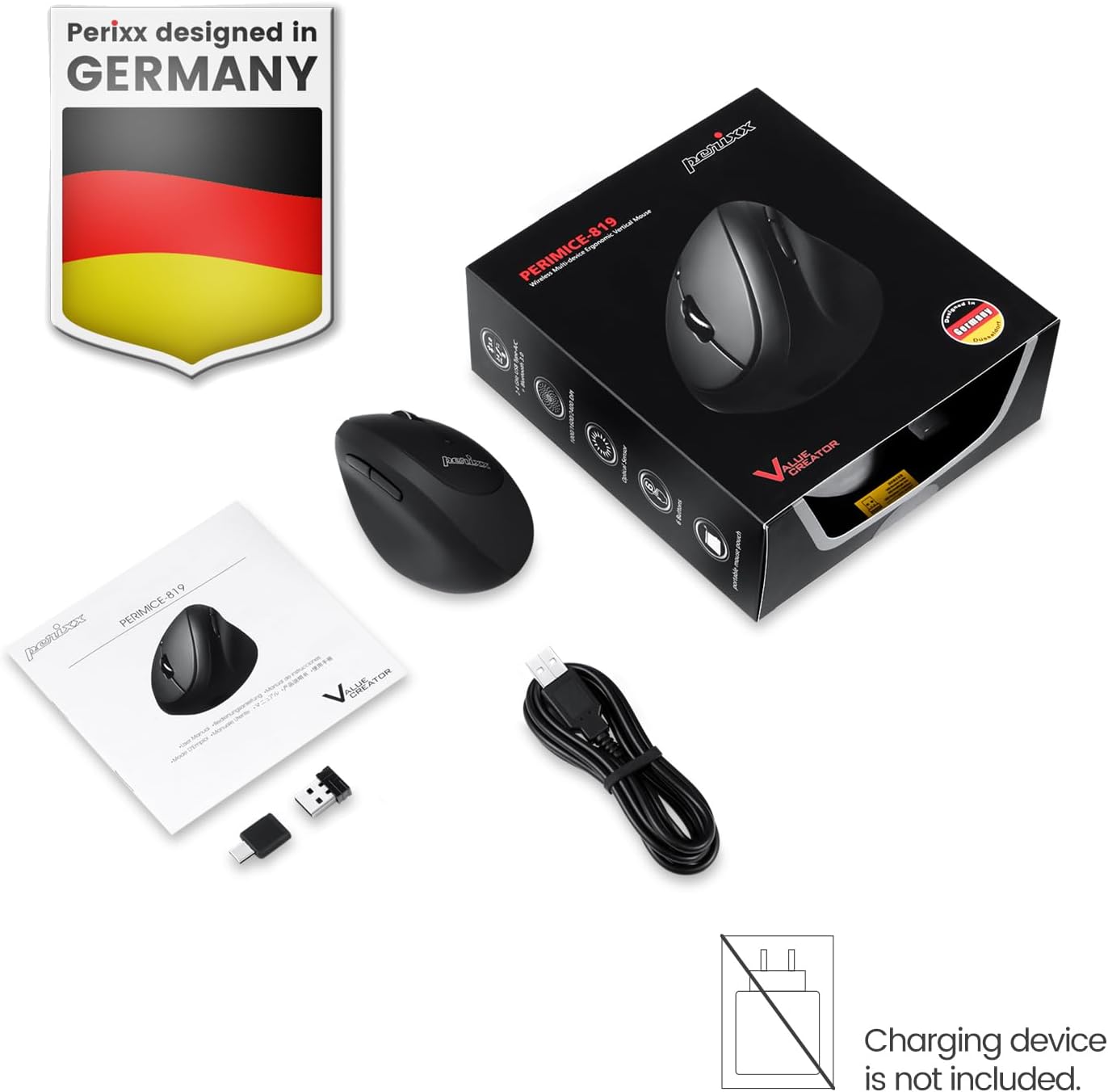
Image: The package includes the mouse, USB-A and USB-C receivers, a charging cable, and the user manual.
3. Упутства за подешавање
3.1 Пуњење миша
Before initial use, fully charge the mouse. Connect the provided charging cable to the mouse's charging port and to a USB power source. The LED indicator will show charging status. A full charge can last up to 15 days with typical use (4 hours/day).

Image: Connect the mouse to a USB port using the charging cable to recharge its internal battery.
3.2 Повезивање миша
The PERIMICE-819B offers three wireless connection methods:

Image: The bottom of the mouse displays the connectivity switch and receiver storage.
- 2.4 GHz Wireless (USB-A or USB-C Receiver):
- Locate the USB-A or USB-C receiver stored in the mouse's bottom compartment.
- Plug the desired receiver into an available USB port on your computer.
- Укључите миш помоћу прекидача УКЉУЧЕНО/ИСКЉУЧЕНО који се налази на дну.
- Миш би требало да се аутоматски повеже.
- Блуетоотх веза:
- Turn on the mouse using the ON/OFF switch.
- Press the 'Connect' button on the bottom of the mouse to enter Bluetooth pairing mode. The LED indicator will flash.
- На свом уређају (рачунару, таблету, паметном телефону) идите на подешавања Bluetooth-а и потражите нове уређаје.
- Select "PERIMICE-819B" from the list of available devices to pair.

Image: The mouse supports Bluetooth, 2.4 GHz USB-A, and 2.4 GHz USB-C wireless connections.
4. Упутство за употребу
4.1 ДПИ подешавање
The PERIMICE-819B features an adjustable DPI (Dots Per Inch) switch, allowing you to change the mouse cursor speed and sensitivity. Press the DPI button, located behind the scroll wheel, to cycle through the available settings: 1000, 1600, and 2400 DPI. Choose the setting that best suits your task and preference.
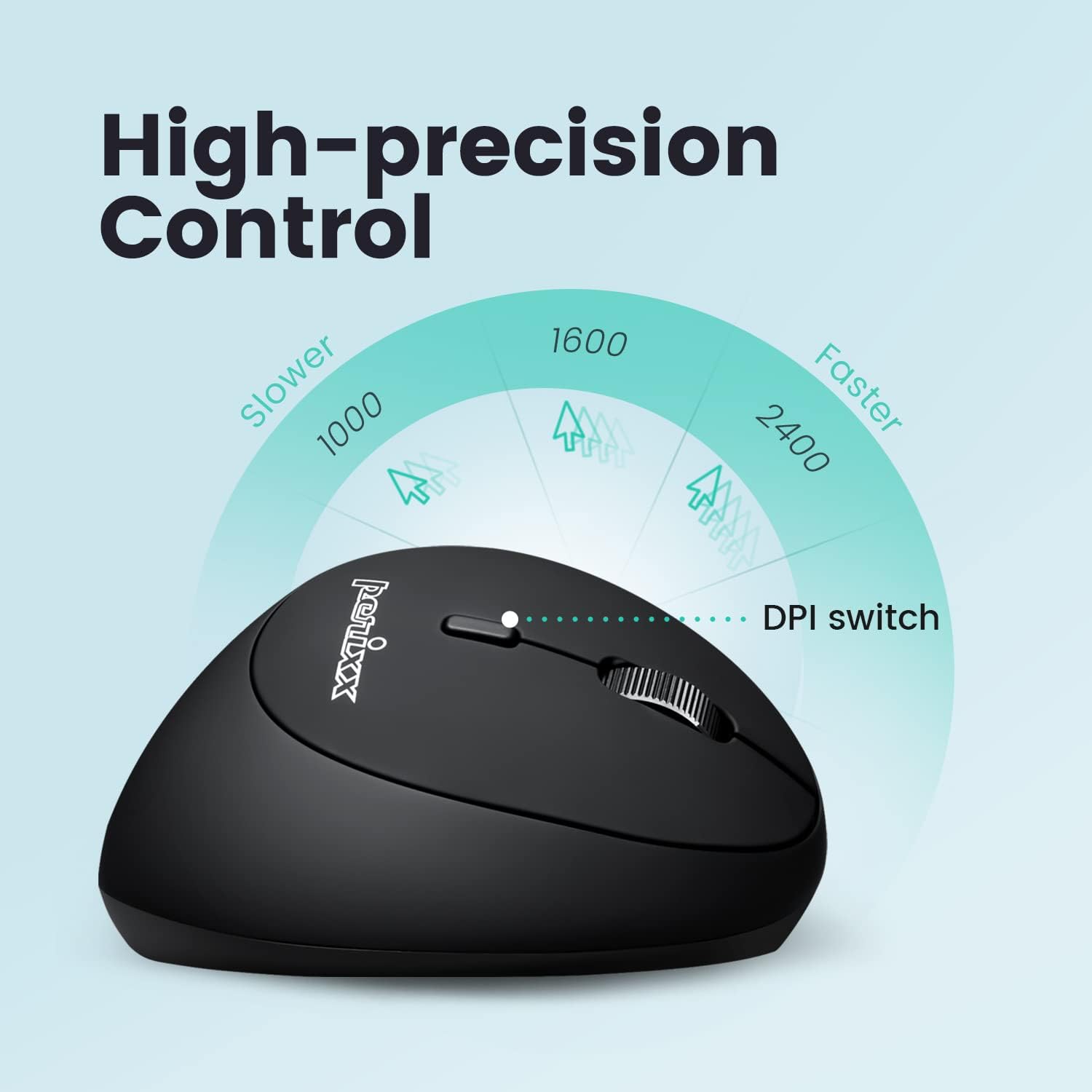
Image: Adjust the mouse sensitivity using the DPI switch for optimal control.
4.2 Дугмад са тихим кликом
The left and right mouse buttons are designed for silent clicking, providing a quiet working environment.
4.3 Дугмад за навигацију
The mouse includes convenient forward and backward buttons located on the side, typically operated by the thumb. These buttons allow for quick navigation in web претраживачи и file истраживачи. Note: Forward and backward buttons may not be fully functional on macOS.

Image: Use the side buttons for quick page navigation (backward and forward).
5. Одржавање
5.1 Управљање батеријом
The PERIMICE-819B features a built-in rechargeable Li-Po 300mAh battery. To conserve power, the mouse will automatically enter sleep mode after a period of inactivity. Move the mouse or click a button to wake it up. Recharge the mouse when the battery indicator shows low power to ensure uninterrupted use.
5.2 Чишћење
За чишћење миша користите меку, суву крпу. Избегавајте употребу јаких хемикалија или абразивних материјала који би могли оштетити површину.
КСНУМКС. Решавање проблема
- Миш не реагује:
- Уверите се да је миш укључен.
- Проверите ниво батерије и напуните ако је потребно.
- For 2.4 GHz connection, ensure the receiver is securely plugged into a USB port. Try a different USB port.
- За Bluetooth везу, уверите се да је Bluetooth омогућен на вашем уређају и да је миш правилно упарен. Покушајте поново да упарите.
- Cursor movement is erratic or stops:
- Ensure the mouse sensor is clean and free from obstructions.
- Use the mouse on a suitable surface (e.g., a mouse pad).
- Проверите да ли је батерија празна.
- Interference from other wireless devices can affect performance. Try moving closer to the receiver or device.
- DPI setting not changing:
- Уверите се да притискате исправно дугме за прекидач DPI.
- The change in cursor speed should be noticeable. If not, try restarting the mouse and your device.
7. Спецификације
| Феатуре | Детаљ |
|---|---|
| Број модела | PERIMICE-819 (12013) |
| Технологија повезивања | Bluetooth, 2.4 GHz Radio Frequency (USB-A, USB-C) |
| Откривање покрета | Оптицал |
| ДПИ подешавања | 1000 / 1600 / 2400 |
| Посебне карактеристике | Ergonomic Design, Portable, Rechargeable, Silent-Click |
| Тип батерије | Built-in Li-Po 300mAh |
| Просечно трајање батерије | Up to 60 hours (approx. 15 days at 4 hours/day) |
| Тежина артикла | 2.93 унци |
| Димензије производа (ДкШкВ) | 4.5 к 2.64 к 2.28 инча |
| Боја | Црно |
| Компатибилност | Windows OS, Linux Ubuntu 16.04, Chromebook, iPadOS, Android, Amazon Fire Tablet. Partial compatibility with macOS (forward/backward buttons not available). |
8. Гаранција и подршка
Perixx products typically come with a manufacturer's warranty. For specific warranty details, please refer to the warranty information included with your purchase or visit the official Perixx website. For technical support, product inquiries, or assistance with troubleshooting, please contact Perixx customer service through their official channels.
Произвођач: Перикк Цомпутер ГмбХ
Webсајт: ввв.перикк.цом