
CHESONA CHESONA-001
CHESONA Wireless/Wired Dual-Mode Keyboard User Manual
Model: CHESONA-001
1. Производ је готовview
The CHESONA Wireless/Wired Dual-Mode Keyboard is designed for seamless integration with Apple devices, offering both Bluetooth 5.1 wireless and USB-C wired connectivity. It features a full-size layout with a number pad and customizable function keys, optimized for MacOS, iPadOS, and iOS. The ultra-slim design incorporates quiet scissor-switch keys and includes a waterproof silicone membrane for protection.
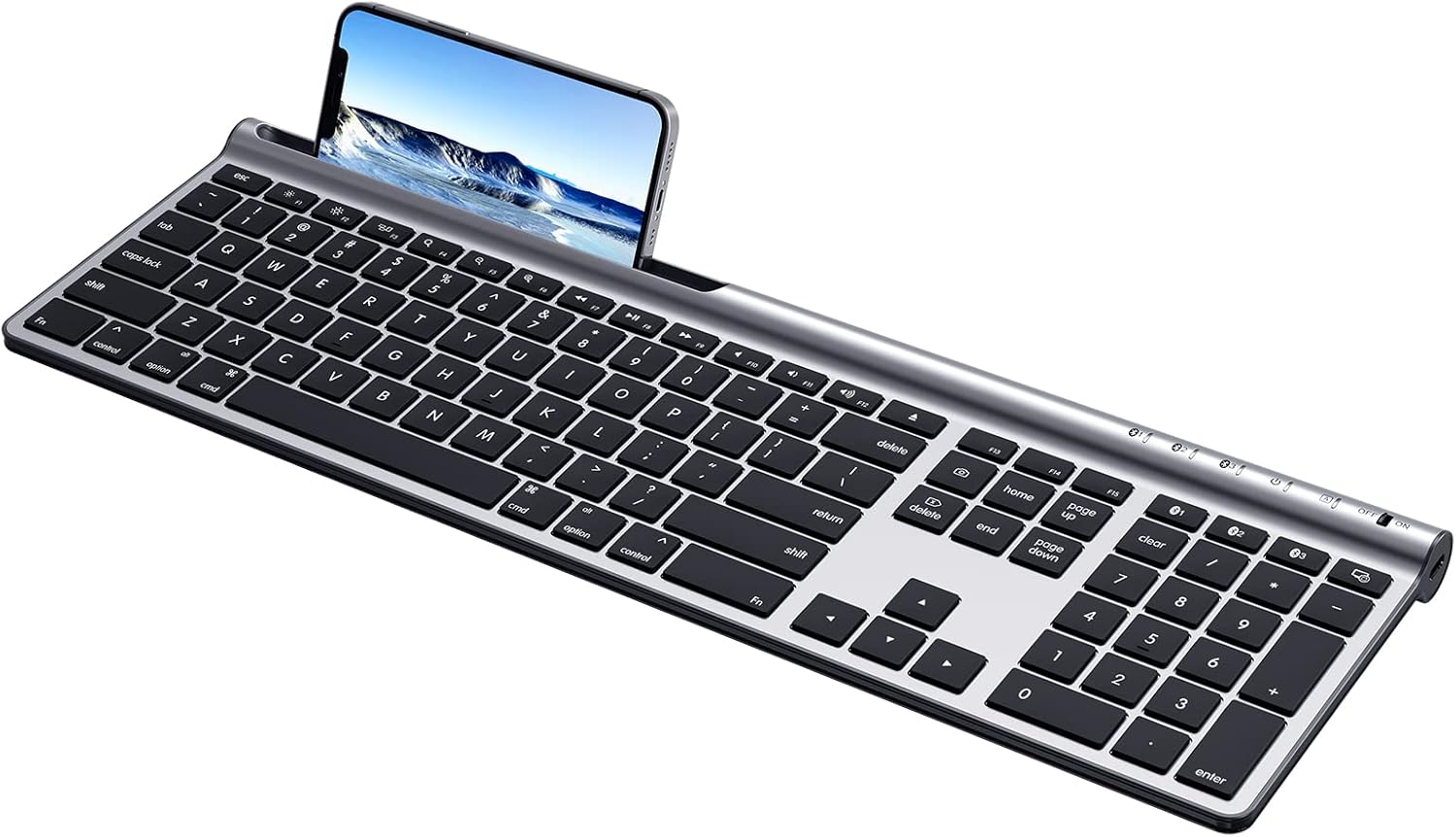
Image: The CHESONA Wireless Keyboard, showcasing its full-size layout and integrated slot for a smartphone or tablet.
2. Садржај пакета
Молимо вас да проверите да ли су све ставке присутне у пакету:
- 1 × CHESONA Full-Size Keyboard for Mac OS
- 1 × USB-A на USB-C кабл за пуњење
- 1 × Silicone Keyboard Cover
- 1 × Упутство за употребу (овај документ)

Image: The CHESONA keyboard, USB-A to USB-C charging cable, and user manual as included in the package.
3. Карактеристике
- Двоструко повезивање: Supports Bluetooth 5.1 wireless connection and USB-A to USB-C wired connection.
- Упаривање више уређаја: Connects to up to three Bluetooth devices simultaneously, allowing quick switching.
- Mac OS/iOS Compatibility: Optimized for Mac OS 10.0 and above, and iOS 9.2 and above.
- Пуњива батерија: Built-in 280 mAh lithium battery, rechargeable via USB-C.
- Изглед у пуној величини: Includes a dedicated number pad for efficient data entry.
- Прилагодљиви функционални тастери: Fn 13, Fn 14, and Fn 15 keys can be customized via operating system settings.
- Responsive Scissor-Switch Keys: Provides a quiet and tactile typing experience.
- Ултра-танак дизајн: Constructed from ABS, silicone, and galvanized sheet for durability and portability.
- Водоотпорна мембрана: Includes a silicone cover to protect against accidental liquid spills.
4. Подешавање
4.1 Пуњење тастатуре
The keyboard is equipped with a 280 mAh lithium battery. Before first use, or when the battery indicator is low, charge the keyboard using the provided USB-A to USB-C charging cable.
- Connect the USB-C end of the cable to the Type-C charging port on the keyboard (located on the right side).
- Повежите USB-A крај кабла са извором напајања (нпр. USB портом рачунара, USB адаптером за зид).
- A full charge typically takes less than 2 hours and provides up to 110 hours of continuous use.

Image: The Type-C charging port on the side of the keyboard, with the charging cable inserted.
4.2 Бежична (Bluetooth) веза
The keyboard can connect to up to three devices wirelessly via Bluetooth 5.1.
- Turn on the keyboard using the ON/OFF switch located on the right side.
- Press and hold one of the Bluetooth channel keys (BT1, BT2, or BT3) for 3-5 seconds until its indicator light flashes rapidly. This indicates pairing mode.
- On your device (Mac, iPad, iPhone), go to Bluetooth settings and select "CHESONA Keyboard" from the list of available devices.
- Once paired, the indicator light for the selected channel will stop flashing and remain solid for a few seconds before turning off.
- Repeat these steps for up to two additional devices using the other BT channel keys.

Image: Illustration of the keyboard's multi-device Bluetooth connectivity, showing connections to an iMac, MacBook, and iPad.
4.3 Жична веза
The keyboard can also be used with a wired connection.
- Connect the USB-C end of the provided cable to the Type-C port on the keyboard.
- Повежите УСБ-А крај кабла са УСБ-А портом на рачунару.
- The keyboard will be recognized automatically by your device.

Image: The keyboard connected to a device via its USB-C port, illustrating the wired connection capability.
5. Упутство за употребу
5.1 Пребацивање између уређаја
If you have paired the keyboard with multiple devices via Bluetooth, you can switch between them by pressing the corresponding Bluetooth channel key:
- Притисните БТ1 to connect to the first paired device.
- Притисните БТ2 to connect to the second paired device.
- Притисните БТ3 to connect to the third paired device.

Image: The keyboard shown connected to a laptop, monitor, and smartphone, illustrating the multi-device switching function using BT1, BT2, and BT3 keys.
5.2 Function Keys (Fn)
The keyboard features a full row of Fn-function keys designed for Mac OS. These keys provide quick access to various system functions.
- Standard Fn Keys: F1-F12 perform their designated Mac OS functions (e.g., volume control, media playback).
- Прилагодљиви тастери: Fn 13, Fn 14, and Fn 15 can be assigned custom functions through your Mac OS or iOS settings to enhance workflow.
- Напомена: On Mac mini/Studio/Pro, the brightness adjustment functions (F1/F2) may not be supported. Other Fn keys will function normally.

Image: A visual representation of the keyboard's function key layout, indicating the standard and customizable Fn keys.
5.3 Аутоматски режим спавања
To conserve battery life, the keyboard will enter sleep mode if not used for more than 30 minutes. To wake it up, simply press any key.
6. Одржавање
6.1 Чишћење и заштита
The keyboard comes with a waterproof silicone membrane to protect against spills and dust.
- Редовно чистите површину тастатуре меком, сувом крпом.
- For spills, ensure the silicone cover is properly placed over the keys. If liquid gets under the cover, remove the cover, gently wipe the keys and surface with a damp cloth, and allow to dry completely before reattaching the cover or using the keyboard.
- Избегавајте употребу јаких хемикалија или абразивних материјала за чишћење.

Image: The CHESONA keyboard with its transparent silicone waterproof cover in place, demonstrating protection against liquid spills.
КСНУМКС. Решавање проблема
- Тастатура се не повезује преко Bluetooth-а:
- Уверите се да је тастатура укључена и потпуно напуњена.
- Make sure the correct BT channel key (BT1, BT2, or BT3) is selected and flashing, indicating pairing mode.
- Check that Bluetooth is enabled on your device and that the keyboard is within the 10-meter (33ft) range.
- Покушајте да раскинете упаривање и поново упарите тастатуру из подешавања Блутут везе на уређају.
- Тастери не реагују:
- Проверите ниво батерије и по потреби напуните тастатуру.
- Ensure the keyboard is properly connected (either via Bluetooth or wired USB-C).
- If using wired connection, try a different USB port on your computer.
- Поново покрените уређај.
- Brightness adjustment (F1/F2) not working on Mac mini/Studio/Pro:
- This is a known compatibility limitation for these specific Mac models. Other Fn keys should function as expected.
8. Спецификације
| Број модела | CHESONA-001 |
| Технологија повезивања | Bluetooth 5.1, USB-C жични |
| Компатибилни уређаји | MacBook Air/Pro, iMac, Mac mini/Studio/Pro, iPad, iPhone, etc. |
| Подршка за оперативни систем | Mac OS 10.0+, iOS 9.2+ |
| Тип батерије | Литхиум Полимер |
| Капацитет батерије | 280 мАх |
| Порт за пуњење | УСБ-Ц |
| Континуирано радно време | До 110 сати (са пуним пуњењем) |
| Димензије производа | 12.01 к 9.88 к 1.28 инча (30.5 к 25.1 к 3.25 цм) |
| Тежина артикла | 1.57 фунте (0.71 кг) |
| Материјал | ABS, Silicone, Galvanized Sheet |
| Посебне карактеристике | Rechargeable, Waterproof (with cover), Multi-Device Support |
| Боја | Сребрно црна |
9. Гаранција и подршка
For warranty information and technical support, please refer to the official CHESONA website or contact their customer service directly. Details are typically provided on the product packaging or the manufacturer's webсајту.
Можете посетити ЧЕСОНА продавница на Амазону за више информација.