
FLITI Galaxy Projector Instruction Manual
Model: galaxy projector-1
Важне информације о безбедности
Please read all safety instructions carefully before operating this product. Failure to follow these instructions may result in injury or damage to the product.
- Надзор одраслих: Do not allow children to operate this product alone.
- Наменска употреба: This product is designed for indoor use in night or dark environments. Outdoor use, or use in daylight or strong light conditions, will significantly affect the projection effect.
- Отпорност на воду: The product has an IP20 waterproof rating, meaning it is suitable for dry environments only. Avoid exposure to water or damp условима.
- Радна температура: The recommended operating temperature range is 0-45°C (32-113°F). Operation outside this range, especially in excessively high or low temperatures, may cause the product to malfunction or the laser to not illuminate.
- Адаптер за напајање: Use only a DC5V/2A power adapter with this product. Using an adapter with incorrect voltage or current may damage the laser module and shorten the product's service life.
- Физичко руковање: Avoid dropping or subjecting the device to strong impacts, as this may damage the internal laser module.
- Normal Operation Noise: A slight noise may be heard when the internal motor rotates. This is normal and does not indicate a quality defect.

Производ је завршенview
The FLITI Galaxy Projector creates a captivating visual experience with its nebula and galaxy projections. It features a wide coverage area, integrated Bluetooth speaker, white noise functions, and various lighting modes to enhance any room.

Кључне карактеристике:
- Dynamic Galaxy & Nebula Projections: Projects sci-fi nebula shapes and dreamy galaxy patterns.
- Опсежна покривеност: Designed to illuminate an entire room, not just the ceiling.
- Интегрисани Bluetooth звучник: Connect your device to play music.
- White Noise Functionality: Provides soothing sounds for relaxation.
- Подесива подешавања: Includes timing, brightness adjustment, and various lighting modes.
- даљински управљач: Погодан рад са удаљености.

Сетуп
- Распакивање: Carefully remove the galaxy projector and its accessories from the packaging. Ensure all components, including the projection lamp and base, are present.
- Пласман: Place the projector on a stable, flat surface. For optimal projection, position it in the center of the room or at a desired angle to cover the intended area. The projector's base allows for adjustable light direction.
- Прикључак за напајање: Connect the provided DC5V/2A power adapter to the projector's power input port. Plug the adapter into a standard electrical outlet.
- Почетно укључивање: Притисните дугме за напајање на пројектору или даљинском управљачу да бисте укључили уређај.
Упутство за употребу
Basic Controls (via Projector Buttons or Remote Control):
- Укључивање/искључивање: Притисните дугме за напајање да бисте укључили или искључили пројектор.
- Светлосни режими: Cycle through various galaxy and nebula projection modes.
- Подешавање осветљености: Adjust the intensity of the projected light.
- Брзина ротације: Control the speed of the galaxy/nebula rotation.
- Функција тајмера: Set an automatic shut-off timer (e.g., 1H/2H/4H options may be available).

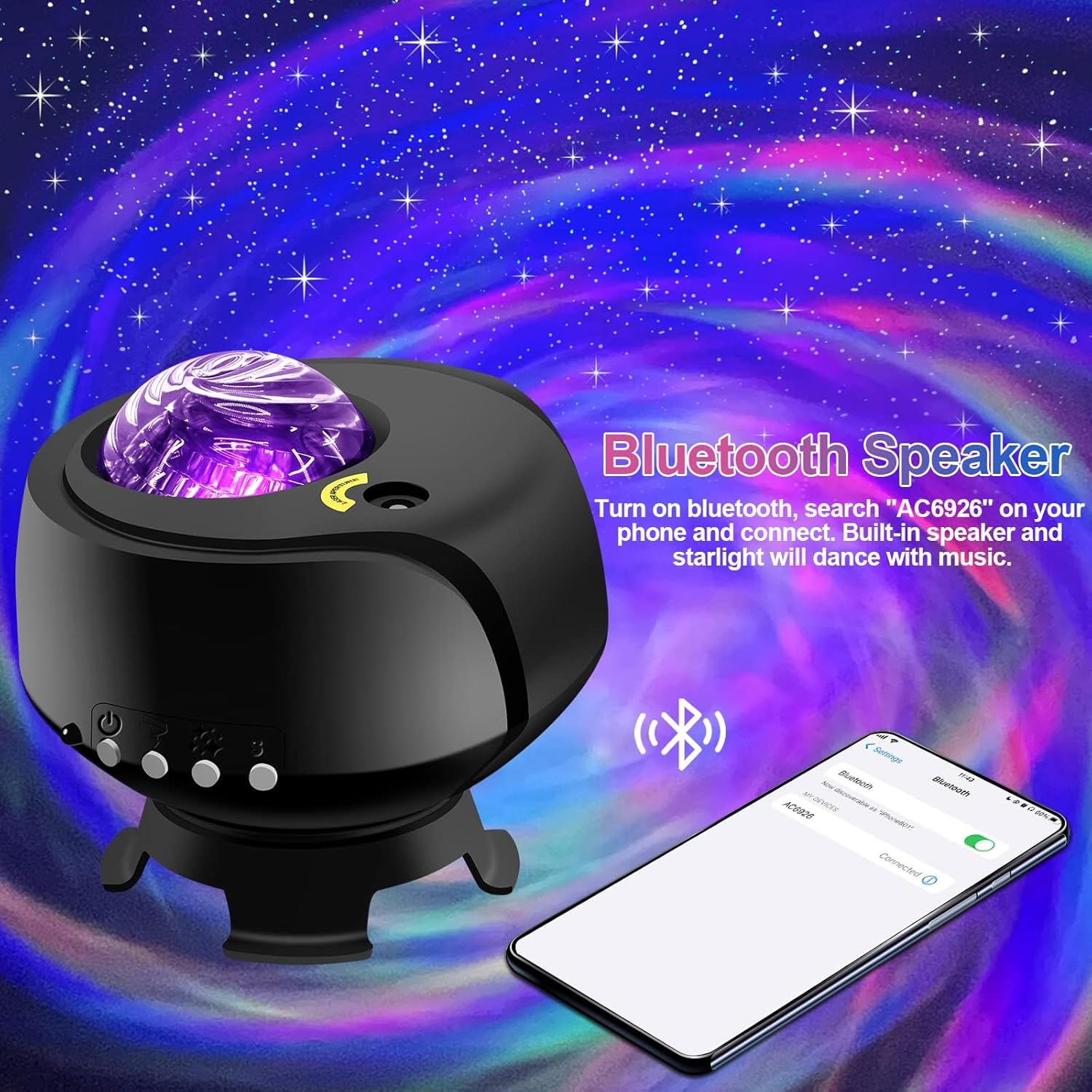
Функција Блуетоотх звучника:
- Уверите се да је пројектор укључен.
- На свом мобилном уређају омогућите Блуетоотх и потражите доступне уређаје.
- Select the device named "AC6926" to pair.
- Once connected, you can play audio through the projector's built-in speaker. The projected starlight can synchronize with the music.
White Noise Function:
The projector includes a white noise feature to aid relaxation or sleep. Refer to the remote control or projector buttons for specific controls to activate and select white noise sounds.
Одржавање
- Чишћење: Disconnect the power before cleaning. Use a soft, dry cloth to wipe the exterior of the projector. Do not use abrasive cleaners, solvents, or excessive moisture, as these can damage the finish or internal components.
- Нега сочива: Gently wipe the projection lens with a soft, lint-free cloth to ensure clear projection.
- Складиштење: When not in use for extended periods, store the projector in a cool, dry place, away from direct sunlight and extreme temperatures. Keep it in its original packaging if possible to protect it from dust and impacts.
Решавање проблема
- Projector Does Not Turn On:
- Уверите се да је адаптер за напајање безбедно повезан и са пројектором и са исправном електричном утичницом.
- Verify that you are using the correct DC5V/2A power adapter.
- Check if the power button on the projector or remote control is functioning.
- No Projection / Dim Projection:
- Ensure the room is sufficiently dark. The product is designed for optimal performance in low-light conditions.
- Adjust the brightness settings using the remote control or projector buttons.
- Check if the projection lens is clean and free from obstructions.
- Verify the ambient temperature is within the recommended 0-45°C range.
- Проблеми са Блуетоотх везом:
- Ensure the projector is powered on and in Bluetooth pairing mode.
- Make sure your mobile device's Bluetooth is enabled and within range.
- Покушајте да раскинете упаривање и поново упарите уређај.
- Поново покрените и пројектор и мобилни уређај.
- Бука мотора:
- A slight noise during motor rotation is normal and not a defect. If the noise is excessive or unusual, contact customer support.
Спецификације
| Феатуре | Спецификација |
|---|---|
| Број модела | галаксијски пројектор-1 |
| Бранд | ФЛИТИ |
| Боја | Црно |
| Облик | Звезда |
| Материјал | Пластика |
| Финисх Типе | Пројектор |
| Тип извора светлости | ЛЕД |
| Извор напајања | Цордед Елецтриц |
| Волtage | 240 Волтс |
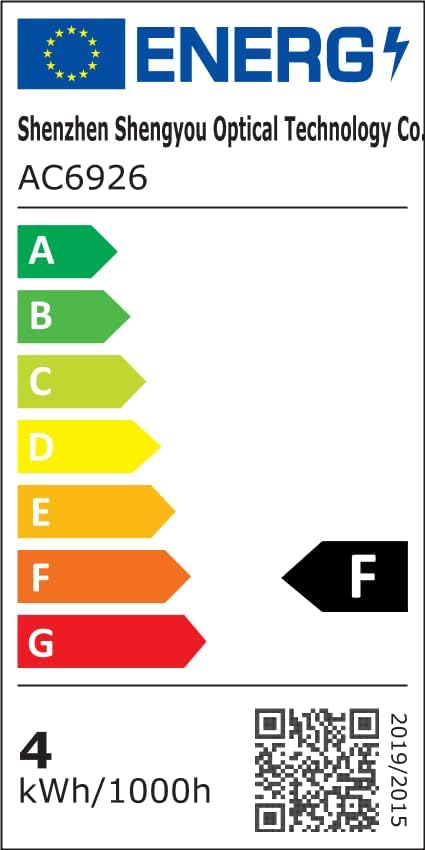
| Ватtage | 4 вати |
| Димензије производа | 5.5 cm D x 4 cm Š x 5.1 cm V |
| Тежина артикла | 13.1 унци (370 грама) |
| Укључене компоненте | Пројекција Л.amp, Басе |
| Посебне карактеристике | Промена боје |
| Свитцх Стиле | Ремоте |
| УПЦ | 199284591172 |
Информације о енергетској ефикасности:
Гаранција и подршка
FLITI is committed to providing high-quality products and customer satisfaction. For any questions, concerns, or support needs regarding your Galaxy Projector, please contact the manufacturer directly.
- Произвођач: ФЛИТИ
- Планови заштите: Extended protection plans are available for purchase separately. Please refer to your retailer for details on 3-Year or 4-Year protection plans.
- враћа: Овај производ испуњава услове за политику повраћаја новца/замене у року од 30 дана.