
DOOMAY 5293UK
Упутство за употребу дигиталног будилника DOOMAY
Model: 5293UK
Марка: DOOMAY
1. Увод
Хвала вам на куповиниasing the DOOMAY Digital Alarm Clock. This compact and versatile alarm clock is designed for convenience and readability, featuring an adjustable LCD display, snooze function, weekend mode, and temperature display. This manual will guide you through the setup, operation, and maintenance of your new alarm clock to ensure optimal performance.
2. Безбедносне информације
- Држите уређај даље од воде и окружења са високом влажношћу.
- Избегавајте излагање сата директној сунчевој светлости или екстремним температурама.
- Не покушавајте сами да растављате или поправљате уређај. За сервис се обратите квалификованом особљу.
- Use only the specified battery type (2 x AAA batteries).
- Извадите батерије ако уређај неће бити коришћен дуже време како бисте спречили цурење.
- Држите батерије ван домашаја деце.
3. Садржај пакета
- DOOMAY Digital Alarm Clock (1 unit)
- ААА батерије (2 јединице)
- Кориснички приручник (овај документ)
4. Производ је готовview
Familiarize yourself with the components and controls of your DOOMAY Digital Alarm Clock.
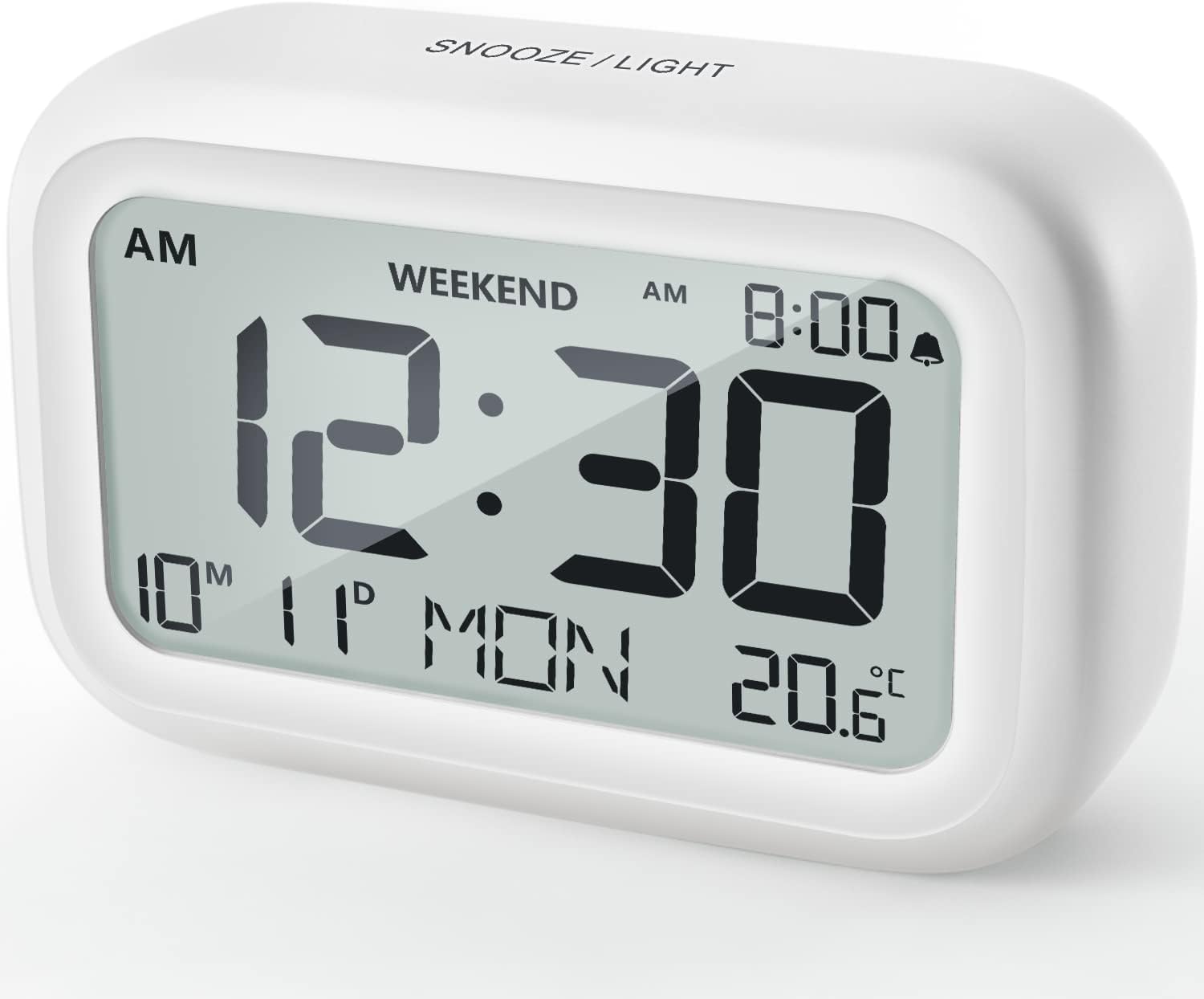
Слика 4.1: Предња страна View of the Alarm Clock
This image displays the front of the DOOMAY Digital Alarm Clock, highlighting its large, clear LCD screen. The screen shows the current time (12:30), AM indicator, day of the week (MON), date (10th month, 11th day), and indoor temperature (20.6°C). The top of the clock has a "SNOOZE/LIGHT" button.

Слика 4.2: Кључне карактеристике изнадview
This diagram illustrates the main functionalities of the alarm clock: 12/24H time display, calendar, alarm setting, adjustable volume, snooze function, backlight, weekend mode, and temperature display. The clock itself is shown on a wooden table, displaying 7:00 AM, Friday, and 28.8 degrees.

Figure 4.3: Back Panel Controls
This image shows the rear of the alarm clock, detailing the various control buttons and the battery compartment. Buttons are clearly labeled for: 12/24H time format, Alarm setting, Weekend mode, Date setting, Minus (-) for decreasing values, Plus (+) for increasing values, and °C/°F for temperature unit selection. The battery compartment is visible, designed for two AAA batteries.
Контроле и екран:
- ЛЦД екран: Shows time, date, day of week, AM/PM indicator, alarm status, and temperature.
- Дугме за ОДЛОМАЊЕ/ОСВЕТЉЕЊЕ (горе): Activates snooze function during alarm; illuminates backlight for 5 seconds.
- 12/24H Button (Back): Пребацује се између 12-часовног и 24-часовног формата времена.
- ALARM Button (Back): Улази у режим подешавања аларма.
- WEEKEND Button (Back): Activates/deactivates weekend mode.
- DATE Button (Back): Enters date setting mode.
- MINUS (-) Button (Back): Decreases values during setting; adjusts alarm volume.
- PLUS (+) Button (Back): Increases values during setting; adjusts alarm volume.
- °C/°F Button (Back): Пребацује се између Целзијусових и Фаренхајтових температурних јединица.
5. Подешавање
5.1 Инсталација батерије
- Отворите поклопац одељка за батерије који се налази на полеђини сата.
- Уметните две (2) ААА батерије, водећи рачуна о исправном поларитету (+ и -).
- Добро затворите поклопац одељка за батерије.
- The display will light up, and the clock will be ready for initial setup. A low battery symbol will appear when batteries need replacement. If the display shows "8888" flashing, it's also an indication to change batteries.
5.2 Почетно подешавање времена и датума
- Подесите време:
- Притисните тастер 12/24Х button to switch between 12-hour (with AM/PM) and 24-hour formats.
- Притисните и држите 12/24Х дугме 3 секунде да бисте ушли у режим подешавања времена. Цифре за сате ће трептати.
- Користите + or - дугмад за подешавање сата.
- Притисните тастер 12/24Х поново притисните дугме да бисте потврдили сат и прешли на подешавање минута. Цифре за минуте ће трептати.
- Користите + or - дугмад за подешавање минута.
- Притисните тастер 12/24Х button one more time to exit time setting.
- Подесити датум:
- Притисните и држите ДАТУМ button for 3 seconds to enter date setting mode. The year digits will flash.
- Користите + or - дугмад за подешавање године.
- Притисните тастер ДАТУМ button again to confirm the year and move to month setting.
- Adjust the month using + or -.
- Притисните ДАТУМ again to move to day setting.
- Adjust the day using + or -.
- Притисните ДАТУМ one more time to exit date setting. The day of the week will automatically adjust.
6. Упутство за употребу
6.1 Подешавање аларма
- Притисните и држите АЛАРМ дугме 3 секунде. Цифре сата аларма ће трептати.
- Користите + or - дугмад да бисте подесили жељени сат аларма.
- Притисните тастер АЛАРМ button again to confirm the hour and move to minute setting. The alarm minute digits will flash.
- Користите + or - buttons to set the desired alarm minute.
- Притисните тастер АЛАРМ button one more time to exit alarm setting. The alarm icon (bell symbol) will appear on the display, indicating the alarm is active.
- To turn the alarm ON/OFF, simply press the АЛАРМ button once. The bell icon will appear/disappear.
6.2 Функција одлагања
Када се аларм огласи, нежно додирните велико СНООЗЕ / СВЕТЛО button on the top of the clock. The alarm will pause for 9 minutes and then sound again. This can be repeated multiple times.

Figure 6.1: Activating Snooze
This image demonstrates how to activate the snooze function by touching the top of the alarm clock. The text highlights that this action provides an additional 9 minutes of sleep after the alarm sounds.
To completely turn off the alarm after it sounds (without snoozing), press any button on the back of the clock.
6.3 Weekend Mode
The weekend mode allows the alarm to sound only from Monday to Friday, preventing it from ringing on Saturday and Sunday.

Figure 6.2: Weekend Mode Activated
This image shows the alarm clock display with the "WEEKEND" indicator prominently displayed, signifying that the weekend mode is active. The accompanying text clarifies that in this mode, the alarm will only sound from Monday to Friday, ensuring undisturbed weekends.
- To activate Weekend Mode, press the ВИКЕНД button once. The "WEEKEND" indicator will appear on the display.
- To deactivate Weekend Mode, press the ВИКЕНД button again. The "WEEKEND" indicator will disappear.
6.4 Adjustable Alarm Volume
The alarm clock offers two volume levels: Low (70 dB) and High (85 dB).

Figure 6.3: Alarm Volume Levels
This image visually represents the two available alarm volume settings: L01 (85 dB) for a louder alarm and L02 (70 dB) for a softer alarm. The alarm clock is shown in a bedroom setting, emphasizing its use as a bedside device.
- Док сте у нормалном режиму приказа времена, притисните + or - buttons to cycle between the two alarm volume levels. The current volume level will be briefly displayed.
6.5 Функција позадинског осветљења
To illuminate the display in low light conditions, simply tap the СНООЗЕ / СВЕТЛО button on the top of the clock. The backlight will activate for approximately 5 seconds, providing clear visibility of the time and other information.
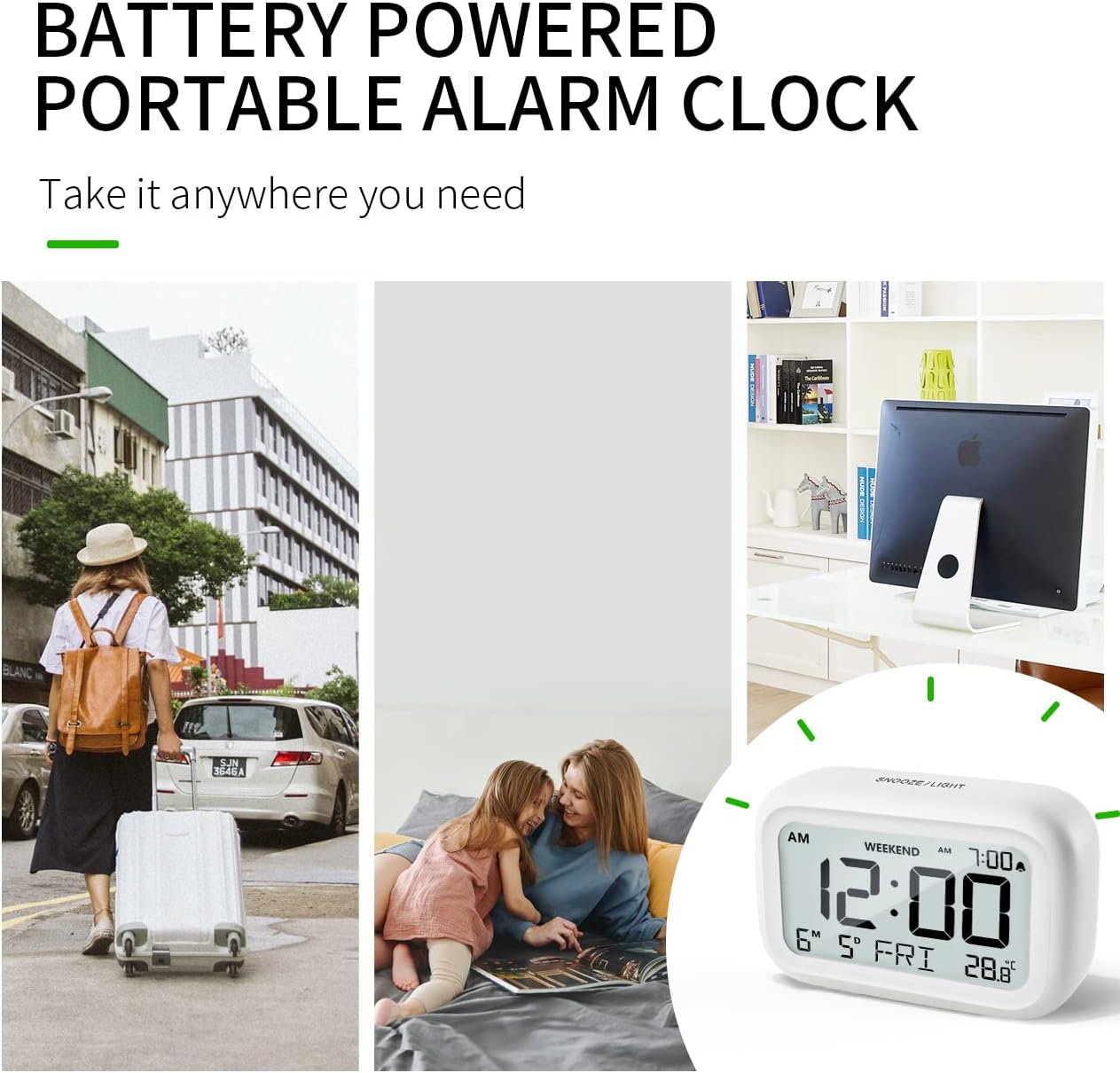
Figure 6.4: Backlight in Action
This image provides a side-by-side comparison of the alarm clock's display. On the left, the clock is shown in a well-lit environment. On the right, the same clock is shown in a dark setting with its 5-second backlight activated, demonstrating how the display becomes clearly visible at night.
6.6 Приказ температуре
The clock displays the indoor temperature. You can switch between Celsius (°C) and Fahrenheit (°F) units.
- To change the temperature unit, press the ° Ц/° Ф дугме на полеђини сата.
7. Одржавање
7.1 Чишћење
Обришите сат меком, сувом крпом. Не користите абразивна средства за чишћење или раствараче, јер могу оштетити површину.
7.2 Замена батерије
When the low battery indicator appears on the display, or if the display shows "8888" flashing, it is time to replace the batteries. Follow the steps in Section 5.1 Battery Installation to replace the two AAA batteries.
КСНУМКС. Решавање проблема
| Проблем | Могући узрок | Решење |
|---|---|---|
| Екран је празан или замагљен. | Батерије су истрошене или неправилно постављене. | Замените батерије новим ААА батеријама, водећи рачуна о исправном поларитету. |
| Аларм се не оглашава. | Alarm is not activated, or Weekend Mode is ON. | Ensure the alarm icon is displayed. Check if Weekend Mode is active and deactivate if necessary. |
| Функција одлагања не ради. | Not tapping the SNOOZE/LIGHT button correctly. | Ensure a firm, brief tap on the top SNOOZE/LIGHT button when the alarm is sounding. |
| Време/датум је нетачан. | Not set correctly or batteries were removed. | Refer to Section 5.2 Initial Time and Date Setting to re-set. |
9. Спецификације
| Феатуре | Детаљ |
|---|---|
| Број модела | 5293УК |
| Бранд | ДООМАИ |
| Димензије (Д к Ш к В) | КСНУМКС к КСНУМКС к КСНУМКС цм (КСНУМКС к КСНУМКС к КСНУМКС инча) |
| Тежина | 127.01 грама (0.28 лбс) |
| Материјал | акрилонитрил бутадиен стирен (АБС) |
| Извор напајања | 2 к ААА батерије (укључене) |
| Дисплаи Типе | Дигитални ЛЦД |
| Нивои јачине звука аларма | Low (70 dB), High (85 dB) |
| Трајање одлагања | КСНУМКС минута |
| Трајање позадинског осветљења | 5 секунди |
| Јединице температуре | Целзијус (°Ц) / Фаренхајт (°Ф) |
10. Гаранција и подршка
DOOMAY products are designed for reliability and performance. For any questions, technical support, or warranty claims, please contact your retailer or visit the official DOOMAY webсајт за помоћ. Молимо вас да сачувате доказ о куповини због гаранције.
For further information, you may visit the brand's Amazon store page: DOOMAY Store on Amazon
Ask a question about this manual
Ask about setup, troubleshooting, compatibility, parts, safety, or missing instructions. Manuals+ will review the question and use this page’s manual context to help answer it.