
Увод
Thank you for choosing the Senicare Digital LED Alarm Clock. This manual provides detailed instructions for setting up, operating, and maintaining your new alarm clock. Please read this manual thoroughly before use to ensure proper functionality and to maximize your experience with its features, including dual alarms, a 7-color night light, a dimmable display, and a convenient USB charging port.
Безбедносне информације
- Ensure the power adapter is compatible with your local power supply (100-240V AC).
- Не излажите уређај води или прекомерној влажности.
- Избегавајте постављање сата на директно сунчево светло или близу извора топлоте.
- Користите само испоручени адаптер за напајање.
- Чувати ван домашаја мале деце.
- Не покушавајте сами да растављате или поправљате уређај. Уколико се појаве проблеми, обратите се корисничкој подршци.
- Insert batteries correctly, observing polarity (+/-).
Садржај пакета
- Senicare Digital LED Alarm Clock (Model KT279)
- Повер Адаптер
- УСБ кабл за пуњење
- Кориснички приручник (овај документ)

Figure 1: Senicare Digital LED Alarm Clock and included accessories.
Производ је завршенview
Фронт View
The front of the clock features a large LED display for time, and indicators for PM, Alarm 1, and Alarm 2.
Врх View (Контроле)
The top panel houses the main control buttons and the integrated night light bar.
- ALT SET: Alarm 1 Set button.
- AL2 SET: Alarm 2 Set button.
- ВРЕМЕ: Time setting button.
- БОЈА: Night light color selection button.
- ОДЛАГАЊЕ / СВЕТЛО: Snooze function and night light on/off.
- HOUR +: Adjusts hour, increases alarm volume.
- MIN -: Adjusts minute, decreases alarm volume.
Сиде View (Ports & Dimmer)
The side of the clock includes the power input, USB charging port, and display dimmer slider.
- ДЦ 5В порт за напајање: Повезује се на адаптер за напајање.
- USB Charging Port (5V-1A): За пуњење екстерних уређаја.
- ДИММЕР ЕКРАНА: Slider to adjust the brightness of the time display (0-100%).
Дно View (Battery Compartment)
The bottom of the clock contains the battery compartment for backup power.

Слика 2: Задња страна view highlighting the USB charging port and power input.

Figure 3: Battery compartment for backup power.
Сетуп
1. Прикључак за напајање
- Connect the provided power adapter to the DC 5V Power Port on the back of the clock.
- Plug the power adapter into a standard 100-240V AC wall outlet.
- ЛЕД дисплеј ће се упалити, што указује да је сат укључен.
2. Резервна батерија (опционо)
За моћ оуtage protection, install 2 x AAA batteries (not included) into the battery compartment on the bottom of the clock. This will preserve time and alarm settings during a power interruption, though the display will go black.

Figure 4: The clock retains settings during power outages with battery backup.
Упутство за употребу
1. Подешавање времена
- Притисните и држите ВРЕМЕ дугме док цифре сати не почну да трепћу.
- Притисните тастер САТ + dugme za podešavanje sata.
- Притисните тастер MIN - dugme za podešavanje minuta.
- Притисните тастер ВРЕМЕ поново притисните дугме да бисте потврдили и изашли из режима подешавања времена.
2. Setting Dual Alarms (Alarm 1 & Alarm 2)
The clock features two independent alarms for different schedules.
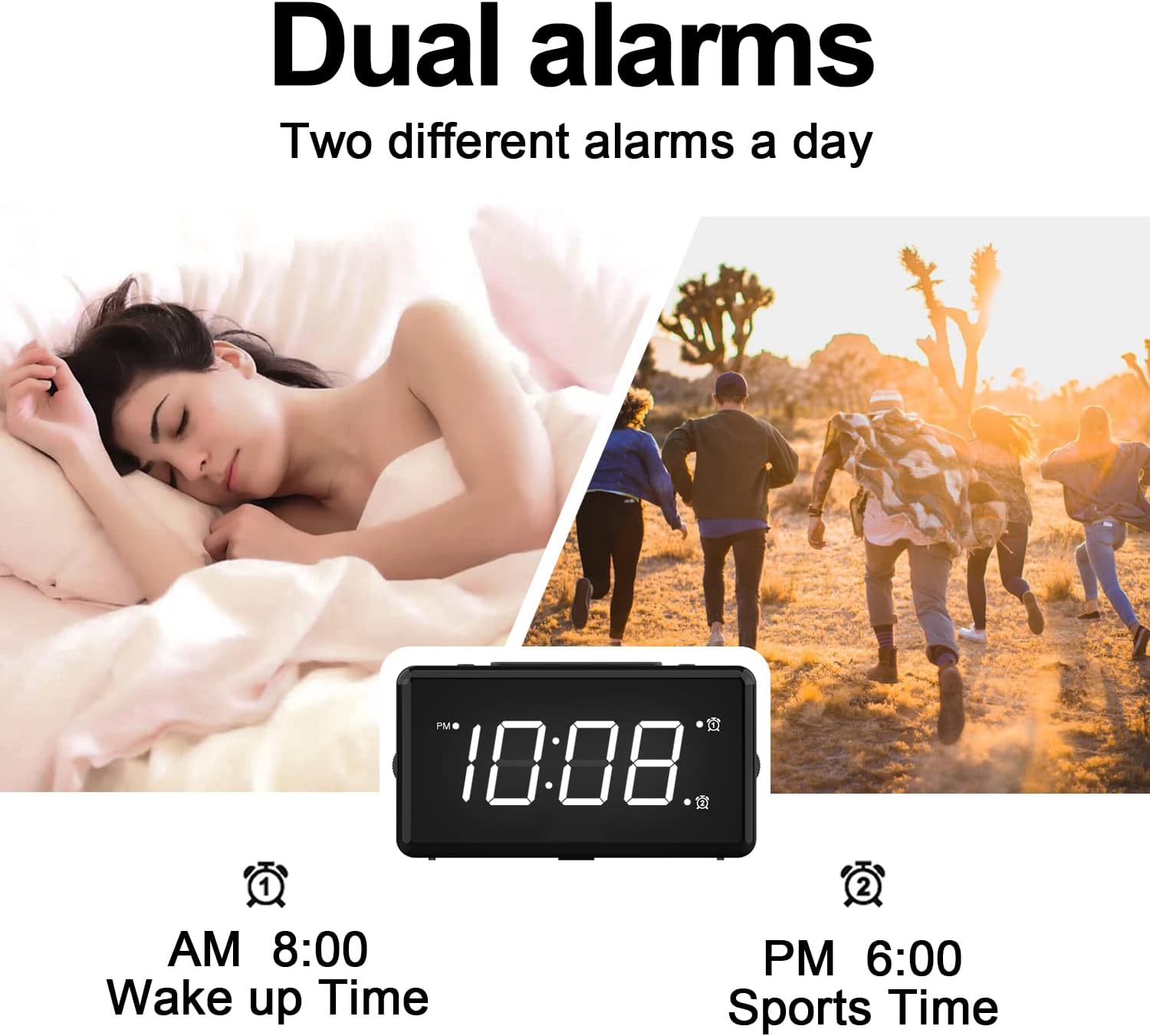
Слика 5: Прample of dual alarm functionality.
- To Set Alarm 1: Притисните и држите ALT SET button until the hour digits for Alarm 1 flash.
- Користите САТ + и MIN - дугмад да бисте подесили жељено време аларма.
- Притисните ALT SET again to confirm and activate Alarm 1. The Alarm 1 indicator will appear on the display.
- To Set Alarm 2: Follow the same steps using the AL2 СЕТ дугме.
- To turn an alarm on or off, briefly press the corresponding ALT SET or AL2 СЕТ дугме. Индикатор аларма ће се појавити/нестати.
3. Функција одлагања
Када се огласи аларм, притисните велико СНООЗЕ / ЛИГХТ button on top of the clock to activate the 9-minute snooze function. The alarm will sound again after 9 minutes.

Figure 6: The SNOOZE / LIGHT button for snooze functionality.
4. Подешавање осветљености екрана
The clock features a 0-100% full-range dimmer for the LED time display. Use the ДИСПЛАИ ДИММЕР slider located on the side of the clock to adjust the brightness to your preference.

Figure 7: Adjusting display brightness with the dimmer slider.
5. Night Light Features
The integrated night light offers 7 different colors and adjustable brightness.

Figure 8: The 7-color night light feature.
- Промена боја: Кратко додирните ЦОЛОР button to cycle through the 7 available colors.
- Color Loop Mode: Притисните и држите ЦОЛОР button for 2 seconds to enter a continuous color-changing loop.
- Turning Off Night Light: Притисните тастер СНООЗЕ / ЛИГХТ button to turn the night light off.
- Adjusting Night Light Brightness: The night light brightness can also be adjusted from 0-100% using the ДИСПЛАИ ДИММЕР slider, similar to the main display.
6. Подешавање јачине звука аларма
The alarm volume has 5 adjustable levels, ranging from 45dB to 85dB.
- While an alarm is sounding, or when setting an alarm, press the САТ + дугме за повећање јачине звука.
- Притисните тастер MIN - дугме за смањење јачине звука.

Figure 9: Volume adjustment using HOUR + and MIN - buttons.
7. УСБ порт за пуњење
The clock includes a 5V-1A USB charging port on its side, allowing you to charge small electronic devices like smartphones or tablets while the clock is plugged into power.
Одржавање
- Очистите сат меком, сувом крпом. Не користите абразивна средства за чишћење или раствараче.
- Keep the clock away from dust and moisture.
- If not in use for an extended period, remove the backup batteries to prevent leakage.
Решавање проблема
| Проблем | Могући узрок | Решење |
|---|---|---|
| Приказ сата је искључен. | No power, or display dimmer set to 0%. | Check power connection. Adjust DISPLAY DIMMER slider. |
| Аларм се не оглашава. | Аларм није подешен, јачина звука аларма је прениска или је аларм искључен. | Ensure alarm is set and activated (indicator visible). Increase alarm volume. |
| Време/подешавања изгубљена након нестанка струјеtage. | No backup batteries installed, or batteries are dead. | Install fresh 2 x AAA batteries for backup. |
| УСБ пуњење не ради. | Clock not powered by AC, or device requires more than 1A. | Ensure clock is plugged into AC power. Check device's charging requirements. |
Спецификације
| Феатуре | Детаљ |
|---|---|
| Модел | КТ279 |
| Дисплаи Типе | ЛЕД |
| Извор напајања | Corded Electric (100-240V AC) |
| Баттери Бацкуп | 2 к ААА батерије (нису укључене) |
| УСБ прикључак за пуњење | 5В-1А |
| Нигхт Лигхт Цолорс | 7 боја |
| Дисплаи Диммер | 0-100% подесиво |
| Јачина звука аларма | 5 levels (45dB to 85dB) |
| Трајање одлагања | КСНУМКС минута |
| Димензије производа | 5.91"W x 3.15"H (approx. 150mm x 80mm) |
| Тежина артикла | 11.7 унци |
| Материјал | Пластика |
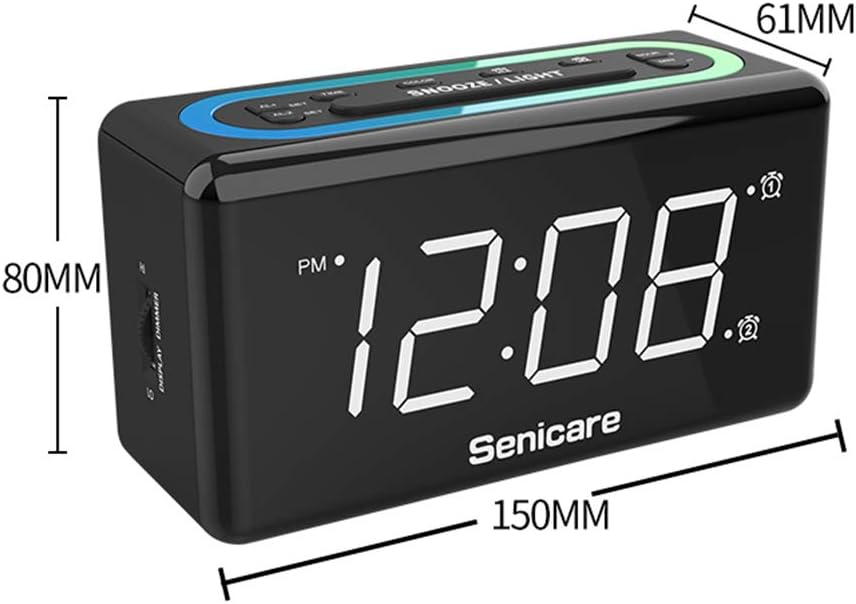
Слика 10: Димензије производа.
Гаранција и подршка
The Senicare Digital LED Alarm Clock comes with a једногодишња гаранцијаТакође нудимо 30-дневна гаранција поврата новца. For any questions or assistance, please contact our customer service team, available 24 сата a day. Your satisfaction is our priority.