
1. Увод
This manual provides detailed instructions for the setup, operation, maintenance, and troubleshooting of your Rampage KB-R29 GRAND Series RGB LED Mechanical Gaming Keyboard. Please read this manual thoroughly before using the product to ensure proper functionality and longevity.
2. Садржај пакета
Проверите да ли су све ставке присутне у пакету:
- Rampage KB-R29 GRAND Series RGB LED Mechanical Gaming Keyboard
- Упутство за употребу
3. Производ је готовview
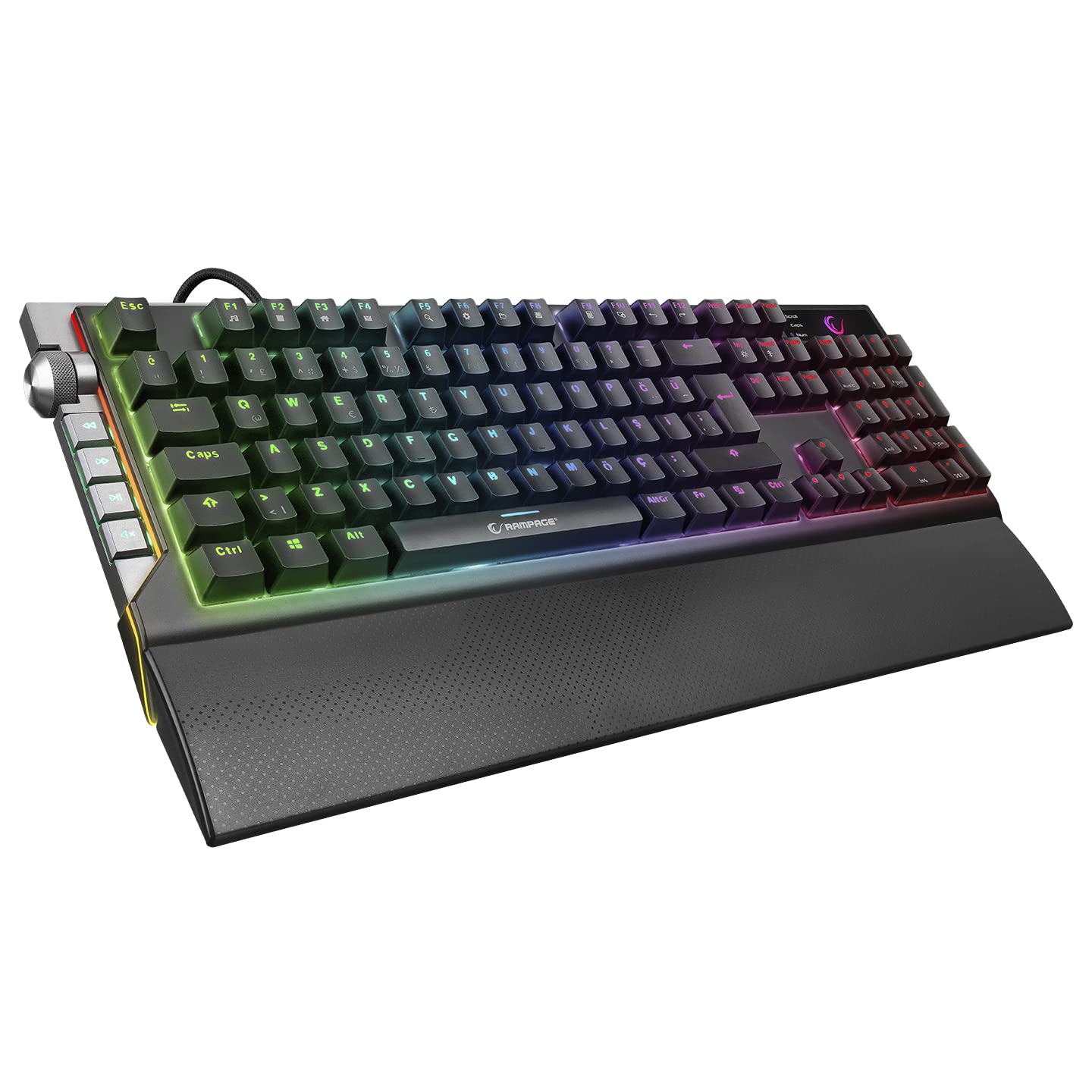
Рampage KB-R29 GRAND is a high-performance mechanical gaming keyboard featuring RGB LED backlighting and durable Blue Optical Switches. It is designed for gaming and general computer use, offering a responsive and tactile typing experience.
Слика: Крупни план view of the Rampage KB-R29 GRAND keyboard, highlighting the Blue Optical Switches beneath removed keycaps. This illustrates the mechanical switch design.
Кључне карактеристике:
- Тип прекидача: Blue Optical Switches for tactile feedback and durability.
- Изглед: Turkish-Q (87 keys).
- Позадинско осветљење: RGB LED customizable lighting.
- Повезивање: Wired USB.
- Димензије: Approximately 445mm x 212.8mm x 33mm.
4. Упутства за подешавање
- Распакујте тастатуру: Пажљиво извадите тастатуру из паковања.
- Повежите се са рачунаром: Укључите УСБ конектор тастатуре у слободан УСБ порт на рачунару.
- Инсталација драјвера: The keyboard is typically plug-and-play. Your operating system should automatically detect and install the necessary drivers. No additional software installation is usually required for basic functionality.
- Пласман: Place the keyboard on a stable, flat surface. Ensure comfortable wrist positioning.
5. Упутство за употребу
Basic Keyboard Functions:
- куцање: Use the keys for standard text input.
- Функцијски тастери (Fn): The keyboard features an Fn key. Combine the Fn key with other keys (e.g., F1-F12) to access multimedia controls or other special functions. Refer to the keycap legends for specific combinations.
RGB LED Backlighting Control:
Рampage KB-R29 GRAND keyboard offers various RGB lighting effects and customization options. Specific key combinations are used to cycle through modes, adjust brightness, and change colors.
- Промена режима осветљења: Typically, a combination of the Fn key and specific function keys (e.g., Fn + F9, Fn + F10) or dedicated lighting keys will cycle through different RGB effects.
- Подешавање осветљености: Use Fn + Up/Down arrow keys or similar combinations to increase or decrease LED brightness.
- Подешавање брзине/правца: Some lighting effects allow adjustment of speed or direction using Fn key combinations.
Напомена: Refer to the keycap legends on your specific keyboard for the exact key combinations for lighting control, as these can vary slightly.
6. Одржавање и њега
- Чишћење:
- Искључите тастатуру из рачунара пре чишћења.
- Користите меку, дamp крпу за брисање површине тастатуре. Избегавајте јаке хемикалије или абразивне материјале.
- За прашину и остатке између тастера користите компримовани ваздух.
- Keycaps can be carefully removed for deeper cleaning, but exercise caution to avoid damaging the switches.
- Складиштење: Store the keyboard in a dry, cool environment away from direct sunlight and extreme temperatures.
- Избегавајте течности: Do not expose the keyboard to liquids. Liquid damage can void the warranty.
- Пажљиво рукујте: Избегавајте испуштање тастатуре или њено излагање јаким ударцима.
КСНУМКС. Решавање проблема
| Проблем | Могући узрок | Решење |
|---|---|---|
| Тастатура не реагује | Лабава УСБ веза, неисправан УСБ порт, проблем са драјвером. |
|
| Кључеви се не региструју | Dust/debris under keycap, switch malfunction. |
|
| РГБ осветљење не ради | Режим осветљења искључен, осветљеност подешена на минимум, софтверски конфликт. |
|
8. Спецификације
| Бранд | Rampстарости |
| Број модела | KB-R29 GRAND |
| Тип прекидача | Blue Optical Switch |
| Број кључева | 87 |
| Лаиоут | турски-К |
| Повезивање | Жичани УСБ |
| Компатибилни уређаји | Лаптоп, десктоп рачунар |
| Димензије (ДкШкВ) | 445 мм к 212.8 мм к 33 мм |
| Боја | Црно |
9. Информације о гаранцији
This product comes with a manufacturer's warranty. Please refer to the warranty card included with your product or contact Rampage customer support for detailed warranty terms and conditions. Keep your purchase receipt as proof of purchase for warranty claims.
10. Подршка
For technical assistance, troubleshooting, or product inquiries, please contact Rampage customer support. Contact information can typically be found on the manufacturer's official webсајту или на паковању производа.
Онлине ресурси: Visit the official Rampстарости website for updated drivers, FAQs, and additional support resources.