1. Увод
The Dzees D3K Solar Security Camera is an advanced wireless outdoor surveillance solution designed for comprehensive home security. It features 2K resolution for clear imaging, 360° pan and 90° tilt capabilities for wide coverage, and is powered by an efficient solar panel for continuous operation. Equipped with intelligent AI detection, color night vision, and an IP66 weather-resistant design, the D3K provides reliable monitoring in various environmental conditions.
Кључне карактеристике:
- 2K PTZ камера: Supports 355° horizontal and 90° vertical rotation with 4X digital zoom for comprehensive coverage.
- Соларни: High-efficiency solar panel ensures continuous power supply, reducing the need for manual charging.
- Паметна АИ детекција: Accurately distinguishes between individuals, packages, vehicles, and animals, minimizing false alarms.
- Функције аларма: Features a loud siren, spotlight, and sound alerts to deter intruders.
- Ноћни вид у боји: Пружа јасан видео у пуној боји чак и у условима слабог осветљења.
- IP66 Отпоран на временске услове: Designed to withstand various weather conditions, ensuring year-round protection.
- Флексибилно складиштење: Supports up to 128GB memory card (not included) and offers 2 years of free 3-day loop cloud storage.
2. Садржај пакета
Молимо вас да проверите садржај пакета након распакивања како бисте били сигурни да су све компоненте присутне:
- Dzees Solar Security Camera
- Солар Панел
- Носач
- Монтажни завртњи и анкери
- УСБ кабл за пуњење
- Кориснички приручник (овај документ)
3. Производ је готовview
Familiarize yourself with the main components of your Dzees Solar Security Camera:

Figure 3.1: Dzees Solar Security Camera D3K and accompanying solar panel.
- Објектив камере: Снима видео у 2K резолуцији.
- рефлектори: Обезбедите осветљење за ноћни вид у боји и одвраћање.
- ПИР сензор: Detects motion based on infrared heat signatures.
- микрофон: Снима звук за двосмерну комуникацију.
- говорник: Емитује звук за двосмерну комуникацију и сирену.
- Solar Panel Port: Connects the solar panel for continuous charging.
- Дугме за ресетовање: Користи се за ресетовање камере на фабричка подешавања.
- Утор за микро СД картицу: For local video storage (supports up to 128GB, card not included).
- Антене: За стабилну Wi-Fi везу.
4. Водич за подешавање
4.1 Почетно пуњење
Before initial use, fully charge the camera using the provided USB cable. Connect the USB cable to the camera's charging port and a standard 5V/2A USB power adapter (not included). A full charge typically takes several hours.
4.2 Инсталација апликације
Download and install the "Dzees Home" app on your smartphone or tablet. The app is available on both the Apple App Store and Google Play Store.

Figure 4.1: The Dzees Home app interface, displaying multiple camera feeds and control options.
- Тражи "Dzees Home" in your device's app store.
- Преузмите и инсталирајте апликацију.
- Региструјте нови налог или се пријавите ако га већ имате.
4.3 Упаривање камере
Follow these steps to connect your camera to your Wi-Fi network and the Dzees Home app:
- Open the Dzees Home app and tap the "+" icon to add a new device.
- Изаберите модел камере са листе.
- Power on the camera. The camera will emit a voice prompt indicating it's ready for pairing.
- Пратите упутства у апликацији да бисте повезали камеру са Wi-Fi мрежом од 2.4 GHz. Note: This camera only supports 2.4GHz Wi-Fi.
- Скенирајте QR код приказан на екрану телефона помоћу објектива камере.
- Once connected, the camera will confirm successful pairing.

Figure 4.2: Illustration of the solar-powered, wire-free setup, emphasizing 2.4GHz WiFi connectivity and solar charging efficiency.
4.4 Монтирање камере
Choose a suitable location for mounting your camera, ensuring it has a clear view of the area you wish to monitor and that the solar panel receives adequate direct sunlight throughout the day.
- Mark the drilling spots using the mounting bracket as a template.
- Drill holes and insert wall anchors if mounting on masonry or drywall.
- Причврстите носач за монтажу на зид помоћу приложених вијака.
- Причврстите камеру на носач за монтажу.
- Connect the solar panel cable to the camera's solar panel port. Position the solar panel to maximize sun exposure.
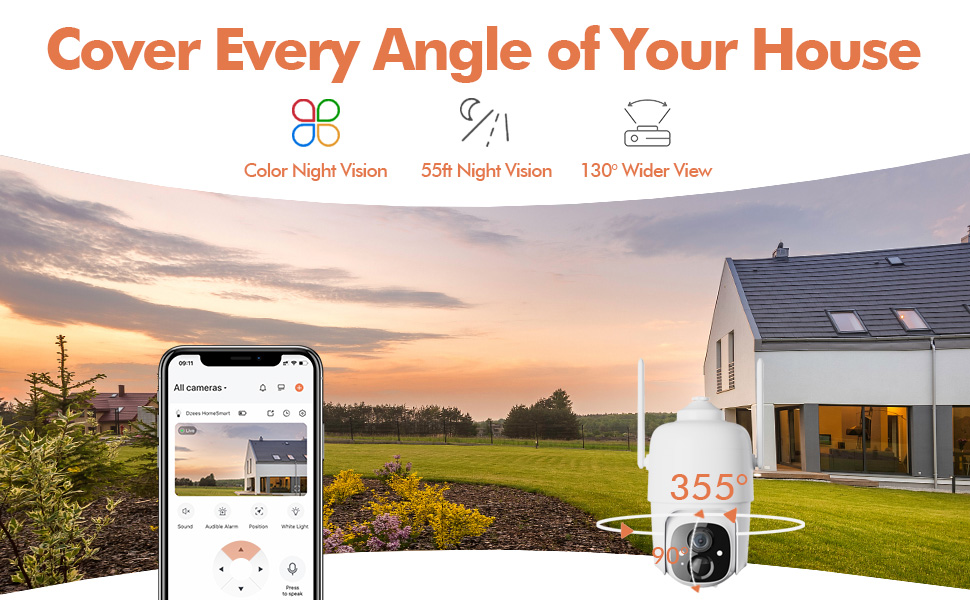
Figure 4.3: The Dzees camera mounted outdoors, showcasing its IP66 weather-resistant design, capable of operating in various weather conditions.

Figure 4.4: The camera's advanced PIR motion detection in action, highlighting its ability to detect movement within a specified zone.
5. Руковање камером
5.1 Уживо View и репродукцију
Access the live video feed and review recorded events through the Dzees Home app.
- From the app's home screen, tap on the camera's thumbnail to enter the live view интерфејс.
- Use the timeline or event list to navigate and play back recorded footage.

Figure 5.1: The Dzees Home app displaying live camera feed with controls for pan, tilt, digital zoom, and night vision settings.
5.2 Померање, нагињање и зумирање (PTZ)
Контролишите камеру viewing angle directly from the app:
- У живо view, use the directional controls to pan (355° horizontal) and tilt (90° vertical) the camera.
- Pinch to zoom in or out for 4X digital zoom. Note: This is digital zoom, not optical zoom.
- Set up to 5 preset points for quick navigation to frequently monitored areas.

Figure 5.2: Illustration of setting up and utilizing up to 5 preset positions for rapid camera view прилагођавање.
5.3 Детекција покрета и упозорења
Customize your detection settings to receive relevant alerts:
- Идите до подешавања камере у апликацији.
- Enable AI detection to differentiate between people, packages, vehicles, and animals.
- Define custom activity zones to focus detection on specific areas and ignore others.
- Adjust detection sensitivity to reduce unwanted notifications.
- Receive instant push notifications on your phone when motion is detected.
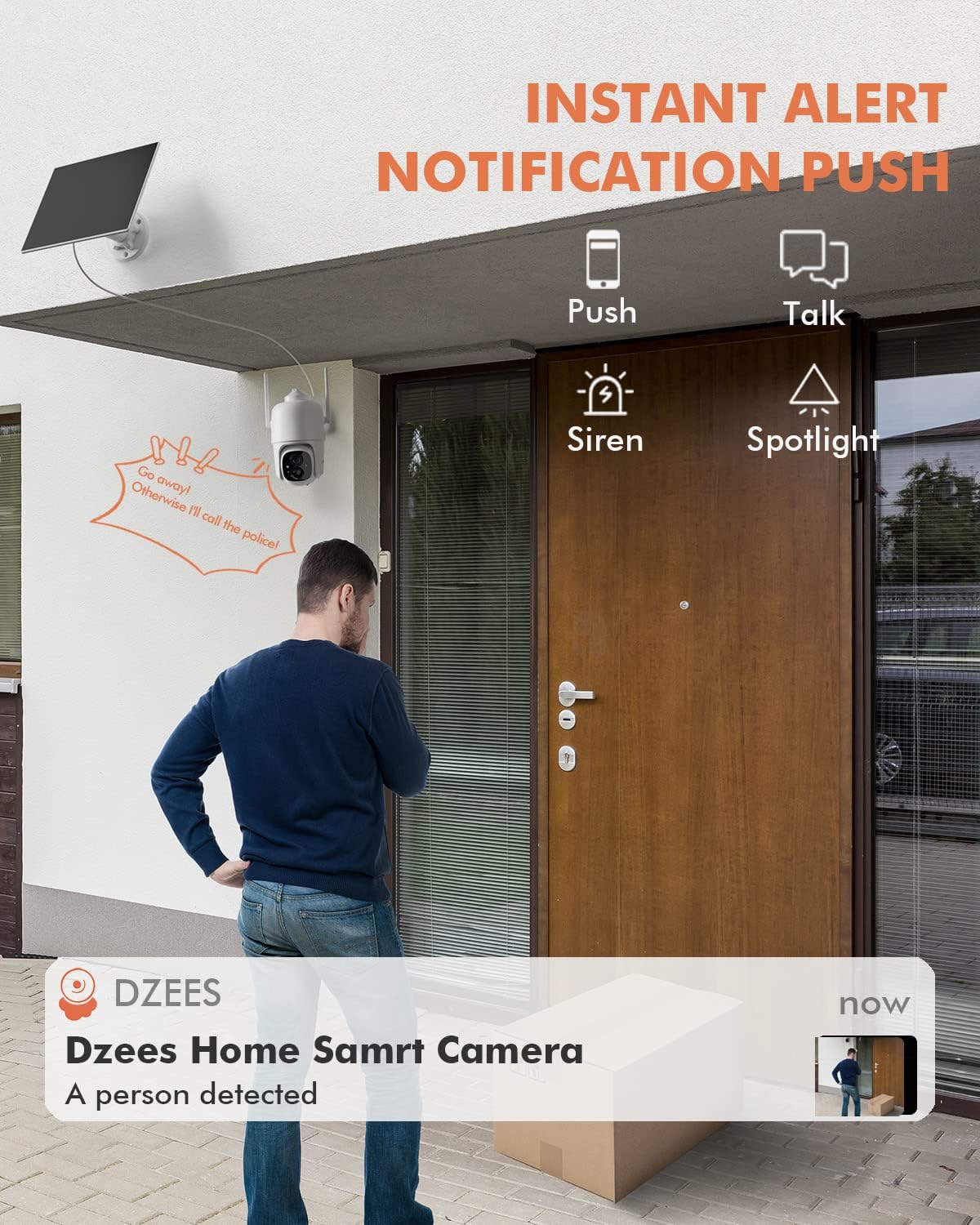
Слика 5.3: Прample of an instant push notification received on a smartphone when the camera detects a person.
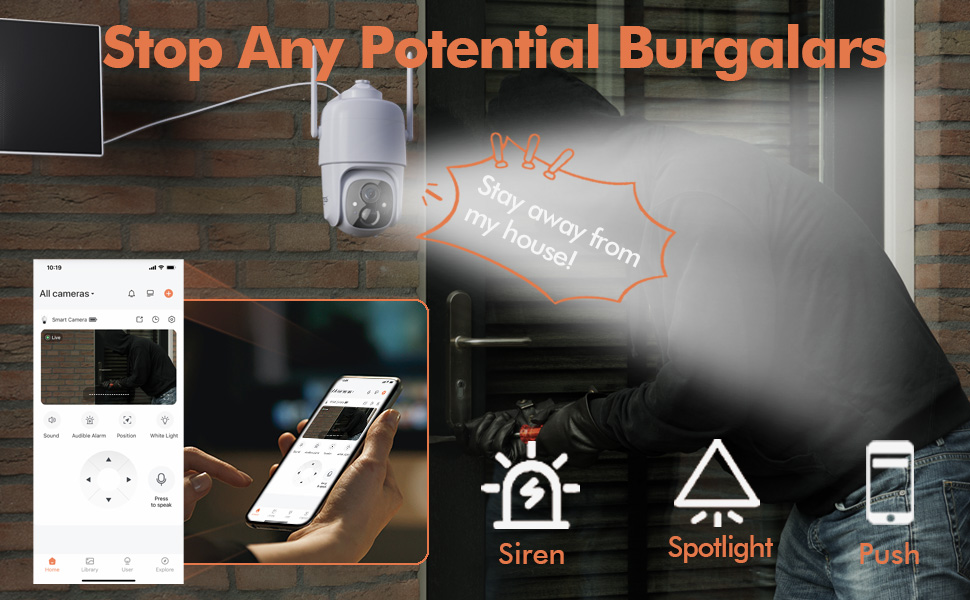
Figure 5.4: Detailed motion detection settings within the Dzees app, allowing for customization of detection zones and sensitivity.
5.4 Двосмерни аудио
Communicate with visitors or deter intruders using the camera's built-in microphone and speaker:
- У живо view, tap the microphone icon to speak through the camera.
- Додирните икону звучника да бисте слушали звук са локације камере.
5.5 Spotlight and Siren
Enhance security with active deterrence features:
- Manually activate the spotlight or siren from the live view interface in the app.
- Configure automatic activation of the spotlight or siren upon motion detection in the camera settings.
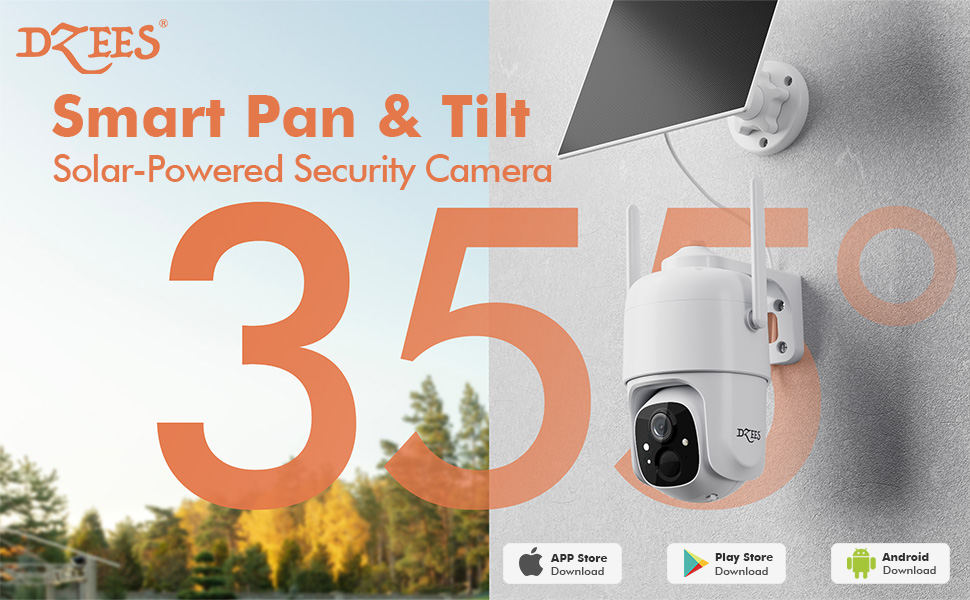
Figure 5.5: The camera's active deterrence features, including siren, spotlight, and instant push notifications, designed to deter potential intruders.
5.6 Опције складиштења
Your Dzees camera offers flexible storage solutions for your recordings:
- Локално складиште: Insert a Micro SD card (up to 128GB, not included) into the camera's SD card slot for continuous or event-based recording.
- Цлоуд Стораге: Enjoy 2 years of free 3-day loop cloud storage. A 30-day trial of the Plus Plan is available for new users, offering upgraded cloud storage and advanced AI features.

Figure 5.6: The camera's support for both local Micro SD card storage (up to 128GB) and free 3-day cloud storage.
6. Одржавање
Regular maintenance ensures the longevity and optimal performance of your Dzees Solar Security Camera:
- Cleaning the Lens and Solar Panel: Периодично обришите сочиво камере и соларни панел меком крпомamp cloth to remove dust, dirt, or debris. This ensures clear video quality and efficient solar charging.
- Провера статуса батерије: Monitor the battery level in the Dzees Home app. Ensure the solar panel is receiving sufficient direct sunlight to maintain charge.
- Ажурирања фирмвера: The Dzees Home app will notify you of available firmware updates. It is recommended to update the camera's firmware to ensure you have the latest features and security enhancements. Follow the in-app instructions for updating.
КСНУМКС. Решавање проблема
If you encounter issues with your Dzees Solar Security Camera, refer to the following common problems and solutions:
7.1 Камера се не повезује на Wi-Fi
- Уверите се да ваша Wi-Fi мрежа користи фреквенцију од 2.4 GHz. Камера не подржава Wi-Fi од 5 GHz.
- Check the Wi-Fi signal strength at the camera's location. Move the camera closer to the router if the signal is weak.
- Проверите да ли сте унели исправну лозинку за Wi-Fi.
- Try resetting the camera by pressing and holding the reset button for 5 seconds until you hear a prompt. Then, attempt pairing again.
7.2 Батерија се не пуни или брзо празни
- Ensure the solar panel is connected securely to the camera.
- Verify that the solar panel is positioned to receive direct sunlight for several hours daily, without any obstructions (e.g., trees, eaves).
- Clean the surface of the solar panel regularly to remove dirt or dust that may hinder charging efficiency.
- In prolonged cloudy or rainy weather, the battery may drain. Consider temporarily charging the camera via USB if needed.
7.3 Прекомерни лажни аларми
- Adjust the motion detection sensitivity in the Dzees Home app to a lower setting.
- Utilize the activity zone feature to exclude areas with frequent irrelevant motion (e.g., busy streets, swaying trees).
- Enable AI detection to filter out non-human movements.
7.4 Лош квалитет слике
- Очистите сочиво камере меком крпом која не оставља длачице.
- Ensure a strong Wi-Fi connection for optimal streaming quality.
- Check for any physical obstructions in front of the lens.
7.5 No Night Vision
- Verify that night vision mode is enabled in the Dzees Home app settings.
- Ensure the camera's spotlights are not obstructed.
If the issue persists after trying these solutions, please contact Dzees customer support for further assistance.
8. Техничке спецификације
| Феатуре | Спецификација |
|---|---|
| Број модела | Д3К |
| Видео Ресолутион | 2K / 3MP |
| Пан Англе | 355° |
| Угао нагиба | 90° |
| Дигитални зум | 4X |
| Ноћни вид | Up to 55 feet (Color Night Vision supported) |
| Отпорност на временске услове | ИП66 |
| Извор напајања | Solar Powered (with built-in rechargeable battery) |
| Повезивање | 2.4 GHz Wi-Fi, Bluetooth |
| Локално складиште | Микро СД картица (до 128 ГБ, није укључена) |
| Цлоуд Стораге | Free 3-day loop storage (2 years included) |
| Димензије (Д к Ш к В) | 5.8 к 7 к 8 инча |
| Тежина | 1.06 фунти (480 грама) |
| Материјал | акрилонитрил бутадиен стирен (АБС) |
9. Гаранција и подршка
Dzees is committed to providing high-quality products and excellent customer service.
- гаранција: Your Dzees Solar Security Camera comes with 2 years of after-sales support, ensuring peace of mind.
- техничка подршка: An experienced technical team is available for 24/7 lifetime support. For any inquiries or assistance, please contact Dzees customer service.
- Онлине ресурси: Visit the official Dzees Store for more product information, FAQs, and support resources: Dzees Store on Amazon.