
Увод
The Naxa NSH-3001 Wi-Fi Smart Camera provides reliable home security monitoring with 24/7 HD recording capabilities. This camera allows you to check in on your home remotely from anywhere using your smartphone. It features motion detection, two-way audio communication, night vision, and customizable activity alerts.
This manual provides detailed instructions for setting up, operating, and maintaining your Naxa NSH-3001 Wi-Fi Smart Camera to ensure optimal performance and security.
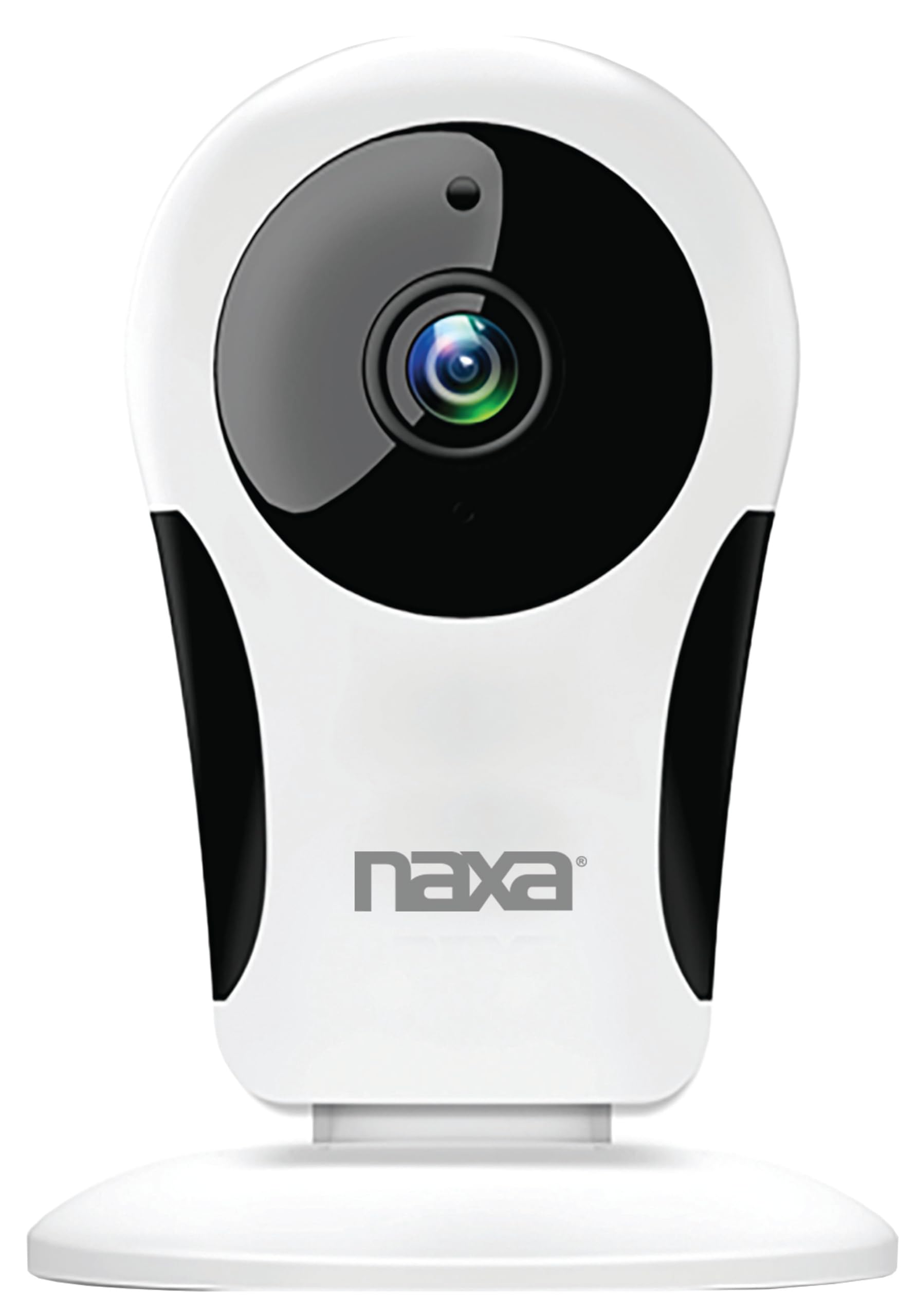
Слика: Фронт view of the Naxa NSH-3001 Wi-Fi Smart Camera, showing the lens and Naxa logo.
Шта је у кутији
Upon unpacking your Naxa NSH-3001 Wi-Fi Smart Camera, please ensure all the following components are present:
- Ви-Фи паметна камера
- АЦ адаптер
- УСБ кабл
- Кориснички приручник (овај документ)
Производ је завршенview
Familiarize yourself with the main components of your Naxa NSH-3001 Wi-Fi Smart Camera.

Image: The Naxa NSH-3001 Wi-Fi Smart Camera displayed alongside icons representing its key features: HD Resolution, Encrypted ID, 2-Way Audio, Cloud Service, Motion Detection, IR Night Vision, Time Scheduling, and Hotspot capability.
- Објектив камере: Снима видео фооtage.
- Infrared (IR) LEDs: Обезбедите могућности ноћног вида.
- микрофон: За аудио улаз и двосмерну комуникацију.
- говорник: За аудио излаз и двосмерну комуникацију.
- Микро УСБ порт: За прикључак на струју.
- Дугме за ресетовање: Користи се за ресетовање камере на фабричка подешавања.
- Утор за микро СД картицу: For local storage of recorded footage (Micro SD card not included).
Водич за подешавање
1. Укључивање камере
- Connect the provided USB cable to the camera's Micro USB port.
- Повежите други крај УСБ кабла на адаптер за наизменичну струју.
- Укључите адаптер за наизменичну струју у стандардну електричну утичницу.
- The camera will power on, and an indicator light will show its status (refer to the camera's LED indicator guide for specific light patterns).
2. Преузимање апликације Smart Life
The Naxa NSH-3001 camera is controlled via the Smart Life app. Download it to your smartphone:
- For iOS devices, search for "Smart Life" in the Apple App Store.
- For Android devices, search for "Smart Life" in the Google Play Store.
- Инсталирајте апликацију и креирајте налог ако га већ немате.

Image: The Naxa NSH-3001 Wi-Fi Smart Camera shown with the Smart Life app logo and icons for the Apple App Store and Google Play, indicating app compatibility.
3. Повезивање на Ви-Фи
Ensure your smartphone is connected to a 2.4 GHz Wi-Fi network. The NSH-3001 camera only supports 2.4 GHz Wi-Fi.
- Open the Smart Life app and tap "Add Device" or the "+" icon.
- Select "Security & Video Surveillance" and then "Smart Camera".
- Follow the on-screen instructions in the app to connect your camera to your Wi-Fi network. This typically involves scanning a QR code generated by the app with the camera's lens.
- Once connected, the camera's indicator light will change (refer to the LED indicator guide), and you will see the camera added to your app.
4. Монтажа камере
The NSH-3001 camera is designed for wall mount installation, but can also be placed on a flat surface. Choose a location that provides the desired viewing angle (105 degrees) and is within range of your Wi-Fi signal.

Image: The Naxa NSH-3001 Wi-Fi Smart Camera positioned on a nightstand in a bedroom, demonstrating a typical indoor placement.
- For wall mounting, use appropriate screws and anchors (not included) to secure the camera's base to the wall.
- Подесите угао камере да покрије жељено подручје.
Упутство за употребу
Уживо View и удаљени приступ
Once connected, you can access your camera's live feed from anywhere using the Smart Life app on your smartphone.
- Open the Smart Life app and select your NSH-3001 camera from the device list.
- The live video stream will appear.
Двосмерна аудио комуникација
The camera supports two-way audio, allowing you to hear and speak through the camera.
- У живо view interface of the app, tap the microphone icon to speak.
- Додирните икону звучника да бисте слушали звук са локације камере.
Детекција покрета и упозорења
The camera can detect motion and send real-time push notifications to your phone.
- Navigate to the camera settings within the Smart Life app.
- Омогућите „Детекцију покрета“ и подесите нивое осетљивости по потреби.
- Configure alert schedules and notification preferences.
Нигхт Висион
The NSH-3001 features an IR-cut filter for clear night vision, automatically switching between day and night modes based on ambient light.
- Night mode activates automatically in low-light conditions.
- The IR-cut filter ensures optimal clarity in both day and night recordings.
Снимање и складиштење видеа
The camera supports 24/7 HD recording. Footage can be stored locally or via cloud service (subscription may be required).
- Складиштење микро СД картице: Insert a compatible Micro SD card (up to 128GB, not included) into the camera's SD card slot for continuous or event-based recording.
- Цлоуд Стораге: Check the Smart Life app for available cloud storage options and subscription details.
- Review снимљено фооtage directly through the Smart Life app.
Video Tuning
Adjust video parameters directly from your smartphone for optimal image quality.
- Within the Smart Life app, access video settings to adjust contrast, brightness, saturation, and sharpness.
Тиме Сцхедулинг
Set schedules for camera operation, recording, or alerts.
- Use the Smart Life app's scheduling feature to define specific times for motion detection, recording, or other functions.
Одржавање
Proper maintenance ensures the longevity and optimal performance of your Naxa NSH-3001 Wi-Fi Smart Camera.
- Чишћење: Нежно обришите објектив и кућиште камере меком, сувом крпом. Избегавајте употребу јаких хемикалија или абразивних средстава за чишћење.
- Ажурирања софтвера: Regularly check the Smart Life app for firmware updates for your camera. Keeping the firmware updated ensures you have the latest features and security enhancements.
- Пласман: Ensure the camera is placed in a stable location and protected from extreme temperatures, direct sunlight, and moisture.
Решавање проблема
If you encounter issues with your Naxa NSH-3001 Wi-Fi Smart Camera, refer to the following common solutions:
| Проблем | Могуће решење |
|---|---|
| Камера се не повезује на Ви-Фи |
|
| No video feed in the app |
|
| Упозорења о кретању нису примљена |
|
| Двосмерни звук не ради |
|
If problems persist, please contact Naxa customer support.
Спецификације
| Феатуре | Детаљ |
|---|---|
| Назив модела | НСХ-3001 |
| Бранд | Нака |
| Технологија повезивања | Ви-Фи (КСНУМКС ГХз) |
| Резолуција снимања видео записа | 720п |
| Viewинг Англе | 105 степени |
| Посебна карактеристика | Motion Sensor, Night Vision, Two-Way Audio |
| Унутрашња/спољна употреба | Indoor, Outdoor (Note: IP54 rating suggests splash resistance, not full outdoor weatherproofing) |
| Извор напајања | Цордед Елецтриц |
| Компатибилни уређаји | Паметни телефон (преко апликације Smart Life) |
| Тип монтаже | Валл Моунт |
| Складиштење | Micro SD Card (up to 128GB, not included), Cloud Storage (optional) |
| Димензије (Д к Ш к В) | 3.2 к 3.2 к 4.3 инча |
| Тежина артикла | 3.2 унци |
| Материјал | Пластика |
| Оцена међународне заштите | ИП54 |
Гаранција и подршка
Naxa Electronics, Inc. manufactures the NSH-3001 Wi-Fi Smart Camera. For specific warranty information, please refer to the warranty card included with your product or visit the official Naxa webсајту.
For technical support, troubleshooting assistance beyond this manual, or inquiries about your product, please contact Naxa customer service. Contact details can typically be found on the Naxa webсајту или на паковању производа.
Naxa Official Webсајт: ввв.нака.цом