
Star Micronics BSH-HR2081BT BLK
Star Micronics BSH-HR2081BT Wireless Bluetooth 1D/2D Barcode Scanner User Manual
Model: BSH-HR2081BT BLK
1. Увод
This manual provides comprehensive instructions for the setup, operation, maintenance, and troubleshooting of your Star Micronics BSH-HR2081BT Wireless Bluetooth 1D/2D Barcode Scanner. Designed for efficiency and durability, this scanner is a reliable solution for various point-of-sale and inventory management applications.
The BSH-HR2081BT scanner is equipped with a high-power CPU, enabling it to effortlessly capture high-density, high-volume, and even distorted barcodes from both printed materials and digital screens. Its robust design, coupled with advanced wireless capabilities, ensures seamless integration into your workflow.
2. Кључне карактеристике
- Скенирање високих перформанси: Powerful CPU captures high-density, high-volume, and distorted 1D/2D barcodes on paper or screen.
- Продужено трајање батерије: Offers up to 12 hours of continuous operation (one scan every six seconds) with its 2200mAh battery.
- Свестрано повезивање: Connects directly to the host device via Bluetooth Low Energy (BLE) or wirelessly to a Star printer using the included USB dongle.
- Reliable Wireless Range: Maintains a stable wireless connection to transmit data, with communication distances up to 50 meters (approximately 164 feet).
- Издржљива конструкција: Features an IP42-rated design and a drop-resistant housing, capable of withstanding drops from up to 1.2 meters (approximately 4 feet).
3. Водич за подешавање
3.1. Распакивање и први преглед
Пажљиво извадите све компоненте из паковања. Проверите да ли су присутне следеће ставке:
- Star Micronics BSH-HR2081BT Barcode Scanner
- УСБ кабл за пуњење
- USB Dongle (for wireless connection to Star printers)
- Постоље за скенер

Figure 3.1: Barcode scanner and its USB dongle.
3.2. Пуњење скенера
Before first use, fully charge the scanner. Connect the USB charging cable to the scanner's charging port (located at the bottom of the handle) and plug the other end into a USB power adapter (not included) or a computer's USB port. The charging indicator light will show the charging status.

Figure 3.2: USB charging port at the base of the scanner handle.
3.3. Повезивање скенера
The BSH-HR2081BT scanner offers two primary connection methods:
3.3.1. Bluetooth Connection (Direct to Host Device)
- Уверите се да је скенер укључен.
- On your host device (smartphone, tablet, or computer), enable Bluetooth.
- Тражи available Bluetooth devices. The scanner should appear as "Star Micronics BSH-HR2081BT" or similar.
- Select the scanner to pair. Follow any on-screen prompts to complete the pairing process.
3.3.2. Wireless Connection (via USB Dongle to Star Printer)
- Insert the provided USB dongle into an available USB port on your compatible Star printer (e.g., mC-Print, mPOP).
- Power on the scanner. The scanner and dongle should automatically establish a connection.
- Refer to your Star printer's manual for specific instructions on connecting external devices.

Figure 3.3: Barcode scanner placed in its included stand.
4. Упутство за употребу
4.1. Basic Scanning Operation
To scan a barcode, point the scanner's window at the barcode and press the trigger button. A successful scan will typically be indicated by an audible beep and/or a visual confirmation light.
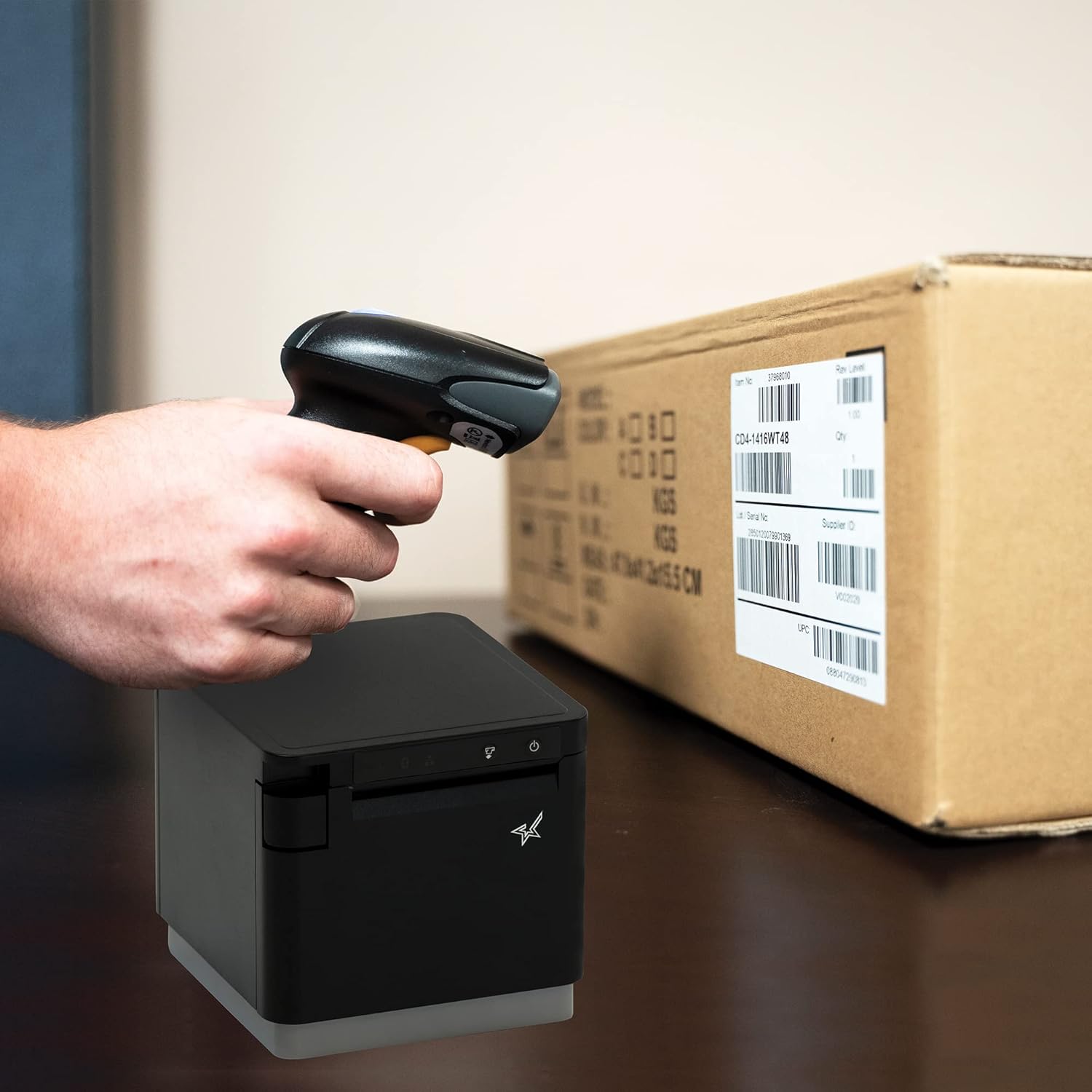
Слика 4.1: Прampскенирања бар-кода на паковању.
4.2. Режими скенирања
The BSH-HR2081BT scanner supports six different scanning modes to accommodate various operational needs:
- Режим нивоа: The scanner's trigger will activate the decode session.
- Режим окидача: A trigger pull activates a decode session.
- Сенсе Моде: The scanner activates a decode session every time it detects a barcode.
- Континуирани режим: The scanner automatically starts one decode session after another.
- Пулсни режим: When the trigger is pulled and released, scanning is activated until a barcode is decoded or the decode session timeout expires.
- Пакетни режим: When the trigger is pulled and released, scanning is activated until the trigger is released.
Refer to the full user guide (link in Section 7) for detailed instructions on how to switch between these modes and configure specific settings.
5. Одржавање
5.1. Чишћење скенера
To maintain optimal performance, keep the scanner's window clean. Use a soft, lint-free cloth lightly dampened with water or a mild, non-abrasive cleaner. Do not use harsh chemicals or abrasive materials, as they may damage the scanner's surface or optical components.
5.2. Брига о батерији
The scanner is equipped with a Lithium Ion battery. To prolong battery life:
- Избегавајте често потпуно пражњење батерије.
- Чувајте скенер на хладном и сувом месту када га не користите дуже време.
- Charge the battery regularly, even if the scanner is not in frequent use.
КСНУМКС. Решавање проблема
6.1. Скенер се не повезује
- Проверите снагу: Ensure the scanner is fully charged and powered on.
- Блуетоотх упаривање: For Bluetooth connections, ensure Bluetooth is enabled on your host device and the scanner is in pairing mode. Try unpairing and re-pairing the device.
- УСБ кључ: If using the USB dongle, ensure it is securely plugged into the Star printer and the printer is powered on.
- Опсег: Ensure the scanner is within the effective communication range (up to 50m) of the host device or dongle.
6.2. Scanner Not Reading Barcodes
- Barcode Condition: Уверите се да је бар-код јасан, да није размазан, поцепан или превише рефлектујући.
- Удаљеност и угао: Adjust the distance and angle of the scanner to the barcode. Try different scanning modes if applicable.
- Осветљење: Обезбедите одговарајуће осветљење. Избегавајте директан одсјај на бар-коду.
- Прозор скенера: Очистите прозор за читање скенера као што је описано у одељку Одржавање.
6.3. Кратак век трајања батерије
- Пуно пуњење: Ensure the scanner is charged until the indicator shows a full charge.
- Usage Pattern: Continuous heavy usage will deplete the battery faster.
- Старост батерије: Over time, rechargeable batteries naturally lose capacity.
7. Техничке спецификације
| Спецификација | Детаљ |
|---|---|
| Димензије производа | 5.7 к 4 к 2.7 инча |
| Тежина артикла | 1.06 фунти |
| Број модела | BSH-HR2081BT BLK |
| Батерије | Потребна је 1 литијум-јонска батерија (укључена) |
| Произвођач | Стар Мицроницс |
| Компатибилни уређаји | Паметни телефон, таблет |
| Извор напајања | Баттери Поверед |
| Технологија повезивања | Блуетоотх, УСБ кабл |
| ИП Ратинг | ИП42 |
| Отпор на пад | До 1.2 метара |
8. Гаранција и подршка
For warranty information and technical support, please contact Star Micronics directly or visit their official webсајт. Сачувајте рачун као доказ о куповини за потребе гаранције.
Детаљан водич за кориснике у PDF формату доступан је за преузимање: