
1. Увод
This manual provides detailed instructions for the setup, operation, and maintenance of your ENDGAME GEAR XSTRM USB RGB Microphone. Please read this manual thoroughly before using the product to ensure optimal performance and longevity.

Figure 1: ENDGAME GEAR XSTRM USB RGB Microphone (White)
2. Шта је у кутији
Проверите да ли су све компоненте присутне у паковању:
- ENDGAME GEAR XSTRM USB RGB Microphone
- Integrated Metal Stand
- Магнетни поп филтер
- УСБ-Ц на УСБ-А кабл

Figure 2: Microphone with included magnetic pop filter and USB-C port.
3. Кључне карактеристике
- Кардиоидни поларни образац: Focuses audio capture on sounds directly in front of the microphone, minimizing background noise.
- АИ поништавање буке: Advanced artificial intelligence actively removes unwanted background sounds for clearer voice transmission.
- Integrated Shock Mount: Suspends the microphone to absorb vibrations and prevent handling noise.
- Magnetic Pop Filter: Effectively reduces plosive sounds (P, T, K, B, D, G) for smoother audio.
- LED Gain Indicator: Visual feedback to monitor input volume levels, helping prevent clipping.
- Tap-to-Mute Function: A simple tap on the top of the microphone instantly mutes or unmutes the audio output.
- Прилагодљиво РГБ осветљење: Features 12 different honeycomb-pattern lighting modes, from static colors to dynamic effects.
- Gold-Plated Capsule: A 20-millimeter gold-plated capsule ensures natural voice resonance and high-fidelity audio capture.
- Аудио високе резолуције: Supports 24-bit resolution and a 192 kHz sampling rate for detailed sound recording.
- Свестрано монтирање: Includes a metal stand and a 3/8-inch thread for compatibility with conventional tripods or boom arms.
- УСБ-Ц повезивање: Modern and reliable USB-C connection for easy plug-and-play setup.

Figure 3: Microphone highlighting RGB lighting and LED gain indicator.

Figure 4: Illustration of the shock mount and pop filter for noise reduction.
4. Водич за подешавање
- Распакујте микрофон: Carefully remove the ENDGAME GEAR XSTRM microphone and its components from the packaging.
- Причврстите поп филтер: The magnetic pop filter can be easily attached to the front of the microphone. Ensure it is securely in place.
- Поставите микрофон:
- For desktop use, place the microphone with its integrated metal stand on a stable, flat surface.
- For boom arm mounting, unscrew the microphone from its stand and attach it to a conventional tripod or boom arm using the integrated 3/8-inch thread.
- Повежите се са рачунаром: Connect the USB-C end of the provided cable to the USB-C port on the microphone. Connect the USB-A end to an available USB port on your PC.
- Инсталација драјвера: The microphone is plug-and-play and typically does not require additional driver installation. Your operating system should automatically detect and configure the device.
- Изаберите као улазни уређај:
- Виндовс: Иди на Подешавања > Систем > Звук. Under "Input," select "ENDGAME GEAR XSTRM" as your input device.
- мацОС: Иди на System Settings > Sound > Input. Select "ENDGAME GEAR XSTRM" from the list of devices.

Figure 5: USB-C connection point on the microphone.
5. Упутство за употребу
5.1. Adjusting Gain (Input Volume)
The microphone features an integrated gain control knob, typically located on the front or side. Rotate the knob to adjust the microphone's input sensitivity. The LED gain indicator will provide visual feedback:
- Green/Blue LEDs: Оптимални ниво улаза.
- Црвене ЛЕД диоде: Input level is too high, potentially causing audio clipping. Reduce gain.
The G-sensor automatically adjusts the LED indicator orientation if the microphone is mounted upside down.
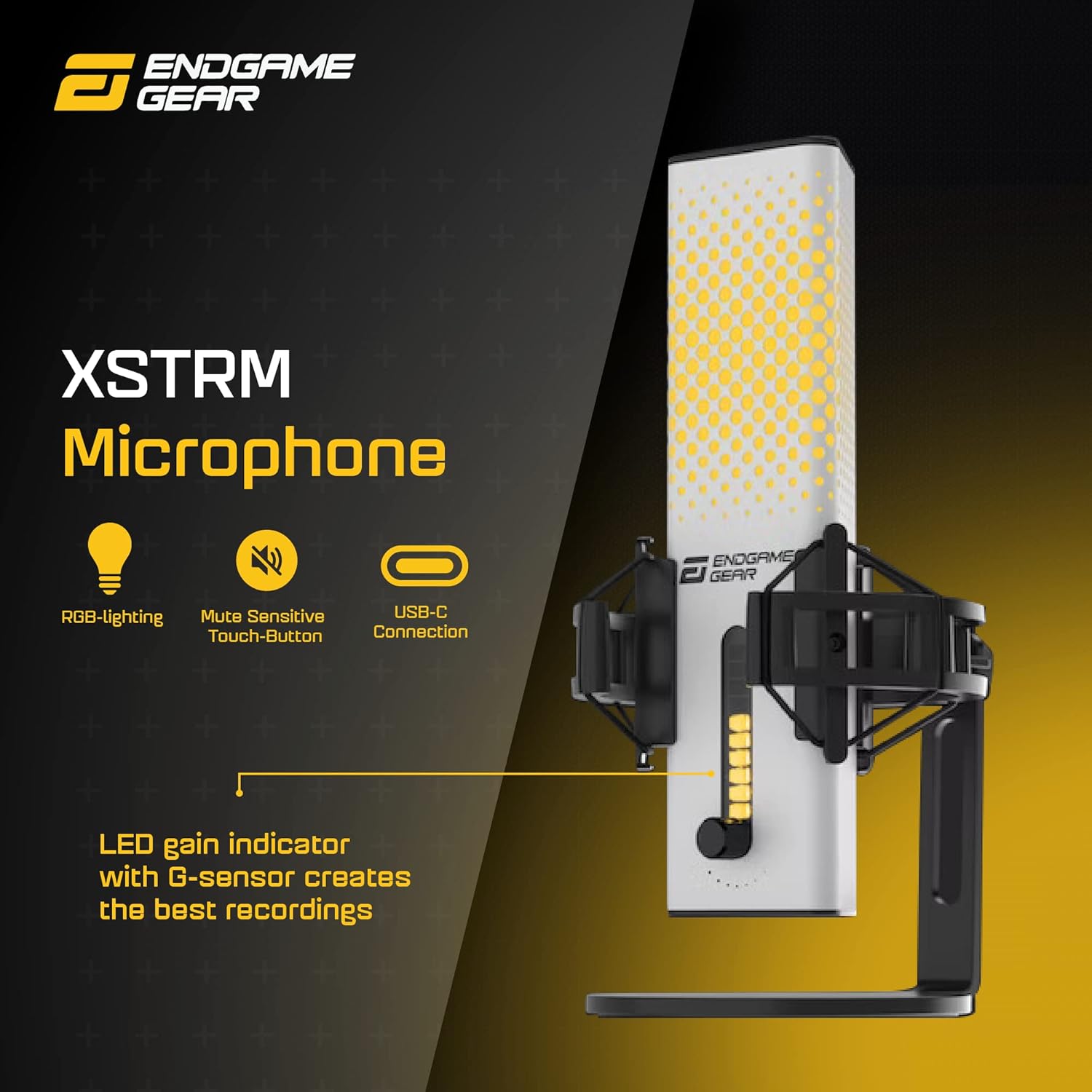
Figure 6: Microphone showing the LED gain indicator and control knob.
5.2. Функција за искључивање звука
To mute the microphone, gently tap the top surface of the microphone. The LED indicator will typically change to red or a specific color to indicate that the microphone is muted. Tap again to unmute.
5.3. RGB контрола осветљења
The ENDGAME GEAR XSTRM microphone offers 12 different honeycomb-pattern RGB lighting modes. Specific controls for cycling through modes or turning off the lighting may be available via a dedicated button or software (if applicable). Refer to the product's official website for any accompanying software.
6. Одржавање
- Чишћење: Use a soft, dry cloth to wipe the microphone's surface. Avoid using harsh chemicals, solvents, or abrasive materials, as these can damage the finish or internal components.
- Поп филтер: The magnetic pop filter can be gently removed and cleaned with a soft, damp cloth if necessary. Ensure it is completely dry before reattaching.
- Складиштење: When not in use for extended periods, store the microphone in a clean, dry environment away from extreme temperatures and direct sunlight.
- Избегавајте капи: The microphone contains sensitive electronic components. Avoid dropping or subjecting it to strong impacts.
КСНУМКС. Решавање проблема
| Проблем | Могући узрок | Решење |
|---|---|---|
| Нема звука из микрофона. |
|
|
| Audio sounds distorted or too loud. |
|
|
| Background noise is audible. |
|
|
| RGB осветљење не ради. |
|
|
8. Спецификације
| Феатуре | Детаљ |
|---|---|
| Бранд | ЕНДГАМЕ ГЕАР |
| Назив модела | КССТРМ |
| Број модела | EGG-XST-WHT |
| Технологија повезивања | УСБ |
| Тип конектора | USB Type-A (via supplied cable) |
| Полар Паттерн | Једносмерни (кардиоидни) |
| Аудио Осетљивост | 36 децибела |
| Однос сигнала и шума | 80 дБ |
| Аудибле Ноисе | 20 децибела |
| Хардверска платформа | PC |
| Боја | Бела |
| Материјал кућишта | Метал |
| Тежина артикла | 1.8 фунте (приближно 820 г) |
| Димензије артикла (ДкШкВ) | 4.72 к 6.1 к 9.84 инча (12 к 15.5 к 25 цм) |
| Посебне карактеристике | Integrated Stand, AI Noise Cancellation, RGB Lighting, Tap-to-Mute, LED Gain Indicator, Pop Filter |
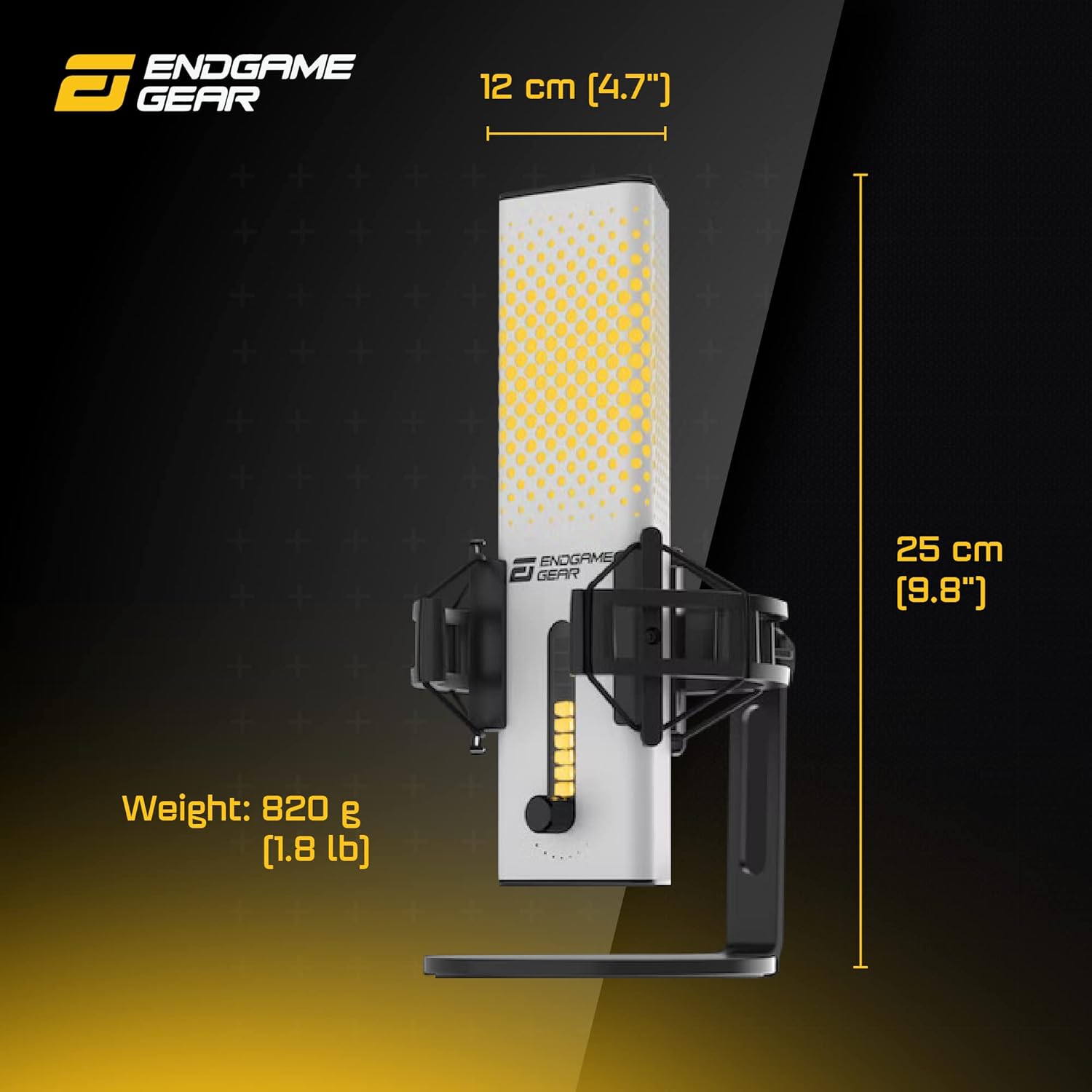
Figure 7: Physical dimensions and weight of the microphone.
9. Гаранција и подршка
9.1. Ограничена гаранција
The ENDGAME GEAR XSTRM USB RGB Microphone comes with a Limited Warranty. For specific terms, conditions, and duration of the warranty, please refer to the warranty card included with your product or visit the official ENDGAME GEAR webсајт. Сачувајте доказ о куповини за потребе гаранције.
9.2. Корисничка подршка
For technical assistance, troubleshooting, or product inquiries, please contact ENDGAME GEAR customer support through their official webсајт. Тамо можете пронаћи често постављана питања, преузимања драјвера и контакт информације.
Службено Webсајт: ввв.ендгамегеар.цом