
1. Увод
This manual provides detailed instructions for the safe and effective operation of your Aputure LS 600D Professional 600W Daylight 5600K LED Video Light. Please read this manual thoroughly before use and retain it for future reference.
2. Безбедносна упутства
- Do not look directly into the light source when the light is on.
- Do not place the light near flammable liquids or gases.
- Ensure proper ventilation to prevent overheating. The unit uses natural heat dissipation.
- Use only the specified power cables and accessories.
- Држите уређај сувим. Не излажите га киши или влази.
- Handle with care. The unit weighs 33 pounds. Ensure stable mounting.
3. Садржај пакета
Проверите да ли су све ставке наведене у наставку укључене у ваш пакет:
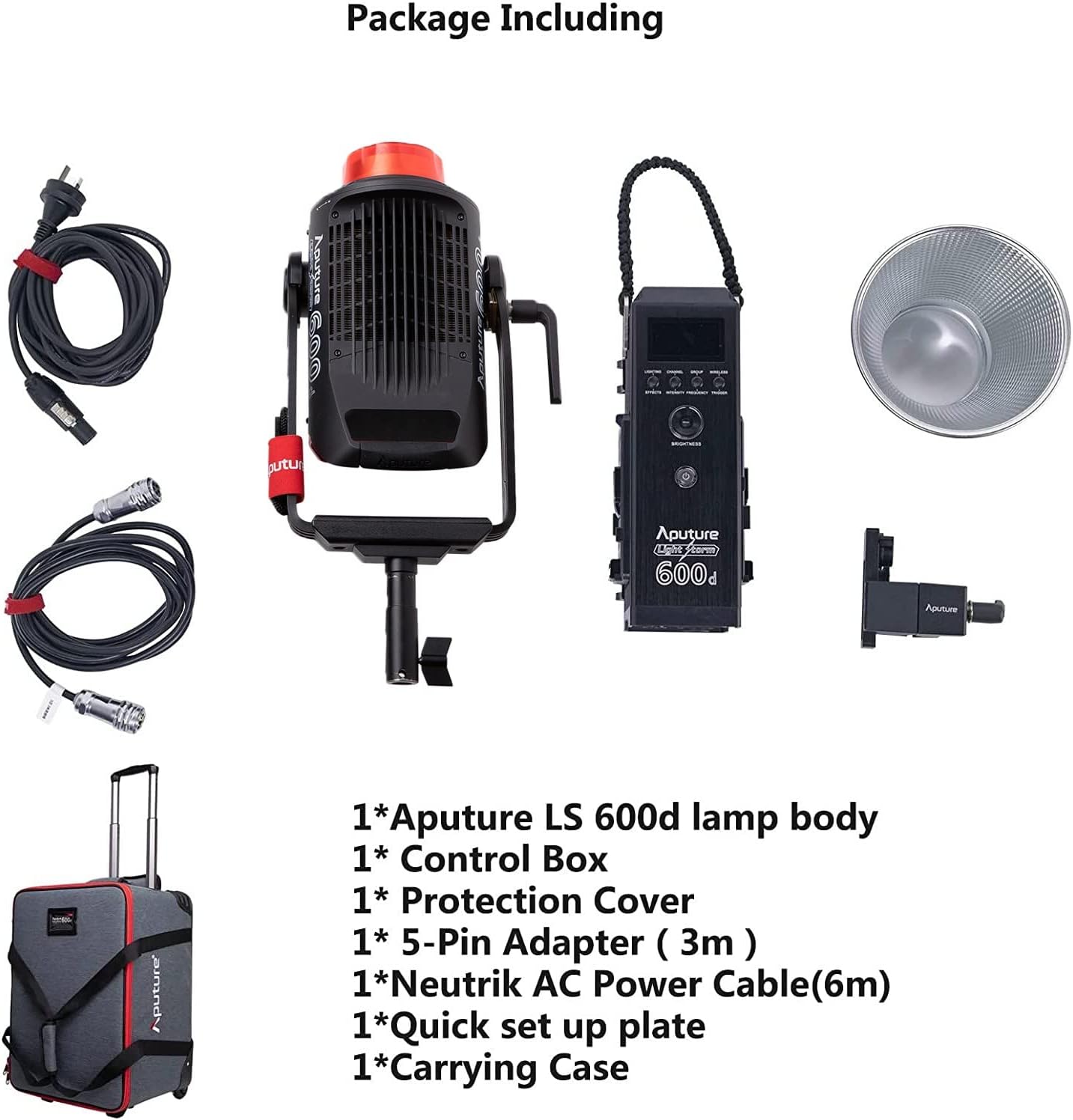
- Aputure LS 600d lamp тело
- Контролна кутија
- Заштитни поклопац
- 5-Pin Adapter (3m)
- Neutrik AC Power Cable (6m)
- Quick set up plate
- Торбица за ношење
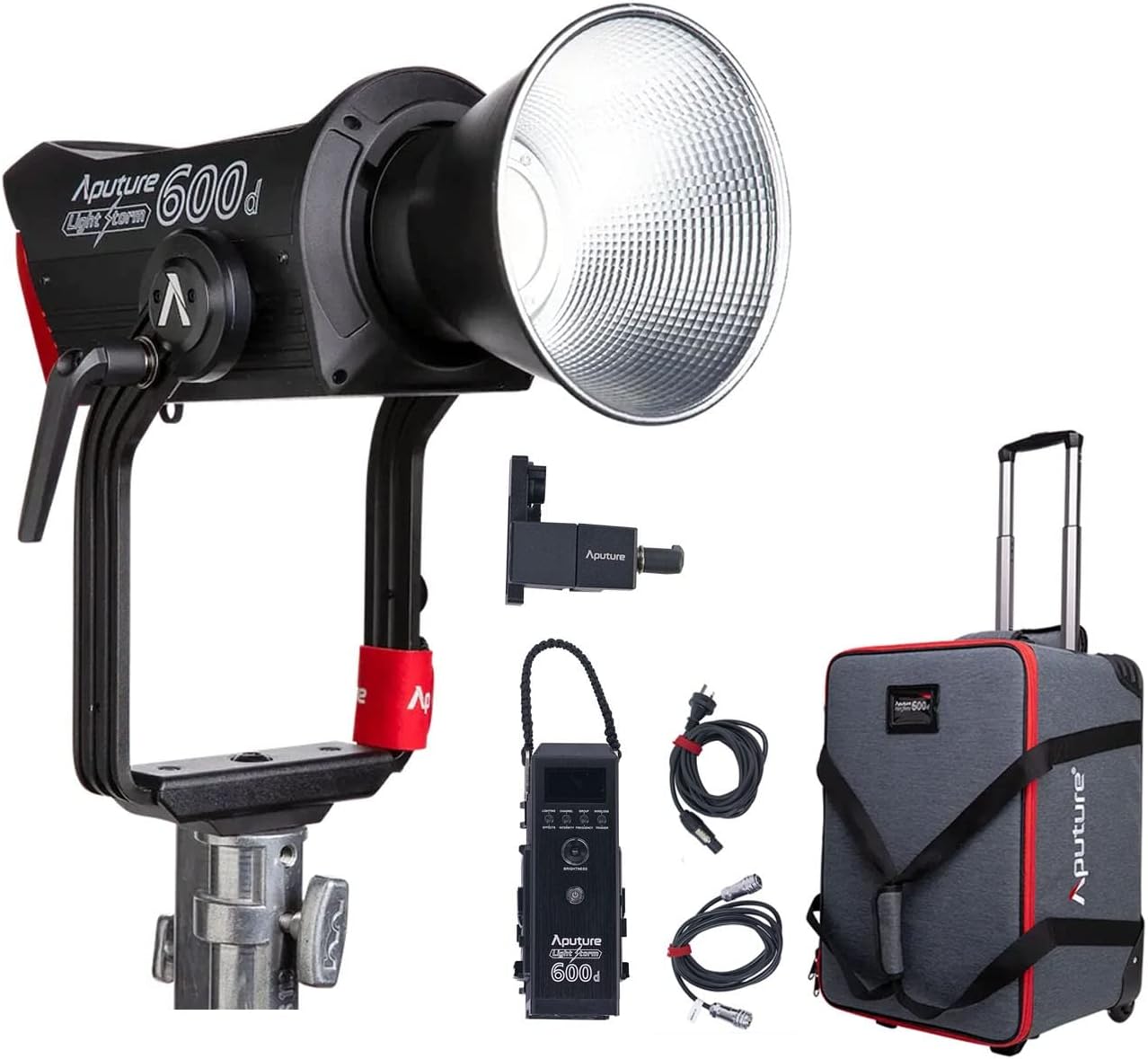
The image above displays the main light unit, control box, cables, reflector, and the wheeled carrying case.
4. Производ је готовview
The Aputure LS 600D is a high-output 600W COB LED light designed for professional video and photography. It features a daylight-balanced 5600K color temperature, high CRI/TLCI ratings, and multiple control methods.

Кључне карактеристике укључују:
- Максимална излазна снага: ≤600В
- ЦЦТ: 5600К
- ЦРИ: ≥96
- ТЛЦИ: ≥96
- Метод хлађења: Природно одвођење топлоте
- Методе контроле: Manual, Sidus Link APP, DMX512
- Блуетоотх радни опсег: ≤ 80m / 262.5ft
- Уграђени светлосни ефекти: Paparazzi, Fireworks, Faulty Bulb, TV, Pulsing, Strobe, Explosion

5. Подешавање
5.1 Assembling the Light Unit
- Монтажа Лamp Тело: Attach the Aputure LS 600d lamp body to a sturdy light stand using its curved yoke and mounting bracket. Ensure it is securely tightened.
- Повезивање контролне кутије: Connect the control box to the lamp body using the provided 5-pin adapter cable.
- Прикључак за напајање: Connect the Neutrik AC Power Cable to the control box and then to a suitable power outlet.
- Attaching the Hyper-Reflector: Align the Hyper-Reflector with the Bowens Mount on the front of the lamp body. Twist clockwise until it locks into place.
5.2 Using the Universal Bowens Mount
The LS 600D features a universal Bowens Mount, allowing compatibility with a wide range of light modifiers such as the F10 Fresnel for intense brightness or the Light Dome 150 for softer light.

To attach a Bowens mount accessory, align the accessory's mount with the light's mount, insert, and twist until it clicks securely.
6. Упутство за употребу
6.1 Ручна контрола
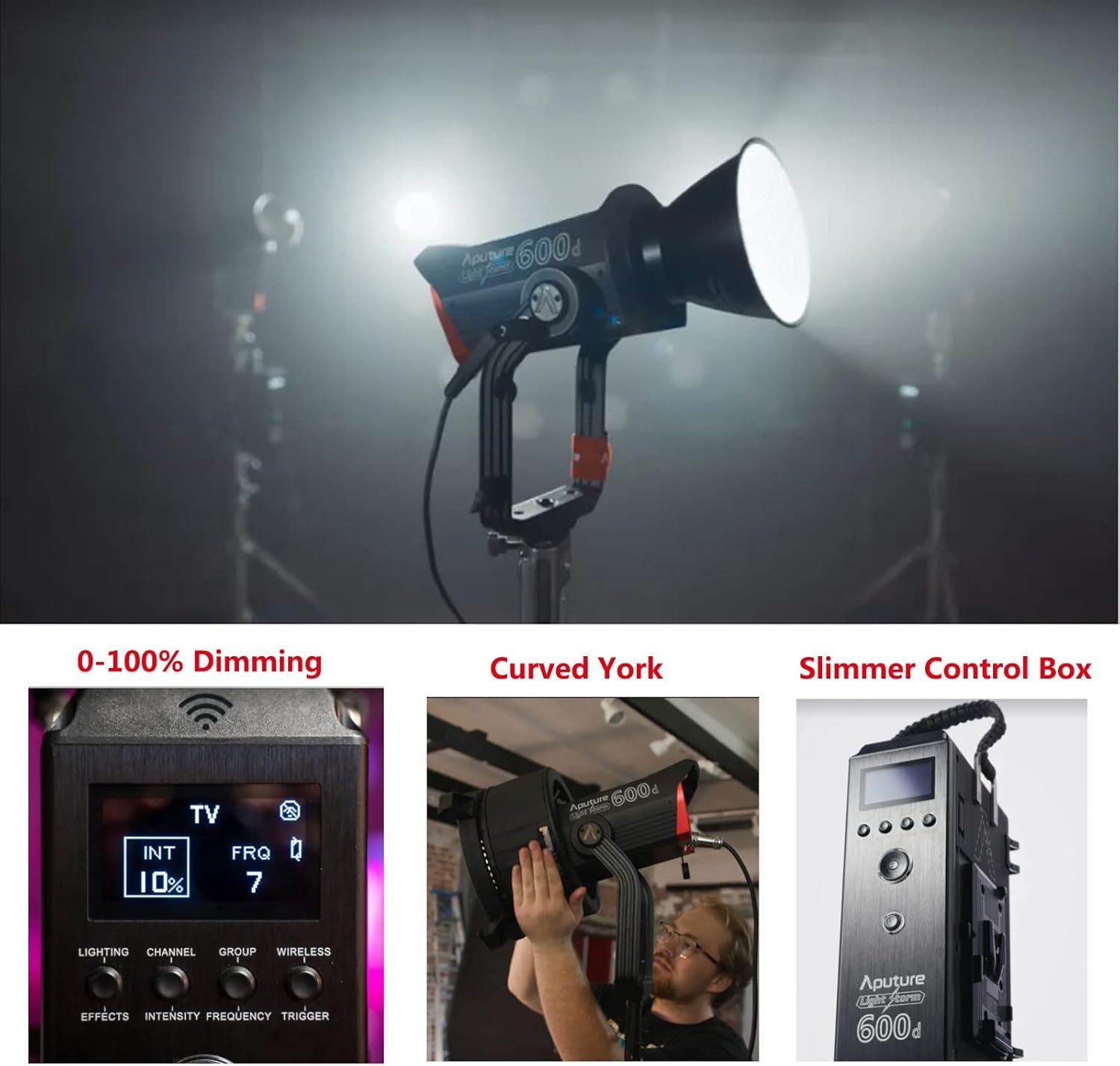
The control box allows for direct adjustment of light intensity, color temperature, and special effects.
- Дугме за напајање: Притисните да укључите/искључите јединицу.
- Brightness Dial: Rotate to adjust light intensity from 0-100%.
- ЦЦТ бирање: Adjusts the color temperature (fixed at 5600K for this model).
- Effects Button: Cycle through 8 built-in lighting effects (Paparazzi, Fireworks, Faulty Bulb, TV, Pulsing, Strobe, Explosion).
6.2 Контрола апликације Сидус Линк
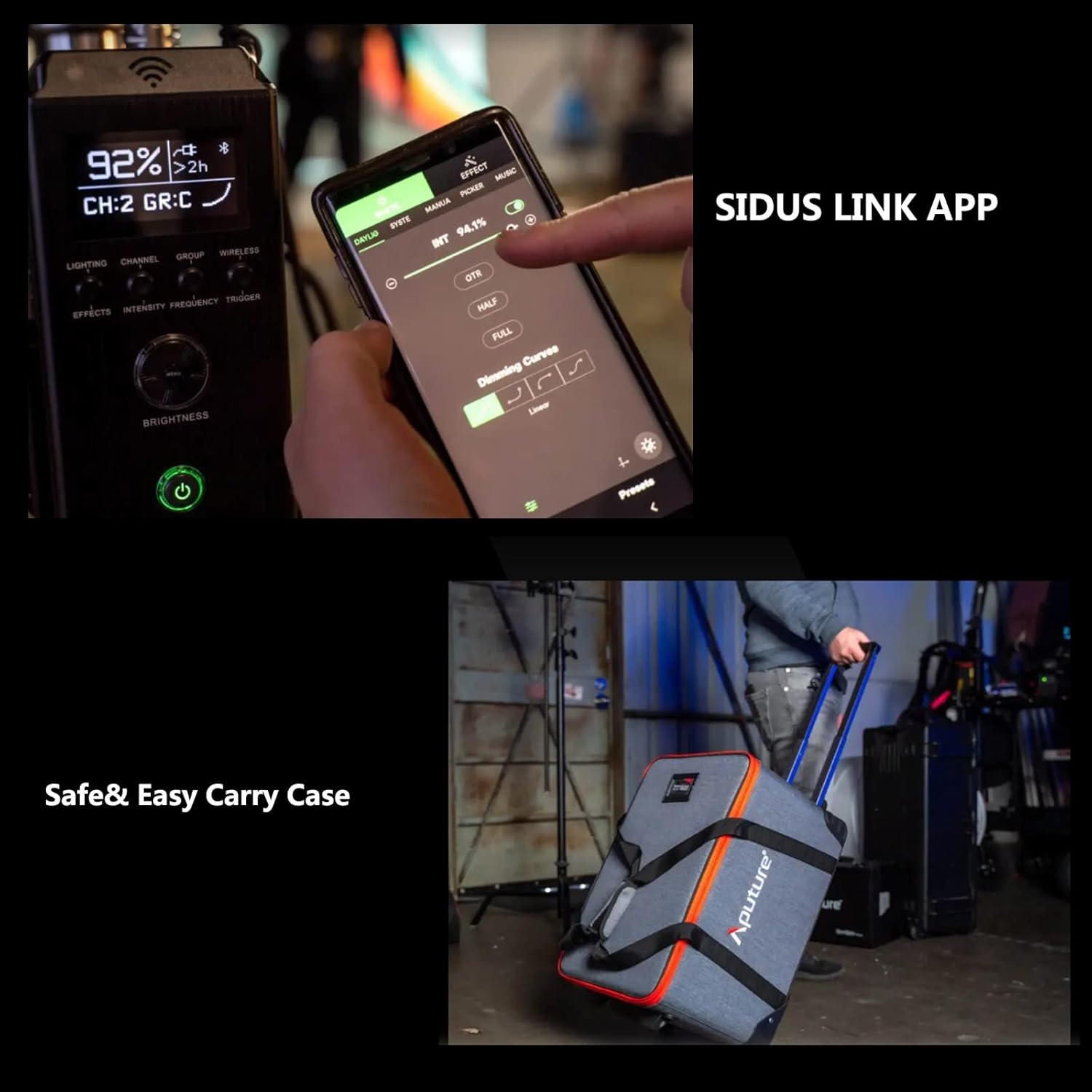
For advanced control and remote operation, download the Sidus Link App on your smartphone or tablet. The light supports Bluetooth control up to 80m (262.5ft).

The app allows for precise adjustments, custom effects, and multi-light control.
7. Одржавање
- Чишћење: Use a soft, dry cloth to clean the light body and accessories. Do not use abrasive cleaners or solvents.
- Складиштење: Store the light and its accessories in the provided carrying case in a cool, dry place when not in use.
- инспекција: Regularly inspect cables and connections for any signs of damage.
КСНУМКС. Решавање проблема
| Проблем | Могући узрок | Решење |
|---|---|---|
| Светлост се не пали. | No power, loose connection. | Check power cable, ensure secure connections. |
| Апликација не може да се повеже са светлом. | Bluetooth off, out of range, app issue. | Ensure Bluetooth is enabled, move closer to the light, restart app/light. |
| Светло трепери. | Unstable power, faulty cable. | Try a different power outlet, replace power cable. |
9. Спецификације
| Феатуре | Детаљ |
|---|---|
| Димензије производа | 16.25 cm D x 9.59 cm Š x 16.25 cm V |
| Тежина артикла | 33 фунти |
| Број модела ставке | FP-AP-10056 |
| Технологија повезивања | Блуетоотх |
| Произвођач | Апутуре |
| Датум првог доступног | 11. априла 2022. године |

10. Гаранција и подршка
За информације о гаранцији и техничкој подршци, обратите се званичном Aputure-у. website or contact your local distributor. Protection plans are available for extended coverage.
Посетите Продавница опреме за више производа и ресурса за подршку.