
1. Увод и крајview
Thank you for choosing the INNOCN 27M2U 27-inch 4K Mini LED HDR1000 Computer Monitor. This manual provides essential information for setting up, operating, and maintaining your monitor. Please read it thoroughly before use.
The INNOCN 27M2U features a stunning 27-inch 4K UHD (3840 x 2160) IPS panel with Mini-LED backlight technology, delivering HDR1000 with 1,000 cd/m2 peak brightness for exceptional contrast and vibrant colors. It boasts 99% DCI-P3 and 99% Adobe RGB color gamut coverage with a Delta E of less than 2, ensuring professional-grade color accuracy. Connectivity options include USB-C with 90W Power Delivery, two HDMI 2.0 ports, and one DisplayPort 1.4. The monitor also includes a built-in automatic lighting sensor for adaptive brightness and offers extensive ergonomic adjustments.
2. Шта је у кутији
Молимо вас да проверите садржај вашег пакета како бисте били сигурни да су сви предмети присутни:
- 1 x INNOCN 27M2U 4K Monitor
- 1 к постоље за монитор
- 1 к База монитора
- 1 x Power Supply (Adapter + Cable)
- 1 x DP кабл
- 1 к ХДМИ кабл
- 1 к УСБ Типе-Ц кабл
- 1 к Упутство за употребу
- 1 x Color Collaboration Report
3. Упутства за подешавање
Follow these steps to assemble and connect your monitor:
- Саставите штанд: Attach the monitor stand to the monitor base securely.
- Attach Monitor to Stand: Carefully align the monitor panel with the assembled stand and secure it. The design allows for easy, tool-free assembly.
- Прикључите напајање: Connect the power supply to the monitor and then plug it into a power outlet.
- Повежите се са уређајем: Use the provided DP, HDMI, or USB Type-C cable to connect your computer, laptop, tablet, phone, or gaming console to the monitor. For USB-C, ensure your device supports video output and power delivery.

Figure 1: INNOCN 27M2U Monitor set up on a desk.
4. Повезивање
The INNOCN 27M2U monitor offers versatile connectivity options:
- USB-C (x1): Supports video input and up to 90W Power Delivery for charging compatible devices.
- DisplayPort 1.4 (x1): За видео улаз високе резолуције.
- HDMI 2.0 (x2): Two ports for various video input sources.
- 3.5 мм аудио прикључак (x1): За повезивање слушалица или екстерних звучника.

Слика 2: Задња страна view монитора који приказује различите улазне портове.
5. Физичка подешавања
The monitor stand provides extensive ergonomic adjustments for optimal viewутеха:
- Подешавање висине: Raise or lower the monitor by up to 100mm (approximately 5 inches).
- Нагиб: Adjust the screen angle 5° forwards and 20° backwards.
- Окретни: Rotate the screen 45° to the left and 45° to the right.
- Пивот: Rotate the screen 90° to the left or right for portrait mode viewинг.
- ВЕСА компатибилност: Supports 100x100mm VESA mounts for alternative mounting solutions.
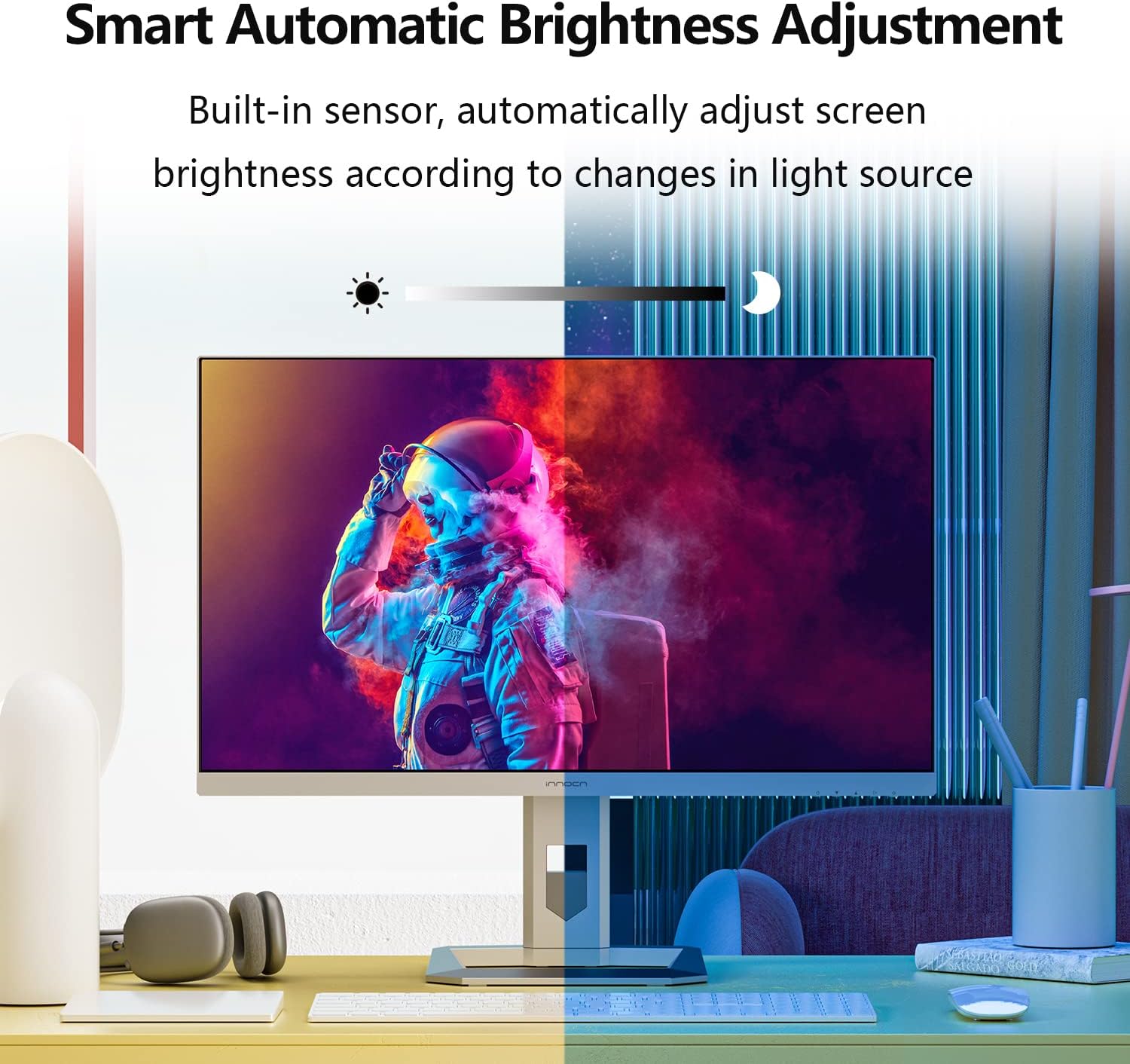
Figure 3: Monitor demonstrating its full range of ergonomic adjustments.
6. Operating Instructions (OSD Menu)
The On-Screen Display (OSD) menu is controlled by buttons located on the bottom right-hand side of the monitor. Note that changing settings in one mode (Professional, Picture, Game) may disable options in others.
6.1 Professional Settings
- Color Gamut Modes: Standard, sRGB, Adobe, DCI-P3.
- Подешавања гаме: Adjust the gamma curve.
- Подешавања температуре боје: Natural, Design, Warm, Cool, User (RGB control).
- Оштрина: Подесите оштрину слике.
- Баланс сенке: Adjust shadow detail.
- Слабо плаво светло: Reduce blue light emission for eye comfort.
- Hue/Saturation: Fine-tune color hue and saturation.
- Динамичка осветљеност: Enable/disable dynamic brightness adjustment.
6.2 Подешавања слике
- Осветљеност/контраст: Adjust overall display brightness and contrast.
- Динамички однос контраста (ДЦР): Enhance contrast dynamically.
- Контекстуални модел: Movie, Reading, Night, Care Eyes modes.
- HDR Modes: Standard, Movie, Design.
- Размера: Adjust display aspect ratio (e.g., Wide Screen).
6.3 Game Settings
- Режими игре: RTS/RPG, FPS Arena, MOBA Arena.
- Време одговора: Off, Normal, Fast, Ultra Fast.
- Локално затамњење: Enable/disable local dimming.
- Backlight Contrast: Adjust backlight contrast.
6.4 Picture-in-Picture (PIP/PBP)
Allows displaying content from two different sources simultaneously. Settings include signal source, audio source, position, size, and window swap.
6.5 ОСД подешавања
- Језик: Select OSD menu language.
- ОСД Тиме Оут: Set how long the OSD menu remains on screen.
- ОСД позиција: Adjust the OSD menu's on-screen position.
- Транспарентност менија на екрану: Подесите транспарентност ОСД менија.
- Hotkey Settings: Customize quick access buttons.
6.6 Остала подешавања
- Улазни сигнал: Auto-detect or manually select input source.
- Волумен: Adjust the volume of the built-in 5W speakers or audio output.
- Аутоматско напајање: Enable/disable auto power-off.
- Eyesafe/Remind: Eye comfort features.
- Светлосни сензор: Automatically adjusts screen brightness based on ambient light.
7. Кључне карактеристике
- Mini-LED Backlight & HDR1000: The 27M2U features a Mini-LED backlight with 1,152 local dimming zones, achieving 1,000 cd/m2 peak brightness for deep blacks and bright whites, enhancing HDR content.
- Изузетна тачност боја: With 99% DCI-P3 and 99% Adobe RGB color gamut coverage and a factory-calibrated ΔE < 2, this monitor delivers precise and consistent colors, ideal for creative professionals.
- Automatic Brightness Sensor: A built-in sensor automatically adjusts screen brightness to match ambient lighting conditions, optimizing viewing comfort and reducing eye strain.
- Свестрано повезивање: Equipped with USB-C (90W PD), DisplayPort 1.4, and dual HDMI 2.0 ports, it easily connects to a wide range of devices including PCs, laptops, tablets, phones, and gaming consoles.
- Ергономски дизајн: The stand offers height, tilt, swivel, and pivot adjustments, including a gravity sensor for automatic screen rotation, providing flexible viewing angles and improved ergonomics.
Видео 1: Званична видео презентација производаasing the INNOCN 27M2U monitor's features and design.
8. Спецификације
| Феатуре | Спецификација |
|---|---|
| Број модела | 27M2U |
| Величина екрана | 27 инча |
| Панел Типе | IPS Mini-LED |
| Резолуција | 3840 к 2160 (4К УХД) |
| Аспецт Ратио | 16:9 |
| Рефресх Рате | 60Хз |
| Време одговора | 12 мс (сиво у сиво) |
| Пеак Бригхтнесс | 1000 cd/m2 (HDR1000) |
| Типична осветљеност | 450 цд/м2 |
| Локалне зоне затамњивања | 1152 |
| Гамут боја | 99% DCI-P3, 99% Adobe RGB, ΔE<2 |
| Повезивање | 1x USB-C (90W PD), 1x DisplayPort 1.4, 2x HDMI 2.0, 1x 3.5mm Audio Jack |
| Звучници | 2к 5В |
| Ергономија | Height, Tilt, Swivel, Pivot, VESA 100x100mm |
| Димензије (производ) | 2.6 к 24 к 14 инча |
| Тежина | 21.6 фунти |
9. Одржавање и њега
- Чишћење: Use a soft, dry cloth to clean the screen. For stubborn marks, lightly dampОперите крпу водом или раствором за чишћење екрана. Избегавајте јаке хемикалије.
- Руковање: Always handle the monitor by its edges. Avoid pressing directly on the screen.
- вентилација: Обезбедите одговарајућу вентилацију око монитора како бисте спречили прегревање. Не блокирајте вентилационе отворе.
- Складиштење: Када се монитор не користи дуже време, чувајте га на хладном и сувом месту, идеално у оригиналном паковању.
КСНУМКС. Решавање проблема
- Нема напајања: Ensure the power cable is securely connected to both the monitor and the power outlet. Check the power adapter and outlet.
- Нема сигнала: Verify that the video cable (HDMI, DP, USB-C) is correctly connected to both the monitor and your source device. Select the correct input source via the OSD menu.
- Треперење/изобличена слика: Check the video cable for damage. Ensure your graphics card drivers are up to date. Try a different resolution or refresh rate.
- Проблеми са бојом: Reset color settings to default in the OSD menu. Ensure the correct color gamut mode is selected. If using HDR, verify HDR is enabled on your source device.
- Дугмад не реагују: Power cycle the monitor. Ensure no objects are pressing against the buttons.
11. Безбедносне информације
- Не излажите монитор киши или влази.
- Не отварајте монитор цasinг; унутра нема делова које корисник може сам да поправи.
- Користите само адаптер за напајање који се испоручује са монитором.
- Избегавајте постављање монитора на директну сунчеву светлост или близу извора топлоте.
- Држите монитор даље од јаких магнетних поља.
12. Гаранција и подршка
Your INNOCN 27M2U monitor comes with a standard manufacturer's warranty. Please refer to the warranty card included in your package for specific terms and conditions. For technical support, product registration, or service inquiries, please visit the official INNOCN webсајту или контактирајте њихову корисничку службу.
Подршка на мрежи: Посетите INNOCN Store on Amazon
What's in the Package: 1 x 27M2U 4K monitor + 1x DP cable + 1 x HDMI cable + 1 x USB Type-C cable + 1 x power supply + 1 x instruction + 1 x color collaboration report
Покриће гаранције: 12 Months Coverage (from feature bullets)
враћа: 30 Days Free Return (from A+ content)
Подршка: 24 Hours Specialist Support (from A+ content)