
1. Увод
This manual provides essential instructions for the installation, operation, and maintenance of your Chieftec Scorpion 3 White ATX Case (Model GL-03W-OP). Please read this manual thoroughly before beginning assembly to ensure proper setup and to maximize the lifespan of your product.
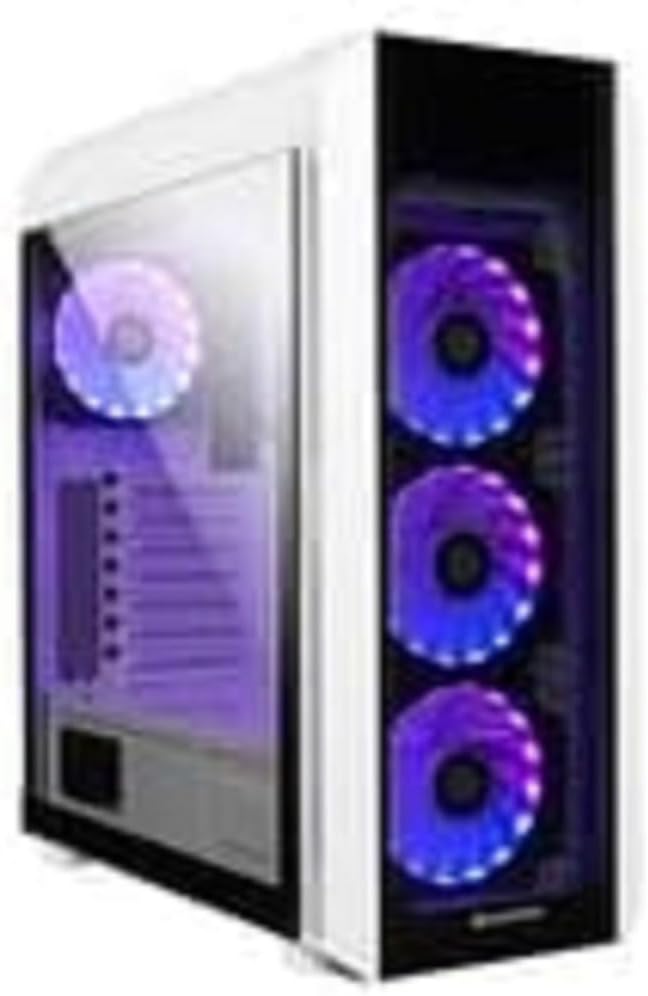
Слика 1: The Chieftec Scorpion 3 White ATX Case, showcasing its white exterior, tempered glass side panel, and three front-mounted, illuminated cooling fans. A single illuminated fan is visible at the rear.
2. Подешавање и инсталација компоненти
This section guides you through the process of installing your computer components into the Chieftec Scorpion 3 White ATX Case.
2.1. Припрема
- Ensure you have all necessary components: motherboard, CPU, RAM, graphics card, storage drives, and power supply unit (PSU).
- Gather tools: Phillips head screwdriver, zip ties for cable management.
- Радите на чистој површини без статичког електрицитета. Размислите о употреби антистатичке наруквице.
2.2. Отварање случаја
- Carefully remove the side panels. Typically, the tempered glass side panel is secured with thumbscrews at the rear.
- Set the panels aside on a soft, non-abrasive surface to prevent scratches.
2.3. Инсталација јединице за напајање (PSU)
- The Chieftec Scorpion 3 supports rear-mount PSUs.
- Slide the PSU into its designated bay at the bottom rear of the case.
- Secure the PSU with screws from the exterior rear of the case.
2.4. Инсталација матичне плоче
- Инсталирајте И/О штит у изрез на задњој страни кућишта.
- Поравнајте своју ATX матичну плочу са претходно инсталираним одстојницима.
- Пажљиво поставите матичну плочу на одстојнике и причврстите је завртњима.
2.5. Инсталација уређаја за складиштење података
- Locate the drive bays for 2.5" SSDs and 3.5" HDDs.
- Install your storage drives into the appropriate bays and secure them.
2.6. Графичка картица и картице за проширење
- Уклоните потребне поклопце PCIe слотова са задње стране кућишта.
- Insert your graphics card or other expansion cards into the motherboard's PCIe slots and secure them with screws.
2.7. Менаџмент каблова
- Route all cables (PSU, data, front panel) through the designated cutouts to the rear of the motherboard tray.
- Use zip ties or Velcro straps to bundle and secure cables for improved airflow and aesthetics.
2.8. Закључивање случаја
- Once all components are installed and cables managed, reattach the side panels.
- Secure the tempered glass panel with its thumbscrews.
3. Руковање кућиштем
The Chieftec Scorpion 3 White ATX Case provides the housing and cooling for your PC components. Its operation primarily involves the use of the front panel controls and integrated cooling system.
3.1. Контроле на предњој плочи
- Дугме за напајање: Press to turn on or off your computer.
- Дугме за ресетовање: Press to restart your computer.
- УСБ портови: Повежите УСБ уређаје.
- Аудио прикључци: Повежите слушалице и микрофоне.
3.2. Систем за хлађење
The case is equipped with multiple fan mounts and pre-installed 120mm fans to ensure optimal airflow.
- Ensure all fans are properly connected to your motherboard or a fan controller.
- Monitor system temperatures using software to ensure adequate cooling.
- The illuminated fans provide aesthetic appeal and can often be controlled via motherboard software for RGB lighting effects.
4. Одржавање
Regular maintenance helps ensure optimal performance and longevity of your Chieftec Scorpion 3 White ATX Case and its components.
4.1. Dust Cleaning
- учесталост: Clean dust filters and interior components every 3-6 months, or more frequently in dusty environments.
- Филтери за прашину: The case features removable dust filters (e.g., top, front, bottom). Gently remove and clean them with water and mild soap, or use a vacuum cleaner. Ensure they are completely dry before reinstallation.
- Ентеријер: Use compressed air to blow dust out of fans, heatsinks, and other components. Hold fan blades gently to prevent over-spinning.
4.2. Спољно чишћење
- Обришите спољашње површине меком, дamp крпу. Избегавајте абразивна средства за чишћење или раствараче.
- For the tempered glass panel, use a glass cleaner and a microfiber cloth to prevent streaks.
КСНУМКС. Решавање проблема
This section addresses common issues you might encounter with your PC build within the Chieftec Scorpion 3 White ATX Case.
5.1. System Not Powering On
- Проверите прикључке за напајање: Ensure the PSU is switched on and all power cables (24-pin ATX, 8-pin CPU, PCIe power) are securely connected to the motherboard and components.
- Конектори предње плоче: Verify that the front panel power switch cable is correctly connected to the motherboard's front panel header. Refer to your motherboard manual for the correct pinout.
- PSU Functionality: Test the PSU independently if possible, or try a known working PSU.
5.2. Fans Not Spinning or RGB Not Lighting Up
- Прикључци вентилатора: Ensure all fan power cables are securely connected to the motherboard fan headers or a fan controller.
- RGB Connections: If applicable, verify that RGB cables are connected to the correct RGB headers on the motherboard or a dedicated RGB controller.
- Контрола софтвера: Check your motherboard's BIOS/UEFI settings or dedicated fan/RGB control software for fan speed and lighting settings.
5.3. Poor Airflow or High Temperatures
- Накупљање прашине: Clean dust filters and internal components as described in the Maintenance section.
- Оријентација навијача: Ensure fans are oriented correctly for optimal airflow (e.g., front fans as intake, rear/top fans as exhaust).
- Управљање кабловима: Improve cable management to reduce obstructions to airflow.
6. Спецификације
Detailed technical specifications for the Chieftec Scorpion 3 White ATX Case (Model GL-03W-OP).
| Феатуре | Детаљ |
|---|---|
| Бранд | Цхиефтец |
| Сериес | Scorpion 3 White |
| Број модела | GL-03W-OP |
| Тип случаја | Мид Товер |
| Компатибилност матичне плоче | АТКС |
| Материјал | Акрилонитрил Бутадиен Стирен (АБС) Пластика |
| Боја | Black (Note: Product name indicates White, but specification lists Black. Please verify product color upon receipt.) |
| Тежина артикла | 2.2 фунти |
| Димензије производа (ДкШкВ) | 19.69 к 19.69 к 11.02 инча |
| Тип монтаже напајања | Стражњи носач |
| Метод хлађења | Ваздух |
| Величина вентилатора | 120 Millimeters (pre-installed fans) |
Note: Specifications are subject to change without prior notice. Please refer to the manufacturer's official webсајт за најажурније информације.
7. Информације о гаранцији
Chieftec products are manufactured to high-quality standards. For specific warranty terms and conditions applicable to your Chieftec Scorpion 3 White ATX Case (Model GL-03W-OP), please refer to the warranty card included with your product or visit the official Chieftec webсајту.
Typically, product warranties cover defects in materials and workmanship under normal use. Damage resulting from improper installation, accident, abuse, modification, or unauthorized repair is generally not covered.
8. Корисничка подршка
Should you encounter any issues or have questions regarding your Chieftec Scorpion 3 White ATX Case, please contact Chieftec customer support.
- Подршка на мрежи: Visit the official Chieftec webсајт за често постављана питања, преузимање драјвера и ресурсе за подршку.
- Контакт информације: Refer to the product packaging or Chieftec's official website for regional contact details (phone, email).
When contacting support, please have your product model (GL-03W-OP) and purchase information readily available.