
1. Увод
The ThruNite TN12 Pro is a high-performance, USB-C rechargeable Everyday Carry (EDC) flashlight designed for versatility and reliability. It features a powerful SFT40 LED, delivering up to 1900 lumens, and offers a maximum beam distance of 380 meters. Its dual-switch interface provides intuitive control, making it suitable for various applications from daily tasks to tactical use.

Figure 1.1: The ThruNite TN12 Pro Flashlight, showcasinзбог свог компактног дизајна и џепне копче.
Constructed from durable aluminum alloy with a scratch-resistant anodized finish, the TN12 Pro is built to withstand challenging conditions. It is also waterproof with an IPX-8 rating, ensuring performance even when submerged up to 2 meters. The integrated USB-C charging port allows for convenient and fast recharging without removing the battery.
2. Подешавање
2.1 Садржај пакета
Before first use, please verify that all items are present in the package:
- ThruNite TN12 Pro Flashlight
- 1x Lithium Ion Battery (included)
- УСБ-Ц кабл за пуњење
- Футрола
- Ланиард
- Резервни О-прстенови
- Spare USB Port Cover

Figure 2.1: All components included in the ThruNite TN12 Pro product package.
2.2 Battery Installation & Initial Charging
The TN12 Pro comes with a pre-installed Lithium Ion battery. Ensure the battery is properly seated before first use. For optimal performance, fully charge the flashlight before its initial operation.
- Одврните задњи поклопац лампе.
- Ensure the included 18650 Lithium Ion battery is inserted with the positive (+) terminal facing towards the head of the flashlight.
- Чврсто зашрафите задњи поклопац.
- Connect the provided USB-C cable to the flashlight's charging port and to a USB power source (e.g., wall adapter, computer USB port).
- Индикаторска лампица на бочном прекидачу ће показати статус пуњења:
- црвено: Пуњење
- плава: Потпуно напуњен
- љубичаста: Ненормално пуњење
- Once fully charged, disconnect the USB-C cable and replace the port cover to maintain water resistance.

Figure 2.2: Illustration of the USB-C charging port and the color-coded charging indicator on the side switch.

Слика 2.3: Детаљно view of the power indicator on the side switch, showing battery level ranges.
3. Операција
3.1 Опште функције
- Закључај/Откључај: When the flashlight is off, press and hold the side switch to enter Firefly mode. From Firefly mode, press and hold the side switch again to access lockout mode. To unlock, press and hold the side switch.
- Укључи/искључи: After the light is unlocked, press the side switch to turn the light ON/OFF. The light will turn on in the last mode used, except for Firefly, Turbo, and Strobe.
- Промена режима: Single-click the side switch to activate the last used mode. Then, press and hold the side switch to cycle through Low, Medium, and High modes.
3.2 Посебни режими
- Пречица до Фирефли-а: When the light is off, press and hold the side switch to directly access Firefly mode.
- Direct Access to Turbo (Side Switch): Double-click the side switch quickly from any mode to activate Turbo mode.
- Direct Access to Turbo (Tail Switch): When the flashlight is unlocked, single-click the tactical tail switch to access Turbo mode directly.
- Стробе: Triple-click the side switch quickly from any mode to activate Strobe mode.

Figure 3.1: Demonstrates holding the TN12 Pro and its versatility for everyday carry, including clipping to a pocket or bag.
4. Одржавање
4.1 Општа нега
- Keep the flashlight clean, especially the threads and O-rings. Lubricate O-rings periodically with silicone grease to maintain water resistance.
- Avoid dropping the flashlight or subjecting it to severe impacts.
- Чувајте батеријску лампу на хладном и сувом месту када је не користите дуже време.
- If the flashlight will not be used for a long time, it is recommended to remove the battery to prevent potential leakage.
4.2 Хидроизолација
The TN12 Pro is rated IPX-8 waterproof, meaning it can be continuously submerged in water up to 2 meters. To ensure this rating is maintained:
- Уверите се да је поклопац репа потпуно затегнут.
- Ensure the USB-C charging port cover is securely closed.
- Regularly inspect and replace O-rings if they appear damaged or worn.
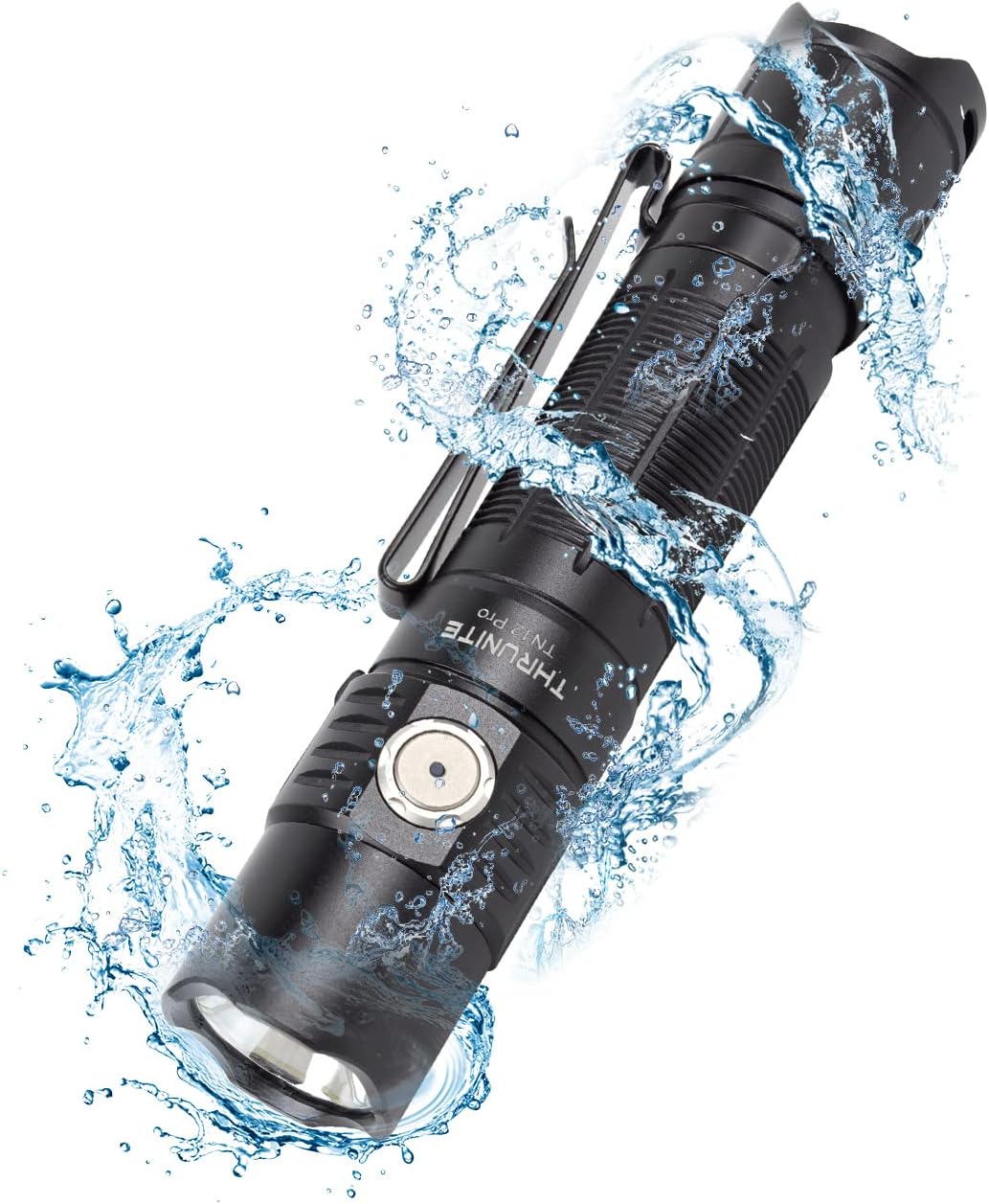
Figure 4.1: The TN12 Pro demonstrating its IPX-8 waterproof capability, suitable for use in wet conditions.
5. Спецификације
Below are the detailed specifications for the ThruNite TN12 Pro Flashlight:
| Феатуре | Детаљ |
|---|---|
| Модел | TN12 Pro cw |
| Бранд | ТхруНите |
| Извор светлости | SFT40 ЛЕД |
| Мак Оутпут | 1900 лумена |
| Максимална удаљеност снопа | 380 метара |
| Извор напајања | 1x Lithium Ion Battery (included) |
| Пуњење | УСБ-Ц брзо пуњење |
| Материјал | Алуминијумска легура |
| Отпорност на воду | IPX-8 (2 meters submersible) |
| Отпорност на удар | 1.5 метара |
| Димензије | 131.5 мм (дужина) x 27 мм (пречник главе) x 25.5 мм (пречник тела) |
| Тежина | 85 г (без батерије) |
| Светлосни режими | Firefly, Low, Medium, High, Turbo, Strobe |
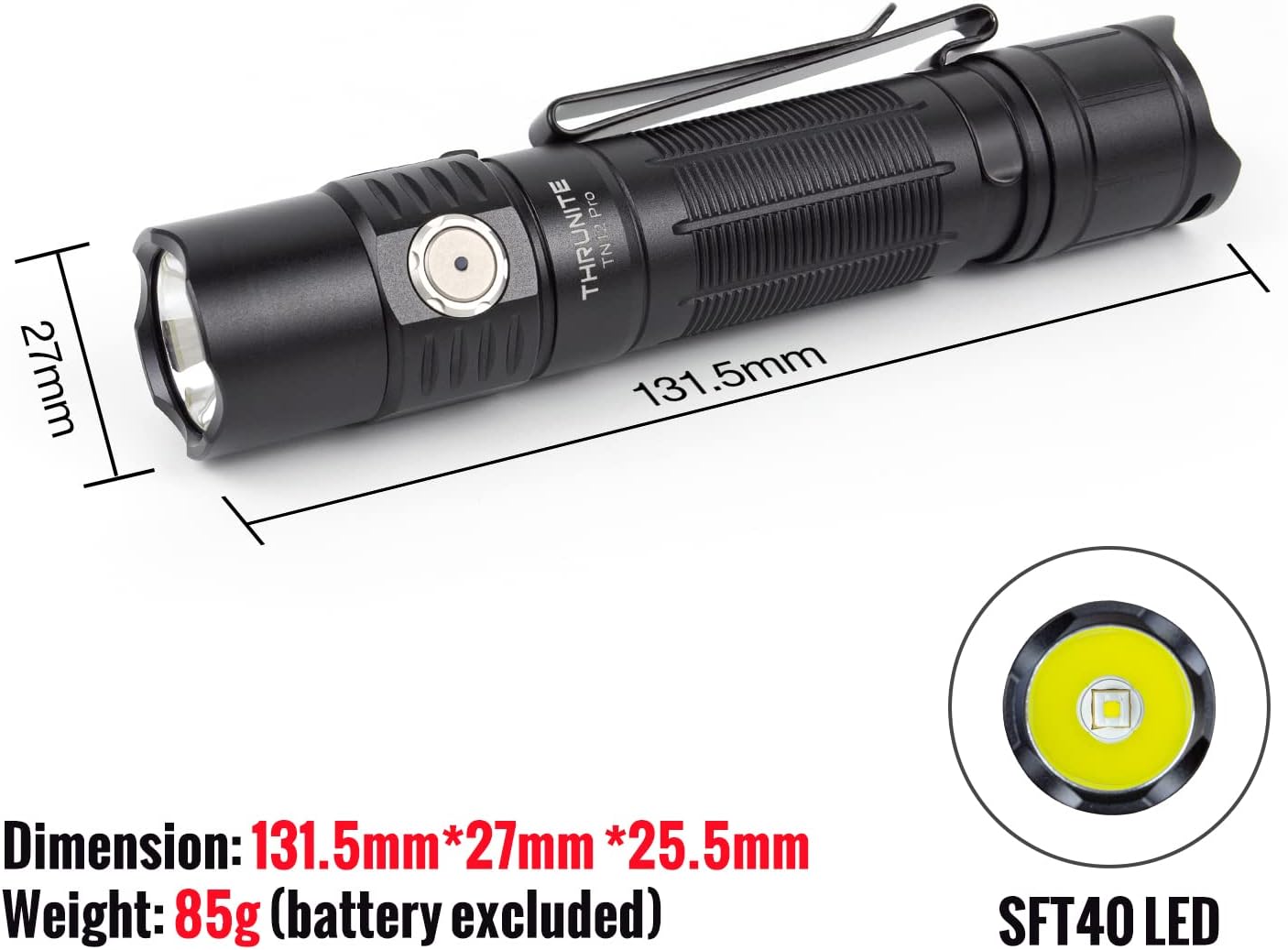
Figure 5.1: Physical dimensions and the SFT40 LED of the TN12 Pro flashlight.

Figure 5.2: Key performance metrics including max output, runtime, beam distance, waterproof rating, and impact resistance.
КСНУМКС. Решавање проблема
If you encounter issues with your ThruNite TN12 Pro, please refer to the following common solutions:
- Лампа се не укључује:
- Уверите се да је батерија правилно уметнута са позитивним (+) терминалом окренутим ка глави.
- Проверите да ли је батерија напуњена. Напуните је ако је потребно.
- Уверите се да је заштитна капа добро затегнута. Лабава заштитна капа може спречити електрични контакт.
- Check if the flashlight is in lockout mode. Press and hold the side switch to unlock.
- Light output is dim or flickering:
- Батерија је можда празна. Напуните батерију.
- Очистите контакте батерије и навоје батеријске лампе чистом крпом.
- Батеријска лампа се загрева током употребе:
- High output modes (e.g., Turbo) generate significant heat. This is normal. The flashlight has thermal regulation to prevent overheating.
- Ако постане непријатно вруће, пребаците се на нижи режим.
- Пуњење не ради:
- Уверите се да је USB-C кабл правилно повезан и са батеријском лампом и са извором напајања.
- Пробајте други USB-C кабл или адаптер за напајање.
- Check the charging indicator light for status (Red for charging, Blue for full, Purple for abnormal).
7. Гаранција и подршка
7.1 Информације о гаранцији
For detailed warranty information regarding your ThruNite TN12 Pro flashlight, please refer to the official ThruNite website or the warranty card included with your product. ThruNite typically offers a limited warranty covering manufacturing defects.
7.2 Корисничка подршка
If you require further assistance, have questions not covered in this manual, or need to report a defect, please contact ThruNite customer support through their official website or the contact information provided in your product packaging. Please have your model number (TN12 Pro cw) and purchase date ready when contacting support.
Напомена: У достављеним подацима за уграђивање нису били доступни званични видео снимци производа.