
1. Увод
This manual provides detailed instructions for the installation, operation, and maintenance of your SCOORNEST Wireless Security Camera. This compact, battery-operated camera is designed for indoor use, offering 1080P HD video, night vision, and remote monitoring capabilities via a mobile application. Please read this manual thoroughly before using the product to ensure proper function and safety.

Image: The SCOORNEST Wireless Security Camera discreetly placed in a living room, providing wide area surveillance.
2. Карактеристике производа
The SCOORNEST Wireless Security Camera offers a range of features for effective home monitoring:
- 1080P HD видео: Снима јасне и детаљне снимке хранеtage.
- Бежично и на батерије: Flexible placement without the need for constant power outlets.
- Ноћни вид: Provides clear monitoring in low-light or dark conditions.
- Детекција покрета: Alerts you to detected movement, enhancing security.
- Даљинска контрола апликација: Monitor and control the camera from your smartphone or tablet.
- Употреба у више сценарија: Suitable for monitoring homes, babies, pets, elderly care, and office spaces.

Image: Key features of the camera, including 1080P resolution, motion detection, WiFi connectivity, and wireless operation.

Image: Demonstration of the camera's 1080P resolution, providing clear and smooth video quality.
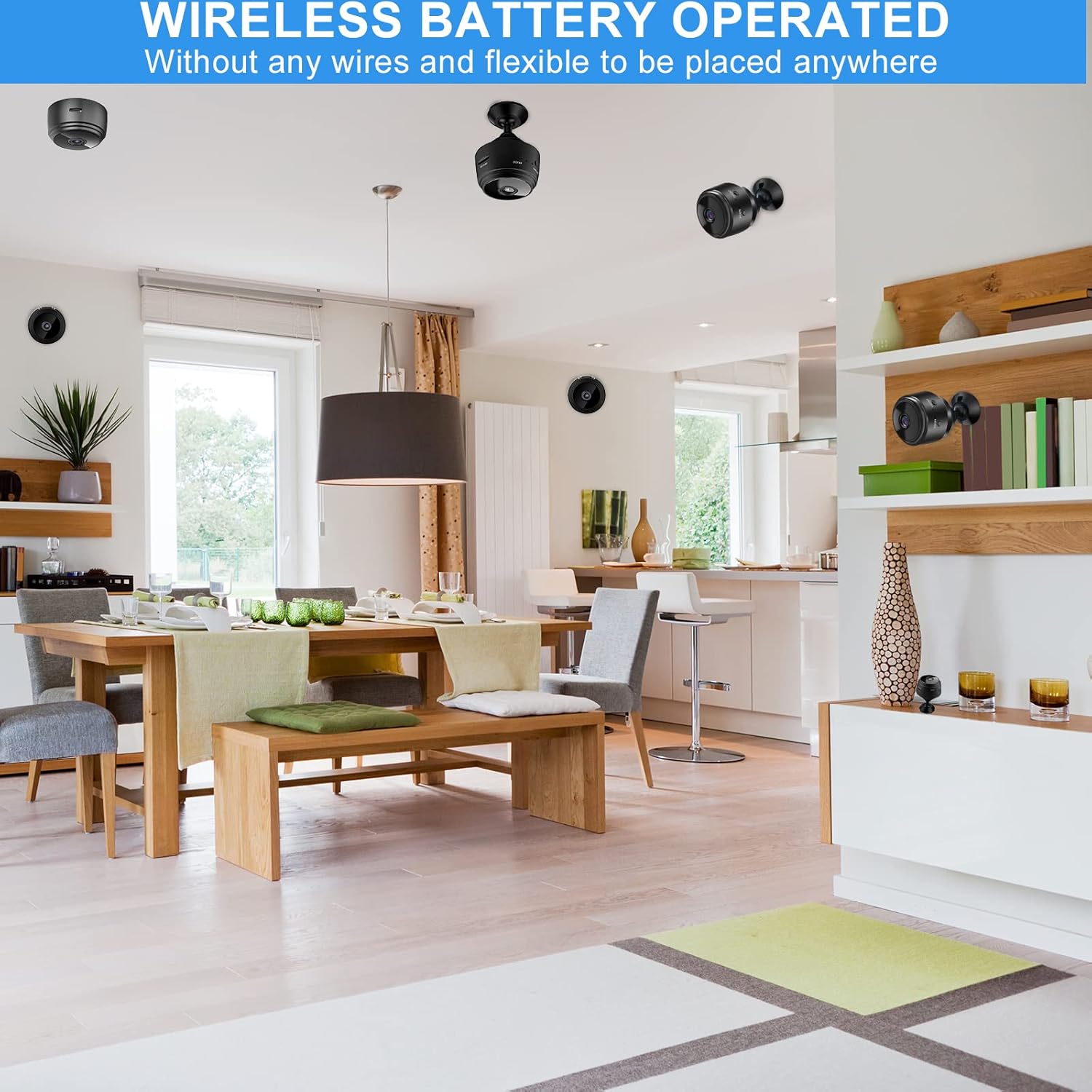
Image: The camera's motion detection feature, sensitive to capture movement and trigger alerts.

Image: Comparison of day and night vision, illustrating the camera's ability to monitor in various lighting conditions.
3. Водич за подешавање
Follow these steps to set up your SCOORNEST Wireless Security Camera:
- Напуните камеру: Before first use, fully charge the camera using the provided USB cable. A red indicator light typically signifies charging, turning off or changing color when complete.
- Преузмите апликацију: Тражи "HDwifiCamPro" in the App Store (iOS) or Google Play Store (Android) and install it on your smartphone.
- Укључите камеру: Притисните и држите дугме за напајање док се индикаторска лампица не упали.
- Повежите се са телефоном: Open the HDwifiCamPro app. Follow the in-app instructions to connect the camera to your phone. This usually involves connecting to the camera's temporary Wi-Fi hotspot first, then configuring it to connect to your home 2.4GHz Wi-Fi network.
- Поставите камеру: Place the camera in your desired monitoring location. Its wireless design allows for flexible placement. Ensure it has a clear line of sight to the area you wish to monitor.
Image: Visual guide for connecting the camera to your smartphone and home WiFi network.
4. Упутство за употребу
Once your camera is set up, you can begin monitoring:
- Уживо View: Open the HDwifiCamPro app and select your camera to view видео пренос уживо.
- Снимање: The camera supports continuous recording or motion-activated recording. Ensure a microSD card (not included) is inserted for local storage, or utilize cloud storage options if available through the app.
- Upozorenja o pokretu: Enable motion detection in the app settings to receive notifications on your phone when movement is detected.
- Night Vision Activation: Night vision typically activates automatically in low-light conditions.
- Даљински приступ: As long as your camera is connected to Wi-Fi and your phone has internet access, you can view the live feed and manage settings from anywhere.

Image: Live monitoring of the camera feed on a smartphone.

Слика: прample of using the camera for pet monitoring via the mobile app.

Image: The camera feed can be viewed on multiple devices, including laptops, tablets, and smartphones.
5. Одржавање
To ensure the longevity and optimal performance of your camera:
- Чишћење: Нежно обришите објектив и кућиште камере меком, сувом крпом. Избегавајте употребу јаких хемикалија или абразивних материјала.
- Одржавање батерије: Recharge the camera regularly, especially if it's not connected to a continuous power source. Avoid fully depleting the battery frequently to prolong its lifespan.
- Ажурирања софтвера: Check the HDwifiCamPro app periodically for firmware updates for your camera. Keeping the software updated can improve performance and security.
- Складиштење: If storing the camera for an extended period, ensure it is fully charged and stored in a cool, dry place.
КСНУМКС. Решавање проблема
Ако наиђете на проблеме са камером, погледајте следеће уобичајене проблеме и решења:
| Проблем | Могући узрок | Решење |
|---|---|---|
| Камера се не повезује на Ви-Фи | Incorrect Wi-Fi password; camera too far from router; 5GHz Wi-Fi network used. | Ensure correct 2.4GHz Wi-Fi password; move camera closer to router; ensure router supports 2.4GHz. |
| Лош квалитет слике | Dirty lens; insufficient lighting; weak Wi-Fi signal. | Clean the lens; ensure adequate lighting or rely on night vision; improve Wi-Fi signal strength. |
| Батерија се брзо празни | Често уживо viewing; continuous recording; high motion detection sensitivity. | Reduce live viewing time; use motion-activated recording; adjust motion detection sensitivity; keep camera plugged in if possible. |
| Апликација не прима обавештења | App notifications disabled; motion detection off; phone in Do Not Disturb mode. | Check app notification settings; enable motion detection; disable Do Not Disturb. |
Ако проблеми и даље постоје, погледајте одељак Гаранција и подршка за контакт информације.
7. Спецификације
| Феатуре | Детаљ |
|---|---|
| Димензије производа | 3.98 к 2.4 к 1.46 инча |
| Тежина артикла | 2.08 унци |
| Број модела | FDA MASK 95 |
| Бранд | СЦООРНЕСТ |
| Ленс Типе | Широки угао |
| Ленс Десигн | Зоом |
| Фоцус Типе | Мануал Фоцус |
| Lens Coating Description | ХД Цоатинг |
| Датум првог доступног | 10. маја 2022. године |
8. Гаранција и подршка
SCOORNEST is committed to providing quality products and customer satisfaction. Your SCOORNEST Wireless Security Camera comes with a једногодишња гаранција from the date of purchase. Additionally, we offer lifetime after-sales service.
For any product-related inquiries, technical support, or warranty claims, please contact our customer service team. Refer to the product packaging or the official SCOORNEST webсајт за најновије контакт информације.
You can also find a PDF version of the Instructions for Use овде.