
Kuephom PM10-Black
Kuephom Portable Bluetooth CD Walkman User Manual
Model: PM10-Black
Увод
This manual provides detailed instructions for the operation and maintenance of your Kuephom Portable Bluetooth CD Walkman. Designed for versatility, this device supports CD, Bluetooth, USB, and AUX playback, featuring anti-skip protection and a built-in speaker. Please read this manual thoroughly before use to ensure proper functionality and longevity of your device.
Садржај пакета
Проверите да ли су све ставке наведене у наставку укључене у ваш пакет:
- CD player X 1
- Слушалице Кс 1
- Аудио кабл Кс 1
- Кабл за пуњење Кс 1
- Pouch X 1
Производ је завршенview

Figure 1: Kuephom Portable Bluetooth CD Walkman and its accessories, including earbuds, audio cable, charging cable, and pouch.

Figure 2: Detailed diagram illustrating the various buttons and ports on the Kuephom Portable CD Walkman, including volume controls, playback buttons, mode selection, Bluetooth transmit, USB slot, AUX in jack, earphone jack, and speaker.
Сетуп
Пуњење уређаја
The CD player has a built-in rechargeable lithium battery. Before first use, fully charge the device.
- Connect the provided USB charging cable to the charging port (DC 5V) on the device.
- Connect the other end of the USB cable to a compatible USB power source (e.g., wall charger, power bank, car charger, or computer USB port).
- The charging indicator light will illuminate during charging and turn off when fully charged. A full charge takes approximately 4 hours.

Figure 3: The portable CD player connected to a power source via its USB charging cable, demonstrating various charging options.
Укључивање/искључивање
Померите ОН/ОФФ switch located on the side of the device to turn it on or off.
Уметање ЦД -а
- Померите ОПЕН switch to open the CD compartment cover.
- Carefully place a CD (CD, CD-R, CD-RW, MP3, WMA, WAV formats supported) onto the spindle with the label side facing up.
- Gently press the center of the CD until it clicks into place.
- Close the CD compartment cover firmly until it latches.
Video 1: Demonstration of inserting a CD into the Kuephom Portable CD Player and closing the compartment. This video also shows the supported disc formats.
Connecting Headphones or External Speakers (AUX)
For private listening or connecting to non-Bluetooth devices:
- Insert the 3.5mm jack of your headphones into the Утичница за слушалице.
- To connect to external speakers or a car audio system, use the provided 3.5mm audio cable. Insert one end into the АУКС Ин Јацк on the CD player and the other end into the AUX input of your external device.

Figure 4: The portable CD player connected to a car's audio system via an AUX cable, demonstrating its use in a vehicle with anti-shock protection for uninterrupted playback.
Упутство за употребу
Основна репродукција
- Притисните тастер Пусти/Паузирај button (►▮▮) to start or pause playback.
- Притисните тастер Следеће дугме (►►) да бисте прешли на следећу нумеру.
- Притисните тастер Претходни button (◄◄) to go to the beginning of the current track or the previous track.
- Притисните тастер Стани дугме (■) да бисте зауставили репродукцију.
- Подесите јачину звука помоћу Вол+ и Вол- дугмад.
Блуетоотх функционалност
The device supports two-way Bluetooth connection:
Bluetooth Transmitting (Connecting to Bluetooth Headphones/Speakers)
- Ensure the CD player is powered on and a CD is inserted.
- Притисните тастер Блуетоотх пренос button (labeled "TRANSMIT" or "BT" on some models) to enter Bluetooth transmitting mode. The Bluetooth icon on the display will flash.
- Пребаците Bluetooth слушалице или звучник у режим упаривања.
- The CD player will automatically search for and connect to nearby Bluetooth devices. Once connected, the Bluetooth icon will stop flashing.

Figure 5: The portable CD player actively transmitting audio via Bluetooth to both headphones and a separate Bluetooth speaker, illustrating its wireless output capability.
Bluetooth Receiving (Connecting to Smartphone/Laptop)
- Притисните тастер БТ режим button (labeled "BT" or "MODE" on some models) to switch the CD player into Bluetooth receiving mode.
- На паметном телефону, таблету или лаптопу омогућите Блутут и потражите доступне уређаје.
- Select "Kuephom CD Player" (or similar name) from the list of devices to pair.
- Once connected, you can play audio from your smart device through the CD player's built-in speaker.
Video 2: This video demonstrates the Bluetooth playback feature, showing the CD player connecting to a smartphone to stream audio, highlighting its versatility as a Bluetooth speaker.
Other Playback Modes
- УСБ репродукција: Уметните УСБ флеш диск у УСБ слот. The player will automatically switch to USB mode and begin playing compatible audio files.
- Функција понављања: Притисните тастер Понови дугме за прелазак кроз режиме понављања (нпр. понови један, понови све).
- A-B Repeating: Притисните тастер АБ button to set a starting point (A) and an ending point (B) for a section of audio to repeat. Press again to clear.
- Подешавање брзине: Користите Подешавање брзине buttons (labeled "SPEED" or "SPEED +/-") to increase or decrease the playback speed. This feature is particularly useful for language learning.
- Programming Playback: Refer to the detailed product diagram (Figure 2) for the "PROG." button if available on your model for custom track sequencing.
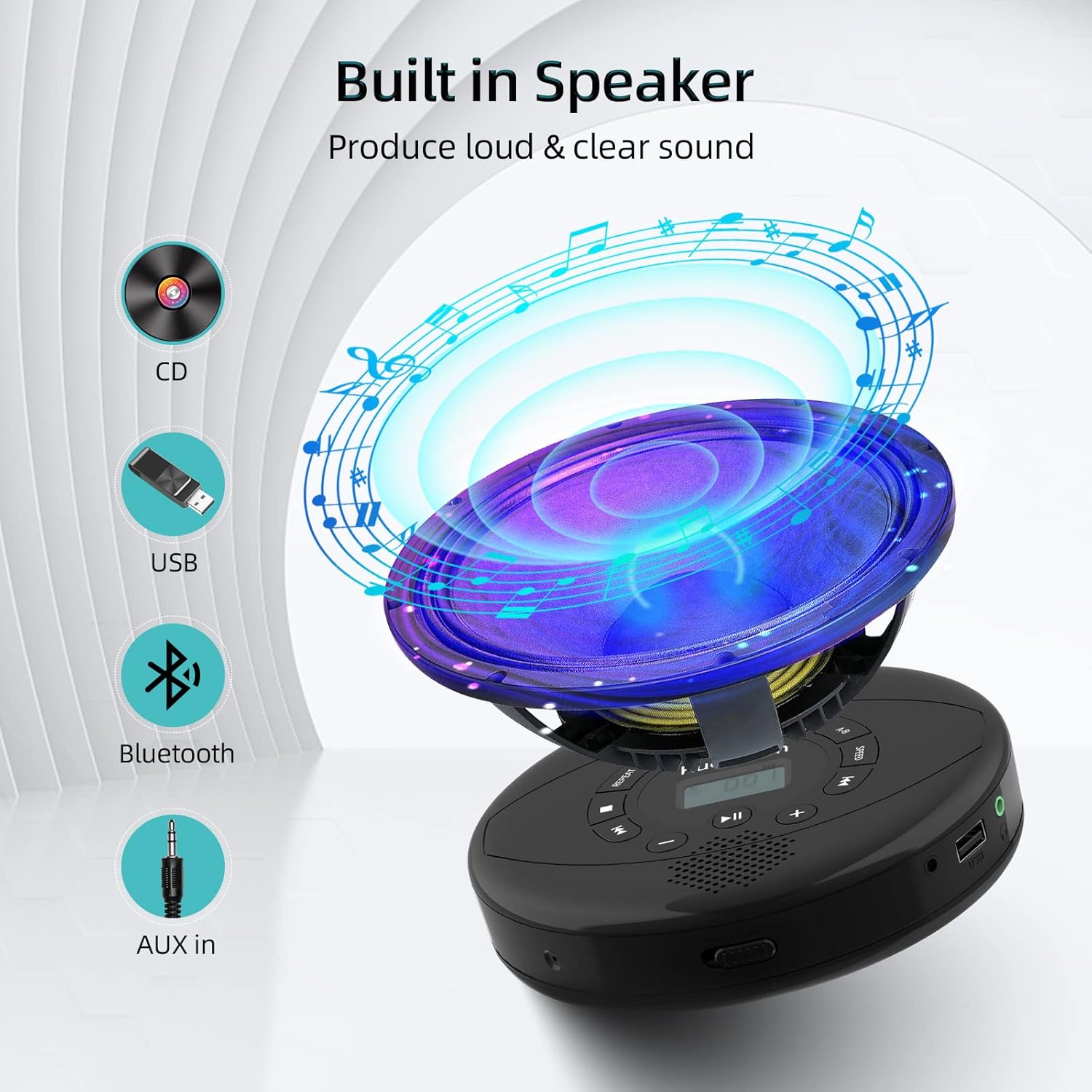
Figure 6: Illustration of the built-in speaker and the various audio input options supported by the device, including CD, USB, Bluetooth, and AUX in.
Одржавање
- Одржавајте уређај чистим брисањем меком, сувом крпом. Избегавајте употребу абразивних средстава за чишћење или растварача.
- Не излажите уређај екстремним температурама, директној сунчевој светлости или високој влажности.
- Handle CDs by their edges to prevent scratches and smudges. Clean CDs with a soft, lint-free cloth, wiping from the center outwards.
- Када се уређај не користи дуже време, чувајте га на хладном и сувом месту.
Решавање проблема
| Проблем | Могући узрок | Решење |
|---|---|---|
| Уређај се не укључује. | Батерија је празна или је слаба. Прекидач за напајање је искључен. | Charge the device fully. Ensure the ON/OFF switch is in the "ON" position. |
| CD прескаче или се не репродукује. | CD is dirty, scratched, or damaged. Device is unstable. | Clean the CD. Try another CD. Ensure the device is on a stable surface or utilize its anti-skip protection during movement. |
| Нема звука из слушалица/звучника. | Volume is too low. Headphones/speakers not properly connected. Incorrect mode selected. | Increase volume. Re-insert headphone/AUX cable firmly. Ensure correct mode (CD, Bluetooth, USB, AUX) is selected. |
| Блуетоотх упаривање није успело. | Device not in pairing mode. Bluetooth device too far. Interference. | Ensure the CD player is in Bluetooth transmitting/receiving mode. Move devices closer. Turn off other Bluetooth devices to reduce interference. |
Спецификације
| Феатуре | Детаљ |
|---|---|
| Димензије производа | 5.7 к 5.7 к 1.2 инча |
| Тежина артикла | 1.21 фунти |
| Број модела | PM10-Black |
| Батерија | 1 литијум-полимерска батерија (укључена) |
| Бранд | Куепхом |
| Технологија повезивања | Блуетоотх, помоћни, УСБ |
| Подржани формати | ЦД, ЦД-Р, ЦД-РВ, МП3, ВМА, ВАВ |
| Посебна карактеристика | Portable, Anti-Skip, Built-in Speakers |
Гаранција и подршка
For warranty information or technical support, please refer to the contact details provided with your purchase or visit the official Kuephom webсајт. Сачувајте рачун као доказ о куповини за евентуалне рекламације по гаранцији.
Ask a question about this manual
Ask about setup, troubleshooting, compatibility, parts, safety, or missing instructions. Manuals+ will review the question and use this page’s manual context to help answer it.