
Acctim Digital Bedside Mini Alarm Clock
Модел: 16231 - Упутство за употребу
Увод
Thank you for choosing the Acctim Digital Bedside Mini Alarm Clock. This compact and functional alarm clock is designed for convenience and reliability. Please read this manual carefully to ensure proper setup and operation of your device.
Кључне карактеристике:
- Clear LCD Screen with White Backlight
- Crescendo Alarm
- Подесива контрола јачине звука
- Компактан и преносив дизајн

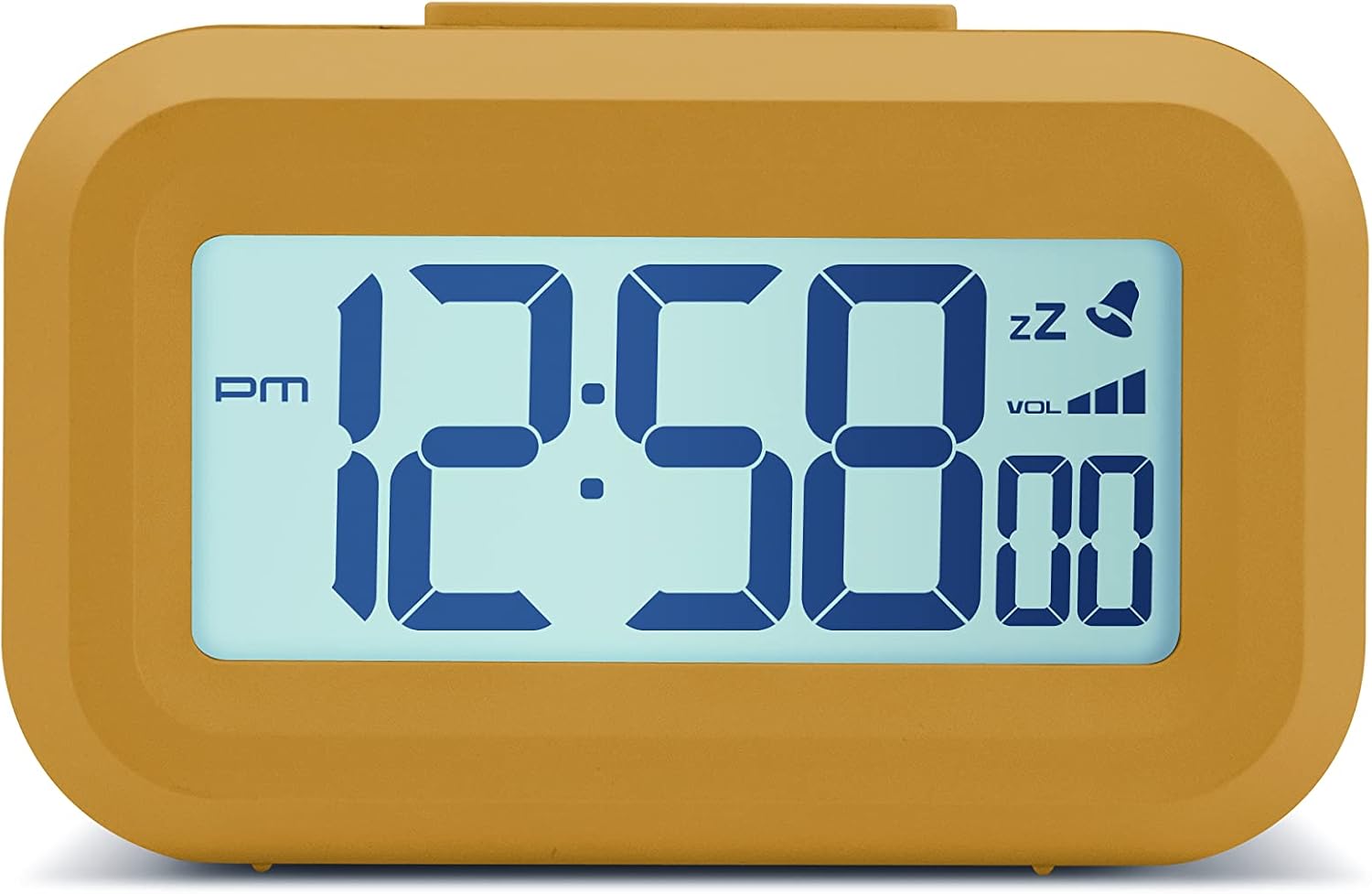
Фронт view of the Acctim Digital Bedside Mini Alarm Clock, displaying the time.
Сетуп
1. Инсталација батерије
The alarm clock requires 2 x AAA batteries (not included). To install the batteries:
- Пронађите поклопац одељка за батерије на задњој страни сата.
- Померите поклопац надоле да бисте га отворили.
- Уметните две ААА батерије, водећи рачуна о исправном поларитету (+ и -) као што је назначено унутар одељка.
- Вратите поклопац одељка за батерију тако што ћете га померити нагоре док не кликне на своје место.
Назад view of the alarm clock, highlighting the battery compartment and control buttons.
2. Прво укључивање
Once batteries are correctly installed, the LCD display should activate, showing a default time or flashing digits. The clock is now ready for time and alarm settings.
Упутство за употребу
Функције дугмета:
- КОМПЛЕТ: Used to enter time/alarm setting modes and confirm selections.
- ГОРЕ (▲): Користи се за повећање вредности током подешавања.
- ДОЛЕ (▼): Used to decrease values during setting.
- VOL (■): Used to adjust alarm volume.
- Горње дугме: Activates backlight and snooze function.
1. Подешавање времена
- Притисните тастер СЕТ button once. The hour digits will begin to flash.
- Користите UP or ДОВН buttons to adjust the hour. Pay attention to the AM/PM indicator.
- Притисните СЕТ поново. Цифре за минуте ће трептати.
- Користите UP or ДОВН дугмад за подешавање минута.
- Притисните СЕТ a third time to confirm the time setting and exit the time setting mode.
2. Подешавање аларма
- Притисните тастер СЕТ button twice. The alarm hour digits will begin to flash, and an alarm icon (bell) may appear on the display.
- Користите UP or ДОВН дугмад за подешавање сата аларма.
- Притисните СЕТ again. The alarm minute digits will flash.
- Користите UP or ДОВН дугмад за подешавање минута аларма.
- Притисните СЕТ a third time to confirm the alarm setting. The alarm icon will remain visible, indicating the alarm is active.
- Да бисте деактивирали аларм, притисните дугме СЕТ button until the alarm icon disappears from the display.
3. Функција одлагања
Када се огласи аларм, притисните велико Горње дугме on the clock. The alarm will temporarily stop and sound again after approximately 5 minutes. The snooze icon (zz) will typically flash on the display.
4. Backlight Activation
To illuminate the display temporarily, press the large Горње дугме. The white backlight will activate for a few seconds, making the time visible in low-light conditions.

The alarm clock display with its white backlight activated for improved visibility.
5. Подешавање јачине звука аларма
The alarm features an adjustable volume control. While the alarm is sounding, or in alarm setting mode, press the ВОЛ button (square button on the back) to cycle through available volume levels. The display may show a volume indicator.
Одржавање
Чишћење
To clean the clock, use a soft, dry cloth. Avoid using abrasive cleaners, solvents, or chemical sprays, as these can damage the casinг или приказ.
Замена батерије
Replace the AAA batteries when the display becomes dim, the backlight is weak, or the clock functions become erratic. Always replace both batteries at the same time with new ones.
Решавање проблема
- Екран је празан или замагљен:
Check if the batteries are inserted correctly. Replace with fresh AAA batteries. - Аларм се не оглашава:
Ensure the alarm time is set correctly and the alarm icon is visible on the display. Check the alarm volume level. - Приказано је погрешно време:
Re-enter the correct time following the 'Setting the Time' instructions. - Дугмад не реагују:
Remove and reinsert the batteries to perform a soft reset. If the issue persists, replace the batteries.
Спецификације
- Бренд: Acctim
- Број модела: 16231
- Тип приказа: Дигитални ЛЦД
- Посебне карактеристике: Adjustable Volume, Alarm, Illuminated (Backlight), Snooze
- Димензије производа: 3.54"W x 2.17"H (approximately 8.8 cm W x 5.5 cm H)
- Извор напајања: Напајање батеријама (2 x AAA, нису укључене)
- Тип собе: Спаваћа соба
- Облик: Правоугаона
- Материјал: Пластика
- Тежина артикла: 0.06 килограма

Diagram showing the approximate dimensions of the alarm clock.
Гаранција и подршка
This Acctim product is covered by a manufacturer's warranty. For specific warranty details, technical support, or service inquiries, please refer to the warranty card included with your purchase or visit the official Acctim webсајт. Не покушавајте сами да поправите уређај, јер то може поништити гаранцију.