
1. Водич за подешавање
This section provides instructions for the initial setup of your Kinhank Super Console X King. Please follow these steps carefully to ensure proper functionality.
1.1 Распакивање и идентификација компоненти
Carefully remove all components from the packaging. Verify that all items listed in the packing list are present.

слика: The packing list for the Kinhank Super Console X King, showing the console unit, remote control, two gamepads, HDMI cable, power adapter, and an SD card.
1.2 Повезивање са телевизором
- Locate the HDMI port on the back of your Super Console X King.
- Connect one end of the provided HDMI cable to the console's HDMI port.
- Connect the other end of the HDMI cable to an available HDMI input on your television. Note the HDMI input number (e.g., HDMI 1, HDMI 2) for later selection.
1.3 Прикључак за напајање
- Connect the power adapter to the DC-in port on the console.
- Plug the power adapter into a standard electrical outlet. The console should power on automatically or can be powered on using the remote control.
1.4 Повезивање контролера
The console supports wireless controllers. Insert the USB receiver for the wireless controllers into one of the USB ports on the console. The controllers should automatically pair. If not, refer to the troubleshooting section.
1.5 Мрежна веза
The Super Console X King supports both Wi-Fi (2.4G+5G) and Gigabit Ethernet for internet connectivity.
- Ви-Фи: Navigate to the system settings, select Network, and choose your Wi-Fi network. Enter the password to connect.
- Етхернет: Connect an Ethernet cable from your router to the RJ45 port on the console. The connection should be established automatically.

слика: A diagram illustrating the various ports on the Kinhank Super Console X King, including DC-in, USB 2.0, HD 2.1, RJ45, Audio SPDIF, AV (CVBS), USB 3.0, and Micro SD Card Slot.
2. Упутство за употребу
Your Super Console X King features three operating systems: Android 9.0, EmuELEC 4.5, and CoreELEC. This section explains how to navigate and use each system.
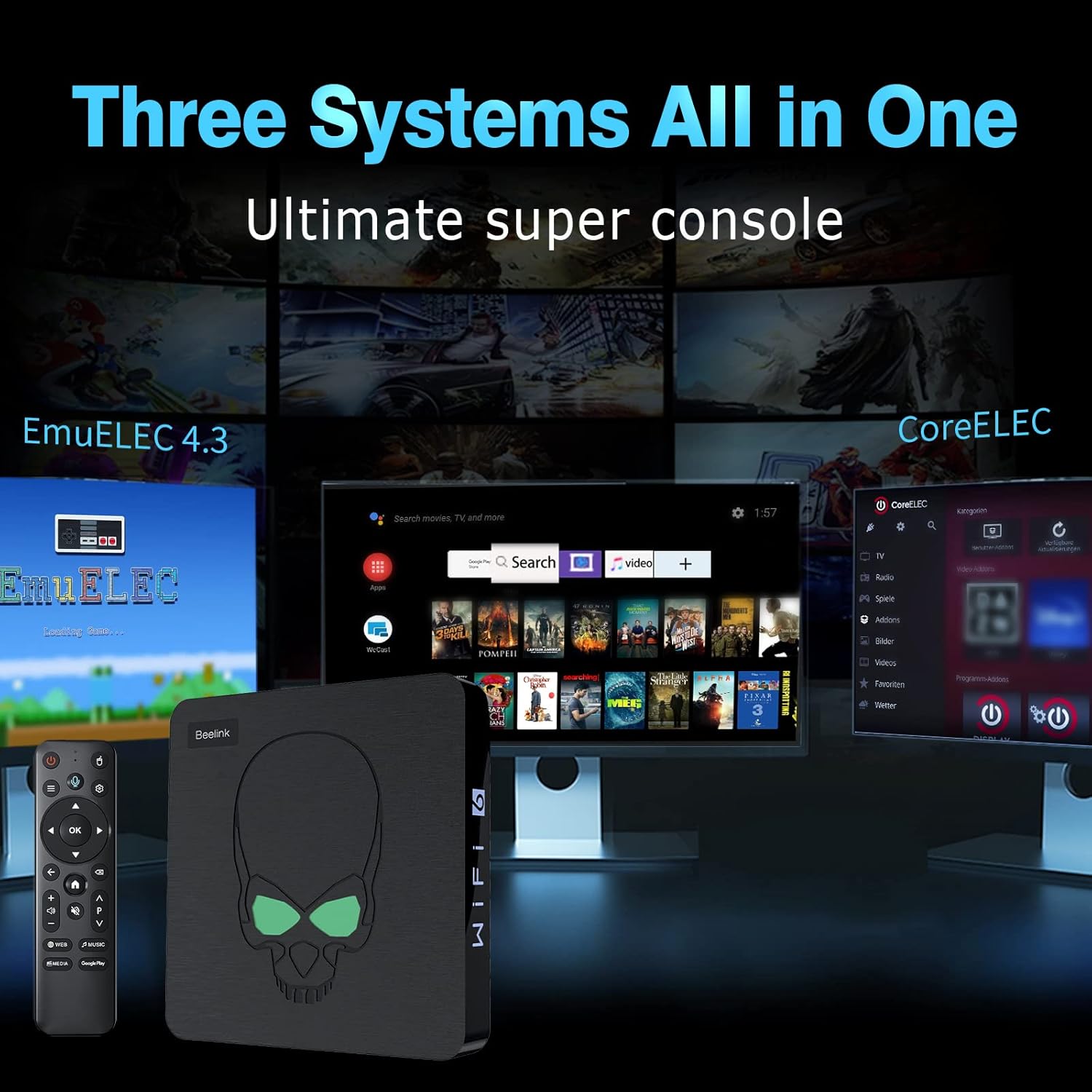
слика: A visual representation of the three systems (EmuELEC, Android, CoreELEC) integrated into the Kinhank Super Console X King, highlighting its versatility.
2.1 Избор система
Upon booting, you will typically be presented with an option to select your desired operating system. Use the remote control or gamepad to navigate and choose between Android, EmuELEC, or CoreELEC.

слика: Ан оверview showing the interfaces of Android 9.0, EmuELEC 4.5, and CoreELEC systems running on the console.
2.2 EmuELEC (Gaming System)
- Избор игре: EmuELEC provides access to over 117,000 pre-installed classic games across 70+ emulators. Use the gamepad to navigate through the game libraries.
- Започињање игре: Select a game from the list and press the designated button (usually 'A' or 'X') to launch it.
- Saving Game Progress: Most emulators allow you to save your game progress (save states). Refer to the in-emulator menu for specific instructions, typically accessed by a combination of buttons on the gamepad.
- Adding Games: The console supports adding additional games. This usually involves transferring ROM files to the appropriate folders on the SD card or internal storage. Detailed instructions for adding games can be found in advanced user guides online.

слика: The Kinhank Super Console X King console with a remote, showcasing its capability to run over 117,000 classic games.
2.3 Android 9.0 (Smart TV System)
- Навигација: Use the remote control to navigate the Android interface. The remote often functions as an air mouse for easier selection.
- Пријаве: Access pre-installed apps like YouTube, Google Play, Netflix, and more. You can download additional applications from the Google Play Store.
- Репродукција медија: Use Android apps to stream videos, music, and view photos on your 4K television.

слика: A user playing a game on a 4K television, demonstrating the 4K HD output capability of the Kinhank Super Console X King.
2.4 CoreELEC (Media Center System)
CoreELEC is a lightweight operating system designed for media playback. It is ideal for users who primarily want to use the console as a dedicated media center. Navigate using the remote control to access your media files and streaming services.
2.5 Званични видео производа
видео: Званична видео презентација производаasing the features and capabilities of the Kinhank Super Console X King, including its design, S922X chip, game system, 4K output, and included accessories.
3. Одржавање
Правилно одржавање осигурава дуготрајност и оптималне перформансе ваше конзоле.
3.1 Чишћење
- Use a soft, dry cloth to wipe the exterior of the console.
- Do not use liquid cleaners or abrasive materials, as they may damage the finish.
- Држите вентилационе отворе чистим од прашине и остатака како бисте спречили прегревање.
3.2 Ажурирања софтвера
Periodically check for software updates for Android, EmuELEC, and CoreELEC. Updates can provide performance improvements, new features, and bug fixes. Follow the on-screen prompts within each system's settings menu to perform updates.
3.3 Управљање складиштем
Regularly manage your storage to ensure sufficient space for new games and applications. Delete unused files or applications to free up space. The console supports external storage via USB drives or additional SD cards.
КСНУМКС. Решавање проблема
This section addresses common issues you might encounter with your Kinhank Super Console X King.
4.1 Нема напајања
- Ensure the power adapter is securely connected to both the console and a working electrical outlet.
- Покушајте са другом утичницом.
- Verify the power adapter is the correct one supplied with the console.
4.2 No Display on TV
- Check that the HDMI cable is securely connected to both the console and the TV.
- Ensure your TV input is set to the correct HDMI port (e.g., HDMI 1, HDMI 2).
- Пробајте други HDMI кабл или други HDMI порт на вашем телевизору.
- Restart the console and the TV.
4.3 Controllers Not Responding
- Ensure the USB receiver for the wireless controllers is firmly plugged into a USB port on the console.
- Check if the controllers have sufficient battery charge.
- If the controllers are not pairing, try unplugging and re-plugging the USB receiver. Some systems may require manual pairing through their settings menu.
- If you experience difficulty with controller setup, refer to the specific system's (e.g., EmuELEC) configuration options for input devices.
4.4 Проблеми са мрежном везом
- Ви-Фи: Double-check your Wi-Fi password. Ensure the console is within range of your Wi-Fi router. Restart your router and the console.
- Етхернет: Verify the Ethernet cable is properly connected. Check your router's status.
5. Спецификације
Key technical specifications for the Kinhank Super Console X King:
| Феатуре | Опис |
|---|---|
| Процесор | Amlogic S922X Hexa-Core (Quad-core A73 + Dual-core A53) |
| ГПУ | Мали ГКСНУМКСМПКСНУМКС |
| РАМ | 4ГБ ЛПДДР4 |
| Интерна меморија | 64ГБ еММЦ |
| Оперативни системи | Android 9.0, EmuELEC 4.5, CoreELEC |
| Pre-installed Games | 117,000+ classic games (70+ emulators) |
| Видео Оутпут | 4K UHD (HD/AV 1080P/720P supported) |
| Повезивање | 2.4G + 5G Wi-Fi 6, Bluetooth 4.1, Gigabit Ethernet |
| Димензије | 3.9 к 3.9 к 1.3 инча |
| Тежина | 2.25 фунти |

слика: Крупни план view of the S922X Hexa-Core Amlogic CPU, highlighting the powerful processing unit of the console.
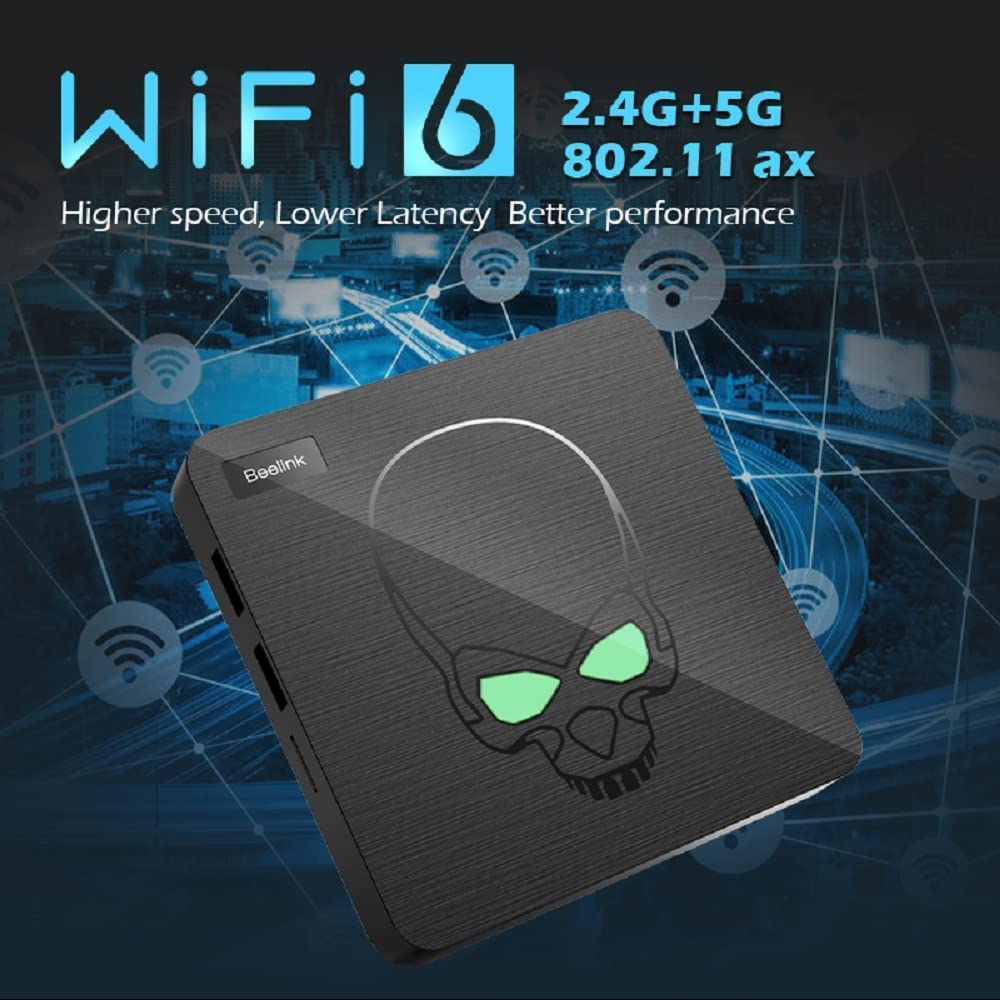
слика: The console unit with an overlay indicating WiFi 6 (2.4G+5G) and Gigabit Ethernet for high-speed network connectivity.
6. Гаранција и подршка
For warranty information and technical support, please refer to the documentation included with your product or visit the official Kinhank webсајт. Сачувајте рачун као доказ о куповини за потребе гаранције.
If you encounter issues not covered in this manual, please contact customer support for assistance.