
1. Увод
The HANMATEK Thermal Camera Ti120 is an advanced imaging tool designed for detecting temperature anomalies across various applications. This manual provides essential information for the safe and effective operation, maintenance, and troubleshooting of your device. Please read this manual thoroughly before using the thermal camera.
The Ti120 features an infrared resolution of 120x90 pixels, a wide temperature range from -20°C to 400°C (-4°F to 752°F), and a high refresh rate of 25 Hz, making it suitable for detailed thermal inspections.
2. Карактеристике производа и вишеview
The HANMATEK Ti120 thermal camera is equipped with several features to enhance its functionality and ease of use:
- Outstanding Image Quality & Performance: The Ti120 offers an IR resolution of 120x90 (10,800 pixels) and a thermal sensitivity of < 60mK. It features a 2.8-inch TFT LCD with an accuracy of ±2 °C. Users can switch between Celsius and Fahrenheit with a single click.
- Five Color Palettes & Adjustable Emissivity: Choose from 5 variable color palettes (iron red, rainbow, incandescent, black glow, red hot) directly on the camera. The emissivity is adjustable from 0.01 to 0.99, with 4 types of object measurement modes to suit different surfaces.
- Temperature and Light Alarm: An audible alarm and warning light activate when temperatures fall outside a preset range, alerting the user to potential issues. An integrated LED work light assists in dark or hard-to-reach areas.
- 32GB Micro SD & Data Communication: The device includes a 32GB Micro SD card for ample storage. It supports one-button photo capture, viewing, and data transfer to a laptop, TV, or other devices for analysis.
- Свестране апликације: The Ti120 is suitable for home inspections, detecting insulation deficiencies, air leaks, water damage, building maintenance, HVAC troubleshooting, and professional electrical and mechanical system inspections.

Слика 1: Предња страна view of the HANMATEK Ti120 Thermal Camera, showing the display and control buttons.
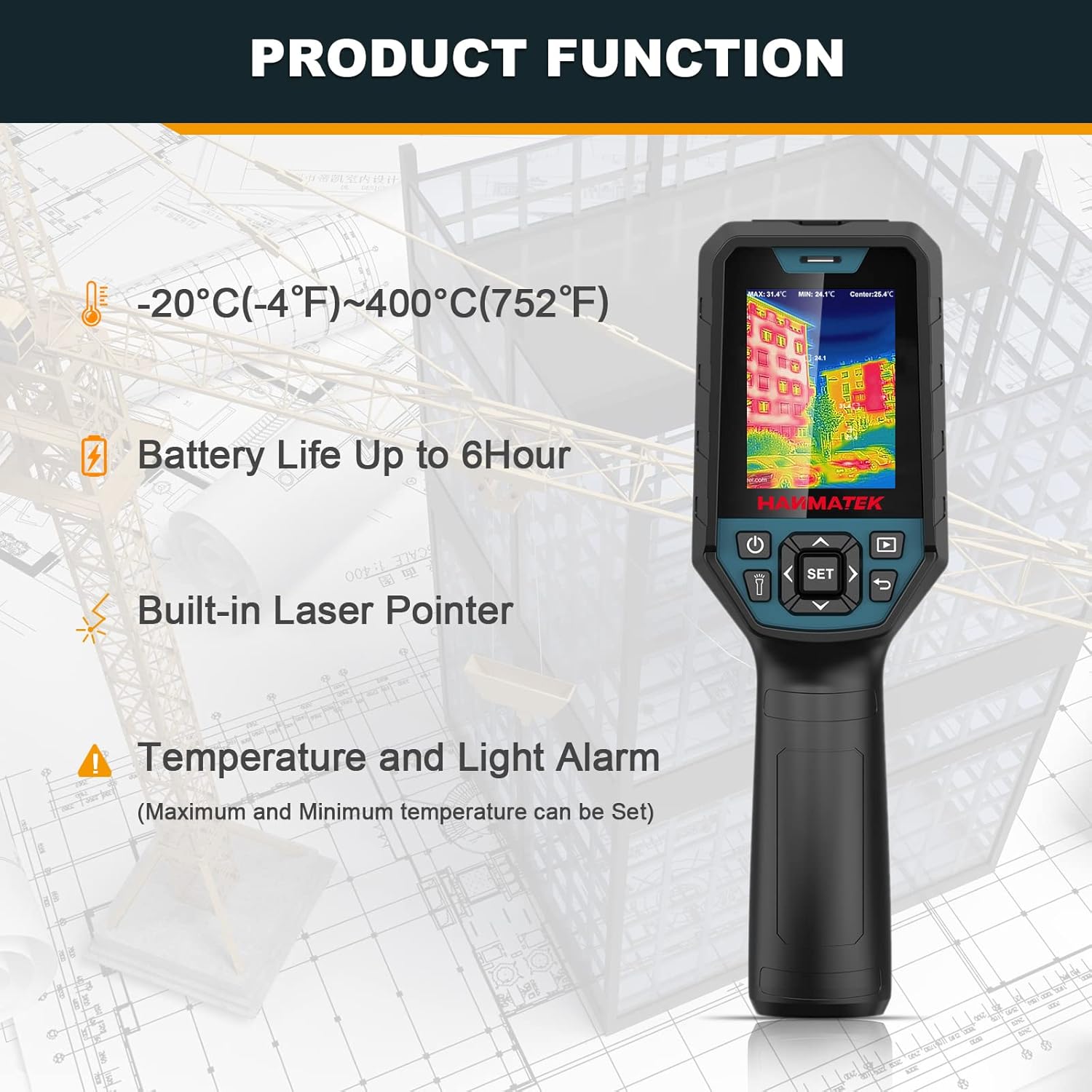
Слика 2: Завршеноview of key product functions including temperature range, battery life, built-in laser pointer, and alarm features.

Figure 3: Labeled diagram of the thermal camera, indicating the LCD, power button, lighting button, navigation buttons, SET button, picture browsing button, return button, infrared window, visible light window, and camera button.

Слика 4: Прamples of the 5 color palettes available: Rainbow, Iron Oxide Red, Cold Color, White Heat, and Black Heat.
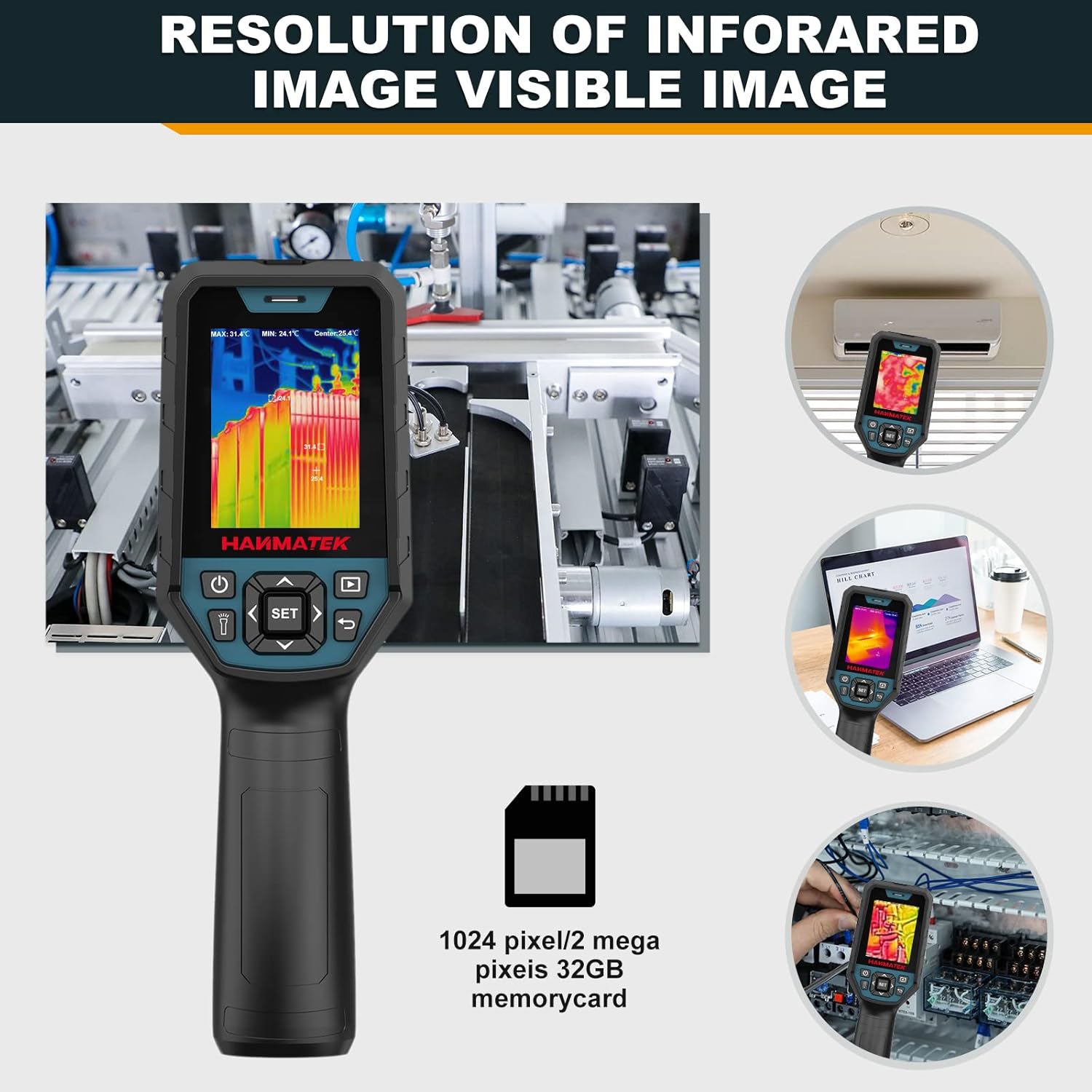
Figure 5: Illustrates the infrared image resolution and the inclusion of a 32GB Micro SD card for storage.

Слика 6: Прamples of various applications for the thermal camera, including mechanical, electrical, HVAC, energy auditing, facility maintenance, and auto repair.

Figure 7: The automatic cold and hot spot tracker feature, which helps identify temperature extremes clearly.

Figure 8: Visual representation of the five image fusion modes (0%, 25%, 50%, 75%, 100%) for combining thermal and visual images.
3. Подешавање
3.1 Пуњење батерије
The Ti120 thermal camera is equipped with a built-in 3.7V/5000mAh rechargeable lithium polymer battery. Before initial use, ensure the device is fully charged.
- Connect the provided Type-C USB cable to the camera's charging port.
- Повежите други крај USB кабла са компатибилним USB адаптером за напајање (није укључен) или USB портом рачунара.
- The charging indicator light will illuminate. A full charge typically provides over 6 hours of continuous use.

Figure 9: The thermal camera connected via Type-C USB for charging, indicating the battery status.
3.2 Inserting/Removing the Micro SD Card
The camera comes with a 32GB Micro SD card pre-installed or included separately for image storage.
- Пронађите слот за Micro SD картицу са стране уређаја.
- To insert, gently push the card into the slot until it clicks into place.
- To remove, gently push the card again until it springs out, then pull it out.

Figure 10: The thermal camera highlighting the 32GB Micro SD card for storage.
3.3 Укључивање/искључивање
Press and hold the Power Button (refer to Figure 3) for a few seconds to turn the device on or off. The display will light up, showing the thermal image.
4. Упутство за употребу
4.1 Основна навигација
Use the navigation buttons (Up, Down, Left, Right) to move through menu options and adjust settings. The SET button confirms selections, and the Return button navigates back.
4.2 Мерење температуре
The Ti120 provides accurate temperature readings within a range of -20°C to 400°C (-4°F to 752°F).
- Automatic Hot/Cold Spot Tracking: The camera automatically identifies and displays the highest and lowest temperatures within the field of view.
- Center Point Measurement: Provides an accurate temperature reading at the center of the screen.
- Focused Area (ROI) Measurement: Allows selection of a specific region of interest for temperature analysis.
- Промена јединица: Press the designated button to toggle between Celsius (°C) and Fahrenheit (°F).

Figure 11: The thermal camera displaying automatic temperature tracking, showing the highest and lowest temperature points.
4.3 палета боја
Select a color palette from the menu to visualize temperature differences effectively. The available palettes are Iron Red, Rainbow, Incandescent, Black Glow, and Red Hot. Each palette highlights temperature variations differently.
4.4 Подешавање емисивности
Adjust the emissivity setting (0.01 to 0.99) to match the surface being measured for accurate temperature readings. The camera offers 4 types of object measurement modes to assist with this setting.
4.5 Image Fusion Modes
The Ti120 supports five image fusion modes (0%, 25%, 50%, 75%, 100%) to blend thermal and visual images. This feature helps in identifying the exact location of temperature anomalies by overlaying the thermal image onto a visible light image.
4.6 Temperature and Light Alarm
When the measured temperature exceeds or falls below the set thresholds, the device will emit an audible alarm and flash its LED light. This feature is crucial for quick detection of critical temperature changes.
Video 1: Demonstration of the HANMATEK Thermal Camera Ti120's features, including temperature measurement, color palettes, and alarm functions.
4.7 Управљање подацима
- Снимање фотографија: Press the Camera Button (refer to Figure 3) to capture a thermal image.
- Image Browsing: Use the Picture Browsing Button (refer to Figure 3) to review saved images on the device.
- PC Software Support: The camera supports PC software for advanced image analysis and reporting. Connect the camera to a computer via the Type-C USB cable.
- Режим УСБ диска: Allows browsing images, analyzing image data, and generating/exporting PDF reports.
- USB Camera Mode: Enables real-time picture taking, image projection, and automatic picture saving for over-temperature events.

Figure 12: Diagram illustrating the PC software support for USB drive mode (browsing, analysis, reports) and USB camera mode (picture taking, projection, auto-save).
5. Одржавање
5.1 Чишћење уређаја
To ensure optimal performance and longevity, keep the thermal camera clean.
- Wipe the exterior of the camera with a soft, damp тканина. Немојте користити абразивна средства за чишћење или раствараче.
- Gently clean the infrared lens and visible light window with a lens cleaning cloth. Avoid touching the lens directly with fingers.
5.2 Одржавање батерије
- Редовно пуните батерију, чак и ако се уређај не користи често, како бисте одржали њено здравље.
- Избегавајте потпуно пражњење батерије током дужег временског периода.
- Чувајте уређај на хладном и сувом месту када се не користи.
5.3 Складиштење
When storing the camera for extended periods, ensure it is clean, fully charged, and placed in its protective case to prevent damage from dust or impact.
КСНУМКС. Решавање проблема
If you encounter issues with your HANMATEK Ti120 thermal camera, refer to the following common problems and solutions:
| Проблем | Могући узрок | Решење |
|---|---|---|
| Уређај се не укључује | Слаба батерија; Квар уређаја | Напуните батерију у потпуности. Ако проблем и даље постоји, контактирајте корисничку подршку. |
| Нетачна очитавања температуре | Incorrect emissivity setting; Obstruction of lens; Device not calibrated | Adjust emissivity to match the target surface. Clean the lens. Ensure the device is used within its specified operating conditions. |
| Cannot save images | SD card full; SD card not inserted correctly; SD card corrupted | Check SD card storage and delete unnecessary files. Reinsert the SD card. Try a different SD card. |
| Image transfer to PC fails | USB cable issue; Driver not installed; PC software not running | Ensure the USB cable is securely connected. Install necessary drivers for the device. Verify the PC software is correctly installed and running. |
| Аларм не ради | Alarm settings disabled; Volume too low | Check the alarm settings in the device menu. Adjust the volume. |
If the problem persists after attempting these solutions, please contact HANMATEK customer support for further assistance.
7. Спецификације
Key technical specifications for the HANMATEK Thermal Camera Ti120:
| Феатуре | Спецификација |
|---|---|
| ИЦ резолуција | 120 x 90 пиксела (10,800 пиксела) |
| Термичка осетљивост | < ≤60mK |
| Температурни опсег | -20°Ц до 400°Ц (-4°Ф до 752°Ф) |
| Прецизност | ±2 °C или ±2% очитавања |
| Рефресх Рате | 25 Хз |
| Дисплаи | 2.8-инчни ТФТ ЛЦД |
| Тип батерије | Rechargeable 3.7V/5000mAh Li-ion Polymer Battery |
| Трајање батерије | До 8 сати непрекидног рада |
| Складиштење | Мицро СД картица од 32 ГБ |
| Димензије производа | 9.2 к 3.17 к 2.93 инча |
| Тежина артикла | 1.74 фунти |
| Степен заштите | ИП65 (водоотпоран и отпоран на прашину) |
8. Гаранција и подршка
HANMATEK products are designed for reliability and performance. For warranty information, please refer to the warranty card included with your product or visit the official HANMATEK website. If you require technical assistance, have questions about product operation, or need to report a defect, please contact HANMATEK customer support.
Контакт информације: Please refer to the contact details provided on your product packaging or the official HANMATEK webсајт за најновије канале подршке.