
1. Увод
Thank you for choosing the DEWENWILS Digital Timer Outlet. This device is designed to automate the power supply to your electronic appliances, helping you save energy and enhance home security. It features up to 16 programmable on/off settings, a countdown function, and a random mode for various applications. Please read this manual carefully before use to ensure proper operation and safety.

Слика 1.1: Предња страна view дигиталне тајмерске утичнице DEWENWILS.
2. Безбедносна упутства
- Само за употребу у затвореном простору. Не излагати киши или влази.
- Не прекорачујте максимални капацитет оптерећења од 3840W (16A).
- Уверите се да је тајмер безбедно прикључен у уземљену утичницу.
- Do not disassemble or attempt to repair the device. Contact customer support if issues arise.
- Чувати ван домашаја деце.
- Unplug the timer from the wall outlet before cleaning.
3. Производ је готовview
The DEWENWILS Digital Timer Outlet features an easy-to-read LCD display and seven control buttons for programming. Its unique 180° rotatable display allows for flexible viewing angles, making it convenient to read and operate in various outlet orientations.

Image 3.1: The 180° rotatable LCD screen for easy viewинг.
Компоненте:
- ЛЦД екран: Shows current time, day, program status, and mode.
- Дугмад:
- НЕДЕЉА: Подешава дан у недељи.
- САТ: Подешава сат.
- МИНУТА: Подешава минут.
- РЕСЕТОВАТИ: Clears all settings and resets the device.
- НАЧИН: Cycles through AUTO, ON, OFF, RANDOM, COUNTDOWN modes.
- EIN/AUS (ON/OFF): Manual override for programs.
- EINGABE (ENTER): Потврђује подешавања.
- Утичница: За повезивање вашег уређаја.
4. Подешавање
4.1 Initial Activation and Reset
Before first use, or after a prolonged period of disuse, press the РЕСЕТ button to activate the unit and clear any previous settings. This ensures the internal battery is charged and the device is ready for programming.
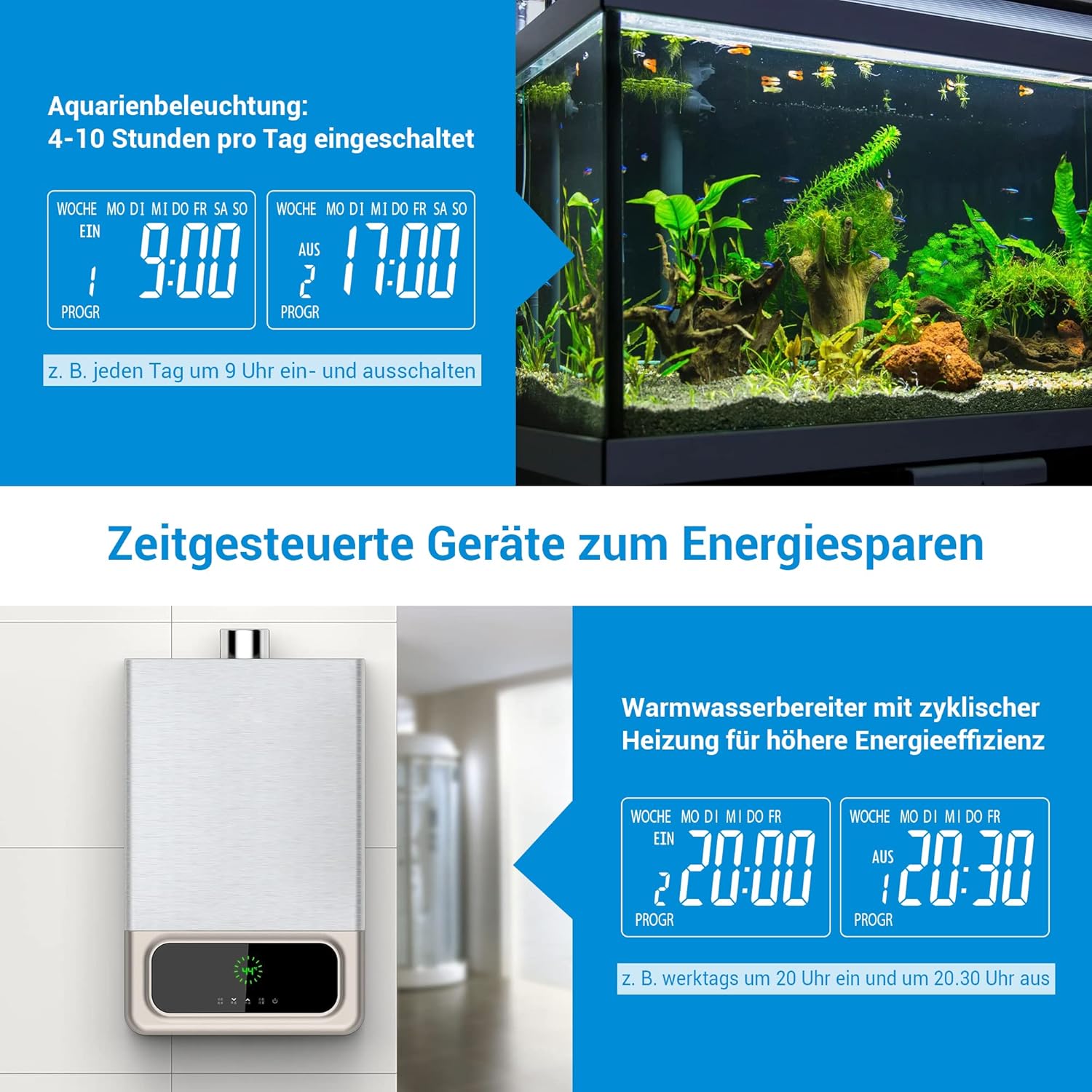
Image 4.1: Location of the RESET button and indication of built-in battery for memory retention.
4.2 Подешавање тренутног времена
- Укључите тајмер у зидну утичницу.
- Притисните тастер НЕДЕЉА button repeatedly to select the current day of the week.
- Притисните тастер ХОУР дугме за подешавање тренутног сата.
- Притисните тастер МИНУТЕ дугме за подешавање тренутне минуте.
- The time is now set. The built-in battery will retain these settings for approximately 30 days during a power outage.
5. Упутство за употребу
5.1 Programming On/Off Times (16 Programs)
The timer allows for up to 16 distinct ON/OFF programs per day or week. Each program consists of an ON time and an OFF time.
- Притисните тастер EINGABE (ENTER) button once to enter program setting mode. The display will show '1 ON'.
- Користите НЕДЕЉА, ХОУР, и МИНУТЕ buttons to set the desired ON time for the first program.
- Притисните EINGABE (ENTER) поново. На дисплеју ће се приказати „1 ИСКЉУЧЕНО“.
- Користите НЕДЕЉА, ХОУР, и МИНУТЕ buttons to set the desired OFF time for the first program.
- Repeat steps 1-4 for up to 16 programs. Press EINGABE (ENTER) to cycle through programs (1 ON, 1 OFF, 2 ON, 2 OFF, etc.).
- Након подешавања свих жељених програма, притисните дугме МОДЕ button to return to the current time display. Ensure the mode is set to АУТО for programs to execute automatically.

Image 5.1: Display indicating multiple program settings.
5.2 Countdown Function
The countdown function allows you to set a specific duration after which the connected appliance will turn ON or OFF.
- Притисните тастер МОДЕ button repeatedly until 'COUNTDOWN' appears on the display.
- Користите ХОУР и МИНУТЕ buttons to set the desired countdown duration.
- Притисните EINGABE (ENTER) to start the countdown. The display will show the remaining time.
- Once the countdown finishes, the connected appliance will switch its state (from ON to OFF, or OFF to ON).
5.3 Random Mode (Anti-Theft)
The random mode is designed to simulate occupancy when you are away, enhancing home security. It randomly turns the connected appliance ON and OFF between 7:00 PM and 6:00 AM.
- Притисните тастер МОДЕ button repeatedly until 'RANDOM' appears on the display.
- The timer will now randomly switch the connected appliance ON and OFF during the specified night hours.
- To exit random mode, press the МОДЕ button again to select another mode (e.g., AUTO, ON, OFF).

Image 5.2: Random mode for simulating occupancy and deterring intruders.
5.4 Ручно пребацивање
You can manually switch the connected appliance ON or OFF at any time, overriding the current program or mode.
- Притисните тастер EIN/AUS (ON/OFF) button to toggle the power state of the connected appliance.
- The display will show 'ON' or 'OFF' accordingly.
- To return to automatic operation, press the МОДЕ button until 'AUTO' is displayed.
5.5 Aplikacija prampлес
The DEWENWILS Digital Timer Outlet can be used for various applications to save energy and automate your home:
- Осветљење акваријума: Program specific ON/OFF times to maintain a healthy environment for aquatic life.
- бојлери: Schedule heating cycles to reduce energy consumption during off-peak hours.
- Christmas Decorations/Lights: Automate festive lighting schedules.
- Coffee Makers: Have your coffee ready when you wake up.
- Пуњење телефона: Prevent overcharging by setting a timer for your phone or other devices.

Слика 5.3: Примерamples of energy-saving applications for the timer, such as aquarium lighting and water heaters.
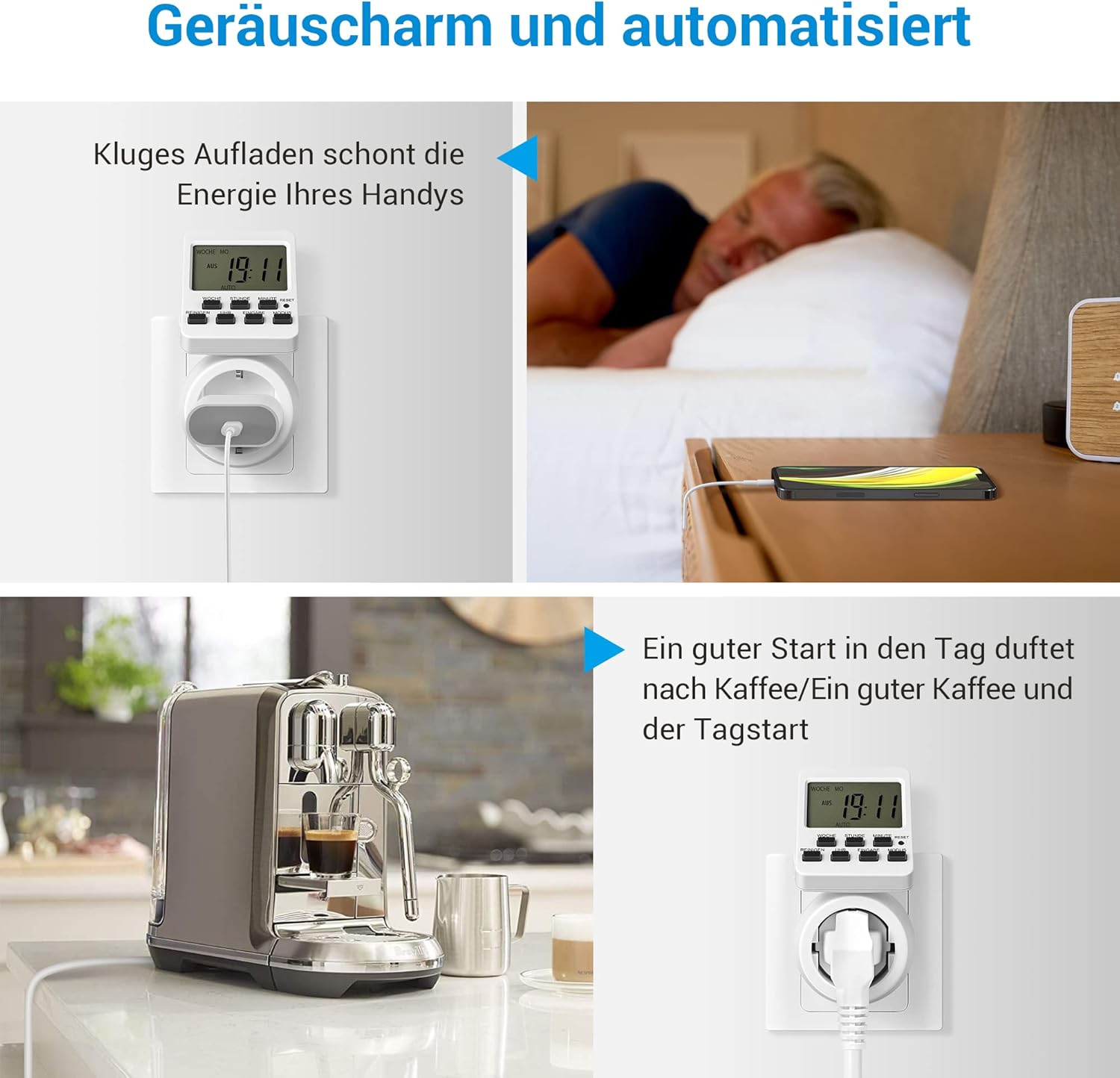
Image 5.4: Further examples of automation, including smart phone charging and coffee preparation.
6. Одржавање
- Чишћење: Wipe the timer with a dry, soft cloth. Do not use abrasive cleaners or immerse in water.
- Складиштење: Чувајте тајмер на хладном и сувом месту када се не користи.
- батерија: The internal battery is not user-replaceable. It maintains settings for approximately 30 days during power interruptions.
КСНУМКС. Решавање проблема
| Проблем | Могући узрок | Решење |
|---|---|---|
| Timer does not turn ON/OFF as programmed. | Incorrect program settings; Timer not in AUTO mode; Power outage. | Verify program settings. Ensure the timer is set to AUTO mode. Check power supply. |
| Екран је празан или не реагује. | No power; Internal battery depleted. | Ensure the timer is plugged into a live outlet. Press the RESET button to reactivate and charge the internal battery. |
| Appliance connected to timer does not work. | Appliance is faulty; Timer is OFF or in an incorrect mode. | Test the appliance directly in a wall outlet. Check the timer's mode (ON or AUTO with active program). |
| Settings are lost after unplugging. | Internal battery needs charging. | Keep the timer plugged in for at least 4 hours to fully charge the internal battery. |
8. Спецификације
| Феатуре | Детаљ |
|---|---|
| Модел | DHDTI03B1 |
| Бранд | ДЕВЕНВИЛС |
| Боја | Бела |
| Материјал | акрилонитрил бутадиен стирен (АБС) |
| Димензије производа (Д x Ш x В) | 15 Д x 6 Ш x 12 В центиметара |
| Број програма | 16 |
| Максимални капацитет оптерећења | 3840 В, 16 А |
| Дисплаи | 180° Rotatable LCD |
| Задржавање меморије | Approx. 30 days (built-in battery) |

Image 8.1: Product dimensions of the timer outlet.
9. Гаранција и подршка
DEWENWILS products are designed for reliability and performance. For warranty information, technical support, or any questions regarding your product, please contact DEWENWILS customer service through the retailer's platform or the official DEWENWILS website. Please have your model number (DHDTI03B1) and purchase details ready when contacting support.